I’ve built compliance tests, onboarding quizzes, and hiring assessments. I’ve also watched colleagues pick the wrong test maker software, realize it mid-program, and quietly suffer through it.
The problem is never the interface. It’s always something you didn’t think to test before committing: question banking, proctoring that actually locks a browser, reports that show more than a final score.
I put together this list of the best test maker software based on hands-on use, peer recommendations, and real user feedback from G2, Capterra, and communities where educators and L&D professionals talk honestly about what works.
What Is Test Maker Software?
It sounds simple. The basic version is.
But here’s what most people don’t realize until they’re mid-program: there is an enormous gap between a “quiz tool” and actual test creation software. Google Forms is a quiz tool. SurveyMonkey is a quiz tool. What you’re actually looking for, especially if your assessments carry real weight, is something that handles question banks, randomization, anti-cheating controls, skill gap analysis, and reporting that tells you more than a final score.
The people who use this software are all over the map. Teachers are running weekly knowledge checks. HR managers are using pre-employment testing platforms to screen candidates before the first call. Compliance officers need to document that 200 employees completed mandatory safety training. EdTech founders selling exam prep at scale.
They all have different requirements. That’s exactly why picking the wrong tool stings.
11 Best Test Maker Software Tools
I’ve put together this list of the best test maker software tools based on my own experience, online research, and recommendations from peers. I also considered unbiased reviews and user feedback to give you a well-rounded view.
Here’s the summary of my top 11 tools:
| Test Maker | Best For | Pricing |
|---|---|---|
| ProProfs Quiz Maker | Easily Creating Secure Quizzes & Assessments With AI or Templates | Forever FREE for short quizzes and all essential features. Paid plans start at $19.99/month. |
| ExamOnline | AI-Based Remote Proctoring | Custom pricing |
| Testinvite | Large-Scale Assessments | Starts at $37/month |
| SpeedExam | Aptitude tests | Free plan available (for up to 25 exams/month and basic features). Paid plans start at $20/month. |
| Classtime | Classroom-Based Learning | Free plan available (basic features only). Paid plans start at $5/teacher/month. |
| TestGorilla | Bias-Free, Pre-employment Testing | Free plan available (5 free tests and 5 custom questions). Paid plans start at $83/month. |
| ExamJet | Personalized assessments | Starts at $59/month for up to 20 students. |
| Respondus | Secure, In-course Tests | A la carte pricing |
| iSpring QuizMaker | LMS Integration | $370/user/year |
| Articulate Quizmaker | Diverse Question Formats | Starts at $1,199/year |
| Testportal | Data-Driven Assessments With Real-Time Feedback | Starts at $35/year. A free, limited plan is available for teachers. |
1. ProProfs Quiz Maker: Best for Easily Creating Secure Quizzes and Assessments With AI or Templates
I’ll keep this simple and straight from experience.
ProProfs Quiz Maker is the tool my team uses, and I’ve run enough real programs on it to know where it works best and where it doesn’t.
We’ve used it for compliance tests, onboarding, and candidate screening. What keeps us using it is how fast and complete it is. I can build a full assessment with random questions, proctoring, and certificates in about 20 minutes. That’s just how it works in practice.
The AI quiz generator is actually useful. I upload a PDF, SOP, or even a video, and it creates solid draft questions with explanations. I usually tweak them after, but it cuts my work almost in half. You can give it a go below:

Let ProProfs AI Build a Quiz
The variety of 20+ question types stands out. I’ve used drag and drop for process steps and video responses for role-play scenarios. Both work better than plain text questions.
For repeat programs, the 100,000+ question bank helps a lot. I tag questions and pull from them, so every test feels different. That’s important when the test actually matters.
AI grading has saved me a lot of time on open-ended responses. I set the rubric once, and it scores consistently across batches, which matters when you’re running large assessments.
The analytics are not just dashboards either. The system automatically surfaces patterns across questions and topics, so I don’t have to dig through raw data to understand what’s breaking.
Once everything is set, it pretty much runs on its own for ongoing programs.
A good example of how this translates to the classroom: Christian, a history teacher, replaced 15 years of paper-based exams with digital assessments built in a quiz maker for teachers. By categorizing questions and drawing from a central bank, he simplified test creation while improving consistency across lessons.
Watch: From 15 Years of Paper Tests to Easy Digital Assessments
Pros:
- AI quiz generation from PDFs, videos, webpages, and documents with built-in explanations
- 20+ question types including drag-and-drop, video responses, and scenario-based items
- Full anti-cheating stack: browser lockdown, webcam proctoring, screen recording, IP tracking
- Question banks with category-level pooling so every attempt is unique
- Assessment reporting dashboards with question-level and category-level analytics for skill gap analysis
- Automated grading, instant feedback, and branded certificate generation with recertification triggers
Cons:
- No dark mode, which gets uncomfortable during long exam-building sessions
- Cloud-only; no on-premise option if your organization has that requirement
Ratings: Capterra: 4.5/5
Pricing: Free for short quizzes and essential features. Paid plans start at $19.99/month, Business at $39.99/month, and Enterprise at $199.99/month. K-12 pricing starts at $4/teacher/month or $0.25/student/month.
2. ExamOnline: Best for AI-Based Remote Proctoring
ExamOnline offers AI-driven proctoring features designed to monitor exams effectively. It uses facial recognition and object detection to verify test takers’ identities and detect irregularities during the exam.
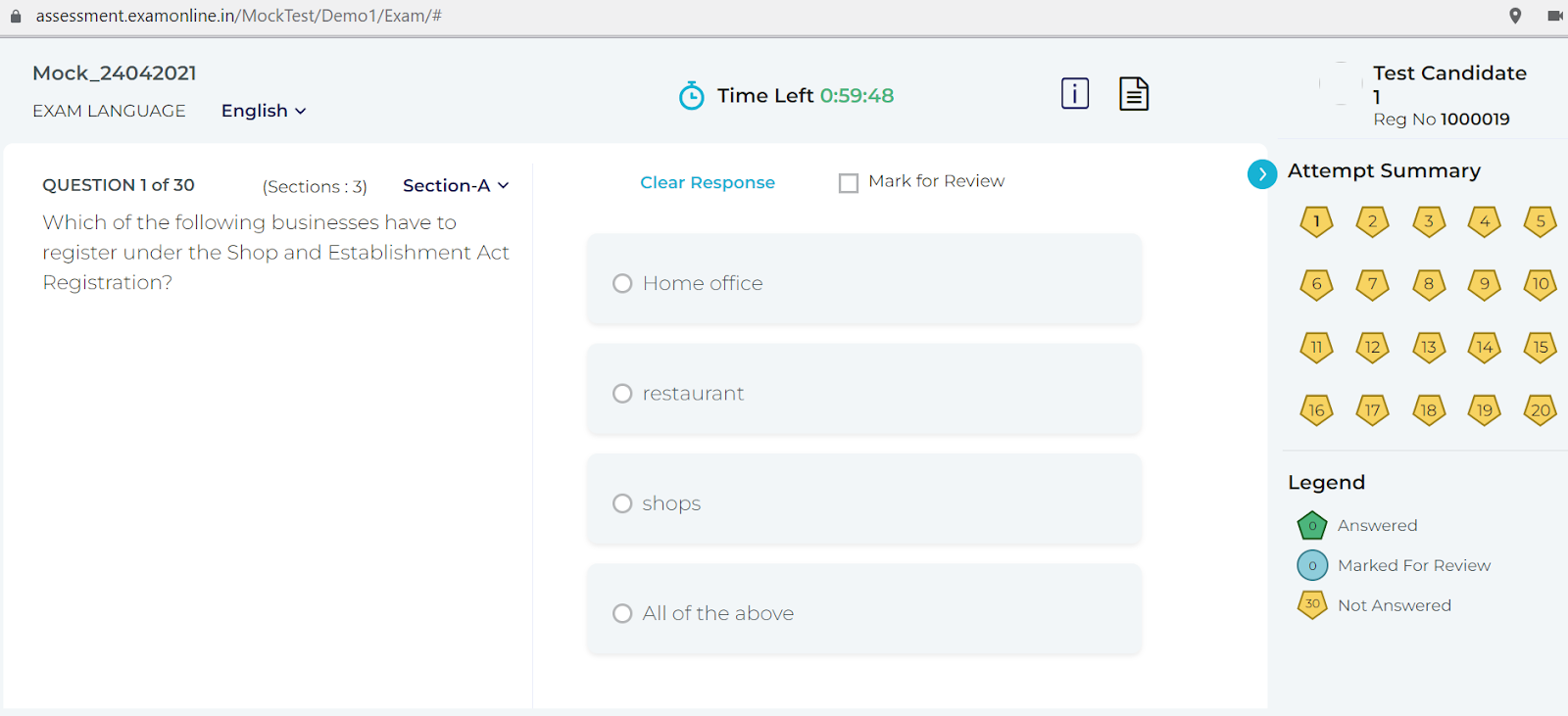
When I explored this online test creation software, I found its live video and screen-sharing integration useful for maintaining oversight in a way that isn’t overly intrusive.
Additionally, ExamOnline provides candidate authentication with features like audio analytics and liveness detection. These add an extra layer to the monitoring process, ensuring a more secure and controlled environment during assessments.
Pros:
- AI proctoring with facial recognition, object detection, and audio analytics during the exam
- Liveness detection for identity verification
- 100,000+ question bank across subjects
- Custom branding for assessment delivery
- Scales for organizations of different sizes
Cons:
- Less robust on the content-creation side compared to all-in-one platforms
- Custom pricing model means no quick apples-to-apples cost comparison
Ratings: Capterra: 4.8/5
Pricing: Custom pricing.
3. Testinvite – Best for Large-Scale Assessments
Testinvite is designed for handling large-scale assessments, making it an excellent choice for educational institutions and businesses.
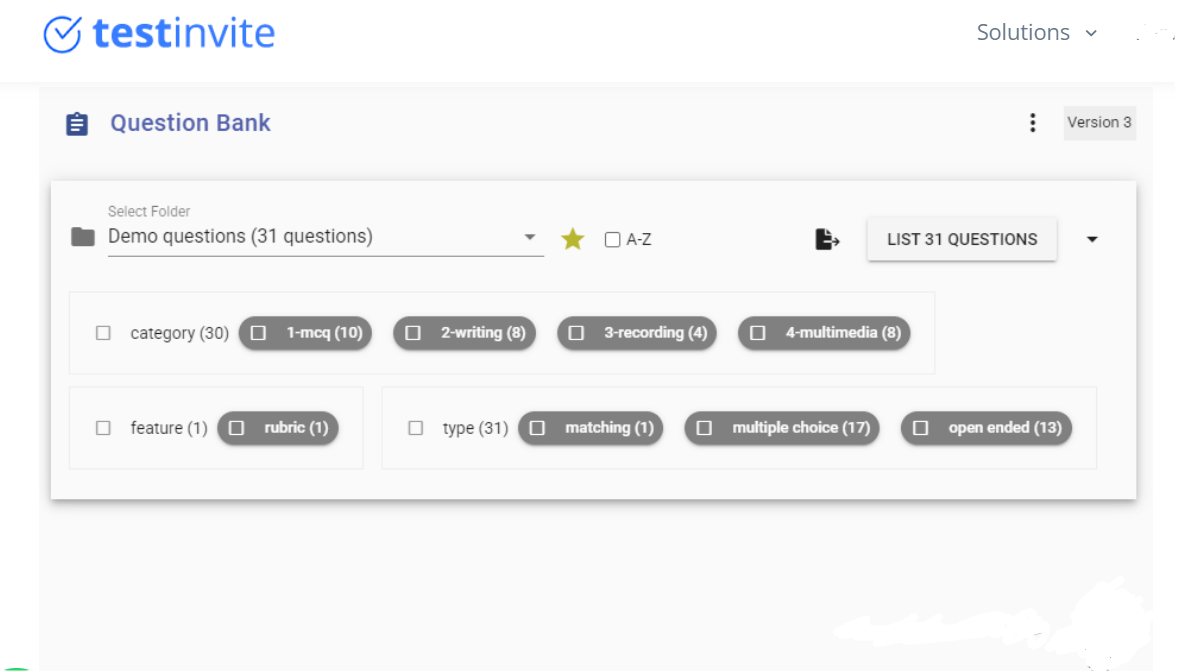
It excels at managing thousands of test-takers at once, offering highly customizable workflows for different exam types, from certifications to admission tests.
One of the things I noticed while looking into this tool was its flexibility, it makes setting up timed assessments with randomized questions remarkably smooth and efficient.
Additionally, the platform’s support for multiple devices and browsers is perfect for hybrid or remote environments. Combined with real-time monitoring and detailed reporting, Testinvite provides a comprehensive solution for secure, large-scale exam management.
Pros:
- Handles thousands of concurrent test-takers without performance degradation
- Live proctoring combined with AI behavioral analysis
- Highly customizable workflows for different exam types and client groups
- Multilingual support with option to request additional languages
- Exportable, customizable reports for stakeholder sharing
Cons:
- Steeper learning curve than most tools on this list; not designed for quick, lightweight quiz creation
- Pricing starts at $37/month but scales based on volume; large programs get expensive fast
Ratings: Capterra: 4.9/5
Pricing: Starts at $37/month.
4. SpeedExam – Best for Aptitude Tests
SpeedExam sits in an interesting lane: aptitude testing with a built-in monetization layer.
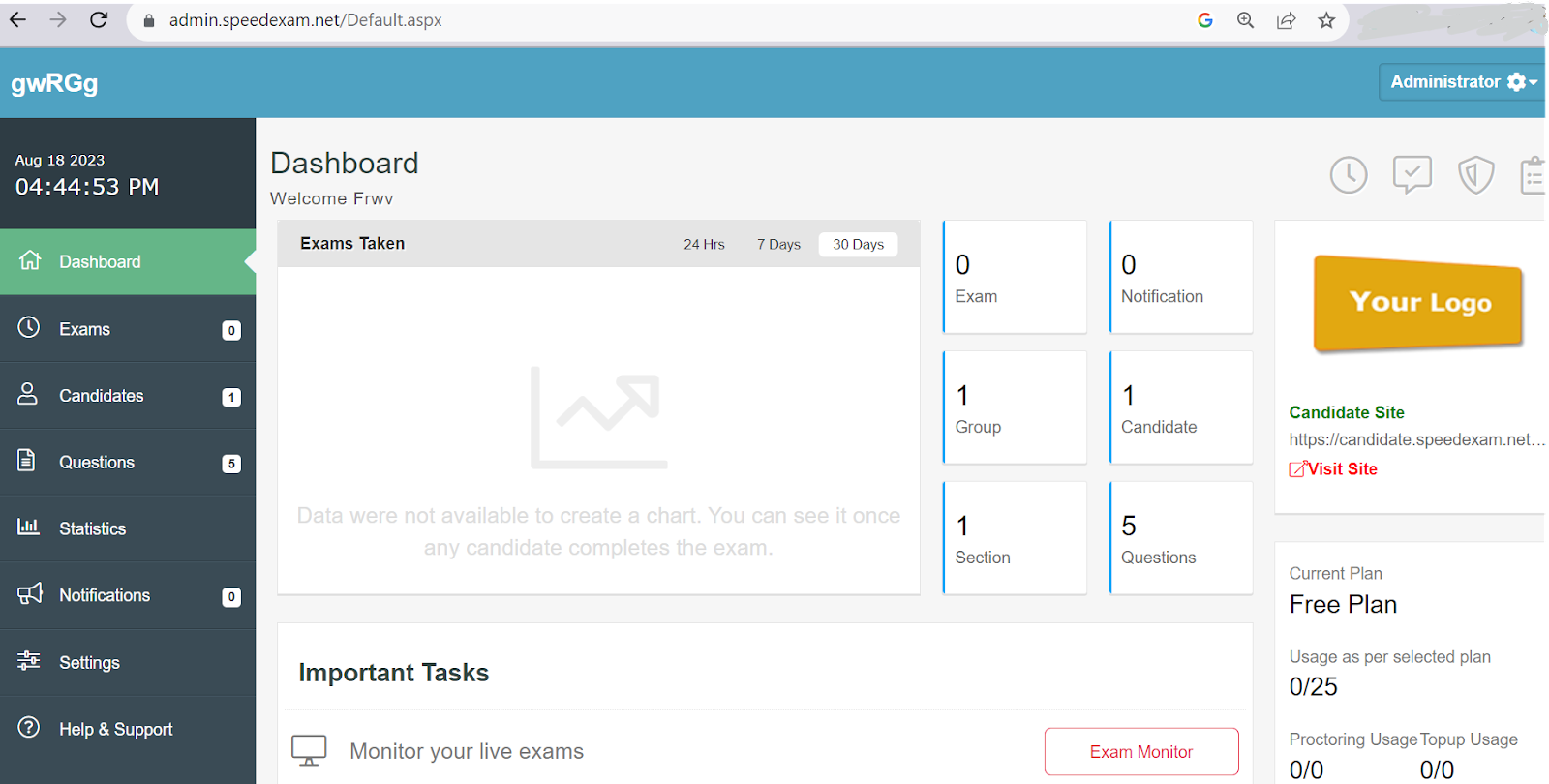
Most platforms don’t let you sell your test packages directly. SpeedExam does, and the storefront setup is straightforward enough that a non-technical educator can configure it without developer help.
I tested the platform after a friend who runs a campus recruitment program mentioned it. His main reason for choosing it was the mobile optimization, because his candidates were taking aptitude tests from smartphones, not laptops, and most other tools delivered a suboptimal mobile experience. SpeedExam handles this cleanly.
The anti-cheating controls are functional and the self-registration form builder removes friction from the participant side. It’s not the deepest platform on analytics, but for aptitude testing and monetized test packages, it covers the essentials.
Pros:
- Built-in online storefront for selling test series and packages
- Fully mobile-optimized, clean experience on smartphones and tablets
- Custom branding with logos, colors, and themes
- Self-registration with customizable form builder
- Anti-cheating settings with instant notifications
- Customized certificates with logo and personalized text
Cons:
- Analytics and reporting are functional but shallower than enterprise-grade tools
- Question type variety is more limited compared to broader platforms
Ratings: Capterra: 4.8/5
Pricing: Free plan for up to 25 exams/month. Paid plans start at $20/month.
5. Class Time – Best for Classroom-Based Learning
Classtime is what you reach for when your entire workflow lives inside a school LMS and you need a quiz tool that connects to it without friction, not a separate system you have to manage independently.
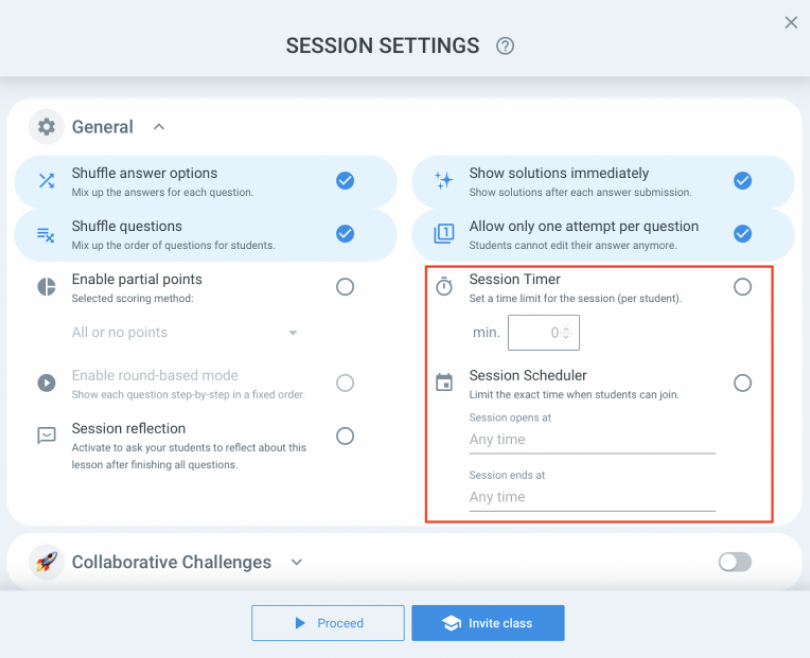
I’ve seen it recommended consistently in educator communities, specifically for the Google Classroom, Moodle, Canvas, and Blackboard integrations.
A teacher I spoke with put it simply: “I don’t want to manage two separate platforms. Classtime syncs with what I already use and my results just show up where they’re supposed to.” That’s exactly the use case it’s designed for.
The question formats are solid for classroom use: MCQ, true/false, fill-in-the-blank, matching, and essay.
You can embed images, videos, audio, and equations directly into questions, which matters more than people realize once you try to build a science or math assessment without it.
Pros:
- Seamless LMS integration with Google Classroom, Moodle, Canvas, and Blackboard
- Multiple question formats including essay and media-embedded items
- Conditional logic and automated grading
- Password protection and CSV/PDF export for results
- Intuitive enough for non-technical educators
Cons:
- Free plan is limited; anything beyond basic use requires a paid tier
- Less suitable for corporate training or high-stakes certification scenarios
Ratings: Capterra: 4.7/5
Pricing: Free plan available. Paid plans start at $5/teacher/month.
6. TestGorilla: Best for Pre-Employment Testing
TestGorilla is not a general quiz tool. It’s a hiring tool that happens to use assessments to do its job. That distinction matters because the entire product is oriented around one outcome: helping you hire the right person, faster, with less bias.
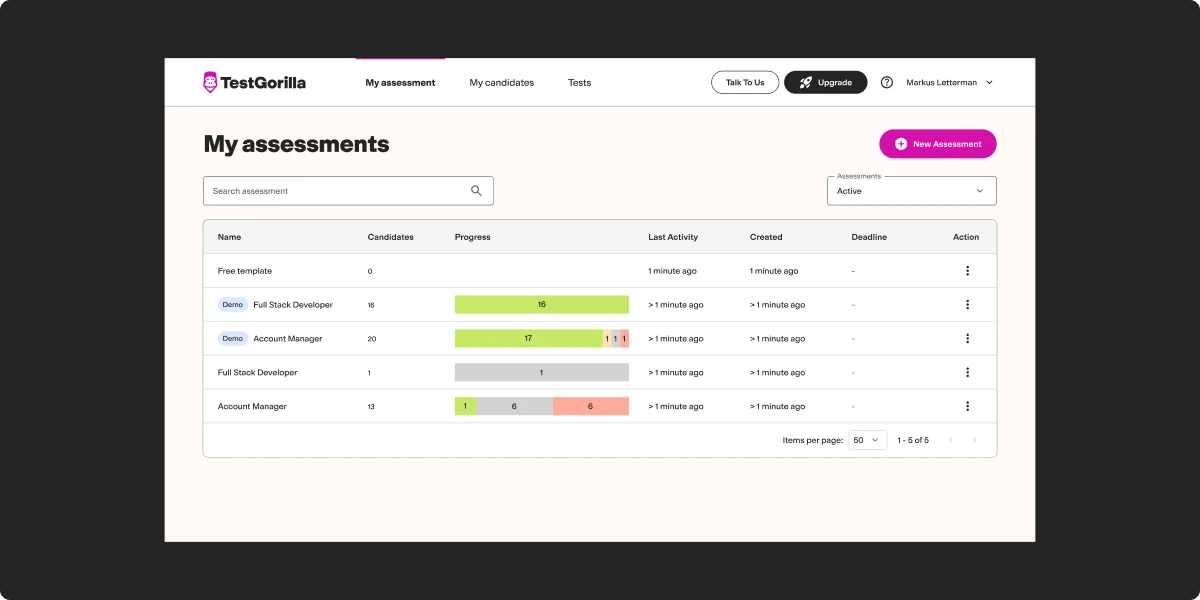
I explored this one after an HR director told me it had cut their first-round phone screen time by about 40% because they could filter on assessment scores before scheduling anything. The library of 300+ scientifically validated assessments spans coding skills, cognitive ability, personality profiles, digital marketing, critical thinking, and more.
The adaptive testing is the standout feature: it adjusts question difficulty based on previous answers, which produces a more accurate picture of a candidate’s actual ability than a static question set does. Video questions for evaluating communication skills are a useful addition for roles where that matters.
Pros:
- 300+ scientifically validated assessments across skills and roles
- Adaptive testing adjusts difficulty based on prior answers
- Video questions for evaluating communication and presentation
- ATS integration to keep hiring pipelines clean
- Candidate ranking by composite score to reduce manual evaluation work
Cons:
- Pricing jumps significantly on paid plans; $83/month is the entry point
- Built specifically for hiring; not suitable for training, education, or ongoing certification
Ratings: Capterra: 4.1/5
Pricing: Free plan (5 tests, 5 custom questions). Paid plans start at $83/month.
7. ExamJet: Best for Personalized Assessments
ExamJet gives you more control over individual test configuration than most platforms on this list.
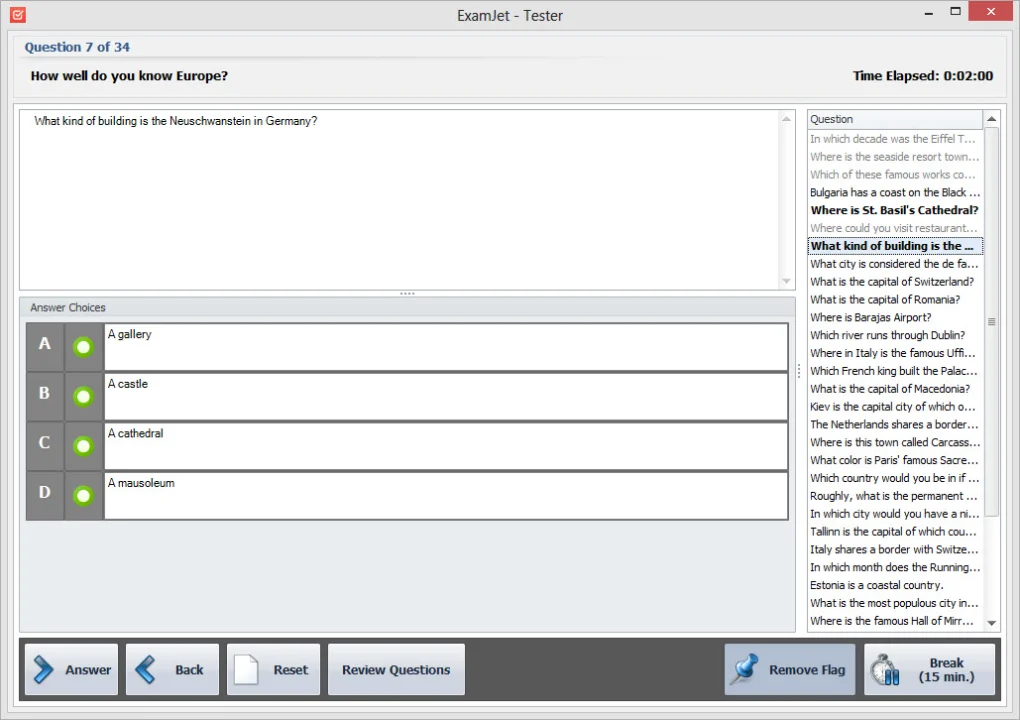
You can tailor assessments to specific individuals or groups, adjust difficulty levels, vary question sets, and get reporting that breaks down performance at the individual level including time-on-task per question.
I came across it through a marketing team manager who used it to evaluate sales agents on product knowledge before quarterly campaigns. His use case was specific: he needed to know not just who passed, but who struggled with which product category. ExamJet’s category-level reporting gave him that. “It changed how I do pre-campaign prep,” he told me. “I stopped guessing and started coaching to actual gaps.”
Pros:
- Question management organized by subject and difficulty level
- Automated scoring for objective question types
- Security controls including password protection and IP restrictions
- Question library with 1,000+ items
- Reporting by individual, group, question, and time-on-task
Cons:
- $59/month for just 20 students is expensive at small scale
- Less suitable for large institutions with volume requirements
Ratings: Capterra: 4.8/5
Pricing: Starts at $59/month for up to 20 students.
8. Respondus: Best for Secure In-Course Tests
Respondus is not a standalone quiz builder. If that’s what you’re looking for, this isn’t it.
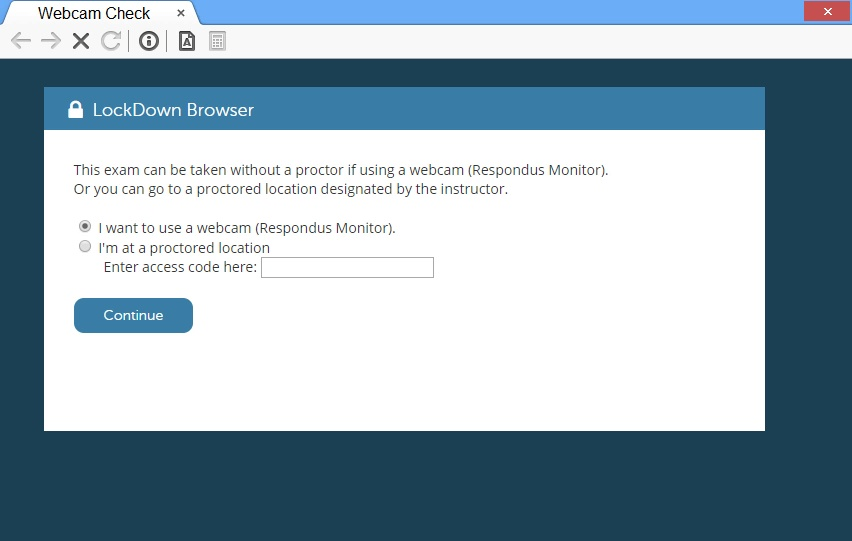
What Respondus is: a security and exam-management layer designed to sit on top of an LMS. If your institution already runs Blackboard, Canvas, Moodle, or a similar system and your primary headache is preventing cheating during online exams, Respondus addresses that problem specifically and well.
LockDown Browser does exactly what the name implies: it locks the screen, disables copy-paste, and blocks external apps and browser functions during an exam.
Respondus Monitor adds AI-driven proctoring that flags suspicious behavior for later review. Respondus 4 lets you build and batch-upload question banks and publish directly to your LMS without manual entry.
Pros:
- LockDown Browser prevents access to unauthorized resources with genuine effectiveness
- Respondus Monitor adds AI proctoring for non-live exam sessions
- Batch uploading of question banks streamlines large-scale exam creation
- StudyMate Campus creates flashcards and learning games for student study
- Seamless LMS integration across major platforms
Cons:
- Priced as a suite of separate products; LockDown Browser alone starts at $2,995/year
- No standalone value outside an LMS ecosystem; requires existing infrastructure
Ratings: Capterra: 4.5/5
Pricing: LockDown Browser: $2,995/year | Monitor: $4,950/year | StudyMate Campus: $2,795/year | Respondus 4: $1,695/year.
9. iSpring QuizMaker: Best for LMS Integration
If your quiz output needs to live inside an LMS and needs to be SCORM or xAPI compliant every single time, iSpring QuizMaker is the most reliable option on this list for that specific requirement.
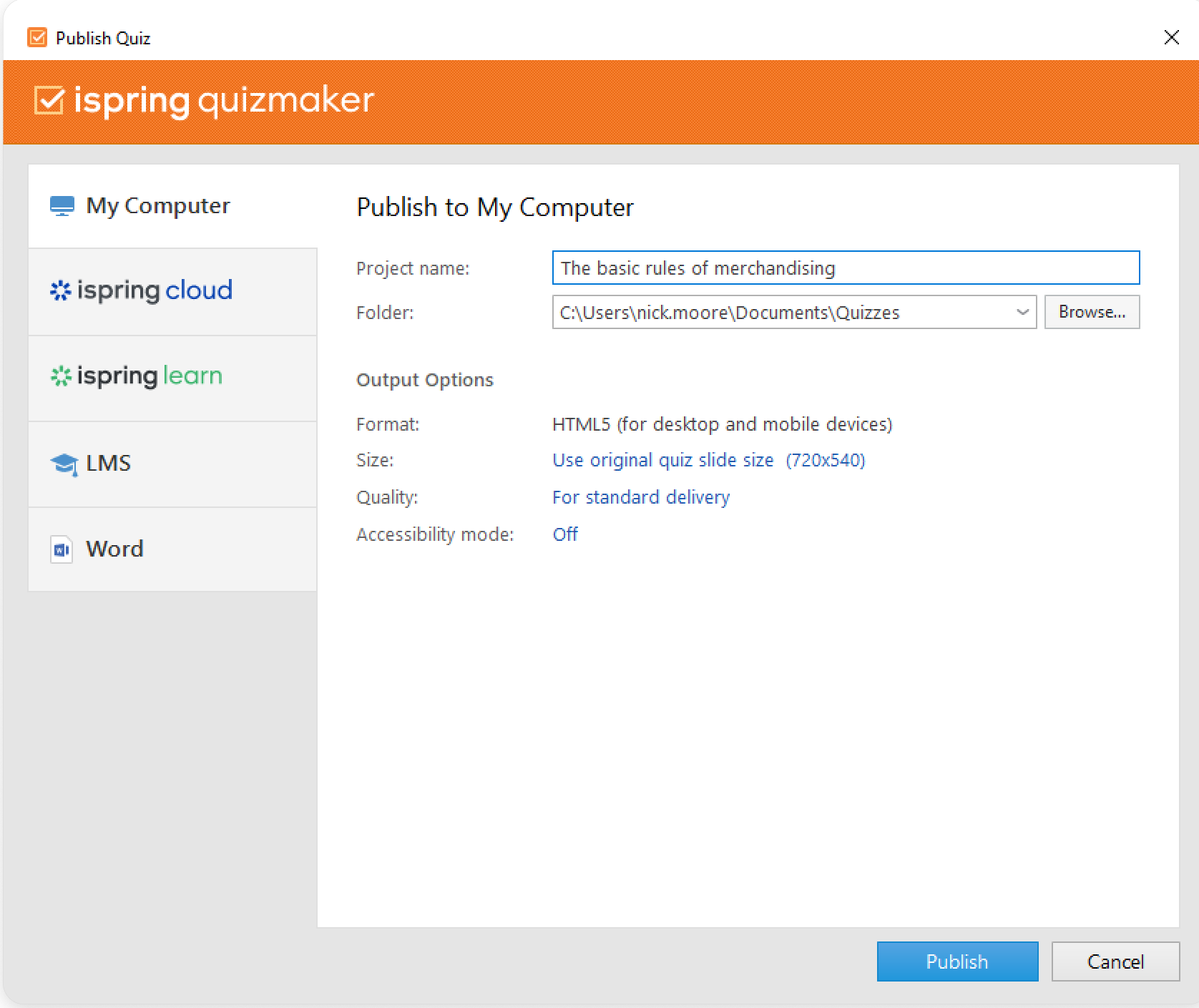
What makes it genuinely practical is the PowerPoint integration.
An instructional designer I know switched to it specifically because her team’s existing content was all in PowerPoint, and rebuilding everything from scratch in a new format wasn’t viable. With iSpring, she imported her existing slides and started layering in quiz interactions without starting over. That’s a real-world advantage that doesn’t show up on most comparison charts.
Fourteen question types, mobile-responsive output, and customizable branching paths give you enough flexibility for training-focused assessments. It’s not the flashiest tool, but it does the LMS integration job without friction.
Pros:
- Full LMS compatibility via SCORM, xAPI, AICC, and HTML5
- PowerPoint integration for teams with existing slide-based content
- 14 interactive question types including multimedia drag-and-drop
- Mobile-responsive output
- Customizable branching and feedback for tailored learning paths
Cons:
- Annual per-user pricing adds up quickly for larger teams
- Limited value outside an LMS ecosystem; standalone delivery isn’t its strength
Ratings: Capterra: 4.7/5
Pricing: $370/user/year.
10. Articulate Quizmaker: Best for Diverse Question Formats
Twenty-five question types. That number matters if your assessments need to go beyond multiple choice and true/false into genuinely interactive territory.
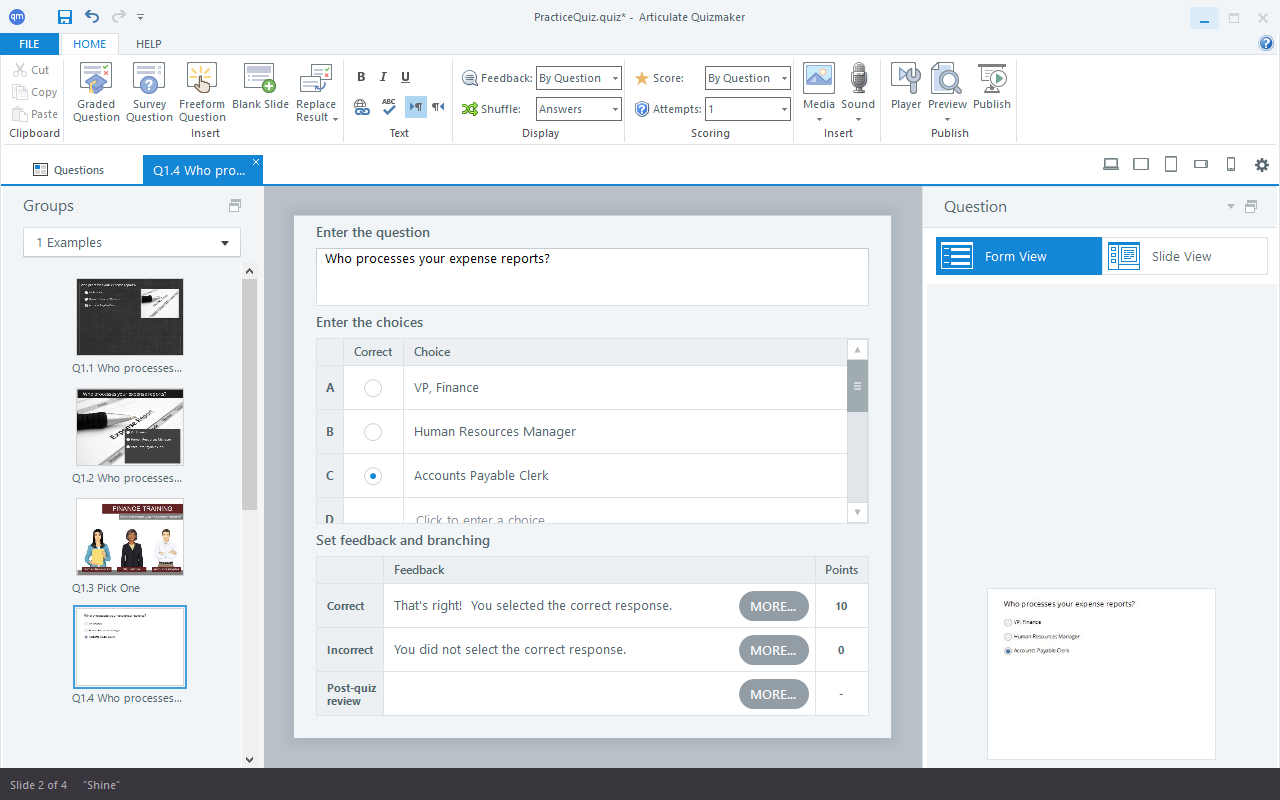
Articulate Quizmaker 360 gives you drag-and-drop, freeform interactions, and scenario-based branching that other platforms call “interactive” but implement halfway.
If you’re building product knowledge checks, soft skills assessments, or compliance scenarios where the learner needs to make decisions and see consequences, the interaction design here is the most flexible on this list.
The Articulate 360 content library and Review 360 collaboration tool make it particularly strong for teams that build training content at volume. The trade-off is the price and the commitment to the Articulate ecosystem.
Pros:
- 25 question types including freeform and scenario-based interactions
- Articulate 360 content library for templates and media assets
- Fully responsive output across devices
- Review 360 for real-time team feedback and collaboration
- SCORM and Tin Can compliance for LMS integration
Cons:
- High price point; starts at $1,199/year
- Full value requires buying into the broader Articulate 360 ecosystem
Ratings: Capterra: 4.7/5
Pricing: Starts at $1,199/year.
11. Testportal: Best for Data-Driven Assessments With Real-Time Feedback
Testportal pairs AI-assisted test creation with live participant monitoring and post-test analytics that are more actionable than most platforms deliver.
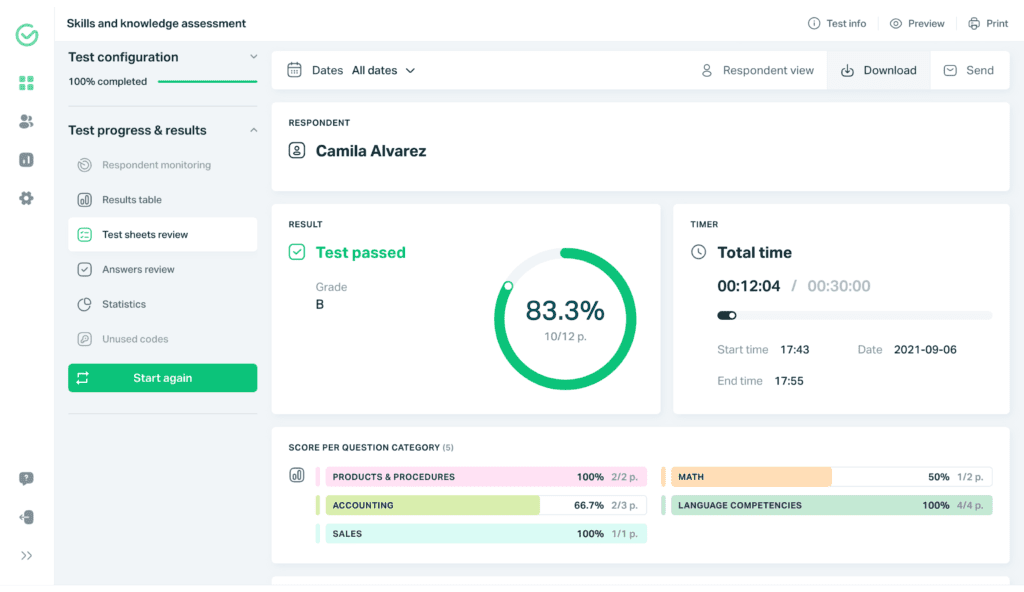
The AI question generation from PDFs and Word documents is fast and practical.
No login required for test-takers, which removes a surprisingly common friction point for external participants or candidates who aren’t part of your organization’s system. And the live monitoring dashboard lets you see, in real time, where participants are in the assessment and flag anything unusual.
A training manager I spoke with uses it specifically for post-training validation: “I run an assessment right after each module. The analytics show me, within minutes, whether the training actually landed or whether I need to reteach something before the next session.”
Pros:
- AI question generation from PDFs and Word documents
- No account required for test-takers; access via shared link
- Live participant monitoring during assessments
- Comprehensive group and individual performance analytics
- Server-side timers and access restrictions for secure delivery
Cons:
- Annual pricing model; free plan is restricted to teachers and feature-limited
- Proctoring controls are lighter than dedicated proctoring platforms
Ratings: Capterra: 4.6/5
Pricing: Free limited plan for teachers. Paid plans start at $35/year.
How Did I Evaluate Test Creation Software Tools?
Before you trust any list, you should know how it was built. Here’s what I actually looked at.
User reviews across G2 and Capterra: Not the overall star rating, the patterns. One glowing review from a free plan user and one frustrated review from an enterprise compliance manager describe two different products. I read for patterns, not averages.
Feature depth versus feature breadth: A long feature list is easy to put together. What I looked for was whether the features that matter for serious use cases, anti-cheating, question banking, assessment reporting dashboards, and automation, are genuinely implemented or just listed in name.
Ease of use for the actual administrator: If building your first test requires a support ticket, that cost shows up eventually. I paid attention to whether a non-technical admin could be up and running in under 30 minutes.
Customer support quality: At scale, something always breaks. I factored in responsiveness and usefulness of support based on user feedback and direct exploration.
Value relative to price: What lives behind the paywall, what the free plan actually allows, and whether the paid tiers justify the jump.
Real-world fit by use case: This was the most important filter. An excellent test builder for teachers is often a poor fit for a compliance team running multi-user programs with centralized management and audit trail requirements. I matched each tool to what it’s genuinely built for.
Editor’s Pick: What I’d Actually Recommend
If you’re short on time, these three cover the widest range of real use cases and hold up when the stakes are real.
ProProfs Quiz Maker is the strongest all-rounder on this list. It combines AI-powered test creation, a full anti-cheating stack, question banks with pooling, automated certification, and assessment reporting dashboards that go beyond aggregate scores. The forever-free plan is genuine, not a teaser.
Testinvite is built for scale. If you’re managing certification exams across multiple groups, countries, or client organizations simultaneously, the workflow customization and live proctoring here go deeper than most tools.
TestGorilla is the right pick if hiring is your primary use case. Its library of scientifically validated pre-employment testing assessments and adaptive difficulty logic produce a more accurate candidate picture than a static question set ever will.
FREE. All Features. FOREVER!
Try our Forever FREE account with all premium features!
Which Test Maker Is Actually Right for Your Use Case?
Here’s a faster decision path if you know your situation:
- AI-powered, secure assessments for training, compliance, or certification: ProProfs Quiz Maker
- Remote exam integrity with AI proctoring as the primary requirement: ExamOnline
- High-volume assessments across multiple groups, countries, or clients: Testinvite
- Aptitude testing or selling quiz packages with a built-in storefront: SpeedExam
- Test builder for teachers inside an existing LMS ecosystem: Classtime
- Bias-free, skills-based pre-employment testing: TestGorilla
- Personalized assessments with category-level skill gap analysis: ExamJet
- LMS security layer for institutions on Blackboard, Canvas, or Moodle: Respondus
- SCORM/xAPI output with PowerPoint-based content creation: iSpring QuizMaker
- Interactive scenario-based courseware with 25+ question formats: Articulate Quizmaker
- Real-time monitoring and data-driven post-training validation: Testportal
Stop Picking Tools That Only Work in Demos
The frustration with most online test maker software isn’t the interface. It’s what happens after the demo ends.
You built a great quiz. Learners take it. And then you realize you can’t pull the one report that tells you which questions everyone missed. Or the browser lockdown didn’t actually lock anything. Or you hit a question limit you didn’t know existed. Or recertification means rebuilding the whole thing from scratch.
The tools that prevent that frustration aren’t necessarily the flashiest or the cheapest. They’re the ones who thought through the full workflow, not just the creation step.
Before you commit to any platform, run three real tests: a question-bank draw with randomization, a full anti-cheating session on the device your participants actually use, and a report that answers a specific operational question. If any of those stumble, that’s your answer.
The right test generator software doesn’t just help you create assessments. It helps you trust them.
Frequently Asked Questions

How do I choose the best test maker software for my needs?
Start with your use case, not the feature list. Hiring teams need validated assessments and ATS integration. Certification bodies need browser lockdown and question pooling. A test builder for teachers needs LMS compatibility. Match the tool to the job first, then verify that the specific features that matter for that job are genuinely implemented, not just listed on a pricing page.
What features should I look for in test creation software?
For most serious programs: flexible question types beyond basic MCQ, question banks with randomization, automated grading with feedback, and assessment reporting dashboards that show analytics at the question level. For remote or high-stakes programs: add browser lockdown, webcam proctoring, IP tracking, and per-question time limits. For recurring compliance programs: add automated certificates and recertification triggers.
Can test maker software be used for both employee training and hiring?
Yes, but not every platform handles both equally well. Tools like ProProfs Quiz Maker are built for both training assessments and pre-employment testing. TestGorilla is specialized for hiring. Using a hiring-specific tool for ongoing training, or vice versa, usually means hitting capability gaps in one direction faster than you'd expect.
How do I prevent cheating in online tests?
The most effective combination is question randomization from a pooled bank, browser lockdown that genuinely prevents tab switching and external searches, webcam monitoring during the exam, and IP tracking to flag location anomalies. Time limits per question reduce the window for looking things up. No single control is sufficient on its own; the combination is what makes secure online exam software actually secure.
What reporting features should good test maker software include?
Final scores are the floor. Look for question-level analytics showing which items were most often missed, category or competency breakdowns for skill gap analysis, attempt history per learner, group performance trends over time, and exportable data. If you're accountable to a compliance requirement, verify the assessment reporting dashboards include the specific fields your documentation actually needs.
Are there test maker tools with ready-to-use templates?
Yes. ProProfs Quiz Maker includes 100,000,+ pre-built, ready-to-use quizzes & assessments. Articulate Quizmaker connects to the Articulate 360 content library. TestGorilla offers 300+ pre-built assessments for hiring roles. Templates speed up quiz creation tools significantly, but should always be reviewed for accuracy before deployment.
What is the difference between test maker software and an LMS?
An LMS is primarily built for course delivery, managing learning paths, and tracking completion. Test creating software is purpose-built for assessment: flexible question formats, grading logic, anti-cheating, and performance analytics are the core product, not bolt-on features. Many organizations use both, but if assessments are the primary need, a dedicated test maker will outperform the quiz module inside most LMS platforms.
Let ProProfs AI Build a Quiz

 We'd love your feedback!
What did you like & how can we make it even better?
 Thanks for your feedback!
 Ask Your Question
Have a question? Get expert help to make your decision easier.