
A guy on my old team got tagged “not ready for management” because he froze on one high-pressure client call. Never mind that he’d quietly run the best-performing account on the floor all year. One bad Tuesday decided his whole trajectory, and nobody in that room could point to a single piece of evidence beyond how the call felt.
That’s not a performance problem. That’s a measurement problem, and it’s the entire reason employee assessment tools exist. I’ve stopped treating employee assessment software as some optional HR nicety. Good employee assessment solutions don’t replace judgment. They just stop judgment from running the whole show unsupervised.
Structure isn’t the boring part. It’s the part that actually protects people. Coaching gets specific instead of vague. Training gets provable instead of assumed. Promotions start tracking readiness instead of who golfs with the VP.
So here’s the list: 12 employee assessment tools I’d actually put in front of a hiring manager or an L&D lead, what each one is genuinely built for, and where each one quietly falls apart once you’re past the demo.
What Are Employee Assessment Tools?
In practice, these tools help you answer questions that tend to cause friction inside teams:
- Are people meeting expectations for the role, or just staying busy?
- Where are the skill gaps that keep showing up in quality, speed, or customer outcomes?
- Who’s ready for more responsibility, and what evidence supports that?
- Did training improve performance, or did it only get completed?
Some platforms focus on skills testing and knowledge checks. Others focus on performance reviews, goals, and feedback cycles. Some specialize in behavioral and personality assessments to support coaching and team fit.
The strongest setups do not try to assess everything all the time. They use the right type of assessment at the moment, where it actually improves a decision. That is the lens I used to build this list.
12 Best Employee Assessment Tools
Here’s a quick comparison table to help you see at a glance how the top tools for assessing employee potential & performance differ.
| Tool | Best For | Pricing |
| ProProfs Quiz Maker | Best for Creating Quizzes & Assessments for Business, Training, and Education | Free plan available; Paid plan starts at $19.99/month |
| Testlify | Role-specific hiring assessments | Starts at $99/month |
| iMocha | Large-scale skills intelligence and technical hiring | Custom pricing |
| Mercer | Mettl | Enterprise proctored testing and certification | Custom pricing |
| eSkill | Prebuilt job tests and simulations | Custom pricing |
| SHL | Validated psychometric and job-fit assessments | Custom pricing |
| Trakstar Perform | Structured performance review management | Custom pricing |
| Culture Amp | Engagement measurement with action planning | Custom pricing |
| Lattice | Performance reviews combined with OKRs | Starts at $11/seat/month |
| Leapsome | Continuous performance and development tracking | Custom pricing |
| Thomas | Behavioral and work-style insights | Custom pricing |
| The Predictive Index | Behavioral data for hiring and team strategy | Custom pricing |
The employee assessment software tools below fall into three practical use cases that teams most often care about.
- Skills & Role Readiness Assessment Tools
- Performance Management & Development Tools
- Personality & Behavioral Assessment Tools
Skills & Role Readiness Assessment Tools
Hiring, training validation, and promotion readiness demand clear proof of capability. These tools focus on measurable skill and role readiness.
The strongest employee skill assessment tools do two things well: they let you build role-relevant assessments quickly, and they give you integrity controls so results stay credible.
1. ProProfs Quiz Maker – Best for Easily Creating Quizzes & Assessments for Business, Training, and Education
I’ve used ProProfs Quiz Maker when the priority was running employee assessments that feel structured, credible, and easy to roll out across teams. It works well for skill checks after training, role-based evaluations during hiring, and internal certification programs where consistency matters.
One reason it stands out is how quickly assessments come together. The AI quiz generator can build complete quizzes with explanations in seconds, and it can convert PDFs, DOCs, PPTs, webpages, or even YouTube training videos directly into employee-ready tests. You can try here:

Let ProProfs AI Build a Quiz
The platform supports 20+ question types, including interactive formats, image-based items, and video response questions. That range makes it easier to assess practical understanding instead of relying only on basic multiple choice.
Security is equally strong. Browser lockdown, IP tracking, question pooling, randomization, time limits, and automated webcam and screen proctoring help keep results dependable, especially in remote or high-stakes evaluation settings. It can also flag written answers that show signs of being AI-generated, which addresses a newer credibility risk that lockdown and proctoring alone don’t cover.
WOWorks, a fast-casual dining group operating across 350+ franchises in 23 states, used ProProfs Quiz Maker to overhaul a fragmented training process and cut employee training time by 40%.
Here’s how they did it:
Pros:
- AI quiz creation from training documents, videos, and internal content in minutes.
- 20+ question types, including video response and interactive assessment formats.
- Secure testing with browser lockdown, IP tracking, automated proctoring, and AI detection of AI-generated answers.
- Question pooling and randomization strengthen fairness across attempts.
- Automated grading, skill-gap analytics you can query directly with AI, and certification workflows for employee development.
Cons:
- No dark mode available.
- Cloud-only deployment; no on-premise hosting.
User Rating: 4.6 (Capterra)
Price: Free for short quizzes and essential features. Paid plans start at $19.99/month and scale to $199.99/month on Enterprise for larger teams.
Create an Auto-graded Assessment in Minutes
2. Testlify – Best for Role-Specific Hiring Assessments That Stay Practical
Testlify is a strong choice when you want hiring assessments that feel connected to the job instead of abstract puzzles. The platform’s value comes from its breadth: you can combine aptitude, cognitive ability, soft skills, personality insights, and job-specific tests into one assessment flow without making candidates jump across tools.
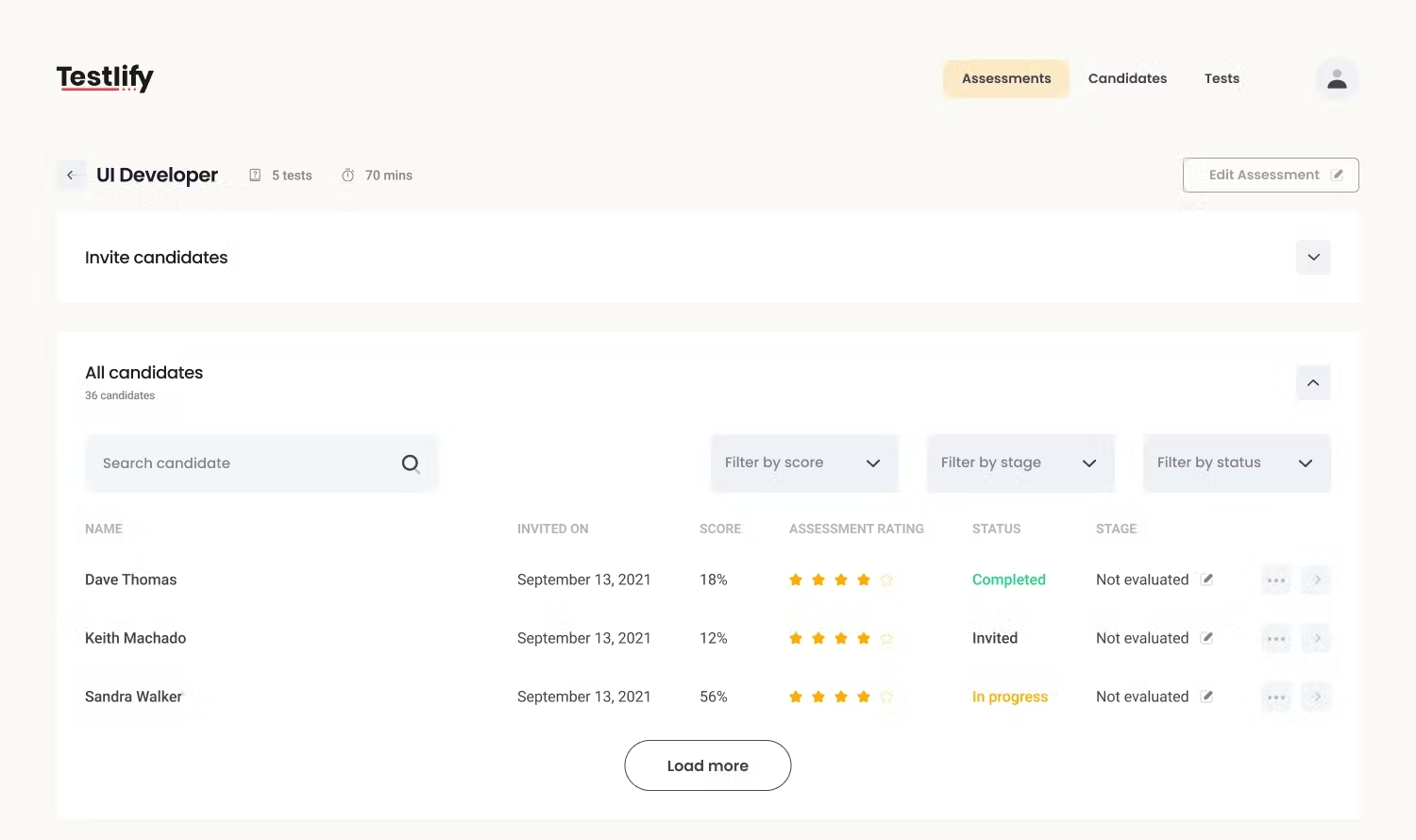
What I like in practice is how quickly you can build role packs. If you’re hiring a customer support rep, you can blend communication, scenario judgment, typing, and product comprehension. If you’re hiring an analyst, you can combine numerical reasoning, Excel-style tasks, and logic.
This employee strength assessment tool also leans into workflow support. You get automated scoring, candidate comparisons, and ATS-friendly integration options so results do not get trapped in a separate dashboard. Proctoring is part of the positioning, which is useful when you’re screening remotely and you need defensible results.
Pros
- Role-based test building makes screening feel connected to real job requirements.
- Broad test library covers cognitive, soft skills, technical, and behavioral areas.
- Automated scoring and candidate comparison reduce manual shortlisting work.
- Proctoring support helps maintain credibility in remote screening.
- Candidate experience is mobile-friendly, which helps completion rates.
Cons
- Some role libraries need deeper industry nuance for highly specialized positions.
- Candidate identity verification options can feel limited for regulated hiring contexts.
User Rating: 4.0 (Capterra)
Pricing: Starts at $99/month.
3. iMocha – Best for Large-Scale Skills Intelligence and Technical Depth
iMocha is built for organizations that treat skills as a measurable asset. It is not just “tests.” It is a skills intelligence approach: mapping skills, building assessments across job families, and using results to guide hiring, internal mobility, and upskilling.
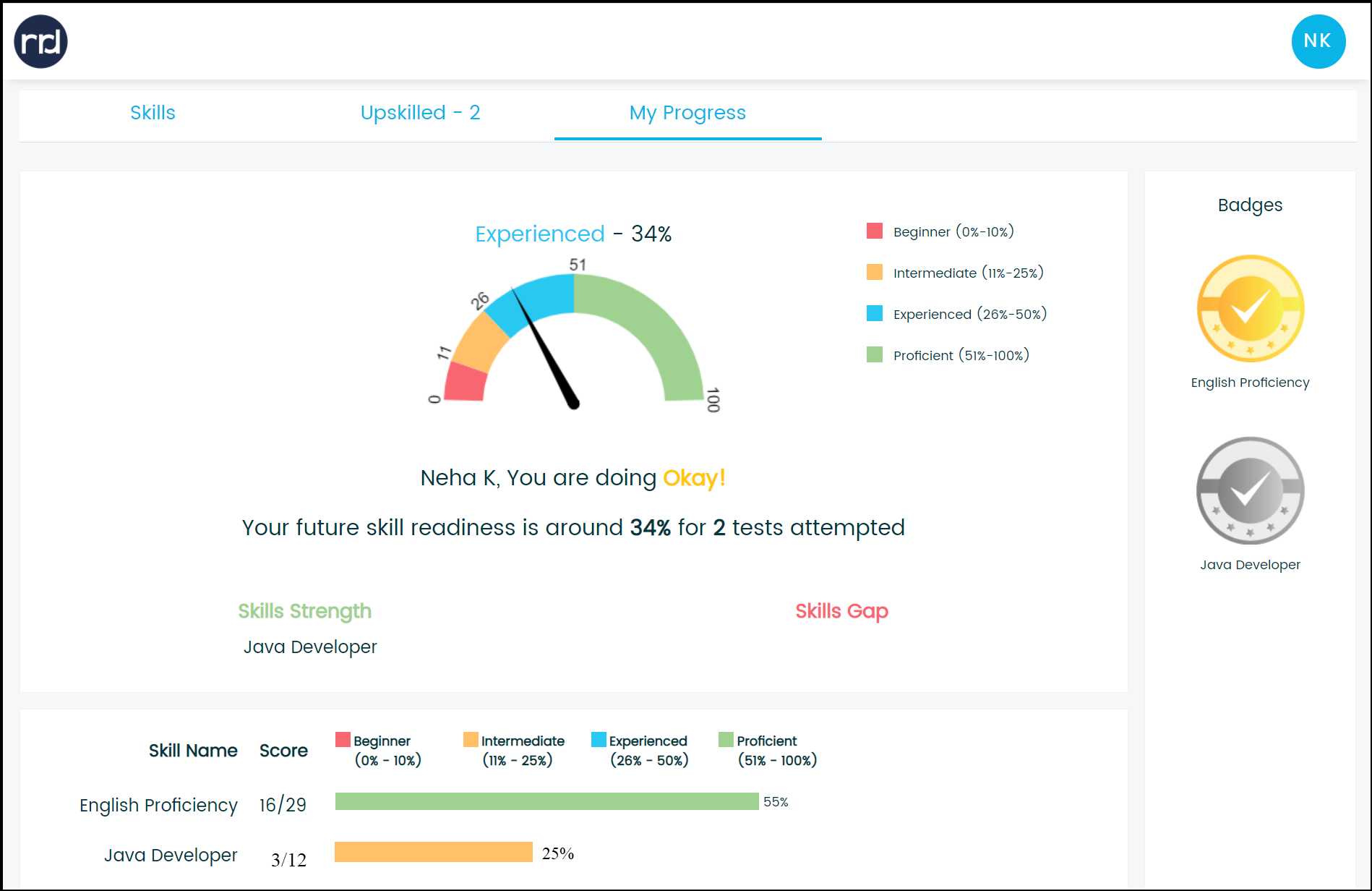
What stands out is range. iMocha positions itself around very broad skill coverage (thousands of skills) and supports technical evaluation through coding tests, project-style challenges, and proctoring controls designed for remote screening. For companies hiring across many roles, the ability to standardize assessment building while still tailoring by seniority is a meaningful advantage.
The reporting is set up to help you compare candidates and also diagnose internal capability. If you’re trying to build a workforce plan, skills taxonomies and analytics matter more than a single test score.
Pros
- Broad skill coverage supports hiring across many job families and levels.
- Technical assessments include coding, projects, and role-based skill benchmarking.
- Proctoring and integrity features support remote testing credibility.
- Skills analytics can inform upskilling and internal mobility conversations.
- Assessment customization helps you tune difficulty for role and seniority.
Cons
- Large libraries can slow setup if your team lacks a clear skills framework.
- Some test packs require review to match your exact role expectations.
User Rating: 4.5 (Capterra)
Pricing: Custom pricing.
4. Mercer | Mettl – Best for Proctored Tests With Enterprise-Grade Controls
Mercer | Mettl is a serious platform for high-stakes assessments. It’s the kind of system you choose when results need to hold up under scrutiny, whether that is large-scale hiring, certification programs, campus recruiting, or regulated testing.
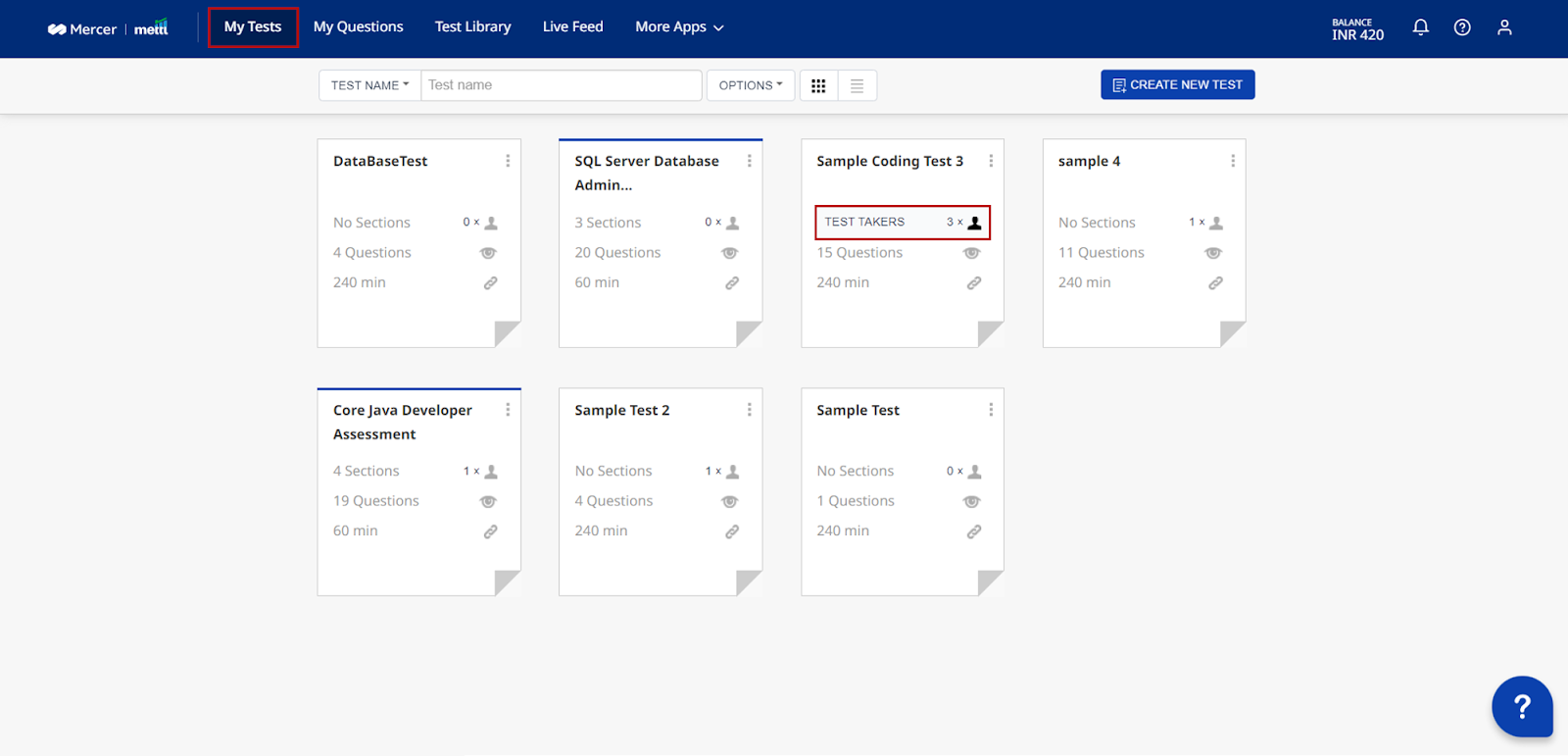
The real differentiator is integrity. Mettl offers multiple proctoring modes, including AI-based proctoring, live proctoring, and record-and-review workflows. You also get layered controls such as browser lockdown, device monitoring, and behavioral flagging. In practice, this matters when you cannot afford results that feel “maybe.”
Mettl also supports a wide variety of assessment types, including coding simulators, psychometric tests, and language evaluations. For organizations that want one system that can support many testing programs, it has the operational depth to handle that complexity.
Pros
- Multiple proctoring modes support different risk levels and assessment contexts.
- Broad assessment formats include coding simulators and psychometrics.
- Scalable workflows work well for enterprise and campus programs.
- Reporting helps standardize interpretation across hiring teams.
- Integrations support enterprise ATS and HR ecosystems.
Cons
- Admin setup can feel heavy for teams that only need lightweight screening.
- Candidate experience may feel intense if high-security settings are overused.
User Rating: 4.2 (G2)
Pricing: Custom pricing.
5. eSkill – Best for Prebuilt Job Tests and Realistic Simulations
eSkill fits well when you want job-relevant testing content without building everything from scratch. This employee assessment tool is known for extensive test libraries across clerical, administrative, finance, customer service, and operational roles, along with simulations that reflect real work tasks.
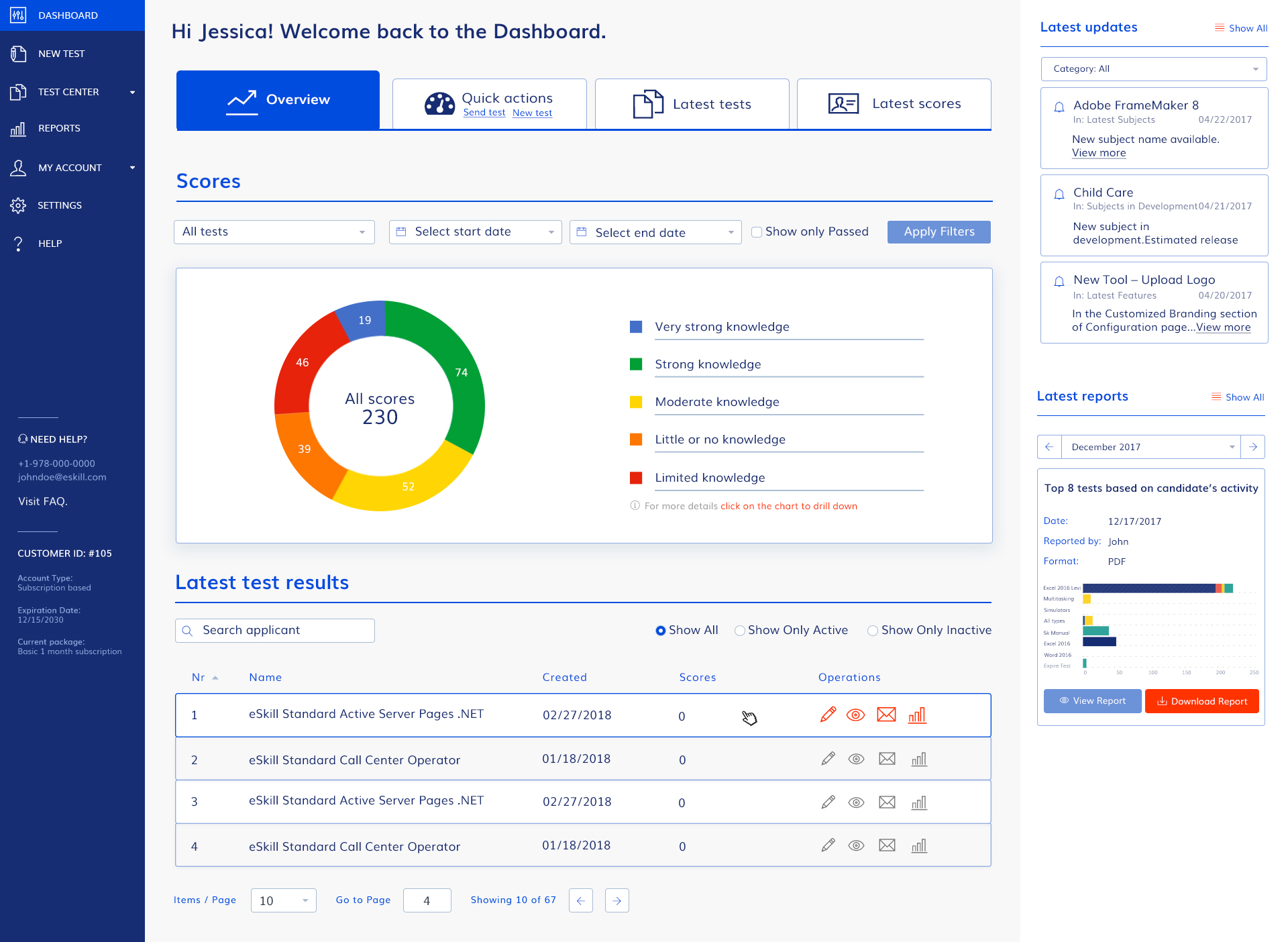
What makes eSkill practical is how it handles blended roles. Many jobs are not one skill. They are a mix: software tasks plus communication plus accuracy under time constraints. The ability to combine skills into one assessment flow makes the output more predictive than narrow tests.
You also get features like video response and simulations, which helps when the job requires interaction and not just knowledge recall. For enterprise teams that hire across many non-technical roles, eSkill is often a pragmatic fit.
Pros
- Large library reduces build time for common operational and business roles.
- Simulations help you evaluate task execution, not just knowledge recall.
- Customization supports blended job profiles with multiple skill requirements.
- Reporting breaks down performance by skill area for easier interpretation.
- Video response adds context for communication-heavy roles.
Cons
- Question relevance can vary across prebuilt tests, so review is necessary.
- Interface design feels dated compared with newer assessment platforms.
User Rating: 4.5 (Capterra)
Pricing: Custom pricing.
6. SHL – Best for Validated Job-Fit and Psychometric Assessment Programs
SHL is a legacy leader in assessment science, and it shows in how organizations use it: validated psychometrics, structured job-fit frameworks, and assessment programs built for repeatability at scale.
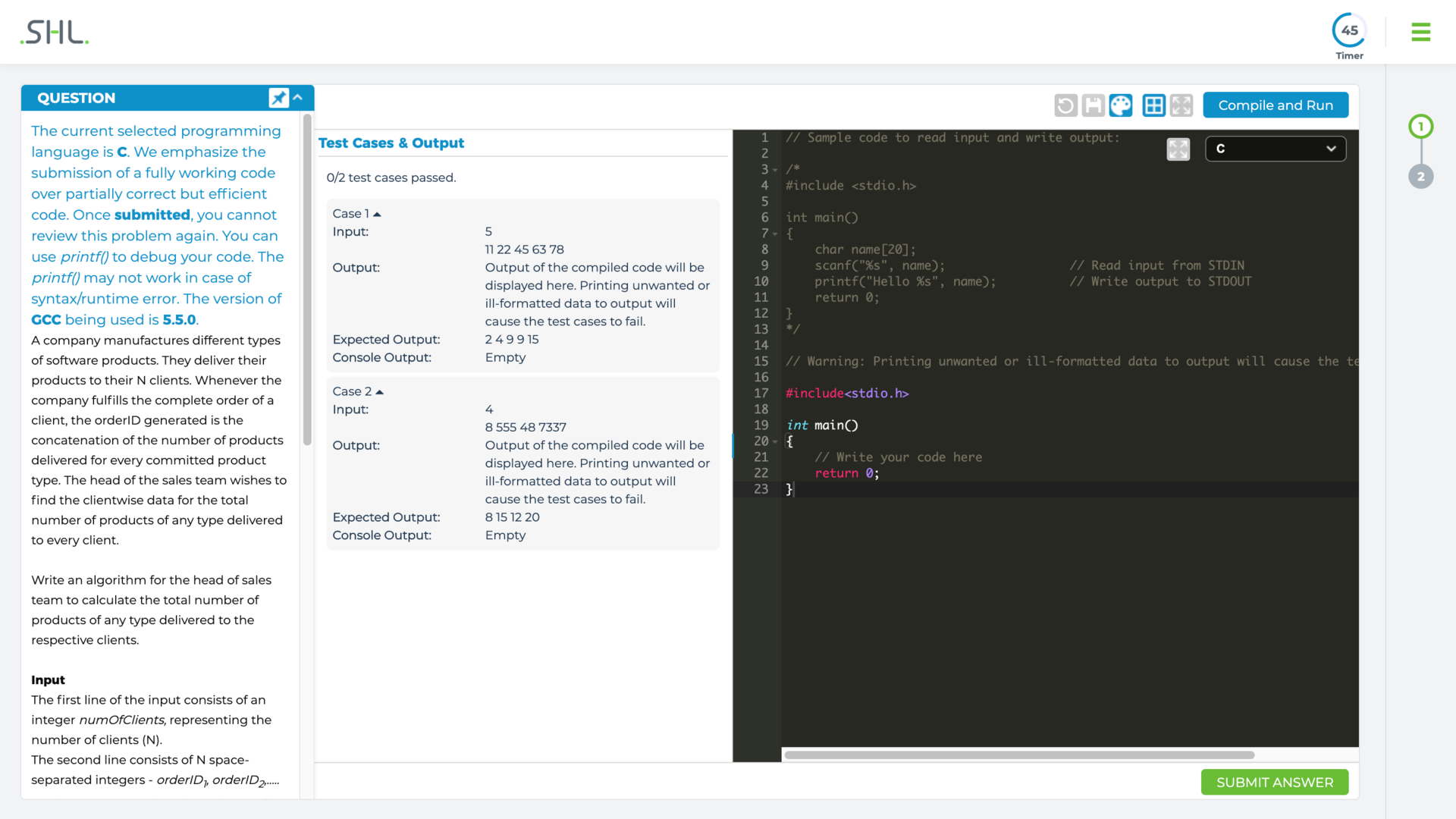
When I look at SHL’s strength, it comes down to defensibility. If your organization needs assessments backed by research, norming, and structured interpretation, SHL is a common choice. It is also widely used in large employers, which means it fits structured hiring pipelines, early-career programs, and large screening efforts.
The tradeoff is that this employee assessment tool often requires more careful implementation. You get more rigor, but you also need more discipline in how you match assessments to roles and communicate intent to candidates.
Pros
- Strong validation and assessment science supports defensible decision-making.
- Built for large-scale hiring programs with repeatable, standardized workflows.
- Role profiling helps align assessment selection with job demands.
- Reporting supports structured interpretation for HR and hiring stakeholders.
- Widely recognized in enterprise hiring, especially early-career pipelines.
Cons
- Candidate feedback can be negative when assessments feel disconnected from roles.
- Time pressure formats may frustrate experienced applicants in specialized fields.
User Rating: 4.3 (G2)
Pricing: Custom pricing.
Performance Management & Development Tools
Employee performance assessment tools matter when your problem is not “Can they do the job?” but “How well are they doing it, and what happens next?” If your performance process feels like paperwork, your tool is either too weak, too complicated, or not tied to clear decisions.
7. Trakstar Perform – Best for Structured Performance Reviews Without Messy Workflows
Trakstar Perform is designed around performance reviews, goal tracking, and feedback collection in a system that feels more structured than spreadsheets but not overly complex.
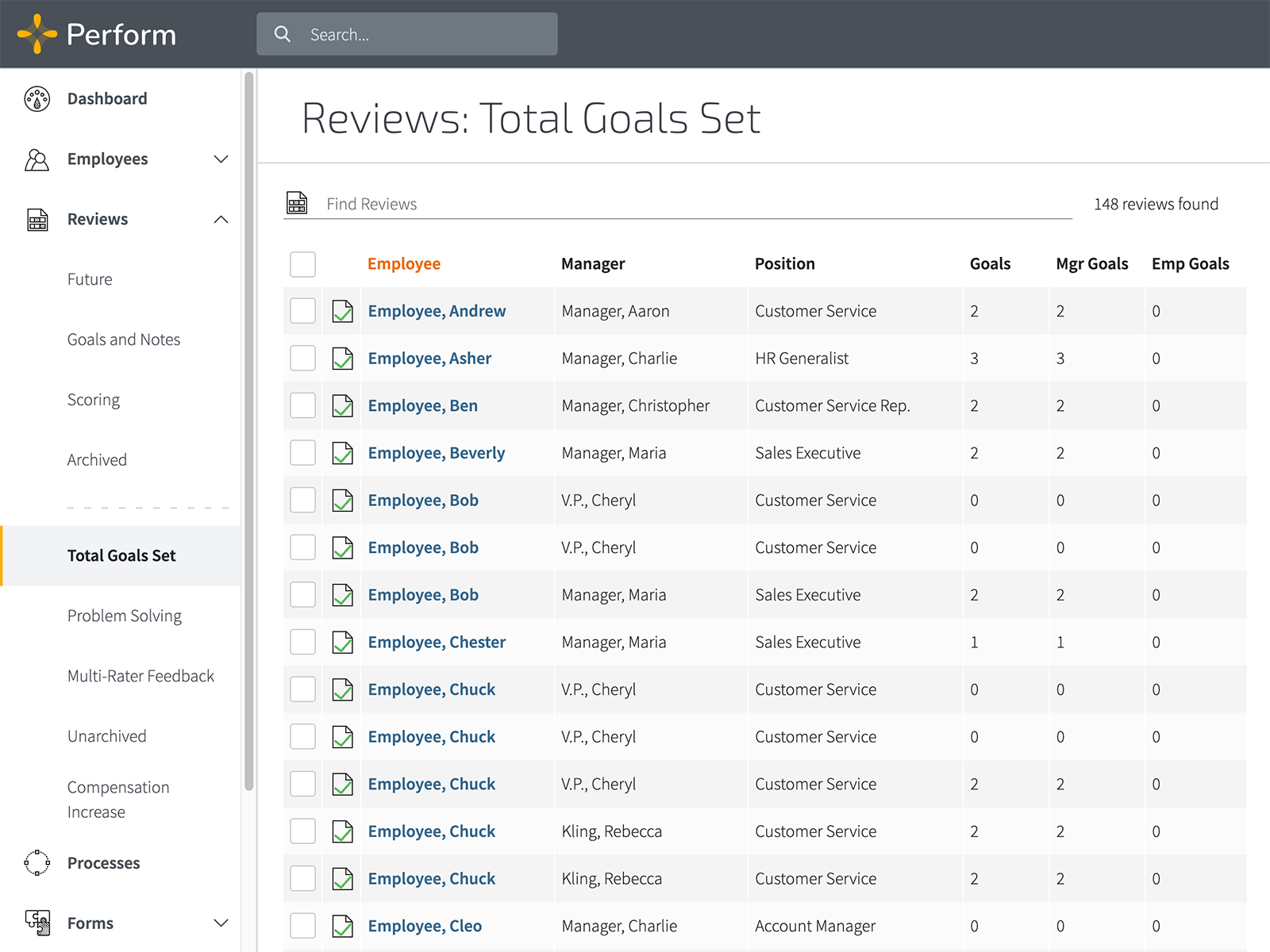
In practice, the best part is review consistency. You can build customizable forms, run cycles with reminders, and collect feedback through 360-style workflows. For managers, timelines and progress views help make performance conversations more grounded in actual work periods rather than recent memory.
This employee assessment tool works best for teams that want a clean performance review engine, not an everything-suite. If your goal is to run reviews reliably and reduce subjective chaos, it is a solid contender.
Pros
- Customizable review forms support different role expectations and evaluation styles.
- Review cycles run with automation, reminders, and consistent manager workflows.
- 360 feedback options help reduce single-manager bias in performance input.
- Goal tracking supports clearer performance conversations across review periods.
- Dashboards help managers monitor progress without manual reporting work.
Cons
- Performance improvement plan workflows are limited for organizations needing formal corrective paths.
- Scoring systems can feel rigid if your culture prefers narrative feedback.
User Rating: 4.4 (Capterra)
Pricing: Custom pricing.
8. Culture Amp – Best for Engagement Insights That Connect to Action
Culture Amp is widely used because it does not stop at measurement. It is built to help teams collect feedback, interpret it, and actually act on it with structured recommendations and benchmarking.
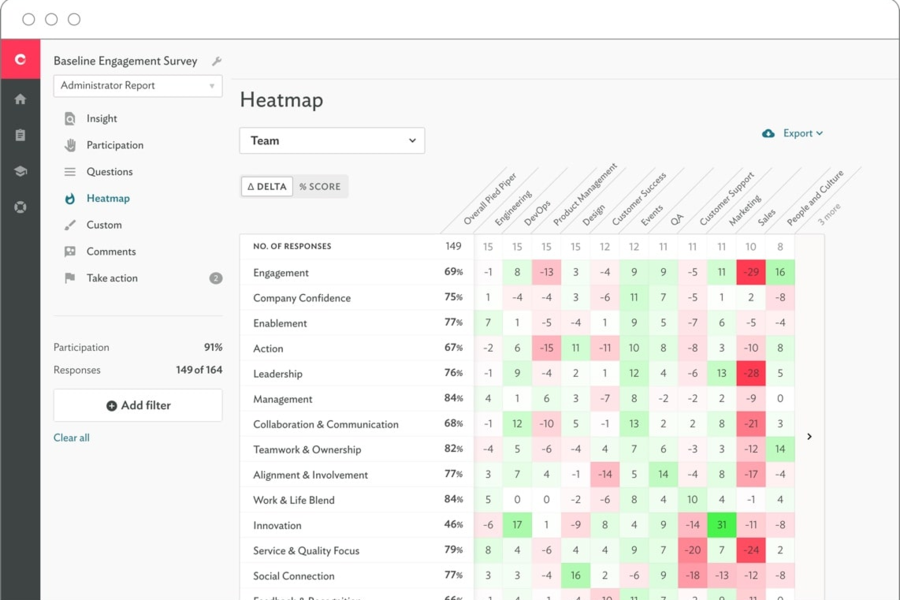
In evaluation, what stands out is the survey and engagement depth. You can run engagement surveys, pulse programs, and lifecycle feedback, then drill into results with analytics designed for leaders and people teams. Many platforms can collect feedback. Culture Amp is strong at turning it into a plan leaders can execute.
It is also often used alongside performance enablement, which helps connect engagement patterns to manager practices and development programs rather than treating engagement as a standalone report.
Pros
- Engagement and pulse survey programs support ongoing employee listening.
- Analytics and benchmarking help leaders prioritize action instead of guessing.
- Structured recommendations help translate results into practical next steps.
- Strong survey design supports higher-quality feedback and clearer signals.
- Integrations support HR workflows and reporting across systems.
Cons
- Survey customization can feel constrained if you want fully bespoke frameworks.
- Action planning requires leader discipline; otherwise insights stay stuck in dashboards.
User Rating: 4.6 (Capterra)
Pricing: Custom pricing.
9. Lattice – Best For Performance Reviews And OKRs In One System
Lattice is a strong fit when you want performance reviews, goals, and feedback tied together rather than scattered across tools. It’s designed for ongoing performance management, not just annual cycles.
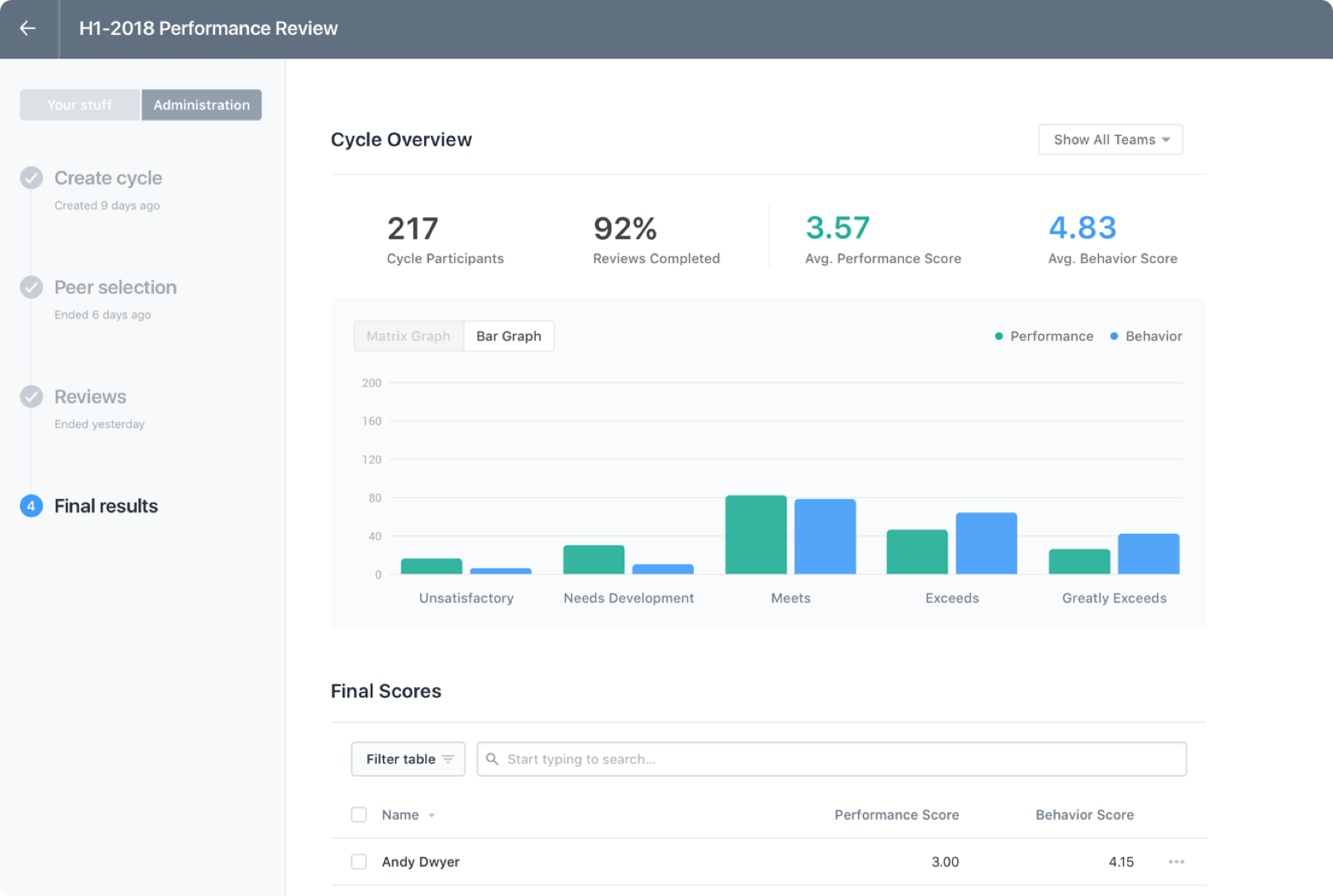
The core value is alignment. Goals and OKRs sit alongside feedback and reviews, which makes it easier to see whether performance outcomes connect to actual goals, not just subjective commentary. Manager enablement features also help keep review quality consistent across teams, which matters when you have uneven management maturity.
This employee assessment tool works best when you want performance infrastructure that is visible throughout the year, not activated only during review season.
Pros
- Reviews, goals, and feedback are connected, improving performance story consistency.
- OKR tracking supports clearer expectations and fewer vague evaluation debates.
- Manager tools help improve review quality across teams.
- Calibration support helps reduce rating inflation and inconsistency.
- Integrations support HRIS workflows and reporting needs.
Cons
- Custom reporting exports can feel limited for teams needing complex analytics.
- Review cycles require careful setup to avoid form fatigue and low-quality feedback.
User Rating: 4.5 (Capterra)
Pricing: Starts at $11/seat/month.
10. Leapsome – Best For Continuous Performance, Surveys, And Learning Tie-Ins
Leapsome is designed for companies that want performance management to feel continuous. It combines reviews, goals, feedback, surveys, and learning, which makes it a strong fit when you want development to be part of the performance rhythm.
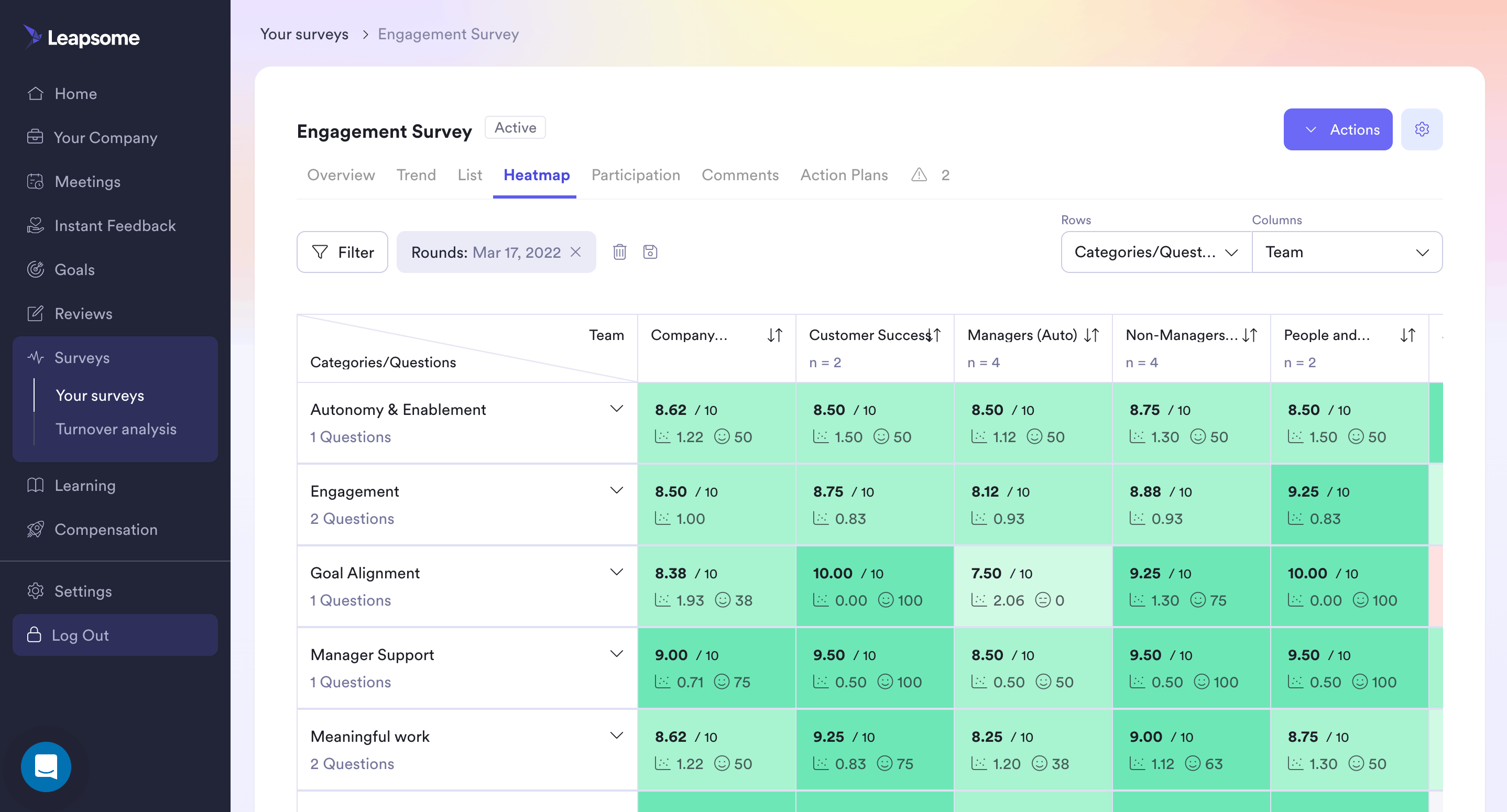
What I like about this model is how it supports ongoing coaching. Instead of waiting for a formal review cycle, feedback and goal tracking stay active. Surveys can also run alongside performance programs, helping you connect what people are experiencing to how they are performing and developing.
Leapsome is most effective when you want a unified system that keeps performance and growth linked, not separated into “review time” versus “work time.”
Pros
- Reviews and feedback support continuous performance conversations, not annual events.
- Goals and OKRs stay visible, reducing performance ambiguity mid-cycle.
- Surveys help connect sentiment to performance patterns and manager practices.
- Learning tie-ins support development plans that feel tied to real outcomes.
- Templates speed up rollout while still allowing customization.
Cons
- Feature breadth can feel excessive if you only want a review tool.
- Permissions and setup require careful governance in larger organizations.
User Rating: 4.6 (Capterra)
Pricing: Custom pricing.
Personality & Behavioral Assessment Tools
Personality and behavioral tools work best when you use them to improve conversations, not replace them. I treat these employee strength assessment tools as a way to sharpen coaching, team design, and hiring discussions, especially when you need to understand work style, motivation, and communication patterns.
11. Thomas – Best for Work-Style & Behavioral Insights in Hiring and Development
Thomas is widely used for personality and behavior-based insight. The practical value is how it helps teams discuss work style without turning it into personal judgment. When you’re hiring or developing employees, it is useful to have a shared vocabulary for communication preferences, decision tendencies, and stress responses.
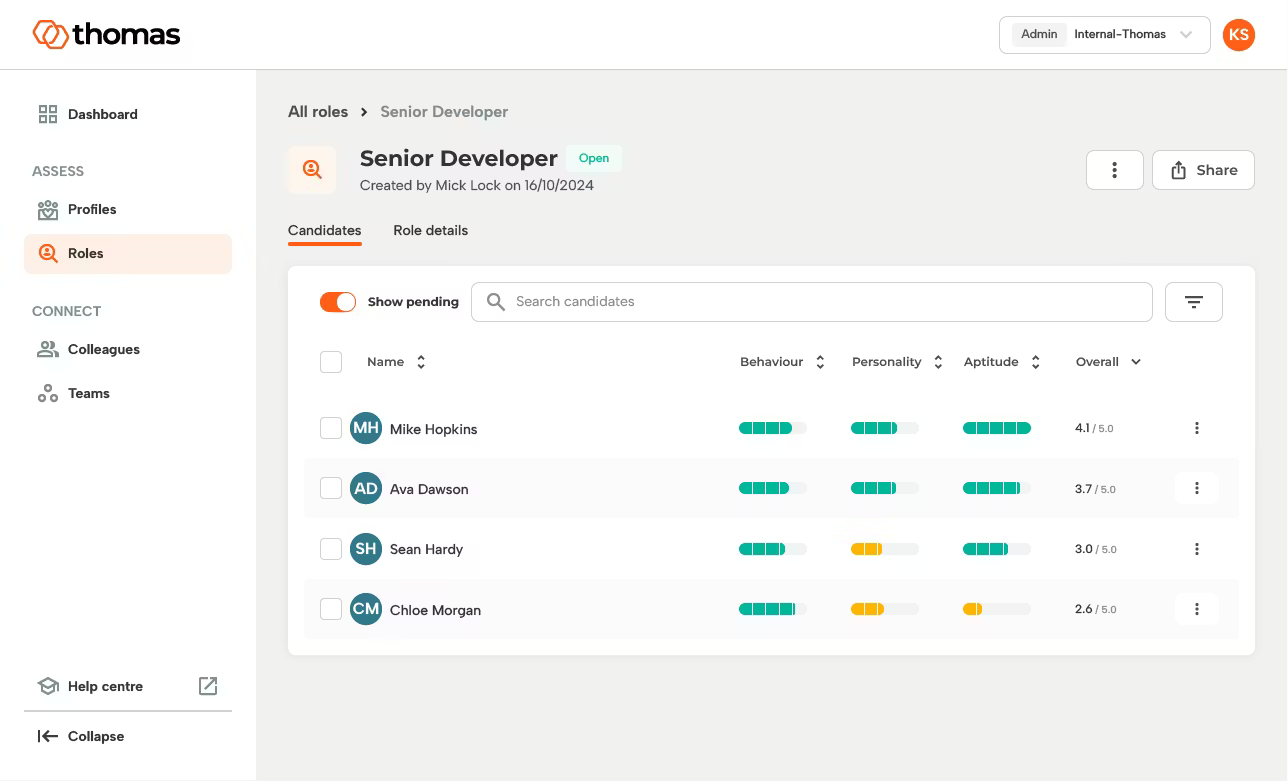
What matters is how you use it. The best outcomes come when managers use results to tailor coaching, onboarding, or collaboration norms rather than labeling someone as “a type.” In that context, Thomas can improve alignment and reduce friction that usually gets misdiagnosed as performance.
Pros
- Behavioral insights help managers tailor communication and coaching approaches.
- Useful for onboarding and role fit conversations beyond resumes and interviews.
- Creates shared language for teamwork and collaboration expectations.
- Helps identify potential stress patterns and working preferences early.
- Often used for development planning and leadership conversations.
Cons
- Misuse risk rises when teams treat profiles as hiring shortcuts.
- Some employees may resist assessments without clear purpose and framing.
User Rating: 4.7 (Capterra)
Pricing: Custom pricing.
12. The Predictive Index – Best for Behavioral Data That Supports Hiring and Team Strategy
The Predictive Index (PI) is built around behavioral and cognitive insights that companies use for hiring, leadership development, and team design. It’s often chosen by organizations that want assessment data to influence how teams are structured and managed, not just who gets hired.
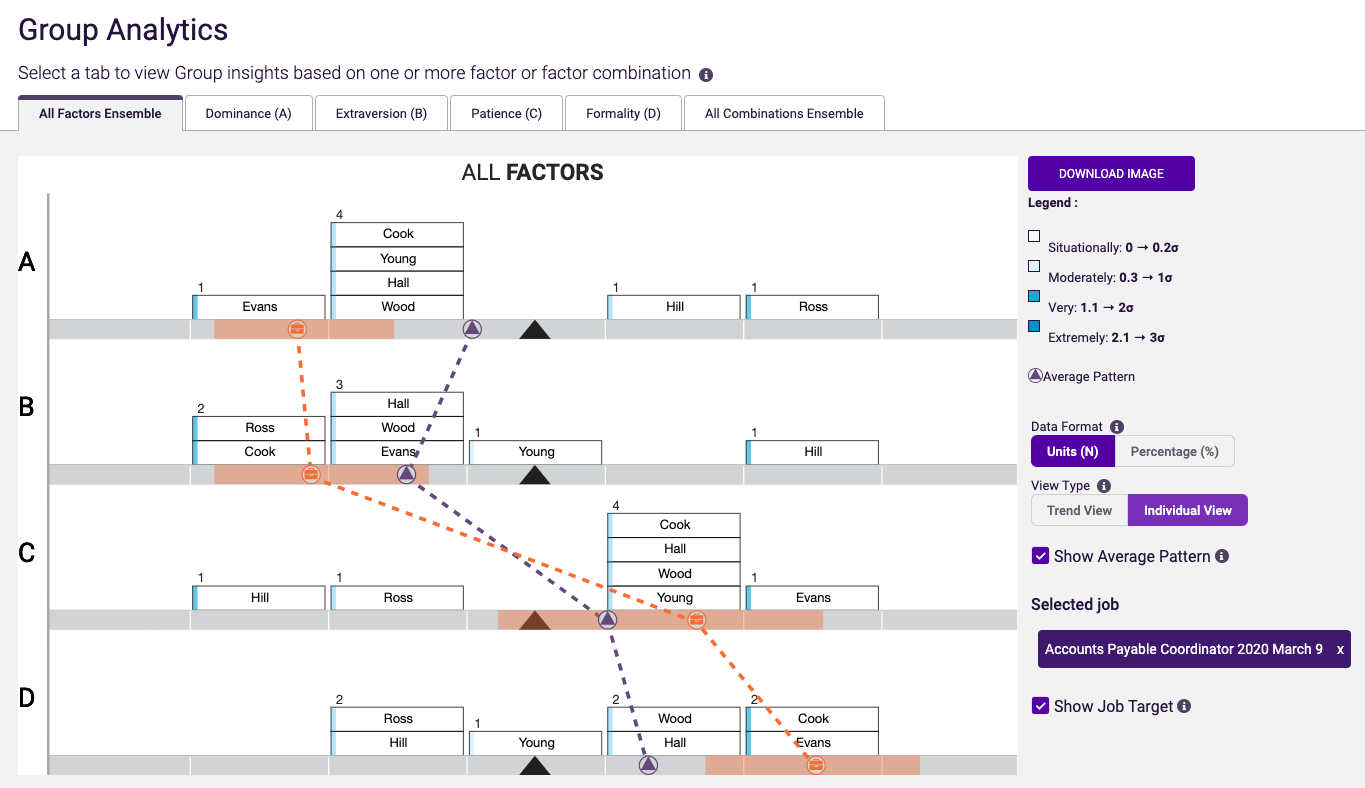
What I find useful is the way PI can support structured conversations between managers and employees. It provides a framework to discuss how someone is likely to prefer working, how they may respond to pressure, and what environments tend to help them perform well.
This employee assessment tool works best when you combine it with role expectations and structured interviews. On its own, behavioral data is not proof. In context, it becomes a strong input.
Pros
- Behavioral insights support structured hiring and more intentional team design.
- Helps managers adapt leadership style to individual working preferences.
- Useful for coaching discussions that otherwise stay vague and personal.
- Supports role benchmarking when paired with clear job expectations.
- Often used for leadership development and team effectiveness programs.
Cons
- Overconfidence in profiles can lead to shallow hiring decisions without skill validation.
- Interpretation quality depends on manager training and consistent internal usage.
User Rating: 4.5 (Capterra)
Pricing: Custom pricing.
Evaluation Criteria: How I Tested and Ranked Employee Assessment Tools
Every tool on this list was put through the same structured evaluation process across eight categories.
Rather than relying on vendor demos or feature pages, I combined hands-on testing with independent research, verified user reviews, and input from HR professionals, managers, and L&D teams using these platforms in active workflows.
The categories below reflect what actually determines fit when assessments are expected to support real people decisions, not just produce scores.
Scoring Criteria:
| Category | Weight | What I Evaluated |
| Assessment Creation & AI Assistance | 20% | Question types supported, AI-assisted generation, bulk import options, template quality, and access to prebuilt question and competency libraries |
| Scoring & Reporting Depth | 20% | Skill-level breakdowns, individual and group performance analytics, competency mapping, timestamped logs, and export functionality for HR and manager use |
| Security & Integrity Controls | 15% | Browser lockdown, question randomization, time limits, attempt restrictions, IP tracking, and webcam-based proctoring for high-stakes delivery |
| Performance & Feedback Workflows | 15% | Review cycle management, 360-degree feedback, goal and OKR tracking, calibration support, and how well results connect to development actions |
| Ease of Use for Admins and Participants | 10% | Setup time, admin learning curve, mobile responsiveness, instruction clarity for employees, and day-to-day management efficiency |
| Integrations | 10% | HRIS, ATS, and LMS compatibility, SSO support, API access, and reliance on native versus Zapier-dependent connections |
| Behavioral & Personality Assessment Quality | 5% | Validation standards, interpretation safeguards, and how results are designed to inform coaching rather than replace judgment |
| Price-to-Value | 5% | Pricing transparency, feature availability per tier, scalability for larger teams, and free plan usefulness beyond initial testing |
Sources I cross-referenced: verified reviews on Capterra and G2, community discussions on Reddit and Quora from HR professionals and team leads, official vendor documentation, and live product walkthroughs. Assessment creation workflows, reporting output, and integrity controls were tested directly where access allowed.
My Top 3 Picks for Employee Assessment Tools
After reviewing all 12 platforms, three stand out for very different reasons. Each represents a distinct approach to employee assessment, and each solves a different type of decision problem.
1. ProProfs Quiz Maker
ProProfs Quiz Maker works when you need controlled, role-specific assessments without operational friction. With 20+ question types, AI quiz generation, question banks, proctoring controls, and automated reporting, it supports hiring tests, training validation, and internal certifications in one flexible system that scales cleanly.
2. Trakstar
Trakstar stands out when performance conversations need structure. Its customizable review templates, 360-degree feedback, goal alignment dashboards, and progress tracking timelines help managers move from subjective commentary to measurable development planning across review cycles.
3. Criteria
Criteria is strongest when evaluating potential, reasoning ability, and behavioral traits. Its validated cognitive aptitude tests, personality assessments, and structured interpretation reports give hiring teams evidence beyond resumes, especially for roles where learning speed and adaptability matter more than experience alone.
Types of Employee Assessments
Employee assessments are not one thing. They can measure skill, progress, potential, or work style, and each requires a different format. Here are the main assessment types teams use and what each one is best at revealing.
1. Skills and Capability Assessments
You use this format when you need a straight answer to one question: can this person do the work?
Skills assessments are common in hiring, onboarding, post-training validation, and promotion readiness. The strongest ones stay close to real job tasks and realistic scenarios, so the result points to a clear coaching or development action.
2. Training Effectiveness Checks
Training only matters if behavior changes afterward. These assessments help you confirm whether people can apply what they learned, especially after enablement, compliance, product rollouts, or internal certification programs.
A good training check does more than produce a score. It shows which topics are sticking and which topics need reinforcement.
3. Performance Assessments
This category covers the structured review systems that track outcomes over time. It usually includes manager reviews, self-assessments, goals, and competency scoring, all tied to a cycle. The value is consistency.
Performance assessments make it easier to compare expectations across managers and keep feedback tied to concrete outcomes.
4. 360-Degree Feedback
If you want a better read on collaboration and leadership impact, one manager’s viewpoint is rarely enough.
360 feedback captures input from peers, cross-functional partners, and direct reports, which helps reveal patterns that do not show up in a single relationship. Structure is the difference-maker here, because good prompts keep feedback useful instead of vague.
5. Aptitude and Cognitive Assessments
Some roles reward learning speed and reasoning more than experience alone. Aptitude testing helps you evaluate problem-solving, learning agility, and decision-making under constraints. It is valuable for hiring, internal mobility, and leadership pipeline work, but it performs best when paired with role-specific skills evidence.
6. Personality and Behavioral Assessments
Work style and behavior can explain why two equally skilled employees perform very differently in the same environment.
Personality assessments help surface communication tendencies, collaboration preferences, and how someone responds under pressure. Used carefully, they improve coaching and team dynamics. Used carelessly, they turn into labels, so they should stay in the “context” lane, not the “final decision” lane.
Why Most Employee Assessment Tools Fail (and What Actually Works)
Most employee assessment problems have nothing to do with the software. They start before anyone opens a dashboard.
Bias Distorts the Results
Bias is the biggest problem.
Research on rater tendencies keeps landing in the same place: leniency, strictness, the halo effect, and whatever happened last week bleeding into a review that’s supposed to cover a whole quarter.
One widely cited breakdown found that a rater’s own tendencies accounted for roughly 62 percent of the variance in a score, compared to about 21 percent for the employee’s actual performance.
That’s the real reason two managers can run the same employee assessment test on the same person and land on wildly different scores.
Inconsistent Processes Create Inconsistent Outcomes
Inconsistency makes the problem even worse.
Different managers apply different standards, calibration sessions are rare or toothless, and even the best HR potential assessment tools can’t fix a process nobody agrees on.
Run a generic competency framework borrowed from a company twice your size, and you’ll measure something, just not the thing that actually matters for the role.
Scores Without Action Don’t Help Anyone
A score without a next step isn’t an assessment. It’s a filing exercise.
This is where many otherwise solid employee assessment solutions lose people. The test may be good, but nothing happens after it.
Without meaningful follow-up, the results rarely lead to better performance or employee growth.
AI Can Help, but It Isn’t a Substitute for Judgment
AI is becoming part of this conversation, and it deserves a clear-eyed take rather than a sales pitch.
Used well, it can:
- Speed up question creation.
- Catch patterns a tired manager might miss on a Friday afternoon.
Used carelessly, it can:
- Bake in the same historical bias it was supposed to remove.
- Produce feedback so generic that employees stop believing a human looked at their work.
Keep a person in the loop for any decision tied to pay, promotion, or termination.
What Actually Works
None of this means the category is broken.
The best employee assessment tools have a few things in common:
- Standardized, behavior-based criteria instead of vague rating scales.
- Regular calibration that actually happens across managers.
- A results process that ends with a development plan instead of a PDF nobody reopens.
Technology can support these practices, but it can’t replace them. The real value comes from a consistent assessment process, well-trained managers, and meaningful follow-up that helps employees improve.
Make Smarter People Decisions With Employee Assessment Tools
Employee assessments work best when they bring clarity to decisions that are otherwise subjective. Whether you are hiring, validating training, planning promotions, or strengthening performance conversations, the right tool gives you evidence you can actually use.
The most effective teams do not assess more. They assess with intent. They choose formats that match the decision, keep the experience fair and respectful, and rely on results to guide coaching and development rather than paperwork.
This is not about surface-level feature comparisons. It is about finding platforms that hold up in real workflows, where time is limited and outcomes matter. Shortlist two or three platforms aligned with your decision goal, test them with a controlled pilot, and expand based on measurable results.
If you want a flexible way to create secure, role-specific assessments with strong reporting and integrity controls, ProProfs Quiz Maker is a practical option to explore.
Frequently Asked Questions
What are employee assessment tools?
Employee assessment tools are platforms or structured systems used to evaluate skills, performance, potential, and work behaviors. They provide measurable data that supports hiring, promotion, development, and training decisions instead of relying purely on subjective judgment.
What are the commonly used assessment tools?
The most common tools include structured performance reviews, 360-degree feedback, skills tests, cognitive aptitude tests, personality assessments, and employee engagement surveys. Many organizations also use goal-tracking systems like OKRs as an ongoing evaluation mechanism rather than relying only on annual reviews.
What types of employee assessments do companies use most often?
Companies most often use skills assessments, performance reviews, and personality or cognitive tests. Skills tests measure job ability, performance reviews evaluate contribution and goals, and behavioral assessments provide insight into work style and leadership readiness.
How do I choose the right assessment tool for my team?
Define the decision first. Then evaluate tools based on workflow fit, reporting clarity, integration options, ease of use, support quality, and long-term value. Running a pilot often reveals usability strengths and friction points before full implementation.
What features matter most in employee assessment tools?
Customizable templates, role-based benchmarking, structured reporting, and integrity controls are essential. AI features are increasingly important, including automated test creation, intelligent scoring, adaptive assessments, and predictive analytics that highlight skill gaps and development opportunities.
How can I reduce bias in employee assessments?
Use standardized criteria, structured scoring, and multi-rater feedback like 360 reviews. Clear performance goals and role-based evaluation frameworks reduce subjectivity and help ensure employees are assessed on measurable contribution rather than personal impressions.
How long should an employee assessment take?
Most knowledge or skill assessments work best within 20 to 40 minutes. Longer formats may suit technical or leadership roles, but excessive length often reduces engagement and completion quality.
Can employee assessment tools integrate with HRIS, ATS, or LMS platforms?
Yes. Many modern platforms integrate with HRIS, ATS, payroll systems, and LMS tools, allowing results to sync automatically and connect assessments with hiring workflows, training programs, and workforce planning.
What's the biggest mistake companies make with employee assessments?
Treating the employee assessment test as the finish line instead of the start. Teams run a test or a 360 and generate a score, then do nothing with it. The fix is deciding what action each result triggers, coaching, training, or a role change, before you administer it.
How do you measure whether an assessment program is actually working?
Track outcomes tied to the business, not just completion rates. Most employee assessment software will report completion by default, but skill-gap closure, promotion readiness accuracy, and retention tied to a development plan are the numbers that actually matter.
What if employees push back on being assessed?
Pushback usually means the purpose was never explained, or people were burned by employee assessment solutions that led nowhere before. Be specific about what results will and won't affect, especially pay and job security.
Let ProProfs AI Build a Quiz

 We'd love your feedback!
What did you like & how can we make it even better?
 Thanks for your feedback!
 Ask Your Question
Have a question? Get expert help to make your decision easier.