
I’ve worked with quiz and assessment tools across classroom learning, employee training, and formal testing, and the dividing line shows up quickly: getting people to participate is one job; proving they learned something is another.
Wooclap handles the first job well. Live polls, word clouds, quizzes, and audience interaction make it useful in lectures, workshops, and meetings. The search for Wooclap alternatives usually starts when a team needs something beyond the live session, such as certificates, individual learner records, stronger LMS connections, self-paced quizzes, or more predictable pricing as usage grows.
The right replacement depends on which part of Wooclap you are trying to replace. Some teams need another live polling tool. Others actually need an assessment platform.
I compared 10 options across both categories and call out where each one fits, where it falls short, and which I would choose for live engagement, higher education, or structured assessment.
Why Teams Switch From Wooclap
Wooclap is well rated at 4.6/5, so I would not frame this as a quality problem. The issue is usually fit. These are the limitations I would look at before renewing:
The free plan can run out halfway through a real workshop. Wooclap’s current education pricing page lists the Starter plan at 5 questions per month, with unlimited participants and access to 20+ question types. Older listings and reviews mention a 2-question-per-event cap. Either way, I would test the current allowance against an actual 60-minute session before relying on it.
Education and business pricing separate quickly. Basic costs €6.99 per user/month for education versus €9.99 for business, while Pro rises from €14.99 to €24.99. LMS integrations and SSO sit in the custom-quoted Campus and Corporate plans, which matter once an L&D team starts adding presenters.
Large-room engagement still depends on connectivity. Capterra’s reviewer summary mentions a dependence on a stable internet connection and limitations with integrations, particularly with PowerPoint. That is not unique to Wooclap, but I would factor it in for auditoriums or events where hundreds of people join at once.
Complex workflows can take more setup than expected. G2 reviewers mention configuration challenges for specific workflows, while instructors on Reddit raise issues around co-presenter permissions and centralized question banks.
Participation data is not the same as assessment evidence. Wooclap tracks votes and attendance and exports well. If I needed pass marks, certificates, time spent per learner, or an audit-ready completion record, I would expect to pair it with another system.
Top 10 Wooclap Alternatives for Live Polling & Quizzes
Here is the quick view before I get into where each one fits. I’ve highlighted the pricing, ratings, and funnel strengths that make the biggest difference when choosing between them.
| Software | Best For | Starting Price | User Rating |
| ProProfs Quiz Maker | Creating Quizzes & Assessments for Business, Training, and Education | Free; paid from $19.99/month | 4.3/5 |
| Slido | Q&A-heavy meetings and corporate town halls | Free; paid from €12.50/month (billed annually) | 4.8/5 |
| Mentimeter | Polished presentations for large audiences | Free; paid from $14/presenter/month | 4.7/5 |
| AhaSlides | Budget-friendly direct swap | Free; paid from $7.95/month (billed annually) | 4.6/5 |
| Poll Everywhere | Polls inside PowerPoint, Keynote, and Google Slides | Free; paid from $10/month | 4.5/5 |
| Vevox | Higher-ed LMS integration (LTI 1.3) | Free; paid from €8.45/month (education) | 4.7/5 |
| Kahoot! | High-energy gamified quizzing | Free; personal plans from $39/month | 4.6/5 |
| Wayground (formerly Quizizz) | Self-paced and homework quizzes | Free; school pricing on request | 4.9/5 |
| ClassPoint | Native PowerPoint quizzing | Free; Pro $8/month | 4.8/5 |
| ARSnova (Particify) | Open-source, self-hosted, privacy-first polling | Free; Pro $12/month | Not enough verified reviews |
1. ProProfs Quiz Maker: Best for Creating Quizzes & Assessments for Business, Training, and Education
ProProfs Quiz Maker is my top pick when the problem is no longer live participation, but what happens after it. Wooclap is built to keep a room responding; ProProfs is built to turn those responses into graded assessments, learner records, certificates, and measurable results.
I would start with its AI quiz generator if the training material already exists. It can generate an assessment from a topic or turn a PDF, DOCX, or PPT into quiz questions, which saves rebuilding the same material manually. From there, you get 20+ question types, including hotspot, matching, drag-and-drop, and audio or video responses.

Let ProProfs AI Build a Quiz
For higher-stakes assessments, I would use its webcam proctoring, tab-switch blocking, IP restrictions, SSO, and randomized question pools. The follow-through is stronger too: certificates can be issued automatically with expiry dates, and reports show learner scores, completion status, and time spent on individual questions. Learners can join through a direct link, website embed, or QR code without installing an app.
I would choose ProProfs over Wooclap when a manager, compliance team, or training lead needs proof of learning rather than a record that someone participated.
Pros:
- AI generates quizzes and question banks from your own documents
- Automated certificates, pass marks, retake reminders, and learning paths in one system
- Individual-level tracking, including time spent per question
- Supports GDPR and CCPA, with data hosted on AWS and IBM data centers
- 20+ question types with webcam proctoring and tab-switching blocking
Cons:
- No dark mode
- Cloud-only, with no on-premises version
User Rating: 4.3/5
Pricing: Free plan available. Paid plan starts from $19.99/month.
2. Slido: Best for Q&A-Heavy Meetings and Corporate Town Halls
Slido is the one I would pick when audience questions matter more than quiz depth.
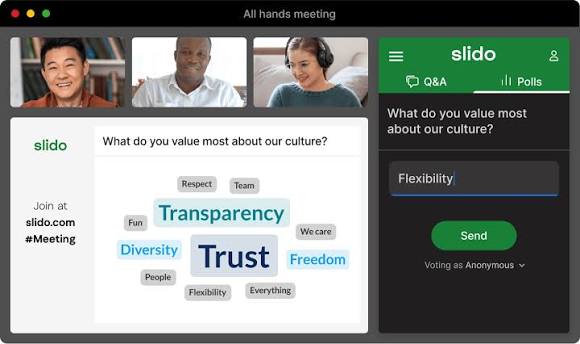
Its free plan keeps audience Q&A unlimited, making it a natural fit for all-hands meetings, panels, leadership town halls, and events where upvoting should determine which questions reach the speaker.
The integrations are another reason I would consider it. Slido works with PowerPoint, Google Slides, Webex, Microsoft Teams, and Zoom, so presenters can stay inside the tools they already use instead of switching screens mid-session.
Its strongest area is Q&A moderation. Participants can submit and upvote questions in real time, while presenters can layer polls and quizzes into the same session.
I would not choose it if my main requirement were a formal assessment. Three free polls per event and fewer interactive question formats make it more meeting-oriented than Wooclap.
Pros:
- Unlimited free Q&A with upvoting
- Strong Webex, Teams, and Zoom integrations
- Co-hosts are free on paid plans
- Combines Q&A, polls, and quizzes in one session
- Included at no extra cost with paid Webex plans
Cons:
- Only three polls per event on the free plan
- Fewer interactive question formats than Wooclap
- Paid plans are billed annually only
User Rating: 4.8/5
Pricing: Free; paid from €12.50/month, billed annually.
3. Mentimeter: Best for Polished Presentations With Large Audiences
Mentimeter is the most presentation-first option on this list, and I would choose it when what appears on the screen matters almost as much as the interaction itself.
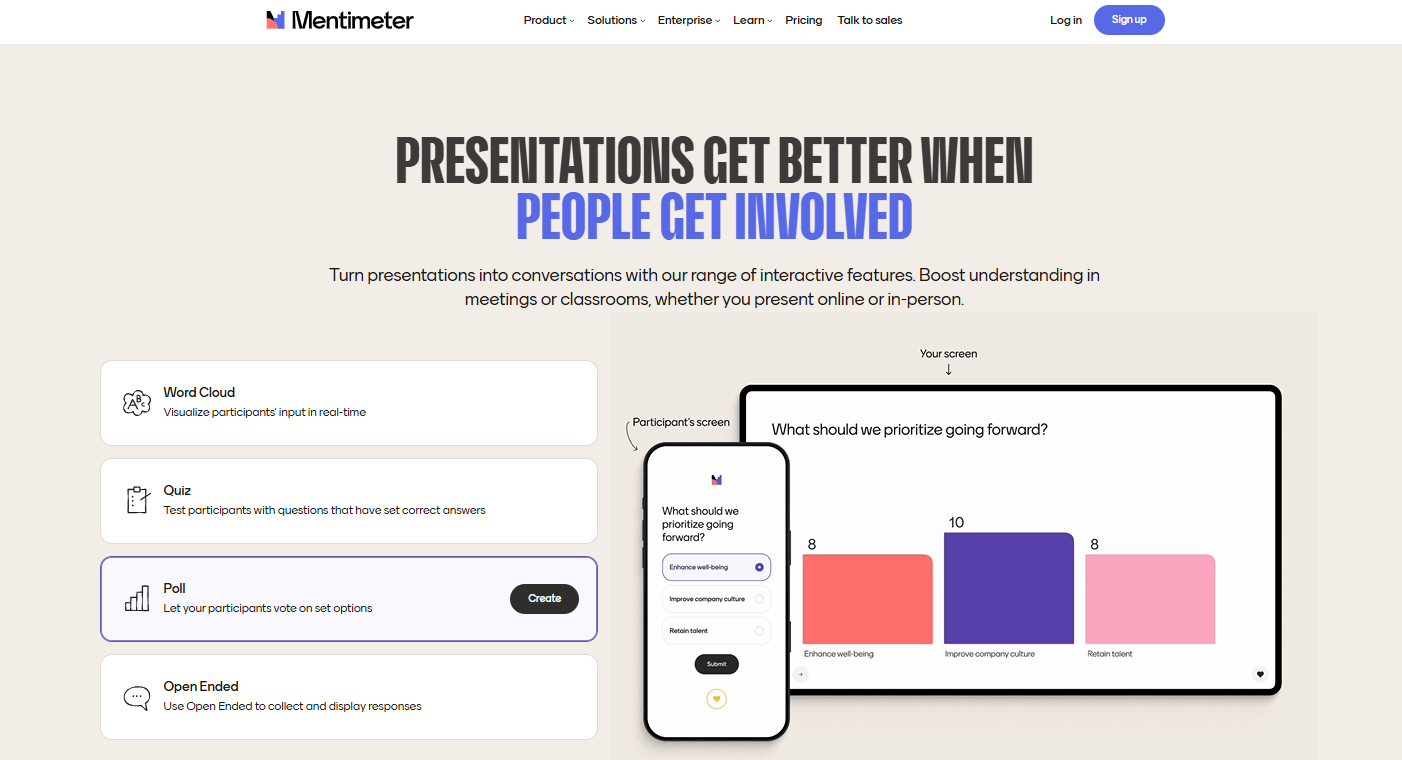
Its word clouds, scales, polls, quizzes, and Q&A are designed to become part of the visual story of a presentation rather than feel like a separate assessment layer. Results appear as people respond, which works particularly well for conferences, lectures, keynote-style sessions, and workshops.
PowerPoint integration and AI-assisted slide creation make it easier to fit into an existing presentation workflow.
The trade-off is assessment depth. If I needed certificates, detailed learner histories, secure testing, or formal grading, I would look elsewhere. Mentimeter is strongest when the goal is to make participation look good and feel immediate.
Pros:
- Excellent visual design and templates
- Unlimited participants on paid plans
- Word clouds, scales, quizzes, polls, and Q&A
- Results appear visually in real time
Cons:
- Free plan capped at 50 participants per month, account-wide
- Billed per presenter, which adds up for teams
User Rating: 4.7/5
Pricing: Free; paid from $14/presenter/month.
4. AhaSlides: Best Budget-Friendly Direct Swap
AhaSlides is the tool I would test first if I wanted something that still feels like Wooclap but costs less.
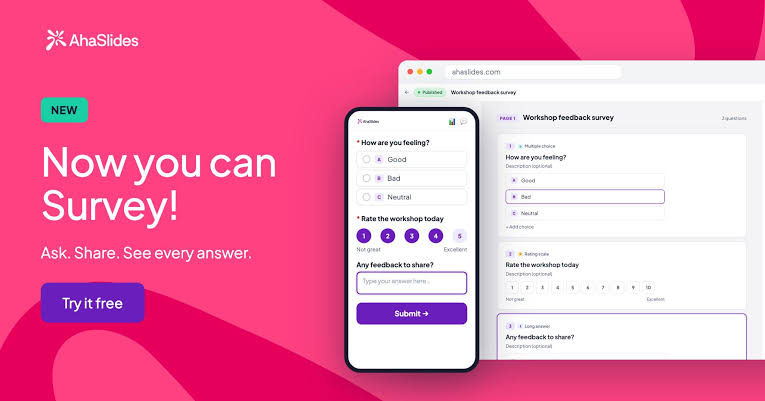
It covers the familiar live-engagement mix of polls, quizzes, word clouds, spinner wheels, and Q&A, and its presentation workflow makes it easy to alternate between teaching content and audience participation.
I especially like it for workshops, onboarding sessions, guest lectures, and training sessions where interaction should feel lightweight rather than formal.
Its personality is more playful than Wooclap’s. That helps when engagement is the goal, but it also means I would not choose it for academic assessment depth, LMS-connected grading, or formal learner records.
Pros:
- Lowest paid entry price on this list
- Generous free plan for small groups
- Gamified quiz formats
- Polls, quizzes, word clouds, spinner wheels, and Q&A
- Easy movement between presentation content and interaction
Cons:
- Free plan limited to 50 live participants
- Large events require higher tiers
User Rating: 4.6/5
Pricing: Free plan available; paid plans start at $7.95/month, billed annually.
5. Poll Everywhere: Best for Polls Inside PowerPoint, Keynote, and Google Slides
Poll Everywhere is my pick when the presenter refuses to leave the slide deck.
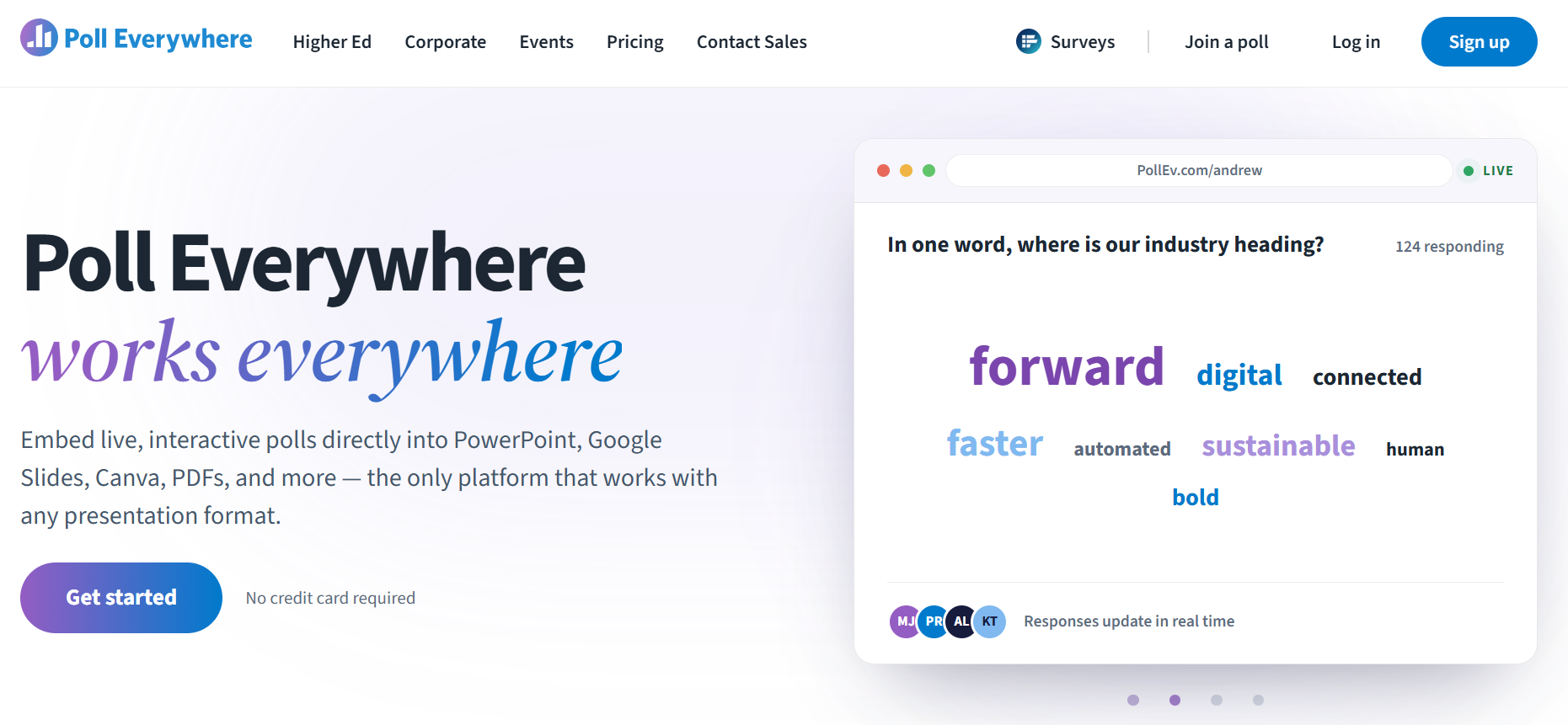
Its add-ins work inside PowerPoint, Keynote, and Google Slides, so I can insert audience questions exactly where they belong in a lecture rather than interrupting the flow by opening another platform.
It supports multiple choice, word clouds, Q&A, competitions, clickable images, ranking, and other live activities. Response moderation and participant controls also make it useful in more structured classrooms or workplace sessions.
That in-slide experience is the main reason I would choose it. The trade-off is the 40-response cap per poll on the free plan, and additional presenter seats increase the cost.
Pros:
- True in-slide embedding across three presentation apps
- Unlimited questions on the free plan
- Multiple choice, word clouds, Q&A, competitions, clickable images, and ranking
- Response moderation and participant controls
Cons:
- Steep jumps between tiers
- Extra presenter seats cost more
User Rating: 4.5/5
Pricing: Free plan available; paid from $10/month.
6. Vevox: Best for Higher-Ed LMS Integration
Vevox is the option I would look at first for a university that wants polling and Q&A to be integrated into its LMS rather than alongside it.
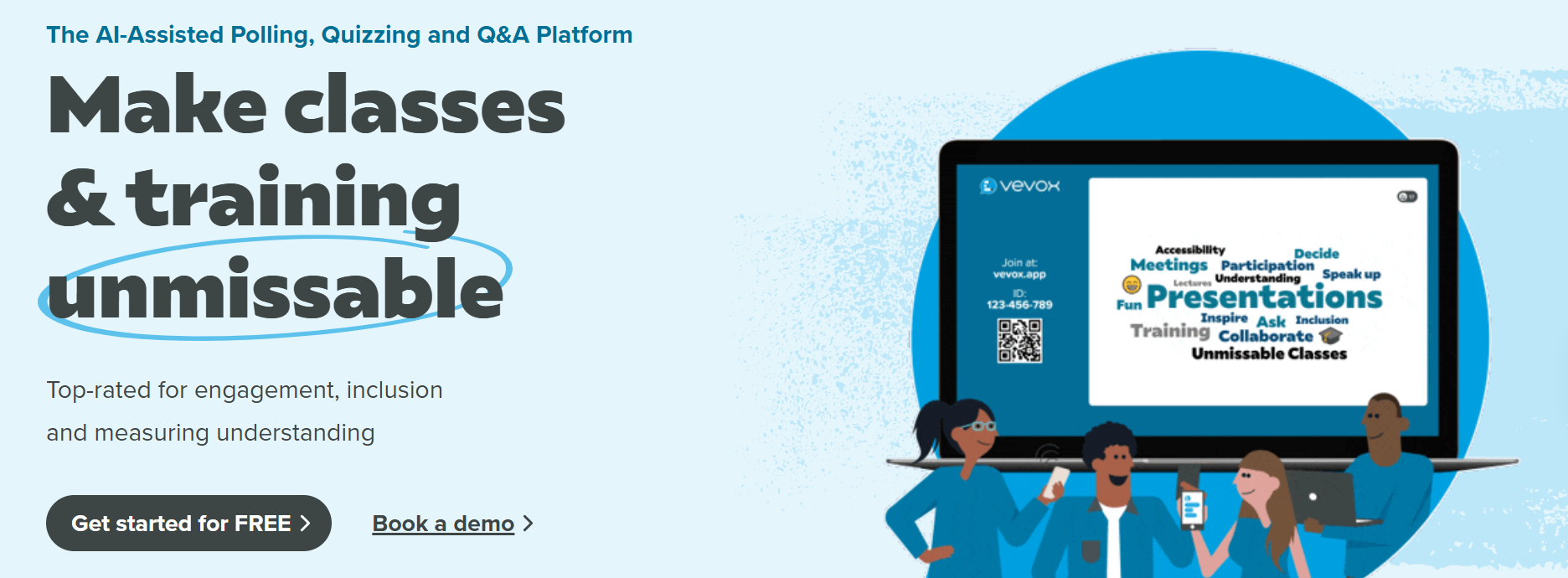
Its LTI 1.3 support covers Canvas, Blackboard, Moodle, and Brightspace, including automatic grade syncing. That is a practical advantage if instructors already work within one of those platforms and do not want an additional, disconnected reporting workflow.
It also covers multiple-choice and LaTeX polling, Q&A, quizzes with leaderboards, AI-generated questions, word clouds, surveys, PowerPoint, and Microsoft Teams.
Anonymous participation is another reason I like it for seminars and sensitive discussions. Students can contribute without attaching their identity to every response, which can draw out people who would otherwise stay silent.
I would check the plan carefully, though. Word clouds and surveys require a paid plan, while LMS integration is reserved for Institution plans.
Pros:
- LTI 1.3 for Canvas, Blackboard, Moodle, and Brightspace
- Unlimited free multiple-choice polling and Q&A
- Anonymous participation
- Automatic grade syncing
- LaTeX polling, quizzes with leaderboards, and AI question creation
Cons:
- Word clouds and surveys require a paid plan
- LMS integration limited to Institution plans
User Rating: 4.7/5
Pricing: Free plan available; paid from €8.45/month for education.
7. Kahoot!: Best for High-Energy Gamified Quizzing
Kahoot! is still the easiest recommendation when the goal is to wake the room up.
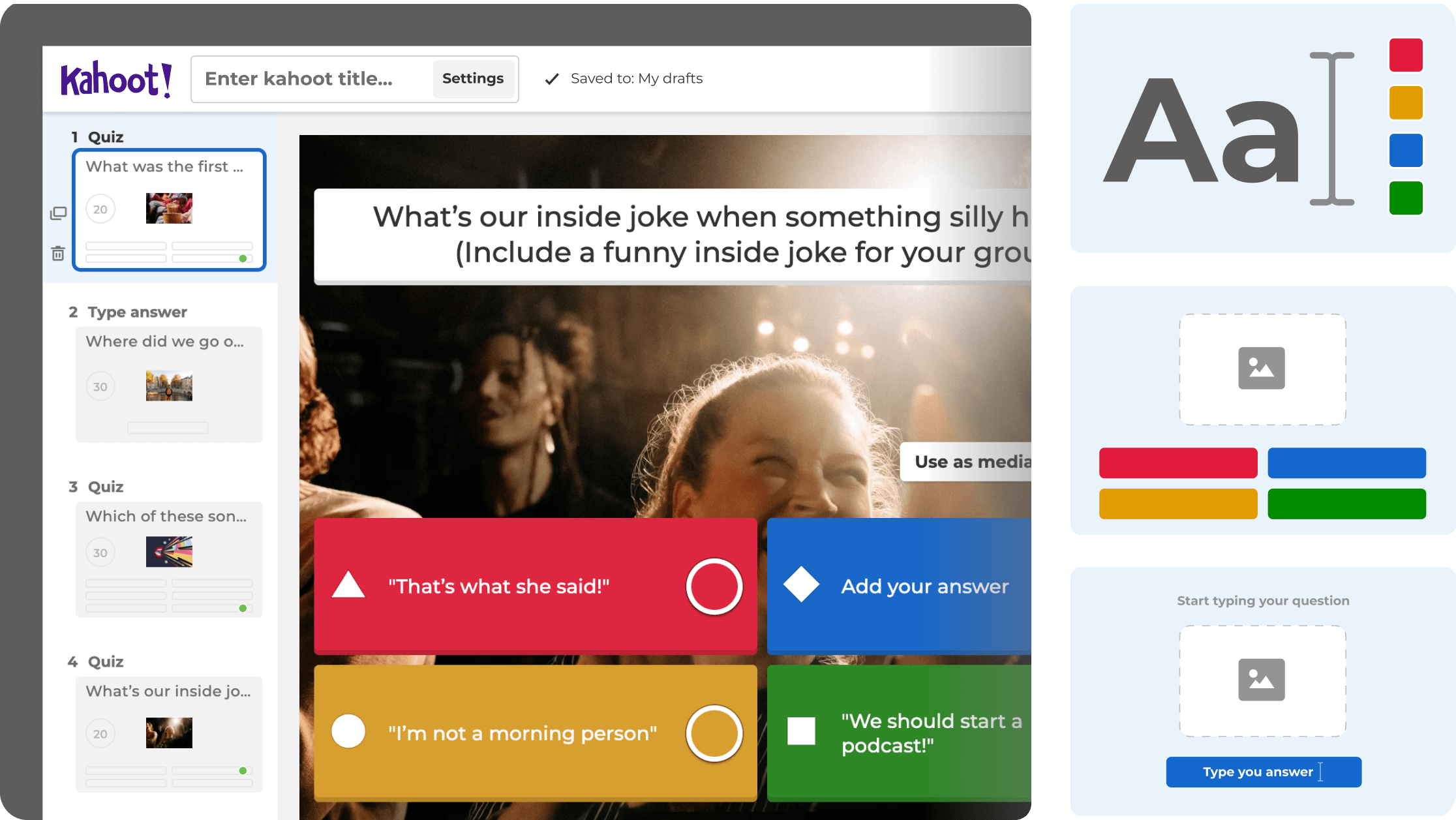
Game PINs, countdown music, leaderboards, and competitive quizzes turn a knowledge check into something closer to a game. I would use it for icebreakers, review sessions, onboarding activities, and informal checks where participation matters more than the assessment record.
Participants can join quickly using a PIN, and its library of public Kahoots provides instructors and trainers with plenty of material to adapt.
The trade-off is exactly what makes it fun: assessment depth is secondary. I would not use Kahoot! for certification, detailed grading, or a high-stakes exam.
Pros:
- Strong engagement and brand recognition
- More than 30 million public kahoots available
- Frictionless PIN-based joining
- Works well for reviews, icebreakers, onboarding, and informal checks
- Game mechanics make quizzes feel less like tests
Cons:
- Limited question depth for formal assessment
- Business pricing adds up per host
User Rating: 4.6/5
Pricing: Free plan available; personal plans from $39/month.
8. Wayground (Formerly Quizizz): Best for Self-Paced and Homework Quizzes
Wayground is where I would go when the quiz needs to keep working after everyone leaves the room.
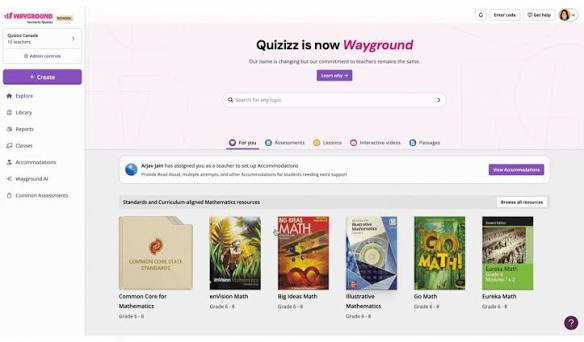
It supports instructor-led and student-paced delivery, so the same tool can handle a live classroom activity, homework, revision, practice, and asynchronous learning.
AI-assisted question generation, Read Aloud accessibility support, and Google Classroom integrations make it particularly useful when learners need to work independently.
That self-paced model is the biggest difference from Wooclap. I would choose Wayground when learning continues outside the live session rather than when the instructor needs constant real-time audience interaction.
Pros:
- Strong self-paced and homework modes
- Broad LTI support on school plans
- Accessibility accommodations on the free plan
- Instructor-led and student-paced sessions
- Google Classroom integration and AI-assisted question generation
Cons:
- School pricing is quote-only
- Less suited to live lecture polling
User Rating: 4.9/5
Pricing: Free plan available; school pricing on request.
9. ClassPoint: Best for Native PowerPoint Quizzing
ClassPoint is the one I would recommend to a PowerPoint-heavy instructor who does not want another presentation platform.
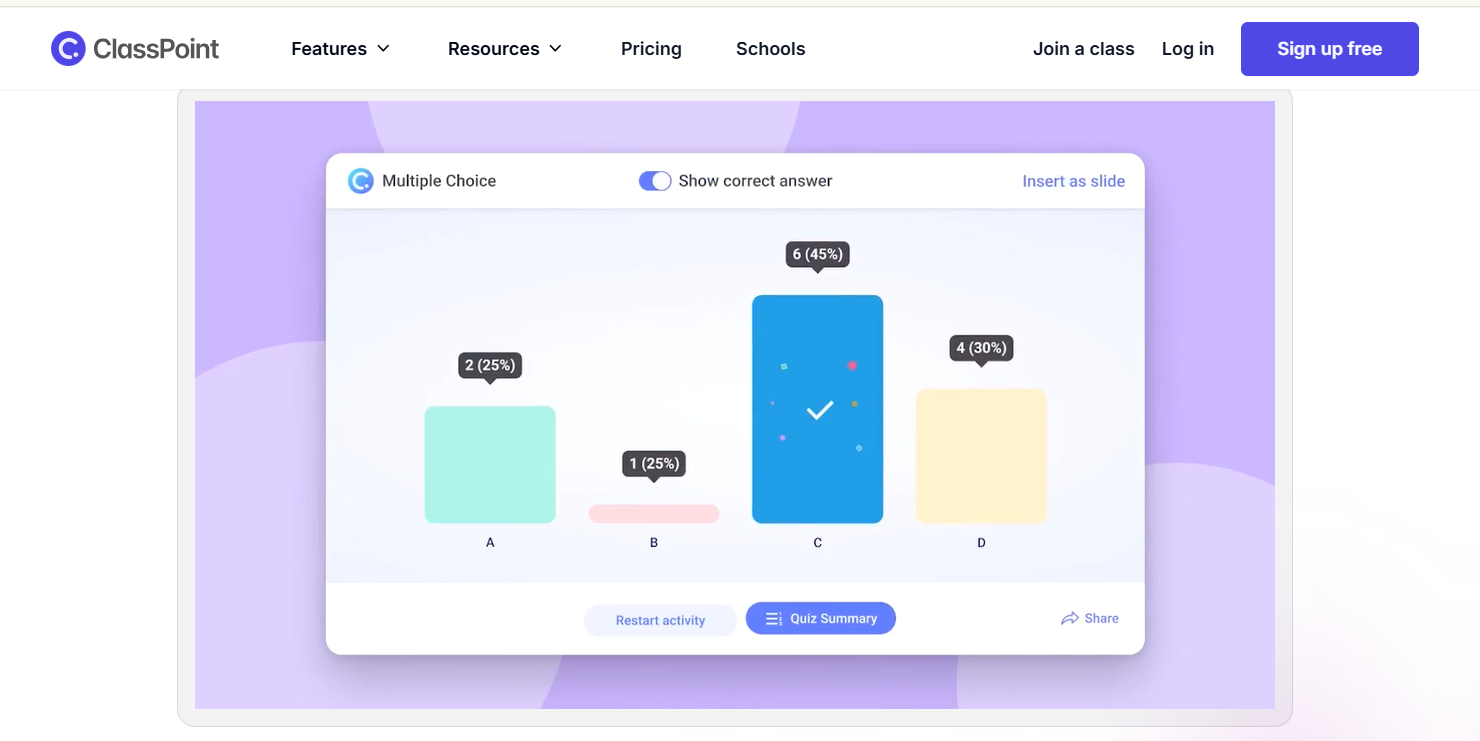
It runs as a PowerPoint add-in, so quiz questions, annotation tools, draggable objects, gamification, and AI quiz generation all sit inside the deck you already built. Students join through a browser while the presenter stays in PowerPoint.
That simplicity is the reason to choose it. There is very little workflow change for someone who already teaches from slides.
The limitation is equally clear: it is PowerPoint-only. If a team uses Google Slides or several presentation tools, I would pick something broader.
Pros:
- Lives entirely inside PowerPoint
- Affordable annual Pro plan
- Annotation and gamification built in
- Adds quiz questions and draggable objects to existing slides
- AI quiz generation with browser-based student access
Cons:
- PowerPoint only
- Annual-only billing
User Rating: 4.8/5
Pricing: Free plan available; Pro $8/month.
10. ARSnova (Particify): Best for Open-Source, Self-Hosted, Privacy-First Polling
ARSnova is the outlier on this list, and that is exactly why I would consider it.
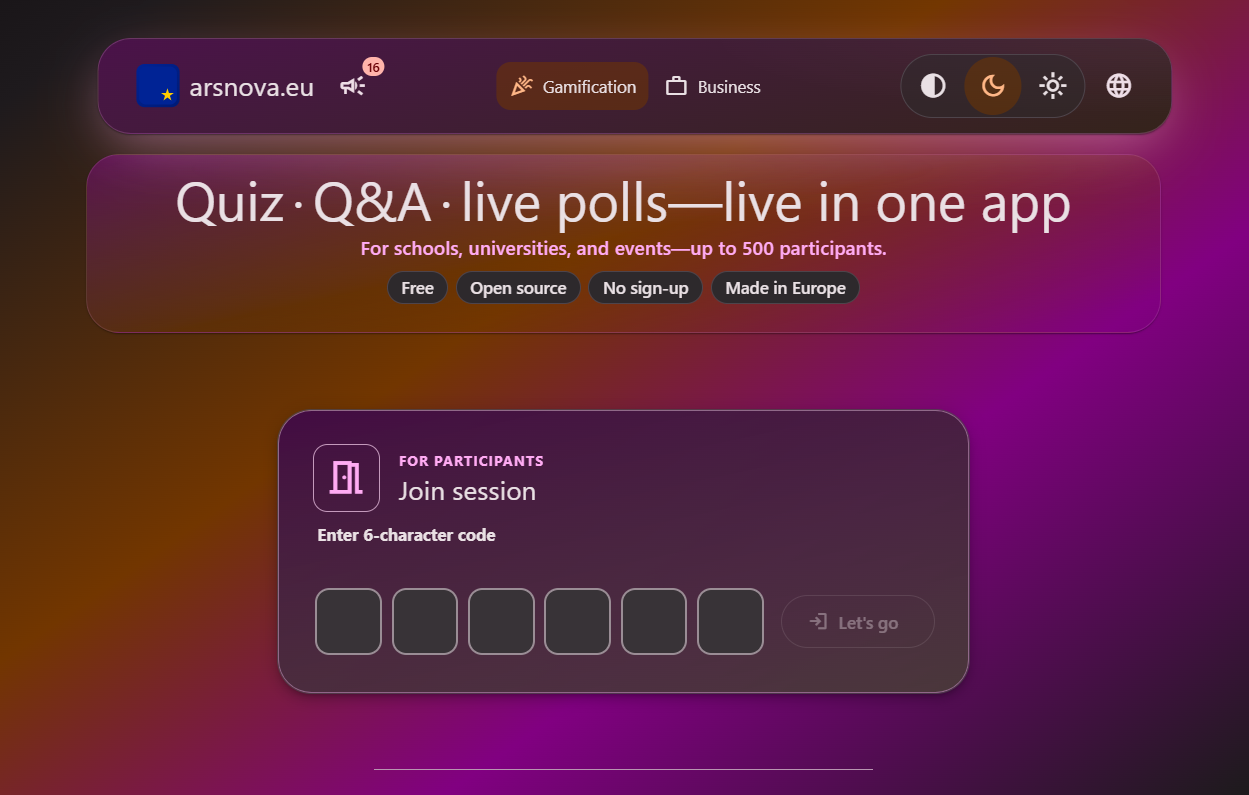
It is an open-source audience response system originally developed at Technische Hochschule Mittelhessen and now maintained by Particify. Institutions can self-host it, inspect the source code, and keep direct control over their infrastructure and data.
The backend uses GPL-3.0, the web client uses the MIT license, and container images can be deployed with Docker Compose. Particify also emphasizes data privacy and WCAG 2.1 accessibility.
I would choose ARSnova when data sovereignty matters more than polish. The trade-off is that self-hosting needs IT resources, the question set is narrower than Wooclap’s, and there are very few independent reviews to lean on.
Pros:
- Fully open source and self-hostable
- No vendor lock-in
- Accessibility built in
- Source code can be inspected
- Docker Compose deployment available
Cons:
- Self-hosting requires IT resources
- Fewer question types than Wooclap
User Rating: Not enough verified reviews
Pricing: Free; Pro $12/month.
My Top Picks Among the Wooclap Alternatives
If you read nothing else, I would start with these three. They cover the three most common reasons I see teams move away from Wooclap: formal assessment, higher-ed integration, and lower-cost live engagement.
1. ProProfs Quiz Maker
ProProfs Quiz Maker is my pick when the session needs to produce more than participation data. It handles graded assessments, certificates, learner records, reporting, and security in the same system. I would choose it for structured training and compliance checks.
2. Vevox
Vevox is my pick for higher education. Its LTI 1.3 connections with Canvas, Blackboard, Moodle, and Brightspace, plus automatic grade syncing, make it easier to fit into an existing university workflow. The free plan is also useful enough for a proper pilot.
3. AhaSlides
AhaSlides is my pick when the goal is to replace Wooclap without changing the overall workflow. It keeps the focus on polls, quizzes, Q&A, word clouds, and presentation interaction at a lower starting price.
How I Chose These Wooclap Alternatives
I did not rank these tools by counting features. I looked at the parts of the workflow that usually make teams reconsider Wooclap.
- User reviews and ratings: I looked at G2 scores, but I paid more attention to recurring comments around reliability, pricing, administration, and usability.
- Essential features and functionality: I checked the live-engagement basics first, including polls, quizzes, Q&A, and word clouds, then looked at how far each product goes into grading, certificates, learner records, question banks, and security.
- Ease of use: I considered how quickly I could set up a session, how participants would join, and whether they needed an app or an account.
- Customer support: I reviewed vendor documentation, available support channels, and user feedback on onboarding and response quality.
- Value for money: I compared free-plan limits, presenter or participant caps, annual billing requirements, and entry pricing rather than looking at the headline number alone.
- Personal experience and expert opinion: I combined hands-on experience with assessment tools with vendor documentation and independent reviews. Where a capability was not clear enough to verify, I did not assume it was included.
Choosing the Right Balance of Engagement and Assessment
The easiest way I know to choose among these tools is to ask what someone needs to see after the session ends.
If the answer is participation, voting, questions, or a quick knowledge check, I would stay within the live-engagement category. Vevox, Slido, AhaSlides, Mentimeter, and Poll Everywhere all make sense there.
If someone needs a score, pass mark, certificate, learner record, or evidence that a person completed an assessment, I would move to assessment software instead. That is where ProProfs Quiz Maker becomes the stronger fit. You can upload the deck you already teach from, generate a graded quiz with AI, set the passing score, and issue certificates automatically.
Among all these Wooclap alternatives, there is no single winner for every workflow. I would decide first whether I am replacing the live interaction, the assessment layer, or both. That answer immediately removes half the list.
Before switching, I would also run one real session with the new tool rather than judging it based on a demo. Test participant joining, reporting, integrations, and whatever happens after the session with actual learner data.
Frequently Asked Questions
What is the best alternative to Wooclap?
ProProfs Quiz Maker is my top alternative to Wooclap when you need more than live audience participation. It combines AI-powered quiz creation, graded assessments, 20+ question types, certificates, learner-level reporting, randomized question pools, and assessment security such as webcam proctoring and tab-switching blocking.
Is there a free Wooclap alternative?
Yes. ProProfs Quiz Maker offers a free plan for creating short quizzes and assessments, with features for scoring and learner evaluation. Other free options include Vevox for live multiple-choice polling and Q&A and ARSnova, an open-source, self-hosted polling platform.
How much does Wooclap cost?
Wooclap’s education plans start at €6.99 per user/month for Basic and €14.99 for Pro, billed annually. Business pricing starts at €9.99 for Basic and €24.99 for Pro. Corporate and Campus plans use custom pricing.
What is the Wooclap free plan limit?
Wooclap’s current education pricing lists the Starter plan at 5 questions per month with unlimited participants and access to 20+ question types. Older versions used a 2-question-per-event limit, so I would check the current pricing page before planning a full session around the free tier.
Can I issue certificates with a Wooclap alternative?
Yes, although most live polling tools are not built around certification. I would use ProProfs Quiz Maker when certificates are part of the assessment workflow because it can automatically award customized certificates based on scores and include elements such as logos, signatures, and expiry dates.
Let ProProfs AI Build a Quiz

 We'd love your feedback!
What did you like & how can we make it even better?
 Thanks for your feedback!
 Ask Your Question
Have a question? Get expert help to make your decision easier.