
Pear Assessment, formerly Edulastic, has earned its place in many K-12 schools. It offers standards-aligned items, auto-grading, and test-style question types. Still, plenty of teachers start looking for something else, and they usually give the same three reasons: the rebrand left the product line unclear, key features sit behind premium plans or district quotes, and a quick quiz takes more clicks than the lesson deserves.
I’ve built quizzes, tracked mastery, and run assessments across K-12 classrooms and training programs. In that work, the switch rarely happens because a tool can’t grade. It happens because teachers want faster authoring, clear pricing, and item-level data without waiting on a procurement cycle.
This guide compares ten Pear Assessment alternatives with those needs in mind. Below, I explain why teams switch, review ten alternatives, share how I evaluated them, name my top three picks, and show how to choose.
Why Are Teams Switching From Pear Assessment?
Teams often switch because many of Pear Assessment’s stronger features require premium or district-level access. The product’s naming and packaging have also changed over time, which can make it harder for teachers to keep track of what is included. The tool itself is capable, but access and setup can create friction.
If you’re comparing Edulastic alternatives, these are the patterns I see.
A rebrand that blurred the product line: GoGuardian announced in January 2024 that Edulastic would become Pear Assessment, part of the Pear Deck Learning ecosystem alongside Pear Deck, Pear Practice, and Pear Deck Tutor. District quotes can bundle these products, which helps buyers but leaves teachers asking which one they actually need.
Premium features behind paywalls: According to GoGuardian’s documentation, the free plan covers creating and delivering assessments, authoring questions, sharing, and auto-grading. The Teacher Dashboard, advanced test security, and standards-based reporting require a premium, listed at $125 per year with an educator discount.
Rostering and gradebook sync are district features: SIS and LMS integration, shared item banks, and common assessments at scale appear only in the district or school plan, which is custom-quoted.
Authoring friction: One Edulastic reviewer on Software Advice wrote that it was “Hard to edit questions and switch between question types.” Another found the test bank confusing and, at times, limited. In the teacher threads I read, students also lose focus when they jump between a slide deck, the LMS, and a heavy assessment portal on slow school Wi-Fi.
A thin public review base: Edulastic holds 4.3/5 on G2 from 11 reviews and 4.3/5 on Capterra from 6, so I treat these points as patterns, not verdicts.
Top 10 Pear Assessment Alternatives for K-12 Quizzes and Assessments
Here are 10 Pear Assessment alternatives to help teachers create engaging assessments, track learning progress, and save time on grading.
| Tool | Best For | Starting Price | User Rating |
| ProProfs Quiz Maker | Creating Quizzes & Assessments for Business, Training, and Education | Free; paid from $19.99/month | 4.3/5 |
| Wayground (formerly Quizizz) | Game-style practice and homework | Free teacher plan, Individual/Super plan starts at $12 per month | 4.9/5 |
| Formative | Real-time checks with standards tagging | $15/month, billed annually | Not verified |
| Nearpod | Interactive lessons with built-in checks | Free; Gold $159/year | 4.6/5 |
| Kahoot! | High-energy review games | Free; paid from $39/month | 4.6/5 |
| Google Forms | Free quizzes on managed Chromebooks | Free | 4.6/5 |
| Mastery Connect | Standards tracking and benchmarks in Canvas | Quote-based | 3.7/5 |
| Socrative | Quick exit tickets and checks | Free; Pro $10/month | 4.5/5 |
| Quizgecko | AI questions from your own files | Free; paid from $16/month | 4.6/5 |
| Testmoz | No-signup classroom tests | Free; $50/year | 4.5/5 |
1. ProProfs Quiz Maker: Best for Creating Quizzes & Assessments for Business, Training, and Education
For educators and training teams exploring Pear Assessment alternatives, ProProfs Quiz Maker makes it easier to create quizzes and assessments for different learning needs. Instead of writing every question manually, you can upload a PDF, Word document, presentation, spreadsheet, or image and let the AI Quiz Builder generate questions and answers. You can also import existing question sets in bulk and use the AI Quiz Assistant to improve wording or adjust difficulty.
I also like the flexibility it offers when setting up assessments. With 20+ question types, you can go beyond multiple-choice questions and assess learners in different ways. For formal exams, you can randomly select questions from a bank, shuffle answers, set timers, and enable webcam or screen proctoring to discourage cheating.
Grading is easier, too. Objective questions are scored automatically, while the AI Essay Grader helps evaluate written responses against a predefined rubric. Detailed reports show scores, time spent on questions, and areas where learners struggle, making it easier to identify knowledge gaps and plan follow-up training.
Overall, I’d recommend ProProfs Quiz Maker to educators and training teams looking for a Pear Assessment alternative that makes quiz creation, grading, and learner progress tracking easier.
Pros:
- Generates a full quiz from a topic, a document, a video, or a webpage
- Layered exam security: question banks, shuffling, timers, tab and copy blocking, optional proctoring
- Automatic grading with partial credit, plus AI essay grading against your rubric
- Reports with question-level difficulty and time spent, exportable to Excel, CSV, or PDF
- Forever-free plan, published pricing, and human support by phone, chat, and email
Cons:
- No dark mode
- Cloud-only, with no on-premises version
How ProProfs Quiz Maker Compares With Pear Assessment: ProProfs gives you AI authoring, anti-cheating controls, and published pricing starting on a free plan. Pear Assessment gives you a larger ready-made standards-aligned item library and district reporting tools.
User Rating: 4.3/5
Pricing: Forever-free plan. Paid plans start at $19.99/month.
2. Wayground (Formerly Quizizz): Best for Game-Style Practice and Homework
Wayground, formerly Quizizz, is where I’d send teachers who want practice to continue after the bell. It supports both live and student-paced delivery, so the same activity can work as an in-class review game and as homework afterward.
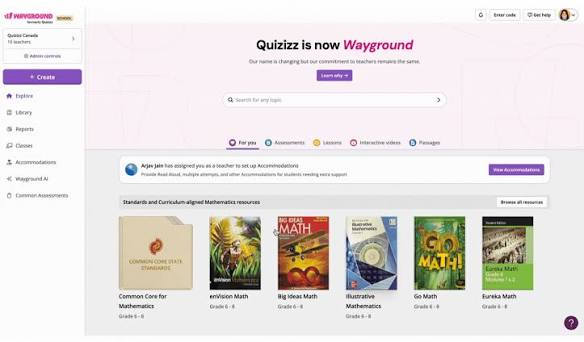
AI generation, accessibility accommodations such as Read Aloud, and flexible activity formats make it useful for practice across different learner needs. Google Classroom support also helps teachers fit assignments into an existing classroom workflow.
Where it stands out is asynchronous practice. Students can continue working after class without changing tools, making Wayground especially useful for revision, homework, and independent practice.
Pros:
- Live and student-paced modes
- Accessibility accommodations on the free plan
- Broad LTI (Learning Tools Interoperability) list on school plans
- AI generation for creating activities
- Google Classroom support for assigning work
Cons:
- 20-activity storage cap on free
- One Capterra reviewer wanted Canvas integration without a school plan
How Wayground Compares With Pear Assessment: Wayground is more engaging for practice; Pear Assessment is stronger for standards-based benchmarking.
User Rating: 4.9/5
Pricing: Free teacher plan, Individual/Super plan starts at $12 per month
3. Formative: Best for Real-Time Checks With Standards Tagging
Formative is the closest match to what many Edulastic users liked: watching student answers arrive live and stepping in before a wrong idea sticks. It offers 20+ technology-enhanced item types and real-time response data.
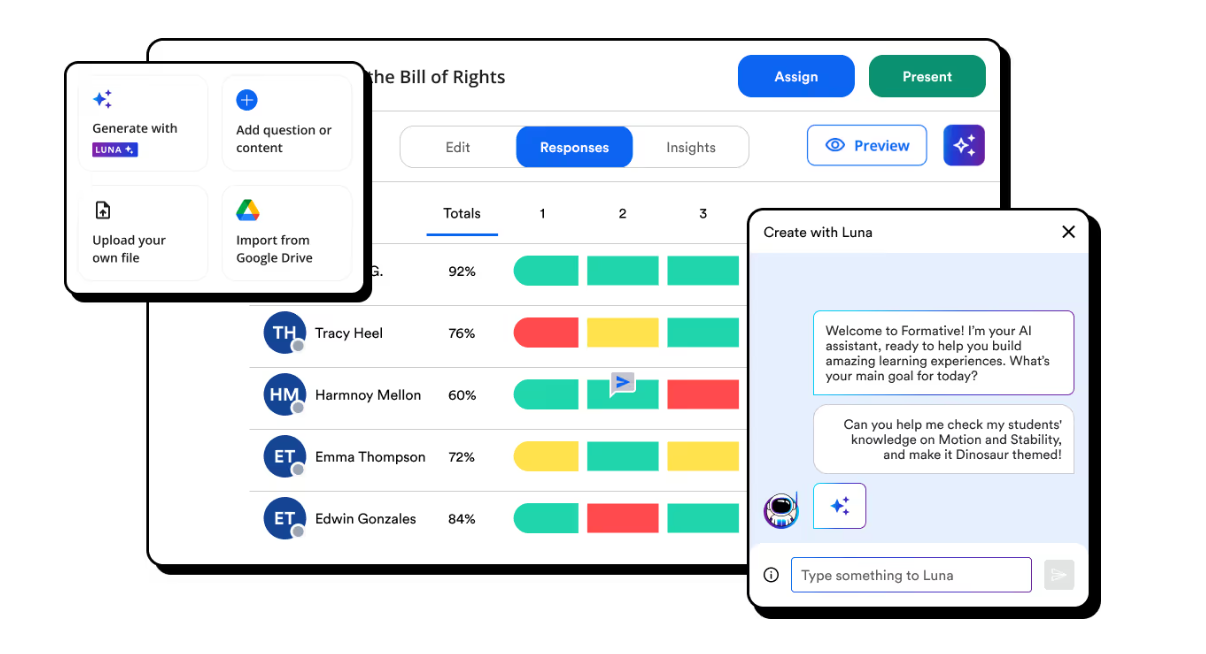
Its Luna AI assistant generates standards-aligned activities from prompts, PDFs, or documents. Teachers can also use auto-grading, customizable rubrics, and anti-cheating controls to move from quick checks into more structured assessment.
Its strongest advantage is visibility while students are still working. Instead of waiting until the end of an assessment, instructors can see responses as they happen and intervene while misconceptions are still fresh.
Pros:
- Live view of student responses while they work
- AI generation from prompts, PDFs, and documents
- Standards tagging and common assessments at school level
- 20+ technology-enhanced item types
- Auto-grading, customizable rubrics, and anti-cheating controls
Cons:
- Standards tagging isn’t in the individual Classroom plan
- Lockdown browser and item bank need the district tier
How Formative Compares With Pear Assessment: Formative matches Pear Assessment’s live formative workflow, but its plans page now leads with a paid Classroom plan, so the free-to-paid path is different.
User Rating: Not verified
Pricing: $15/month, billed annually
4. Nearpod: Best for Interactive Lessons With Built-In Checks
Nearpod is the pick when assessment needs to sit inside the lesson rather than beside it. You can build interactive lessons, videos, and activities with 20+ formative assessment types and run them live or student-paced.
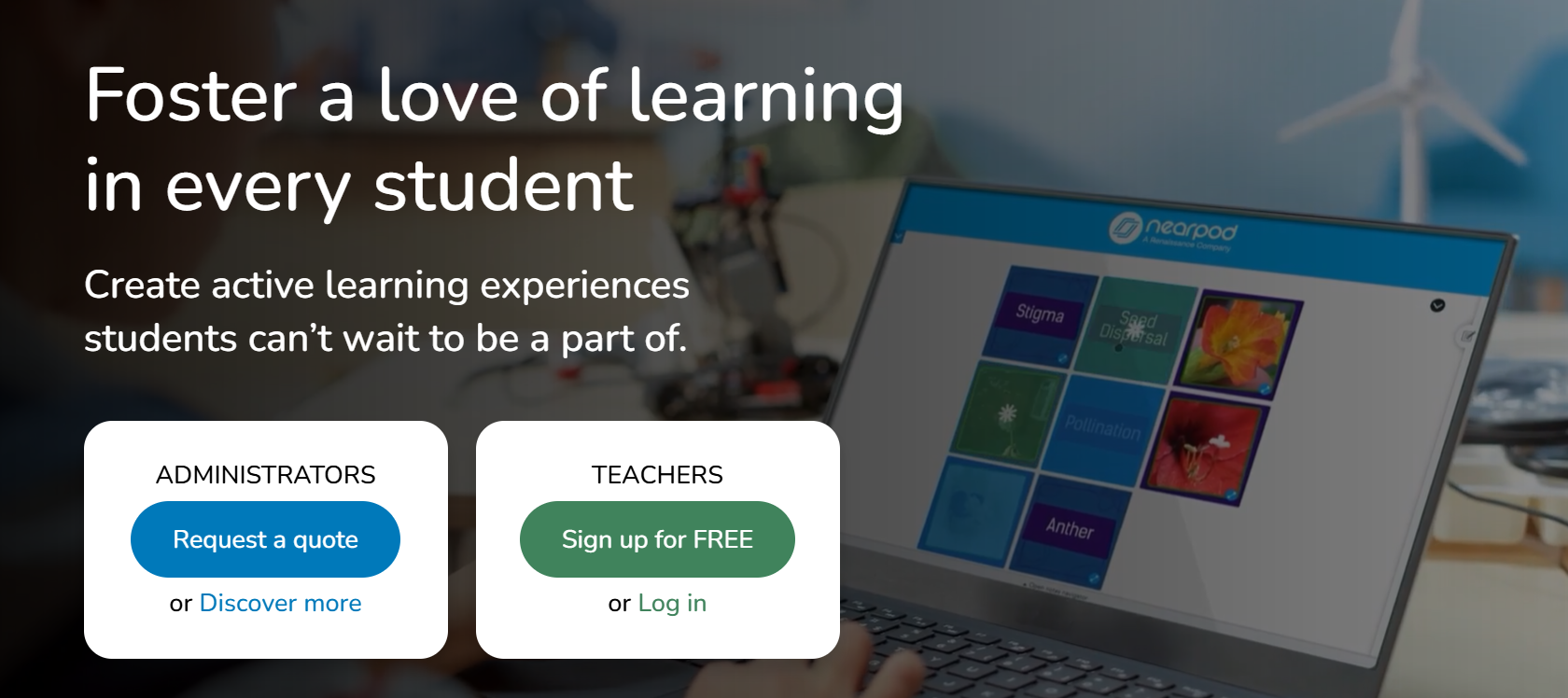
The platform combines presentation content with checks for understanding, so instructors can move from explanation to activity without shifting students into a separate testing environment.
Its biggest strength is lesson flow. Rather than treating assessment as a separate event, Nearpod lets teachers weave questions, discussions, videos, and interactive activities directly into instruction.
Pros:
- Lesson and assessment in one place
- Real-time insights and post-session reports
- Large ready-made library
- 20+ formative assessment types
- Live and student-paced delivery
Cons:
- Free storage fills quickly
- Drag and drop requires Gold
How Nearpod Compares With Pear Assessment: Nearpod folds checks into instruction; Pear Assessment is built for standalone tests and benchmarks.
User Rating: 4.6/5
Pricing: Free; Gold $159/year
5. Kahoot!: Best for High-Energy Review Games
Kahoot! is the fastest way I know to get a room involved. Students join with a game PIN, answers race the clock, and the leaderboard adds competition to review activities.
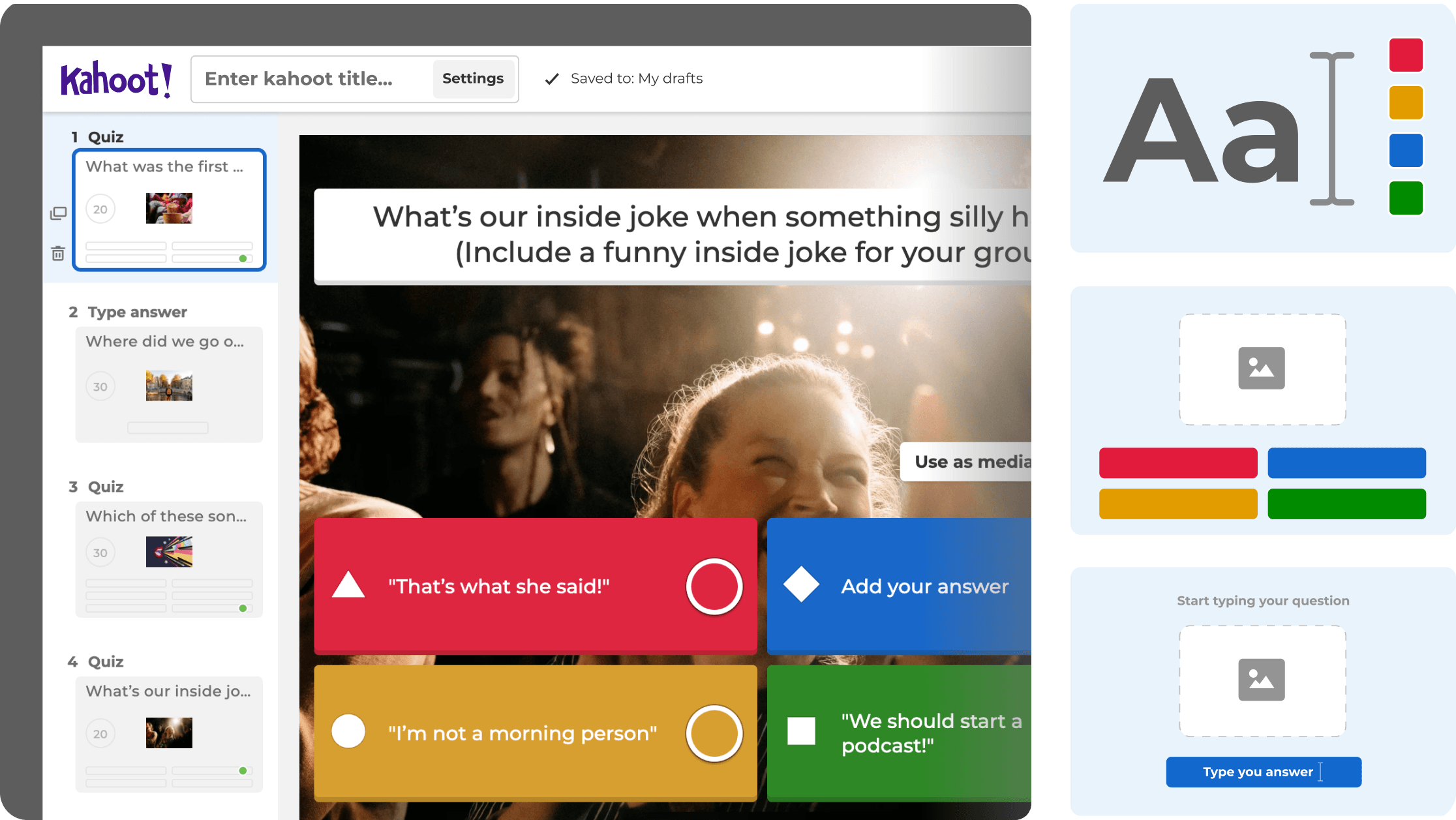
It suits review days, vocabulary drills, icebreakers, and low-stakes retrieval practice better than benchmark testing. Its game-based format is designed to keep attention high and make repetition feel less like a conventional quiz.
The trade-off is assessment depth. Kahoot! works best when participation and recall are the goal, rather than standards-level reporting, detailed item analysis, or formal testing.
Pros:
- Strong student recognition and engagement
- PIN-based joining with no accounts
- Leaderboards that drive participation
- Works well for review days, vocabulary drills, and icebreakers
- Game format that keeps repetition from feeling like a conventional quiz
Cons:
- Free plan caps games at 10 players
- I didn’t find standards-level reporting on its plans
How Kahoot! Compares With Pear Assessment: Kahoot! wins on energy; Pear Assessment wins on test-style item types and mastery data.
User Rating: 4.6/5
Pricing: Free; paid from $39/month
6. Google Forms: Best Free Option for Chromebook Classrooms
Google Forms is the straightforward option many schools already know. Turn on quiz mode, add an answer key and points, and it grades objective questions automatically.
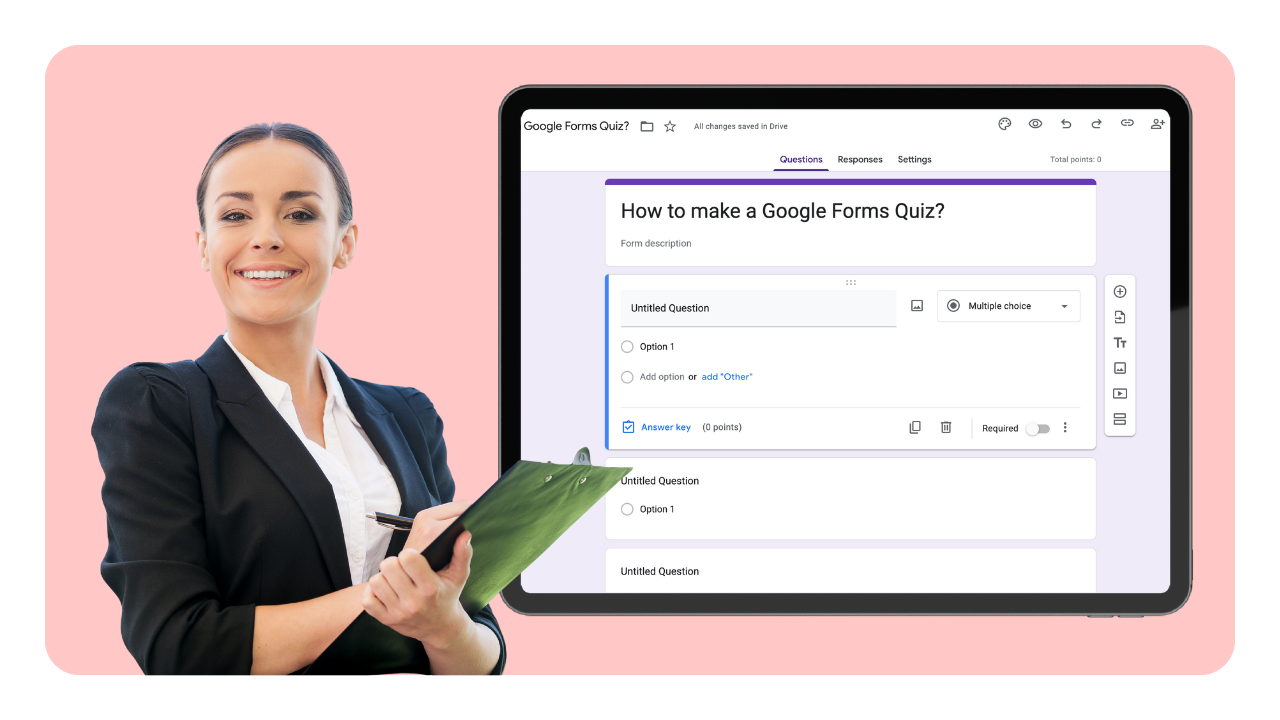
Its main test-security feature is locked mode, which works with school-managed Chromebooks and Google Workspace for Education. According to Google’s support documentation, teachers can also receive notifications when students leave the quiz or open another tab.
Beyond that, Forms are intentionally simple. I couldn’t find standards reporting or a dedicated question bank, so I’d treat it as a quick-check and classroom quiz tool rather than a direct replacement for a full benchmark platform.
Pros:
- Completely free
- Auto-grading in quiz mode
- Locked mode with teacher notifications
- Familiar to many schools already
- Simple setup with an answer key and points
Cons:
- Locked mode works only on managed Chromebooks
- No standards tracking or question banks
How Google Forms Compares With Pear Assessment: Forms wins on price and familiarity; Pear Assessment wins on item types and standards-based data.
User Rating: 4.6/5
Pricing: Free with a Google account; locked mode requires Workspace for Education.
7. Mastery Connect: Best for Standards Tracking and Benchmarks in Canvas
Mastery Connect, from Instructure, is what I’d shortlist if standards tracking is why you chose Edulastic in the first place. Its Mastery Tracker gives teachers a visual view of which students and standards need attention.

It connects tightly with Canvas: creating a Mastery assessment can generate a linked Canvas assignment, with scores syncing back to the gradebook. Instructure also offers a Mastery Item Bank and IgniteAI item generation.
Its strongest fit is district and school teams that want standards mastery to sit directly inside their Canvas workflow rather than using a separate testing environment.
Pros:
- Standards-focused Mastery Tracker with a visual view of student progress
- Two-way Canvas grade sync
- Item bank with AI item generation
- Mastery assessments can generate linked Canvas assignments
- Built for district and school teams that want mastery data inside Canvas
Cons:
- Quote-only pricing
- A Capterra reviewer notes the tracker color reflects only the latest quiz taken
How Mastery Connect Compares With Pear Assessment: Mastery Connect fits standards tracking inside Canvas; Pear Assessment is more LMS-neutral and has a free teacher plan.
User Rating: 3.7
Pricing: Quote-based
8. Socrative: Best for Quick Exit Tickets and Daily Checks
Socrative is a long-standing choice for exit tickets and short quizzes. Teachers launch a room, students join, and results appear as answers come in.
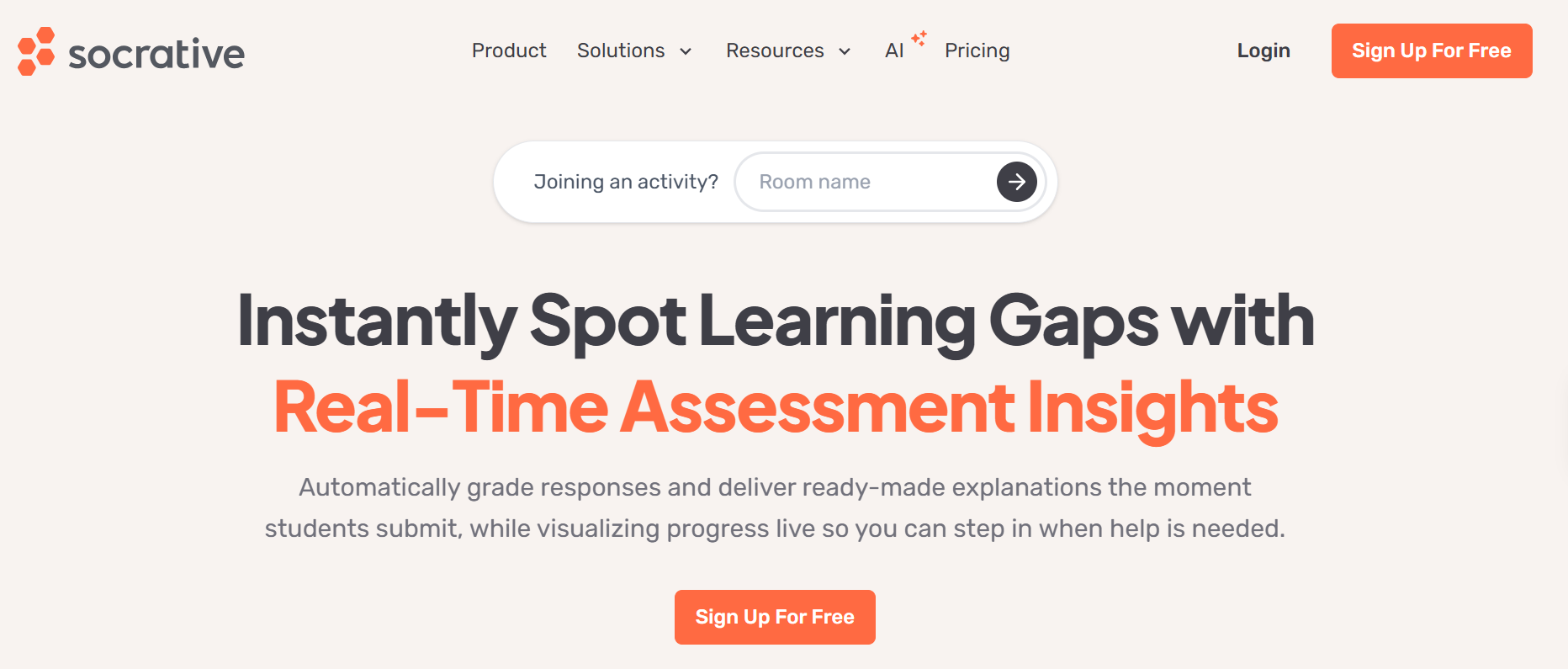
Its workflow is intentionally simple, which makes it useful for warm-ups, comprehension checks, end-of-class exit tickets, and short formative assessments where speed matters more than complex authoring.
The platform works best for everyday classroom checks rather than standards-heavy benchmark programs. Teachers can quickly see who understood the material and decide what needs to be revisited next.
Pros:
- Ease of use rated 4.4/5 on Capterra
- Free live rooms
- Solid G2 rating across 99 reviews
- Simple room-based workflow for warm-ups and exit tickets
- Results appear as students answer
Cons:
- Five-quiz cap on the free plan
- Value for money rated 3.7/5
How Socrative Compares With Pear Assessment: Socrative is quicker for daily checks; Pear Assessment offers a larger item library and richer reporting.
User Rating: 4.5/5
Pricing: Free; paid from $16/month
9. Quizgecko: Best for AI Questions From Your Own Files
Quizgecko is built around one job: turning your own material into questions. You paste text, add a link, or upload a file, and it drafts quizzes, practice questions, and other study activities you can edit.
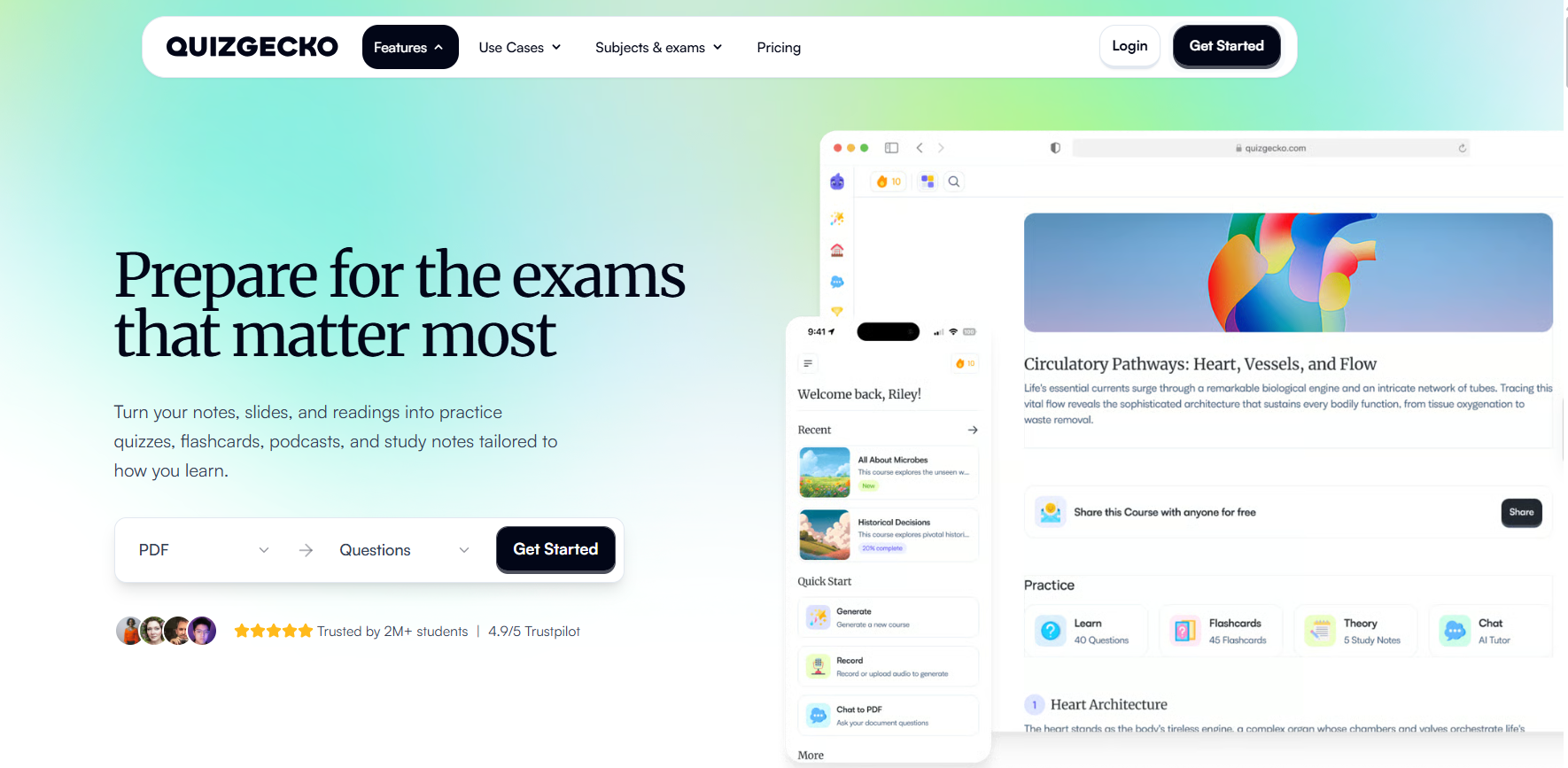
That makes it especially useful when authoring speed is the main bottleneck. Teachers can start with existing notes, reading material, presentations, or webpages rather than writing every question from scratch.
It is primarily a content-generation tool rather than a full testing platform. I’d use it when question creation is the pain point and pair it with another system if I needed more formal delivery, reporting, or classroom controls.
Pros:
- File-to-quiz generation
- Low monthly cost
- LMS export on Ultra
- Accepts pasted text, links, and uploaded files
- Drafts quizzes, practice questions, and study activities you can edit
Cons:
- Free tier limited to one AI lesson per month
- Few classroom delivery controls
How Quizgecko Compares With Pear Assessment: Quizgecko speeds up question writing; Pear Assessment gives you the delivery, grading, and standards reporting around it.
User Rating: 4.6/5
Pricing: Free Basic; Premium $16/month; Ultra $29/month; Organization plans are custom.
10. Testmoz: Best for No-Signup Classroom Tests
Testmoz is the simplest tool here. You build a test, share a link, and students can take it without creating accounts, which makes it useful when setup speed matters most.
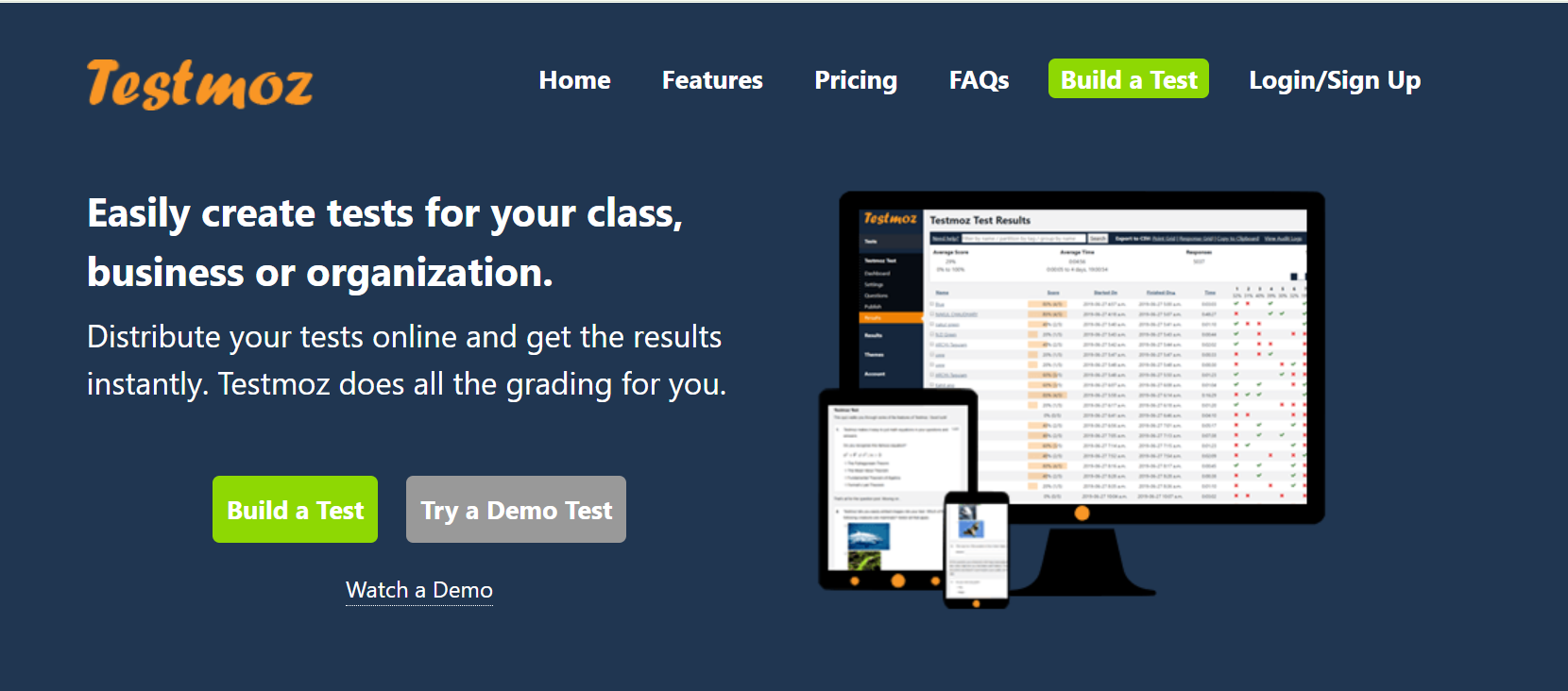
It supports fill-in-the-blank, matching, ordering, short answer, numeric, essay, and true/false questions, along with time limits, attempt limits, password protection, and partial credit.
Its appeal is simplicity rather than breadth. Teachers can move from question creation to a working test quickly without setting up a broader course or assessment environment.
Pros:
- No student accounts
- Low annual cost
- Partial credit and re-grading
- Time limits, attempt limits, and password protection
- Supports fill-in-the-blank, matching, ordering, short answer, numeric, essay, and true/false questions
Cons:
- Free tier caps questions and results per test
- Lighter anti-cheating controls than lockdown tools
How Testmoz Compares With Pear Assessment: Testmoz beats Pear Assessment on setup speed and cost; it lacks standards alignment and district reporting.
User Rating: 4.5/5
Pricing: Free; $50/year membership (50% off for school teachers).
How I Chose These Pear Assessment Alternatives
The evaluation of the tools chosen for this article follows an unbiased, systematic approach that ensures a fair, insightful, and well-rounded review of each Pear Assessment alternative. This method employs six key factors.
User Reviews / Ratings: Direct experiences from teachers and administrators give a ground-level view of reliability, ease of use, and day-to-day classroom administration. I checked current G2 and Capterra ratings and reviewer feedback where available.
Essential Features & Functionality: The value of an assessment platform comes down to its core features. I compared question variety (drag-and-drop, matching, hotspot, ordering, short answer), automated and rubric-based grading with partial credit, standards and item-level reporting, AI authoring from prompts, PDFs, and presentations, and test security. I also checked rostering and integration support for Google Classroom, Canvas, Schoology, Moodle, Blackboard, and Clever.
Ease of Use: A tool only helps if you can build and run an assessment in the time you actually have. I looked at the authoring flow, interface design, and navigation, including how many clicks a simple exit ticket takes, since slow authoring is one of the biggest reasons teachers look beyond Pear Assessment. I also considered how easily students can join and take an assessment on school devices.
Customer Support: Support matters most during setup, rostering, and test day. I reviewed the help centers, documentation, chat, phone, and onboarding options each vendor publishes, and I noted where stronger support depends on a paid or district plan.
Value for Money: Value for money compares quality, performance, and features against price. I weighed free-plan limits, the cost of unlocking features like security and reporting, and whether pricing is published or quote-only. Pear Assessment’s premium plan at $125 per year and its custom district pricing served as the benchmark.
Personal Experience / Experts’ Opinions: This factor draws on my own experience building quizzes, tracking mastery, and running assessments across K-12 classrooms and training programs, along with vendor documentation and teacher discussions.
What Are the Top 3 Pear Assessment Alternatives?
After comparing all ten platforms, three stood out for covering the broadest range of what teachers are actually looking for when they move away from Pear Assessment.
1. ProProfs Quiz Maker
For teachers who want to build assessments faster without giving up grading depth or security, this is my top pick. It can turn lesson files, videos, and webpages into quizzes with AI while supporting 20+ question types, automated grading, question banks, anti-cheating controls, and detailed question-level reporting.
2. Formative
Formative is the closest match for teachers who value Pear Assessment’s live formative workflow. It lets instructors watch responses appear while students are still working, use AI to create standards-aligned activities, and step in before misconceptions become harder to correct.
3. Mastery Connect
Mastery Connect is the strongest choice for schools where standards tracking is the main requirement. Its Mastery Tracker, Canvas integration, item bank, and grade syncing make it particularly useful for districts that want benchmark and mastery data closely connected to their existing LMS.
Get Set to Switch Beyond Pear Assessment
If your biggest frustrations are premium features behind paywalls, quote-only district pricing, and clunky authoring, you don’t have to trade rigor for speed. A good Edulastic replacement should help you create assessments faster, grade them automatically, and show you where students are struggling.
That’s why I’d start with ProProfs Quiz Maker. You can upload a lesson PDF, let AI draft the questions, turn on shuffling, timers, and question pooling, and then review question-level reports after the quiz. From there, you can group students by missed concepts and focus your next lesson on the two or three areas that caused the most trouble.
If you want to see how that workflow feels with your own material, you can create a free ProProfs Quiz Maker account and build one assessment before deciding whether it fits your classroom.
Frequently Asked Questions
What Is the Best Alternative to Pear Assessment?
ProProfs Quiz Maker is my top pick for most K-12 teachers because it pairs AI quiz creation with browser-based security, automated grading, and a free plan. For live formative checks with standards tagging, Formative is the closest match. For standards tracking inside Canvas, look at Mastery Connect.
Is Pear Assessment the Same as Edulastic?
Yes. GoGuardian renamed Edulastic to Pear Assessment in January 2024 as part of the Pear Deck Learning ecosystem. Its sibling products include Pear Deck, Pear Practice, and Pear Deck Tutor.
Is There a Free Pear Assessment Alternative?
Yes. Google Forms is free for quiz mode, Testmoz has a free tier capped at 50 questions and 100 results per test, and ProProfs Quiz Maker has a forever-free plan for quizzes of up to 12 questions. Wayground, Nearpod, and Socrative also offer free plans with caps.
How Much Does Pear Assessment Cost?
Pear Assessment has a free teacher plan and a custom district or school plan. According to GoGuardian's documentation, individual premium features are available for $125 per year with an educator discount, and they unlock the Teacher Dashboard, advanced test security, and standards-based reporting.
Is Pear Assessment the Same as Pear Deck?
No. Pear Assessment is a testing and standards-mastery tool, while Pear Deck adds interactive questions to presentations. Both come from the same company family, which is why the names confuse buyers.
Which Edulastic Alternative Has Standards Tracking?
Mastery Connect is built around standards tracking and syncs with Canvas. Formative offers standards tagging and common assessments at its Small School plan and above.
Can I Create a Quiz From a PDF With AI?
Yes. ProProfs Quiz Maker converts documents, videos, and webpages into quizzes with explanations. Formative's Luna AI and Quizgecko also generate questions from uploaded files, and Nearpod Gold includes an AI question generator.
How Do I Prevent Cheating on Online Tests Without a Lockdown App?
Use question pools so each student sees a different set, shuffle answer options, set per-question timers, and limit attempts. Google Forms locked mode works on school-managed Chromebooks only. ProProfs Quiz Maker adds browser lockdown, IP tracking, and optional proctoring without installing software.

Let ProProfs AI Build a Quiz

 We'd love your feedback!
What did you like & how can we make it even better?
 Thanks for your feedback!
 Ask Your Question
Have a question? Get expert help to make your decision easier.