
If your certification renewal is coming up and the Questionmark quote just landed, you’re probably searching for Questionmark alternatives right now. I mean Questionmark, the enterprise assessment and certification software, the platform many of us first knew as Questionmark Perception and now run as Questionmark OnDemand or OnPremise.
I’ve set up, migrated, and audited assessment programs on enterprise platforms and lighter cloud tools, and the switch almost never happens because Questionmark fails at security. It happens because a team’s needs have changed: faster authoring, simpler admin, pricing they can forecast, or a candidate experience that works on a phone.
Below, I cover why teams leave, ten alternatives grouped by what you actually need to test, how I evaluated them, my top three, and when staying put is the smarter call.
Why Are Teams Switching From Questionmark
Questionmark’s public review footprint is small, so I read every verified review I could find and weighed it against what I hear from admins. Here’s the pattern.
Legacy administration that assumes an IT team: A Senior Learning Technologist who has used Questionmark “since it was floppy disc-based, 1998ish” wrote on Capterra that “Perception V5.7 got very difficult to self-install on your web server. The replacement OnPremise is impossible to self-install.” OnDemand solves that by having Questionmark manage updates, but it also means you depend on their team for changes.
Usability scores that lag the category: On G2, Questionmark has 2.8/5 from just 5 reviews, with an ease-of-use score of 3.3, compared to a category average of 8.4. On Capterra, it sits at 3.8/5 from 5 reviews, with 3.6 for ease of use, 3.0 for customer service, and 3.3 for value for money. Five reviews is a thin sample, so I treat this as a signal, not a verdict.
Pricing you can’t see until a sales call: Questionmark’s own FAQ says pricing is based “on assessment volume, modules, and proctoring needs” and is “quoted after a short scoping call.” That’s normal for enterprise software, but it makes budgeting a pilot or a renewal slow.
Candidate delivery friction: One candidate review on Capterra describes weeks of preparation, then Questionmark Secure failing to launch the exam, followed by a trip through two support teams (Examinity and Questionmark). One review isn’t a trend, but lockdown-client failures are exactly what browser-based, mobile-friendly tools avoid.
AI authoring tied to an enterprise contract: To be fair, the old “no AI” complaint is outdated. Questionmark now offers Author Aide, which generates items from prompts and uploaded PDFs using retrieval-augmented generation and claims test creation “up to 10x faster.” The catch is that you get it inside a quoted enterprise deal, not on a self-serve plan.
Consolidation pressure: Some teams simply fold assessment into tools they already pay for. One D2L Brightspace reviewer on G2 wrote that switching “allowed us to save money by ending our contract with a tool that was used for assessment (Questionmark).”
Top 7 Questionmark Alternatives for Online Testing & Certification
I grouped these by buyer intent, because the best Questionmark alternatives for a licensure body look nothing like the right pick for an HR team screening candidates.
| Software | Best For | Starting Price | User Rating |
| ProProfs Quiz Maker | Creating Quizzes & Assessments for Business, Training, and Education | Free; paid from $19.99/month | 4.3/5 |
| Surpass (BTL) | High-stakes awarding bodies & licensure | Quote-based | Not listed on G2 |
| Caveon Scorpion | Security-first certification programs | Quote-based | 4.5/5 |
| TAO | Free, open-source QTI testing | Free; hosted from $304.74 USD | Too few reviews |
| TestGorilla | Pre-employment skills screening | Free; Core $142/month | 4.5/5 |
| ClassMarker | Straightforward secure online exams | Free (Education); Business $19.95/month | 4.4/5 |
| FlexiQuiz | Small training teams needing certificates | Free; paid from $17/month | 4.5/5 |
1. ProProfs Quiz Maker: Best for Creating Quizzes & Assessments for Business, Training, and Education
What stood out to me about ProProfs Quiz Maker as a Questionmark alternative was how quickly I could get an assessment ready without technical help. Whether it was an onboarding quiz, compliance recertification, or pre-hire test, I could create, customize, and publish it without a complicated setup.
The AI quiz generator builds complete quizzes from a topic or an uploaded PDF, DOCX, or PPT file, and a 1,000,000+ question library covers you when you’d rather start from existing items. You get20+ question types, including audio and video responses, plus unlimited question banks with tag-based pooling and question and answer shuffling.
Security is native rather than bolted on: automated webcam and screen proctoring with reviewable logs, tab-switch prevention, copy and print blocking, time limits, and IP tracking and restrictions. Automated grading, real-time reports and analytics, and automated certification with expiry-driven recertification close the loop.
Pros:
- Unlimited AI quiz creation on every plan, including free
- Native proctoring, browser lockdown, IP restrictions, and time limits without a third-party add-on
- 20+ question types pooling and randomization from unlimited banks
- Branded automated certification with expiry dates, scheduled retakes, and reminders
- SSO, SAML, API, SCORM, and xAPI support
Cons:
- No dark mode, which may affect comfort during extended use
- Only cloud-based; no on-premise deployment option
How ProProfs Quiz Maker Compares With Questionmark: Pricing is published, AI authoring is included instead of negotiated, and admins don’t need specialist training. You give up FedRAMP and deep psychometrics, so it’s the stronger fit for corporate training, compliance, and hiring rather than federal or licensure exams.
User Rating: 4.3/5
Pricing: Forever-free plan (12 questions per quiz, 90-day report history). Paid plans start at $19.99/month.
2. Surpass: Best for High-Stakes Awarding Bodies and Licensure
Surpass, from BTL, is the first tool I’d shortlist if you’re an awarding organization, regulator, or licensure body that needs Questionmark-level rigor. It’s built for universities, certification and licensure programs, regulators, and government bodies.
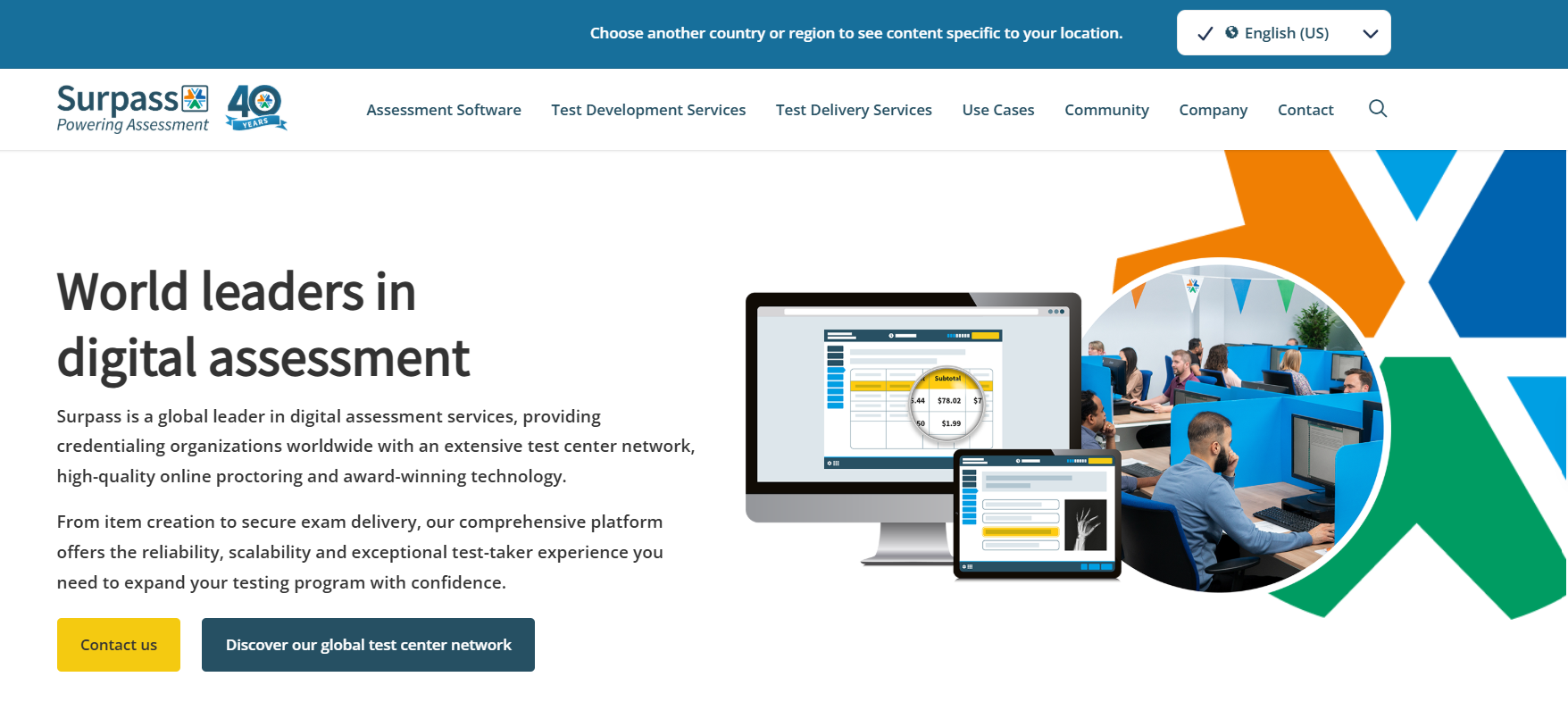
It covers item banking and authoring, test assembly, live and automated proctoring, automatic grading, and psychometric reporting to confirm your tests are fair and reliable. It also handles large-scale, high-stakes paper exams alongside computer-based delivery.
Reviewers consistently praise the relationship. One long-term Capterra reviewer said Surpass staff “make the effort to make their customers feel valued and listened to,” while also noting that custom development “can be slow and expensive.”
Pros:
- Purpose-built for high-stakes certification and licensure
- Live and automated proctoring
- Psychometric reporting for fairness and reliability
- Paper-based and computer-based delivery
Cons:
- Quote-only pricing, per test or per user
- Core platform changes come with long lead times and extra cost
How Surpass Compares With Questionmark: Surpass matches Questionmark on high-stakes depth, so it’s a like-for-like swap for awarding bodies. It won’t reduce admin complexity or make pricing transparent, so switch for fit and service, not simplicity.
User Rating: Not listed on G2
Pricing: Quote-based.
3. Caveon Scorpion: Best for Security-First Certification Programs
Caveon built Scorpion for certification, licensing, education, and government programs where item exposure is the real threat. It’s the only platform on this list whose entire design starts from exam security.
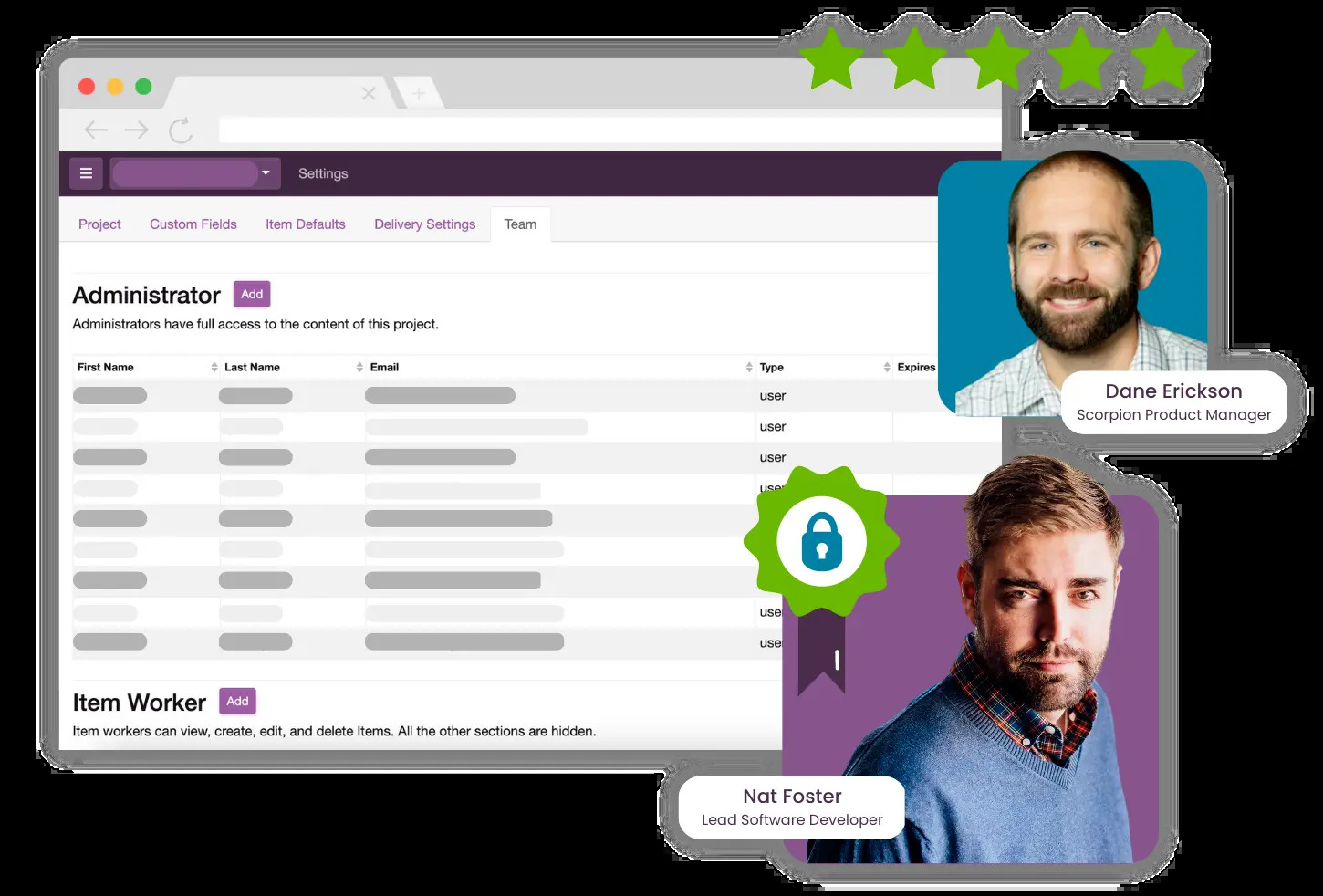
Its standout feature is SmartItems, self-protecting item types that make harvested content far less useful, alongside computer adaptive testing, linear-on-the-fly testing, and randomly parallel forms. An optional AI Assistant supports job task analysis, blueprinting, item writing, and review.
Caveon says Scorpion maintains SOC 2 Type 2 and ISO 27001 audits plus independent penetration testing. Remote proctoring isn’t built in; Caveon offers it separately through Caveon Observer.
Pros:
- SmartItems and secure test designs (CAT, LOFT)
- Optional AI item development tied to your blueprint
- SOC 2 Type 2 and ISO 27001 audits
- Supports Angoff reviews, standard setting, and imports of existing items
Cons:
- Remote proctoring requires the separate Observer service
- No public pricing and no G2 listing for peer validation
How Caveon Scorpion Compares With Questionmark: Scorpion goes further than Questionmark on content protection and secure exam design, which matters if your items are leaking. It isn’t simpler or cheaper to evaluate, so it replaces Questionmark on security, not ease.
User Rating: 4.5/5.
Pricing: Quote-based.
4. TAO: Best Free, Open-Source Option for QTI-Based Testing
TAO, from Open Assessment Technologies, is the questionmark alternative free option I recommend when you have developers and want to own your testing stack. The Community Edition is open source and costs €0.
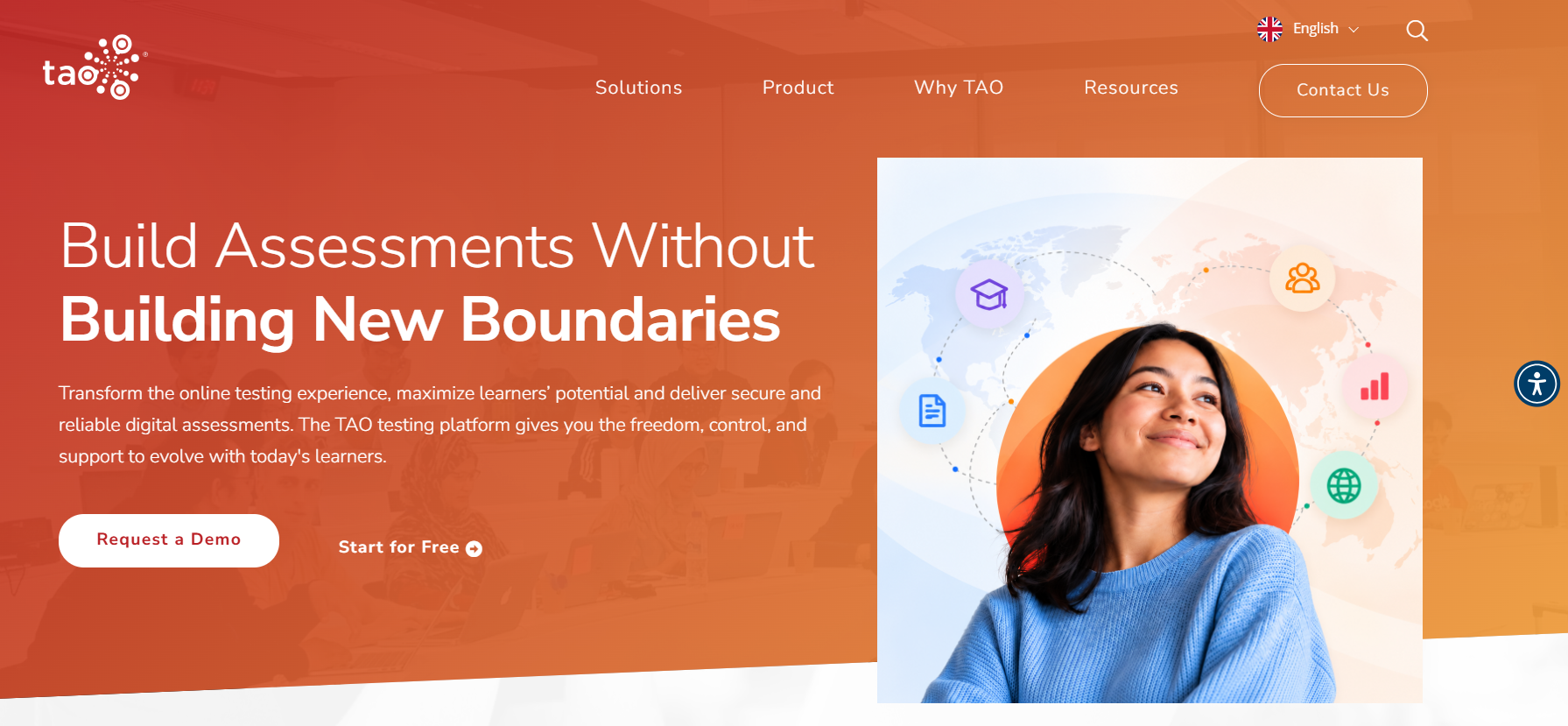
It’s QTI-native, so your items stay portable instead of locked into one vendor. TAO covers authoring, reporting, rostering, and delivery, with add-ons like TAO Grader for technology-assisted human scoring.
If you don’t want to self-host, TAO Accelerate is a turn-key cloud option starting at €499/month billed annually, and higher tiers add scalability and custom integration support.
Pros:
- Free, open-source Community Edition
- Open standards (QTI) keep items portable
- Scales from pilots to large programs
- Hosted tiers when you outgrow self-hosting
Cons:
- Community Edition assumes in-house IT to host, secure, and maintain it
- Almost no verified public reviews (0 on G2)
How TAO Compares With Questionmark: TAO wins on licensing cost and data ownership. Your total cost of ownership shifts to hosting and engineering, so it’s only cheaper if you already have that capacity.
User Rating: Not enough verified reviews.
Pricing: Free; hosted from $304.74 USD.
5. TestGorilla: Best for Pre-Employment Skills Screening
When the assessment is a hiring decision rather than a certification, TestGorilla is a stronger fit than Questionmark. It ships with a library of 350+ tests covering skills, cognitive ability, and behavioral traits.
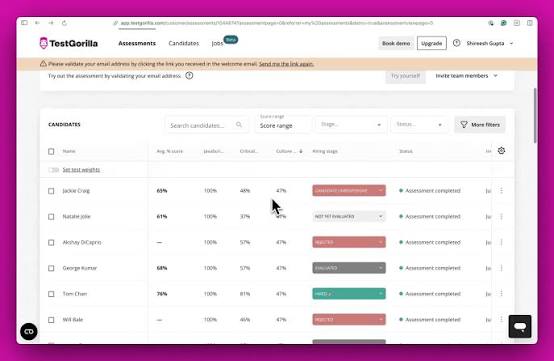
You can combine ready-made tests with custom essays, file-upload, coding, and role-specific questions. AI-powered scoring helps evaluate open-ended responses, while analytics and reporting make it easier to compare candidate performance.
Its biggest advantage is speed. Hiring teams can assemble role-relevant assessments, invite candidates, and review results without having to design every screening test from scratch.
Pros:
- 350+ ready-made, role-relevant tests
- AI scoring for custom open-ended questions
- ATS integrations and coding challenges on Plus
- A genuine free plan
Cons:
- Credit-based annual contracts make volume costs harder to predict
- Built for hiring, not training certification or recertification
How TestGorilla Compares With Questionmark: TestGorilla gets you screening candidates in hours with prebuilt tests instead of authoring every item. It isn’t a certification platform, so it complements rather than replaces Questionmark for L&D.
User Rating: 4.5/5
Pricing: Free plan; Core at $142/month; Plus is custom.
6. ClassMarker: Best for Straightforward Secure Online Exams
ClassMarker is what I suggest to teams that want secure, auto-graded exams without an enterprise project. You deliver tests to registered groups or through links, and embed them on your site via API or webhooks.
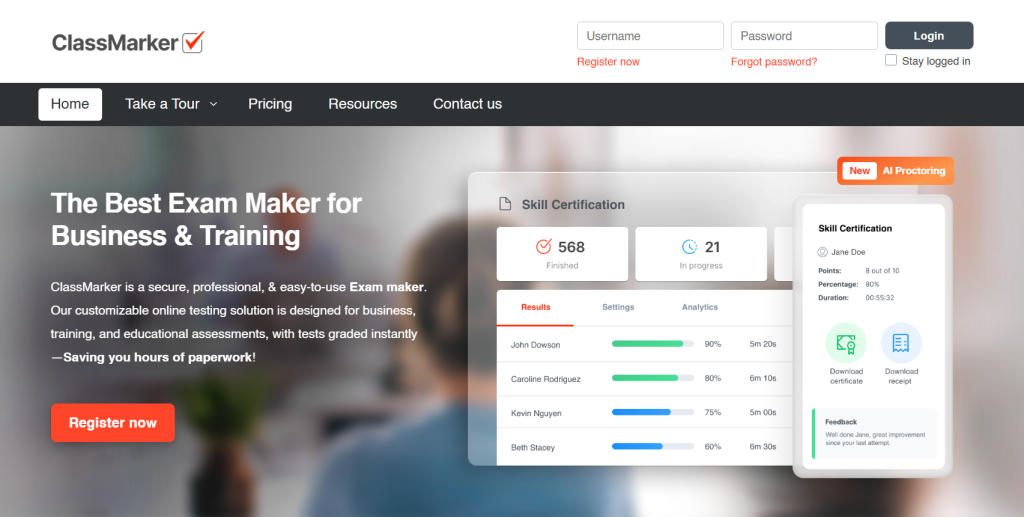
It covers time limits, multiple attempts, question randomization, cheating prevention, and instant grading. Results can be sorted by test, group, user, or category and exported to Excel.
The workflow stays relatively simple from setup through reporting. That makes it useful for schools, businesses, and training teams that need controlled online testing without managing a complex assessment infrastructure.
Pros:
- Instant grading with category-level reporting
- Randomization, time limits, and attempt controls
- API and webhooks for embedding
- Free Education plan (100 tests/month)
Cons:
- Every plan caps monthly tests, so spikes need credit packs
- Business users get a 30-day trial rather than a free plan
How ClassMarker Compares With Questionmark: Transparent pricing and a far faster setup. It lacks Questionmark’s psychometrics and enterprise compliance credentials.
User Rating: 4.4/5
Pricing: Free (Education); Business $19.95/month.
7. FlexiQuiz: Best for Small Training Teams That Need Certificates
FlexiQuiz fits smaller L&D and HR teams that want auto-graded quizzes with certificates and don’t need item analysis. Timed tests, question randomization, certificates, and email notifications are its core.
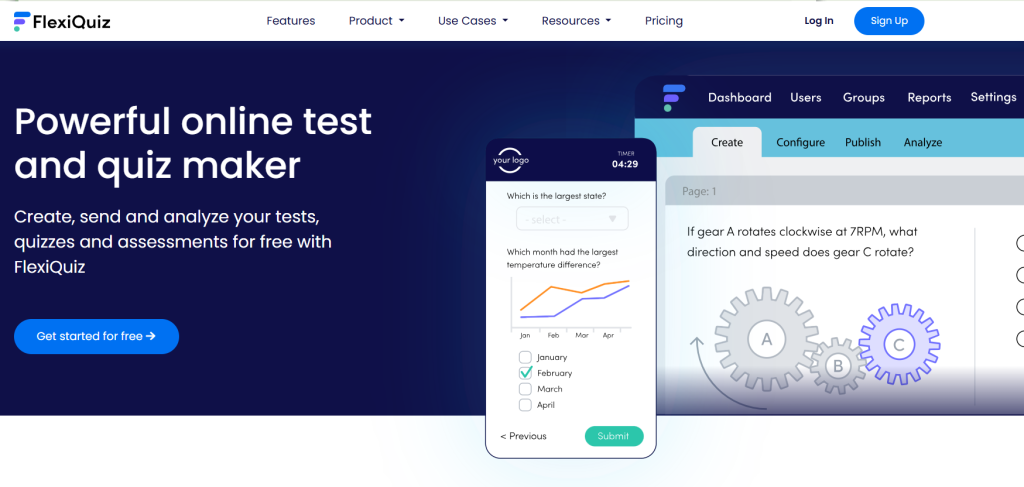
The builder is easy to learn and supports branded quizzes, respondent management, automated notifications, and different ways to distribute assessments. It also includes options for selling quizzes through Stripe.
Its straightforward setup works well for smaller training programs that need to create, deliver, and track assessments without the deeper psychometric controls of a large enterprise testing platform.
Pros:
- Fast, simple builder
- Certificates and timed tests
- Free plan to start
- Stripe integration for selling quizzes
Cons:
- API and SSO gated to the Enterprise tier
- Third-party pricing listings conflict, so confirm current plans on the vendor site
How FlexiQuiz Compares With Questionmark: Much cheaper and simpler for low- to medium-stakes testing, but not built for audited, high-stakes programs.
User Rating: 4.4/5
Pricing: Free; paid from $17/month.
How I Chose These Questionmark Alternatives
I evaluated these Questionmark alternatives based on the factors that matter most when choosing an assessment platform, including security, pricing transparency, use-case fit, and overall cost. Here’s what I exactly reviewed:
- Security and exam integrity: This was especially important for a Questionmark comparison. I looked at whether each platform supports multiple layers of protection, including proctoring, browser controls, identity verification, access restrictions, monitoring, and other measures designed to prevent or detect misconduct.
- User reviews and ratings: I checked current G2 and Capterra ratings where available to understand how users rate reliability, ease of use, support, and administration. If review volume was limited or I couldn’t verify a current rating, I’ve made that clear.
- Fit by assessment type: I compared how well each tool supports different use cases, including employee training and compliance, hiring assessments, certification, and high-stakes exams. A platform that works well for one type of assessment may not be the best fit for another.
- Core assessment capabilities: I reviewed question types, question banks, randomization, scoring, reporting, proctoring, certificates, integrations, and other features that affect how assessments are created, delivered, and managed.
- Total cost of ownership: I looked beyond the listed subscription price and considered hosting, setup, technical resources, administration, and ongoing maintenance. A free or open-source platform can still become expensive if it requires significant developer support.
- Pricing transparency: I gave extra weight to platforms that publish clear pricing and plan limits. Where pricing was custom or difficult to verify, I’ve called that out so you know what may require a sales conversation.
- Source checking and exclusions: I used vendor pricing, product, security, and help pages wherever possible and cross-checked review platforms when relevant. I excluded tools where I couldn’t verify enough current pricing or rating information, and I’ve also noted ownership relationships where they affect whether a product is truly an independent Questionmark alternative.
Top 3 Questionmark Alternatives
After comparing all ten platforms, three stood out for covering the broadest range of what Questionmark buyers are actually looking for.
1. ProProfs Quiz Maker
For anyone whose search is really about running a secure, certifiable assessment without the sales-gated pricing, this is my top pick. It replaces manual question entry with AI generation while covering the proctoring and certificate automation most corporate programs actually use.
2. Caveon Scorpion
If you’re looking to protect high-stakes exam content from theft, Scorpion is worth considering. Its SmartItems feature is built for secure item delivery, while SOC 2 Type 2 and ISO 27001 audits add an extra layer of security assurance.
3. TAO
TAO is a better fit for teams with technical resources that want full control over their assessment content. Its free Community Edition supports portable QTI items that you own, giving you infrastructure control similar to Questionmark OnPremise without the licensing cost.
Choosing the Right Fit for Your Assessment Program
Start with stakes, not features. If a failed exam means a revoked license or a federal audit finding, stay with Questionmark or move to Surpass or Scorpion, and accept the quote-driven buying process as the cost of that rigor.
For everything else, which is most corporate testing, the math changes. You’re paying enterprise prices and absorbing enterprise complexity to run onboarding checks, compliance refreshers, and skills tests that a modern platform handles in an afternoon.
That’s where I’d put ProProfs Quiz Maker to the test. Build one real exam with the secure online exam software, turn on proctoring and pooling, issue a certificate, and compare the effort with your last Questionmark rollout.
Frequently Asked Questions
What is the best alternative to Questionmark?
It depends on your stakes. For corporate training, compliance, and hiring, ProProfs Quiz Maker is the best all-round option thanks to AI authoring, native proctoring, and automated recertification at published prices. For high-stakes licensure, Surpass or Caveon Scorpion are closer like-for-like replacements.
Is there a free Questionmark alternative?
Yes. TAO Community Edition and Moodle are both free and open source, though you'll need IT resources to host and secure them. ProProfs Quiz Maker also has a forever-free plan with unlimited AI quiz creation, capped at 12 questions per quiz and 90 days of report history.
How much does Questionmark cost?
Questionmark doesn't publish pricing. Its FAQ says pricing is based on assessment volume, modules, and proctoring needs, and is quoted after a scoping call. Budget time for a sales process before you can compare it with alternatives.
Who owns Questionmark now?
Learnosity, a Dublin-headquartered assessment technology company, acquired Questionmark in June 2021, and Questionmark still operates as a division within the Learnosity Group. In January 2025, Leeds Equity Partners announced it "has acquired Learnosity Holdings Ltd." (terms not disclosed), so Questionmark now sits under Leeds Equity ownership.
Does Questionmark have AI question generation?
Yes. Questionmark's Author Aide generates questions from prompts and uploaded PDFs using retrieval-augmented generation and supports 44 languages. It's part of the enterprise platform, so access depends on your contract rather than a self-serve plan.
What's the difference between Questionmark Perception and OnDemand?
Perception was Questionmark's original self-installed software. It has been replaced by OnDemand, a SaaS version where Questionmark manages updates, and OnPremise for organizations that host it themselves. Long-time users on Capterra describe the self-installed versions as difficult to set up.
Which Questionmark competitors are best for high-stakes certification?
Surpass and Caveon Scorpion are the strongest questionmark competitors for licensure and certification. Surpass offers psychometric reporting plus live and automated proctoring, while Scorpion focuses on content security with SmartItems, adaptive testing, and SOC 2 Type 2 and ISO 27001 audits.
How do I switch from Questionmark without losing my item bank?
Ask Questionmark for a full item export in a standard or spreadsheet format before your contract ends, then test an import on your shortlisted tool. TAO is QTI-native, Scorpion supports importing existing items and exams, and ProProfs imports questions from Excel and Word files.

Let ProProfs AI Build a Quiz

 We'd love your feedback!
What did you like & how can we make it even better?
 Thanks for your feedback!
 Ask Your Question
Have a question? Get expert help to make your decision easier.