
Top Hat can work well until the day-to-day friction starts outweighing the convenience. Maybe students are paying for features you barely use, attendance checks are creating more manual cleanup than expected, or your question bank feels harder to move than it should.
That is usually when instructors start looking at Top Hat alternatives. The challenge is that Top Hat combines several functions on a single platform, including live polling, attendance, courseware, and gradebook sync. Most alternatives are stronger in one or two of those areas rather than trying to replace everything at once.
I’ve used engagement and assessment tools across university courses and training programs, and the best switch usually starts with one question: what do you actually need the platform to do better?
This comparison focuses on higher-ed tools for classroom engagement, attendance, assessment, and LMS-connected teaching, not general K-12 quiz apps.
Why Are Teams Switching From Top Hat?
Faculty switch mainly because of the cost to students, attendance reliability, and portability. Top Hat is a capable all-in-one platform (its pricing page cites 3 million-plus students at 900+ institutions), so the friction is about fit and licensing, not quality. If you’re comparing top hat competitors, these are the patterns I see.
Students pay for it: According to Top Hat’s pricing page, as reported by FlatWorld in June 2026, student plans run $35 for 4 months, $58 for 12 months, or $96 for 4 years. When a Top Hat textbook is assigned, the platform and textbook are combined into one price. That’s real money for a tool some instructors use mainly for attendance and a few multiple-choice questions.
Attendance can misfire: In the faculty and student threads I read, GPS-based check-in produces false negatives and crashes in basement classrooms and dense lecture halls. A tool that wrongly marks a present student absent creates more admin than it saves.
Content is hard to carry out: Instructors describe questions and slides living inside Top Hat’s own ecosystem, which makes moving a question bank back to the LMS or to QTI or Word formats cumbersome. I couldn’t verify Top Hat’s current export options, so ask your account rep before you commit.
Too much platform for simple polling: If you only want quick comprehension checks, courseware authoring and textbook publishing are overhead.
Top 8 Top Hat Alternatives for Higher Ed
I grouped these best top hat alternatives by faculty workflow: zero-cost LMS tools, slide-embedded polling, hardware and app hybrids, Q&A for large cohorts, and graded assessment.
| Tool | Best For | Starting Price | User Rating |
| ProProfs Quiz Maker | Creating Quizzes & Assessments for Business, Training, and Education | Free; paid from $19.99/month | 4.3/5 |
| Poll Everywhere | Polls inside PowerPoint, Keynote, and Google Slides | Free; Educator $10/month billed annually | 4.5/5 |
| iClicker | Large lectures with app or physical remotes | Instructor free; paid plan starts from $4.99 | 4.5/5 |
| Vevox | LMS-integrated polling and Q&A | Free; paid from €8.45/month (education) | 4.7/5 |
| Slido | Q&A-heavy sessions and town halls | Free; paid from €12.5/month (billed annually) | 4.8/5 |
| Canvas Quizzes | Zero-cost assessments inside Canvas | Institutional Canvas license (no public per-user price) | 4.5/5 |
| Wooclap | Rich question formats with privacy credentials | Free; education from $8 – $25/month | 4.5/5 |
| AhaSlides | Budget-friendly polling for big audiences | Free; paid from $7.95/month (billed annually) | 4.7/5 |
1. ProProfs Quiz Maker: Best for Creating Quizzes & Assessments for Business, Training, and Education
I’d rank ProProfs Quiz Maker among the strongest Top Hat alternatives for instructors who need more than live polling. It is better suited to graded assessments, where question quality, scoring, security, and post-test reporting matter more than classroom participation alone. Its AI quiz generator can create quizzes from a prompt or turn existing DOC, PDF, PPT, video, and webpage content into assessment questions, which is useful when most of your course material already exists.
It also supports 20+ question types, along with question banks, randomization, time limits, browser controls, tab-switch prevention, IP tracking, and optional proctoring. Automated grading takes care of objective questions, while reports help faculty review scores, attempts, time spent, and question-level performance.
The main difference from Top Hat is focus. Top Hat is built around live classroom engagement, while ProProfs goes deeper into formal assessment. I’d choose it when quizzes, exams, training checks, or certifications are the priority, and use a separate polling tool if real-time participation and attendance are still important.
Pros:
- AI quiz generator builds full quizzes with explanations from a prompt, documents, videos, or webpages
- 20+ question types, plus question banks with pooling and time limits
- Browser lockdown, tab-switch prevention, IP tracking, and optional proctoring
- Automatic grading with reports on scores, time spent, attempts, and question difficulty
- No required student subscription, plus a forever-free plan
Cons:
- No dark mode
- Cloud-only, with no on-premises version
How ProProfs Quiz Maker Compares With Top Hat: ProProfs gives you graded, secure assessments and reports with no student fee. Top Hat gives you live in-class polling, attendance, and courseware in one login.
User Rating: 4.3/5
Pricing: Forever-free plan. Paid plans start at $19.99/month
2. Poll Everywhere: Best for Polls Inside PowerPoint, Keynote, and Google Slides
Poll Everywhere is the tool faculty mention most when they want questions embedded in their own lecture deck rather than a separate dashboard. It adds polls to PowerPoint, Keynote, Google Slides, and Microsoft Teams.
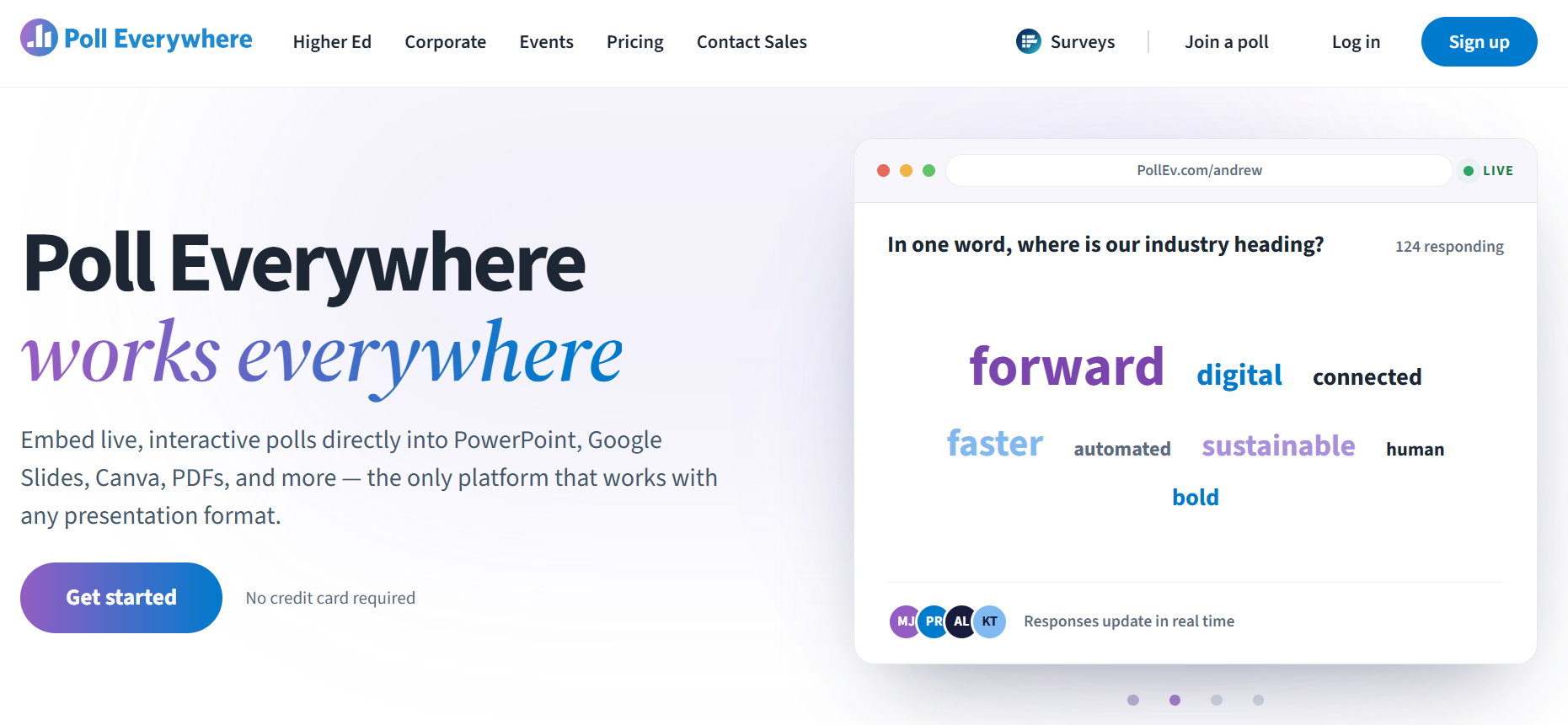
It covers word clouds, multiple choice, open-ended questions, clickable images, ranking, Q&A, surveys, and competitions. The free plan supports up to 40 responses per question, and the Educator plan raises that to 700 for large lectures.
LMS integration is where cost shifts. The education plans page lists LTI 1.3 with Blackboard, Canvas, Moodle, Brightspace, and Sakai, including roster, participation, attendance, and grade syncing, but a Canvas community thread and a university support page both say it needs an institutional license. Higher-ed plans also include a “student pays” option, so check which model your campus uses.
Pros:
- True in-slide embedding across three presentation apps
- Roster, attendance, and grade sync through LTI 1.3
- Educator plan handles up to 700 responses
- Wide range of formats, including word clouds, ranking, and Q&A
- Free plan available for testing it in a real lecture
Cons:
- LMS integration requires an institutional plan
- Free plan caps polls at 40 responses
How Poll Everywhere Compares With Top Hat: Poll Everywhere is lighter and slide-native, with no courseware or textbook layer. Top Hat is broader but heavier.
User Rating: 4.5/5
Pricing: Free plan; Educator $10/month billed annually
3. iClicker: Best for Large Lectures With App or Physical Remotes
iClicker, from Macmillan Learning, is the hardware-and-app hybrid STEM faculty often compare against Top Hat. Students can respond on a phone or laptop, or on a physical remote, which keeps phones out of lectures that need them closed.
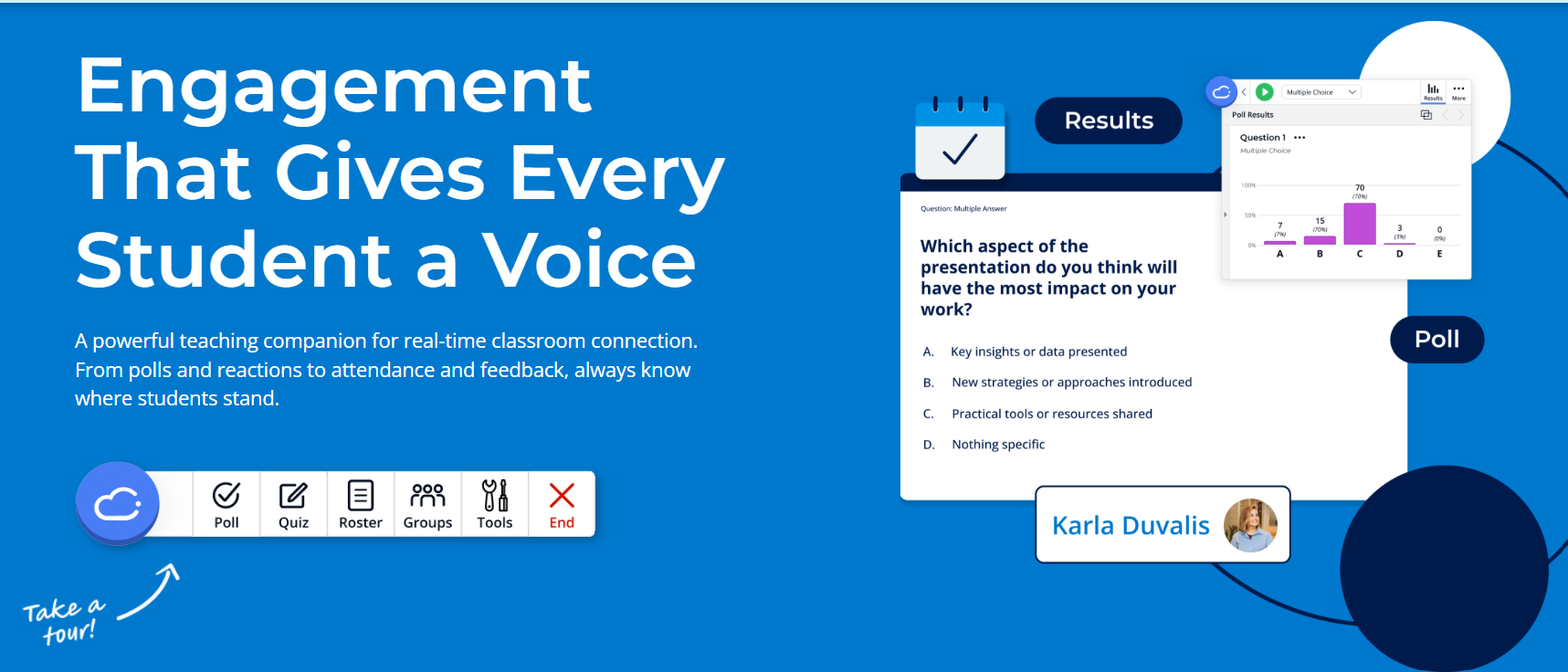
iClicker Cloud adds GPS attendance, advanced question types, and Canvas roster and grade sync, according to a university support guide; the auto-sync features require the Cloud plan. The instructor account is free, and Macmillan also sells institutional and inclusive-access licenses.
The physical remote remains its biggest differentiator. In large lecture halls where instructors want participation without asking every student to keep a phone open, iClicker offers a dedicated response device alongside browser and app-based participation.
Pros:
- Physical remote option for phone-free lectures
- GPS attendance and Canvas grade sync on Cloud
- Free instructor account
- Advanced question types on iClicker Cloud
- Institutional and inclusive-access licensing options
Cons:
- Students still pay for an app or remote
- One Capterra reviewer called the remote’s functionality basic for its cost
How iClicker Compares With Top Hat: iClicker is simpler and often cheaper per student, with no courseware layer. Top Hat offers broader authoring and content.
User Rating: 4.5/5
Pricing: Instructor free; paid plan starts from $4.99
4. Vevox: Best for LMS-Integrated Polling and Q&A
Vevox is my pick for universities that want roster-level integration without a student fee. Its help center documents LTI 1.3 guides for Canvas, Blackboard, Moodle, and Brightspace, with grade sync back to the gradebook.
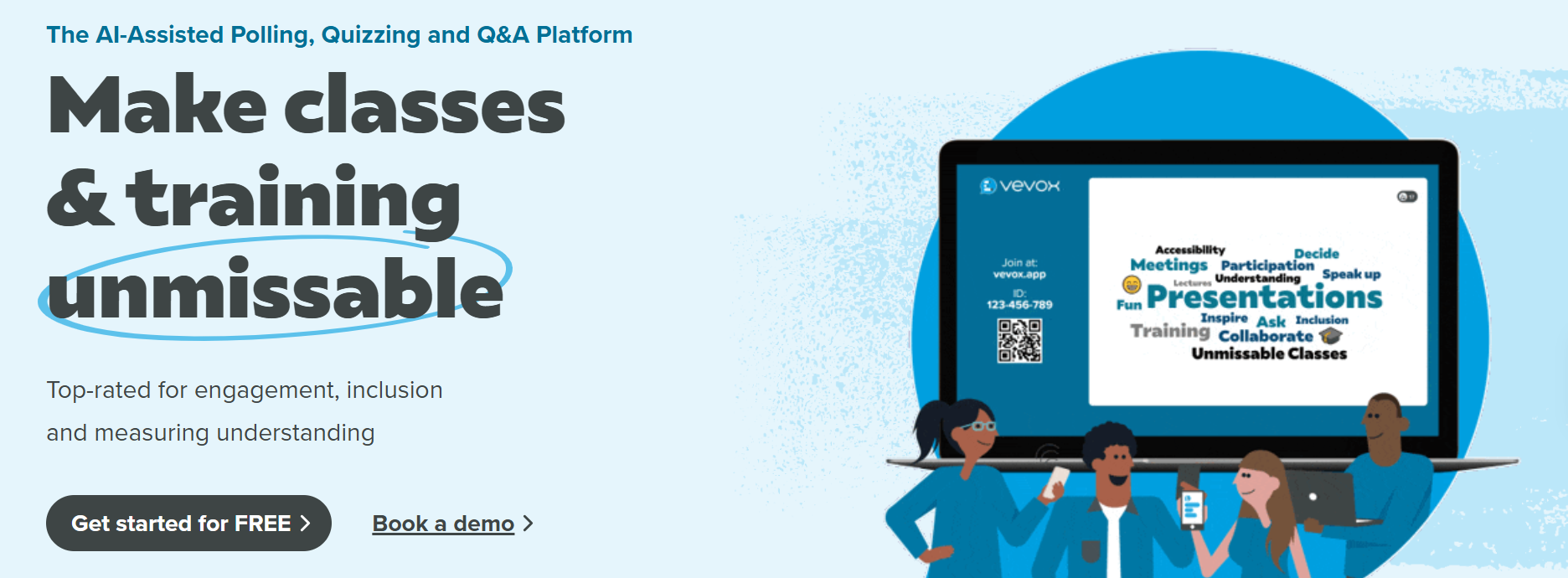
The free plan includes unlimited multiple-choice and LaTeX polling, Q&A, quizzes with leaderboards, AI question creation, and PowerPoint and Teams integrations, for up to 100 participants per session. Paid tiers add word clouds, surveys, and analytics.
Anonymous participation is a quiet advantage in seminars, where hesitant students answer more honestly when their name isn’t attached. LMS integration sits on Institution plans, so the free tier is for trying it, not for roster sync.
Pros:
- LTI 1.3 for the four major LMS platforms
- Unlimited free multiple-choice and LaTeX polling
- Anonymous participation
- Q&A and quizzes with leaderboards on the free plan
- AI question creation, plus PowerPoint and Teams integrations
Cons:
- Word clouds and surveys require a paid plan
- LMS integration is limited to Institution plans
How Vevox Compares With Top Hat: Vevox gives you polling, Q&A, and LMS sync without courseware or a student fee. Top Hat offers more content authoring.
User Rating: 4.7/5
Pricing: Free; paid from €8.45/month (education)
5. Slido: Best for Q&A-Heavy Sessions and Large Cohorts
Slido is the tool I reach for when audience questions matter more than quizzes. Upvoting surfaces the questions a 300-person lecture or department town hall actually cares about, and moderation keeps the feed usable.
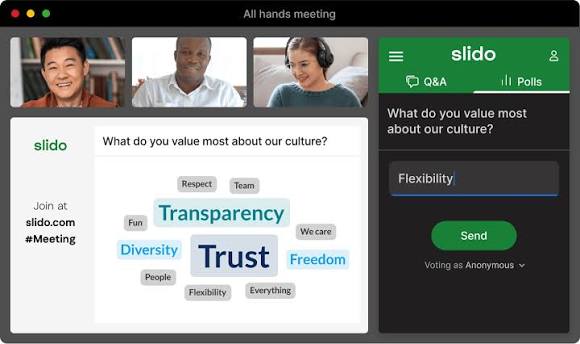
It plugs into PowerPoint, Google Slides, Webex, Microsoft Teams, and Zoom, and the free tier allows up to 100 participants, three polls, and one quiz per event. According to Webex’s Help Center, paid Webex plans include a Slido license, a quiet win if your campus already runs on Cisco.
It’s built for Q&A and meetings, not graded participation. I couldn’t confirm native LMS gradebook sync, so check with your IT team before replacing Top Hat’s attendance and participation grading.
Pros:
- Unlimited free Q&A with upvoting
- Simple for students, with no accounts needed
- Moderation keeps large question feeds usable
- Included with paid Webex plans, according to Webex’s Help Center
- Integrates with PowerPoint, Google Slides, Webex, Teams, and Zoom
Cons:
- Only three polls per event on the free plan
- LMS gradebook sync not confirmed
How Slido Compares With Top Hat: Slido is better for open Q&A and big rooms; Top Hat is better for graded participation and courseware.
User Rating: 4.8/5
Pricing: Free; paid from €12.5/month (billed annually)
6. Canvas Quizzes: Best Free LMS-Native Option for Canvas Campuses
If your institution already runs Canvas, its quiz tool costs students nothing and syncs to the gradebook automatically. That removes the biggest Top Hat complaint, and the question variety has improved a lot.
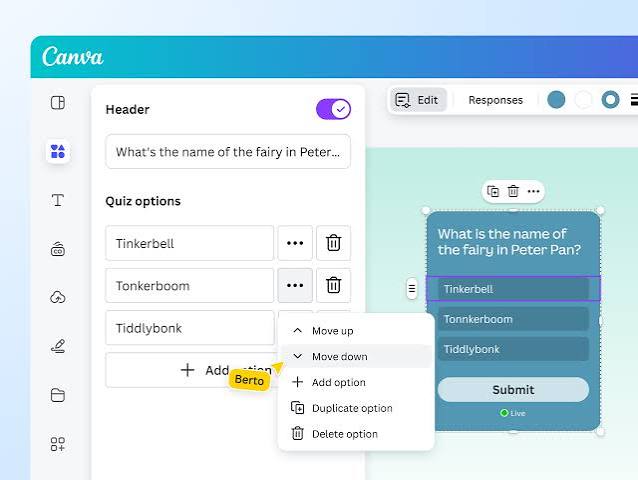
New Quizzes adds categorization, ordering, and hot spot questions, plus shareable and taggable item banks, shuffling, item analysis, and outcome alignment. Faculty in the threads I read often cite this as the way to resist extra student costs.
It isn’t live polling, and there are caveats. The University of Florida’s guidance notes that partial credit isn’t available for categorization, hot spot, or ordering questions, and that hot spot and ordering can be hard for screen-reader users.
Pros:
- No cost to students
- Hot spot, ordering, and categorization questions
- Shareable, taggable item banks
- Automatic gradebook sync
- Shuffling, item analysis, and outcome alignment
Cons:
- Not a live-in-lecture polling tool
- No partial credit on several question types
How Canvas Quizzes Compares With Top Hat: Canvas wins on cost and gradebook integration; Top Hat wins on live in-class interaction.
User Rating: 4.5/5
Pricing: Institutional Canvas license (no public per-user price)
7. Wooclap: Best for Rich Question Formats With Strong Privacy Credentials
Wooclap is the tool I’d look at first if you’re leaving Top Hat but still want more than simple polls. Its free plan includes all 20+ question types, so you can test advanced formats without paying, and students can join from a browser with no account.
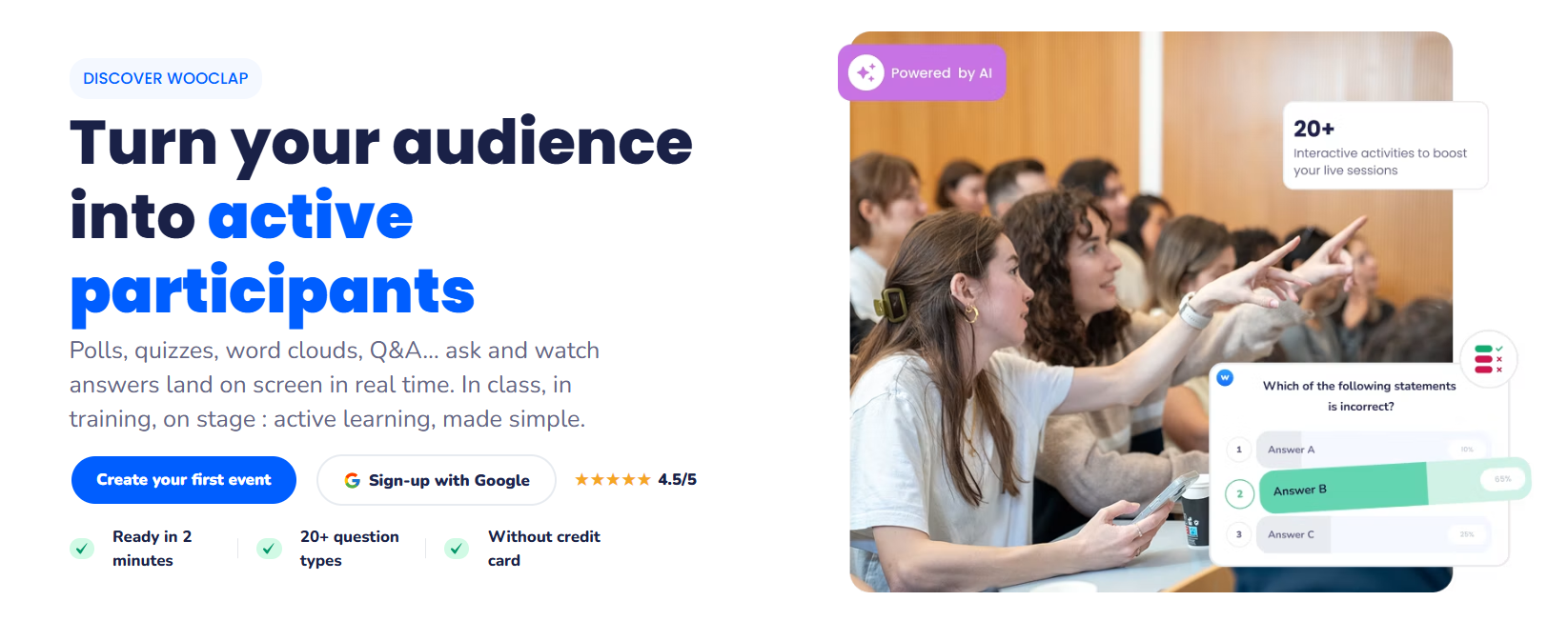
The free Starter plan allows unlimited participants but very few questions: Wooclap’s current education pricing page lists 5 per month, and older listings describe 2 per event. Education plans run €6.99 per user/month for Basic and €14.99 for Pro, billed annually. LMS integrations and SSO sit in the custom-quoted Campus tier.
Privacy is a real strength for European and privacy-conscious institutions. Wooclap states it complies with GDPR and holds ISO 27001:2022 certification, with data hosted in Paris or Oregon. Capterra’s reviewer summary also names dependence on stable internet and limited PowerPoint integration as recurring complaints.
Pros:
- 20+ question types on the free plan
- GDPR compliance and ISO 27001:2022 certification
- Unlimited participants on every plan
- Students join from a browser without creating an account
- Data hosting in Paris or Oregon
Cons:
- Free plan allows only a handful of questions
- LMS integration and SSO require the custom Campus tier
How Wooclap Compares With Top Hat: Wooclap offers deeper question formats and clear privacy credentials with no student subscription. Top Hat offers courseware and attendance in one login, and I couldn’t confirm GPS attendance in Wooclap.
User Rating: 4.5/5
Pricing: Free; education from $8 – $25/month
8. AhaSlides: Best Budget-Friendly Polling for Big Audiences
AhaSlides is a low-cost option for instructors who want polls, quizzes, word clouds, and Q&A without a student subscription. It suits workshops, guest lectures, and large intro courses.
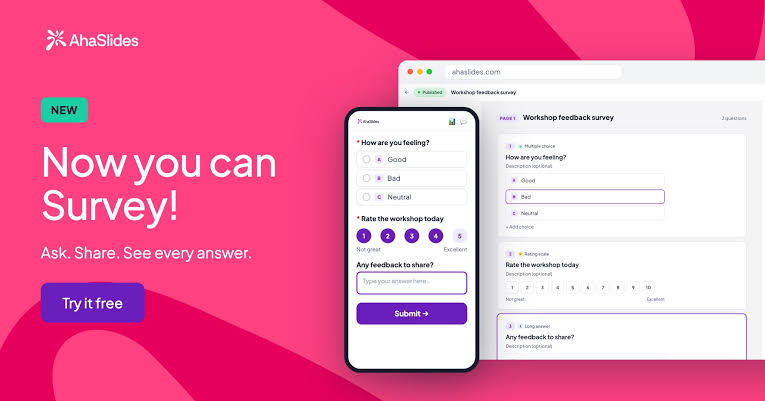
The free plan allows up to 50 live participants with unlimited presentations and five quiz plus three poll questions per presentation. Essential raises the cap to 100, Pro to 2,500, and Enterprise to 100,000.
The trade-off is academic depth. I couldn’t confirm LTI or gradebook sync, so I’d use AhaSlides for engagement rather than graded participation.
Pros:
- Low paid entry price at $7.95/month, billed annually
- Generous participant caps on higher tiers
- Quiz and poll formats in one deck
- Free plan includes unlimited presentations
- No student subscription required
Cons:
- Free plan limited to 50 live participants
- LMS integration not confirmed
How AhaSlides Compares With Top Hat: AhaSlides is cheaper and simpler for live sessions; Top Hat adds attendance, courseware, and gradebook sync.
User Rating: 4.7/5
Pricing: Free; paid from $7.95/month (billed annually)
How I Chose These Top Hat Alternatives
The evaluation of the tools chosen for this article follows an unbiased, systematic approach that ensures a fair, insightful, and well-rounded review of each Top Hat alternative. This method employs six key factors.
- User Reviews / Ratings: Direct experiences from instructors and students give a ground-level view of how each tool behaves in a real lecture hall. I checked current G2 and Capterra ratings and reviewer feedback where available, paying particular attention to comments about reliability, attendance accuracy, and student costs.
- Essential Features & Functionality: The value of a classroom engagement tool comes down to what it does during and after a lecture. I compared live polling formats, Q&A, quizzes, attendance options (including GPS and roster sync), gradebook connections, and assessment depth, such as item banks, grading, and security controls
- Ease of Use: A tool only helps if you can launch a question in the middle of a lecture without breaking your flow. I looked at how quickly an instructor can build and run a poll, how students join (app, browser, or physical remote, with or without an account), and how much setup the LMS and presentation integrations require.
- Customer Support: Support matters most during LMS setup and the first weeks of a semester. I reviewed the help centers, integration guides, and onboarding options each vendor publishes, and I noted where stronger support or integration depends on an institutional plan.
- Value for Money: Value for money compares quality, performance, and features against price, and in higher ed the key question is who pays. I weighed free-plan limits, instructor-only versus student-paid models, whether pricing is published or quote-only, and how each tool compares with Top Hat’s student plans of $35 for 4 months, $58 for 12 months, and $96 for 4 years.
- Personal Experience / Experts’ Opinions: This factor draws on my own experience setting up engagement tools and assessments in university courses and training programs, along with vendor documentation, university support guides, and faculty and student discussions.
Top 3 Top Hat Alternatives
After comparing all eight platforms, three stood out for covering the broadest range of what faculty are actually looking for when they move away from Top Hat.
1. ProProfs Quiz Maker
For faculty whose main priority is graded assessments rather than live polling, this is my top pick. It can turn lecture slides, PDFs, videos, and webpages into quizzes with an AI quiz generator, while also supporting question banks, automated grading, reporting, and exam security controls.
2. Poll Everywhere
If you want to keep live interaction inside the presentation tools you already use, Poll Everywhere is a strong fit. Its PowerPoint, Keynote, and Google Slides integrations make it easy to add polls, Q&A, and comprehension checks directly into a lecture without shifting to a separate courseware platform.
3. Canvas Quizzes
Canvas Quizzes is the strongest option for institutions already using Canvas and wanting assessments to stay inside the LMS. It supports item banks, hot spot, ordering, and categorization questions, while scores flow directly into the gradebook without adding another standalone system.
Ready to Switch Beyond Top Hat?
The right Top Hat alternative depends on what you need to improve, not on finding another platform with the exact same feature list. Some tools are better for live participation, others for attendance, and others for secure, graded assessments. Start by identifying the part of Top Hat that creates the most friction, then compare alternatives around that specific job.
If assessment quality, flexibility, and reporting matter most, ProProfs Quiz Maker is a strong option to test. It can turn existing lecture content into quizzes, support different question types, automate grading, and provide detailed performance insights.
You can create a ProProfs Quiz Maker account and try it with one real assessment before making a broader switch.
Frequently Asked Questions
What Is the Best Alternative to Top Hat?
ProProfs Quiz Maker is my top pick for graded assessments without student fees. For live slide-based polling, Poll Everywhere is the strongest institutional option, and Canvas Quizzes is the best free choice if your campus runs Canvas.
Is There a Free Top Hat Alternative?
Yes. Canvas Quizzes cost students nothing, Vevox's free plan includes unlimited multiple-choice polling for up to 100 participants, and ProProfs Quiz Maker has a forever-free plan for short quizzes. Wooclap's free plan allows unlimited participants but only a few questions, and Poll Everywhere and AhaSlides also have capped free tiers.
How Much Does Top Hat Cost Students?
According to Top Hat's pricing page as reported by FlatWorld in June 2026, student plans run $35 for 4 months, $58 for 12 months, and $96 for 4 years. When a Top Hat textbook is assigned, the platform and textbook share one combined price.
Is iClicker Cheaper Than Top Hat?
Often, but not free. The iClicker student app is listed at $24.99 for one year, compared with Top Hat's $58 for 12 months, though the two plans cover different features. Students still pay either way, so zero-cost options are LMS-native or institution-funded tools.
Which Top Hat Alternatives Integrate With Canvas?
Canvas Quizzes is built in. Poll Everywhere supports LTI 1.3 with Canvas on institutional plans, Vevox documents LTI 1.3 for Canvas on Institution plans, and iClicker Cloud syncs Canvas rosters and grades.
What Works Best for Large Lecture Halls?
Poll Everywhere's Educator plan supports up to 700 responses per question, and AhaSlides Pro goes up to 2,500 participants. Slido suits question-heavy lectures, and iClicker's physical remotes avoid phone distractions.
Can I Use Top Hat Questions in Another Platform?
Ask Top Hat or your institution for an export first, since I couldn't verify its current options. For the new tool, ProProfs Quiz Maker can build a question bank from slides or PDFs with AI, which is often faster than retyping.

Let ProProfs AI Build a Quiz

 We'd love your feedback!
What did you like & how can we make it even better?
 Thanks for your feedback!
 Ask Your Question
Have a question? Get expert help to make your decision easier.