
If you run training programs, compliance assessments, or certification exams, you already know the problem: Kahoot was built for classroom games, not serious evaluation. The speed-first format rewards fast clicks over real comprehension, and the moment you need proctored tests, question banks, or audit-ready reporting, the platform quietly runs out of road.
That gap matters more now than it did a few years ago. According to a report by Training Industry Inc. in 2024, 78% of L&D leaders say assessment quality directly affects training ROI, yet fewer than a third of organizations use tools that provide question-level performance data. Most are still patching together quiz tools, spreadsheets, and email workflows to do what one platform should handle end-to-end.
In this guide, I’ve covered 10+ websites like Kahoot across every major use case: gamified classroom engagement, self-paced student learning, standards-aligned academic tracking, and high-stakes professional assessments. By the end, you’ll know exactly which site, like Kahoot, fits your context, what each one actually costs on its free tier, and where each one runs out of steam.
This guide is most useful for:
- Corporate trainers and L&D managers building onboarding or compliance programs
- HR professionals replacing spreadsheet-based screening with structured pre-employment assessments
- Certification and licensing bodies running high-stakes exams at scale
- K-12 and higher education instructors looking for more flexible question formats or better progress tracking
- EdTech founders and coaching institutes that need to monetize quiz access or run adaptive practice
- School administrators consolidating fragmented quiz tools into one platform
10+ Best Kahoot Alternatives & Competitors
Here’s a look at some of the strongest Kahoot alternatives available today. Each takes a different approach, like gamified practice for students, secure testing for businesses, or interactive presentations for live audiences.
So, you can see how these free Kahoot alternatives compare and where they might fit best.
| Tool | Best For | Pricing | Capterra Rating |
| ProProfs Quiz Maker | Best for Easily Creating Quizzes & Assessments for Business, Training, and Education | Free for short quizzes; Paid plans start at $19.99/month | 4.5/5 |
| Wayground (formerly Quizizz) | Student-Paced Quizzes and Homework | Custom Quote | 4.8/5 |
| Quizlet | Retrieval Practice and Spaced Repetition | Free; Paid starts at $9.99 per month | 4.6/5 |
| TriviaMaker | Interactive quiz game shows, classroom reviews, team building, and games like Jeopardy, Family Feud, Wheel, Hangman, and Tic-Tac | Starts at $6.99/month | – |
| Blooket | Playful Game Variety in the Classroom | Free; Paid starts at $4.99/month | – |
| Gimkit | Strategy-Based Review Games | Free (limited); Paid starts at $14.99/month | – |
| Quizalize | Standards-Aligned Academic Quizzes | Free; Paid starts at $5.00/month | – |
| Testportal | Proctored Skills Testing and HR Assessments | Free; Paid starts from $35/month | 4.8/5 |
| Baamboozle | Team-Based Play Without Individual Devices | Free; Paid starts from $4.99/month | – |
| AhaSlides | Live Quizzes Embedded in Presentations | Free (limited); Paid starts from $7.95/month | 4.6/5 |
| Mentimeter | Polls, Open Q&A, and Live Audience Interaction | Free (2 questions); Paid starts from €14/ presenter/month | 4.4/5 |
1. ProProfs Quiz Maker: Best for Easily Creating Quizzes & Assessments for Business, Training, and Education
I’ve used ProProfs Quiz Maker across onboarding, compliance training, and product knowledge assessments, and what keeps bringing me back is how it handles both ends of the spectrum. I can quickly create quizzes for routine checks, and when needed, I can rely on them for more structured, high-stakes exams.
The AI quiz generator is usually where I start. I can upload a PDF, paste a document, or even use a URL, and it builds a complete quiz with questions and answer explanations in seconds. When I’m running recurring assessments, this alone saves me hours of manual work every month. You should give it a try:

Let ProProfs AI Build a Quiz
Beyond speed, I like the flexibility it offers. I can use over 20 question types, including drag-and-drop, hotspot, audio responses, and video-based questions, so I’m not stuck using only multiple choice. The question bank is another big plus. I can pull from a library of over a million questions, and with question pooling, each learner gets a different set. That’s been really helpful in reducing answer sharing, especially in remote setups.
When I’m dealing with compliance training, the security features become important. I’ve been able to use webcam proctoring, browser lockdown, IP tracking, and set time limits for each question or the entire quiz. The same layer also flags any answer that looks AI-generated, which matters more now that generative AI has become one of the newer ways candidates try to game a skills test.
It also logs every attempt, generates certificates automatically when someone passes, and even helps me manage recertification without tracking everything manually.
What I rely on most, though, is the analytics. I can dig into question-level performance, see how different teams are doing across categories, analyze score distributions, and track trends over time. I’ll usually just ask the built-in AI a direct question, like which category a specific team is weakest in, and get the answer pulled straight from the data instead of filtering through every report myself.
For things like pre-employment assessments, this level of detail helps me go beyond just scores and make more informed decisions.
Pros:
- AI quiz generator converts PDFs, documents, videos, and URLs into quizzes in seconds
- 20 plus question types, including interactive formats not available in most alternatives
- Advanced proctoring and anti-cheating controls, including automated webcam and screen proctoring, browser lockdown, IP tracking, and question randomization.
- Question banks and pooling ensure different questions for each taker or each attempt
- Enterprise security: webcam proctoring, browser lockdown, IP tracking, and randomization
- Auto-grading, auto-generated certificates, and automated recertification scheduling
- Detailed analytics at the question level, category level, and across teams or groups
Cons:
- No dark mode on the web interface, which some users find uncomfortable during extended sessions
- The free plan limits longer assessments. It works well for short quizzes, but not for multi-section exams
How ProProfs Quiz Maker Compares to Kahoot: Kahoot is built for live engagement. ProProfs Quiz Maker is built for assessment accuracy. The difference shows in every layer: question depth, security controls, analytics, and automation. If you’re running anything where results need to be defensible, whether that’s a hiring decision, a compliance record, or a certification, ProProfs is the upgrade path Kahoot doesn’t offer.
Pricing:
Free plan for short quizzes with all essential features. Paid plans start at $19.99/month, with Business at $39.99/month and Enterprise at $199.99/month. Education pricing starts at $4/teacher/month for K-12 and $0.25/student/month for schools and districts.
Capterra Rating: 4.5/5
2. Wayground (Formerly Quizizz): Best for Student-Paced Quizzes and Homework
Wayground, which most educators still know as Quizizz, solved one of my biggest frustrations with Kahoot: the race format that punishes thoughtful learners. When I first switched to it, the self-paced mode immediately changed how my slower students engaged. They weren’t falling behind a timer anymore; they were working through questions at a pace where they could actually think.
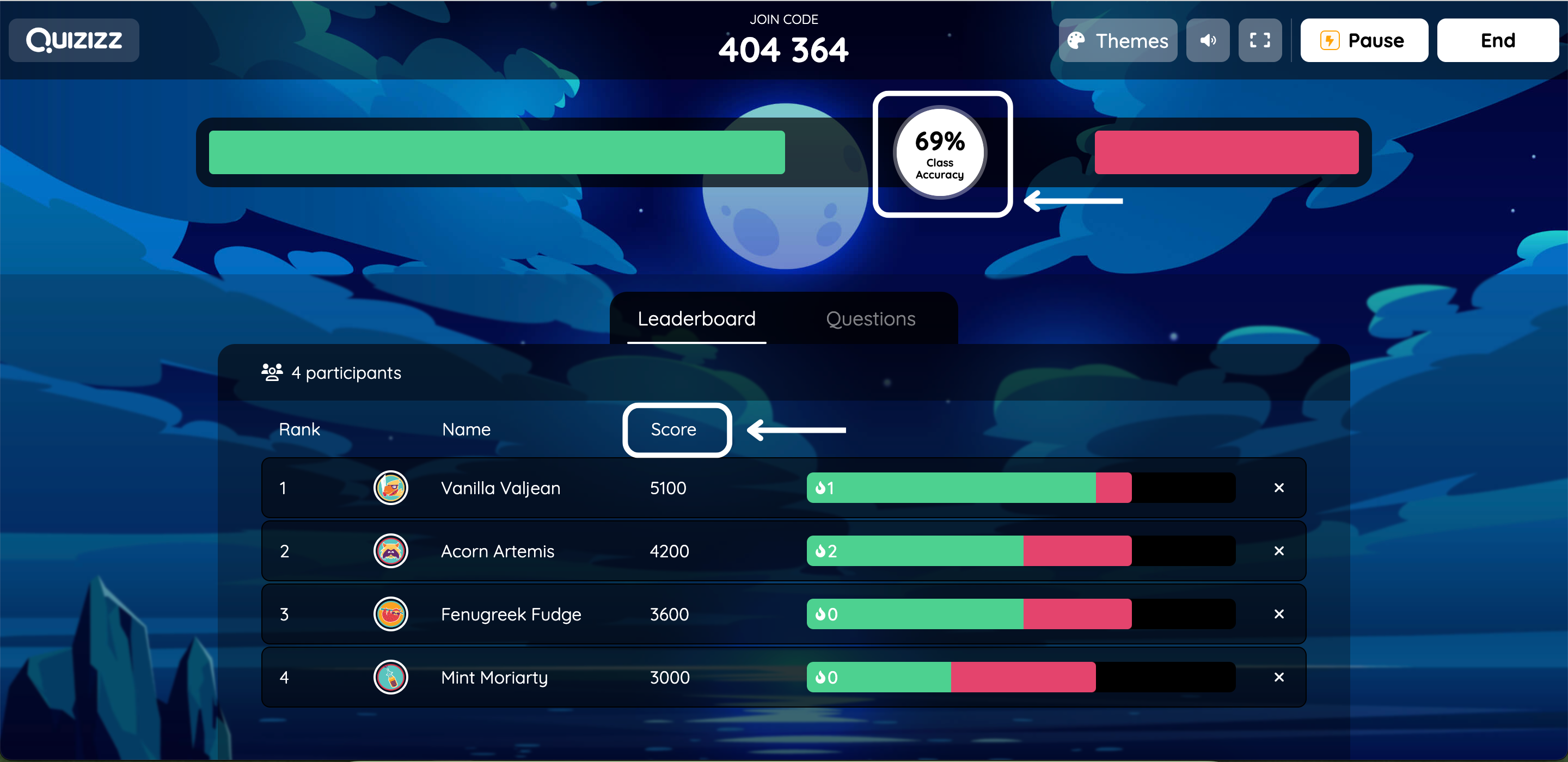
The content library is deep. Teachers can pull from millions of community-created quizzes or build their own, and the platform supports multiple choice, fill-in-the-blank, polls, and open-ended questions. Assignments run live or as asynchronous homework, and the reporting dashboard shows item-level data: which questions tripped students up, how performance shifted across attempts, and where gaps cluster.
For business use, Wayground has expanded its enterprise features, but the interface leans toward education workflows. If your primary need is corporate training or compliance assessments, the tool works, but wasn’t designed with those use cases at its core.
Pros:
- Self-paced mode removes time pressure and supports learners at different speeds
- Millions of ready-to-use community quizzes across subjects and grade levels
- Supports live and homework modes, integrating with Google Classroom and other LMS platforms
- Question-level reporting helps teachers identify where content gaps exist
Cons:
- Advanced features, higher participant limits, and some analytics require a paid plan
- The interface can feel cluttered for first-time users, especially on the teacher dashboard
How Wayground Compares to Kahoot: Kahoot runs on competition and speed. Wayground prioritizes learning pace and long-term progress visibility. If you need to track where your students or employees are struggling, not just who finished fastest, Wayground gives you data Kahoot simply doesn’t collect.
Pricing: Custom Quote
Capterra Rating: 4.8/5
3. Quizlet: Best for Retrieval Practice and Spaced Repetition
Quizlet is what I reach for when the goal is memorization and long-term retention rather than live competition. I’ve used it with groups preparing for vocabulary exams, certification prep, and other situations where spaced repetition genuinely improves outcomes.
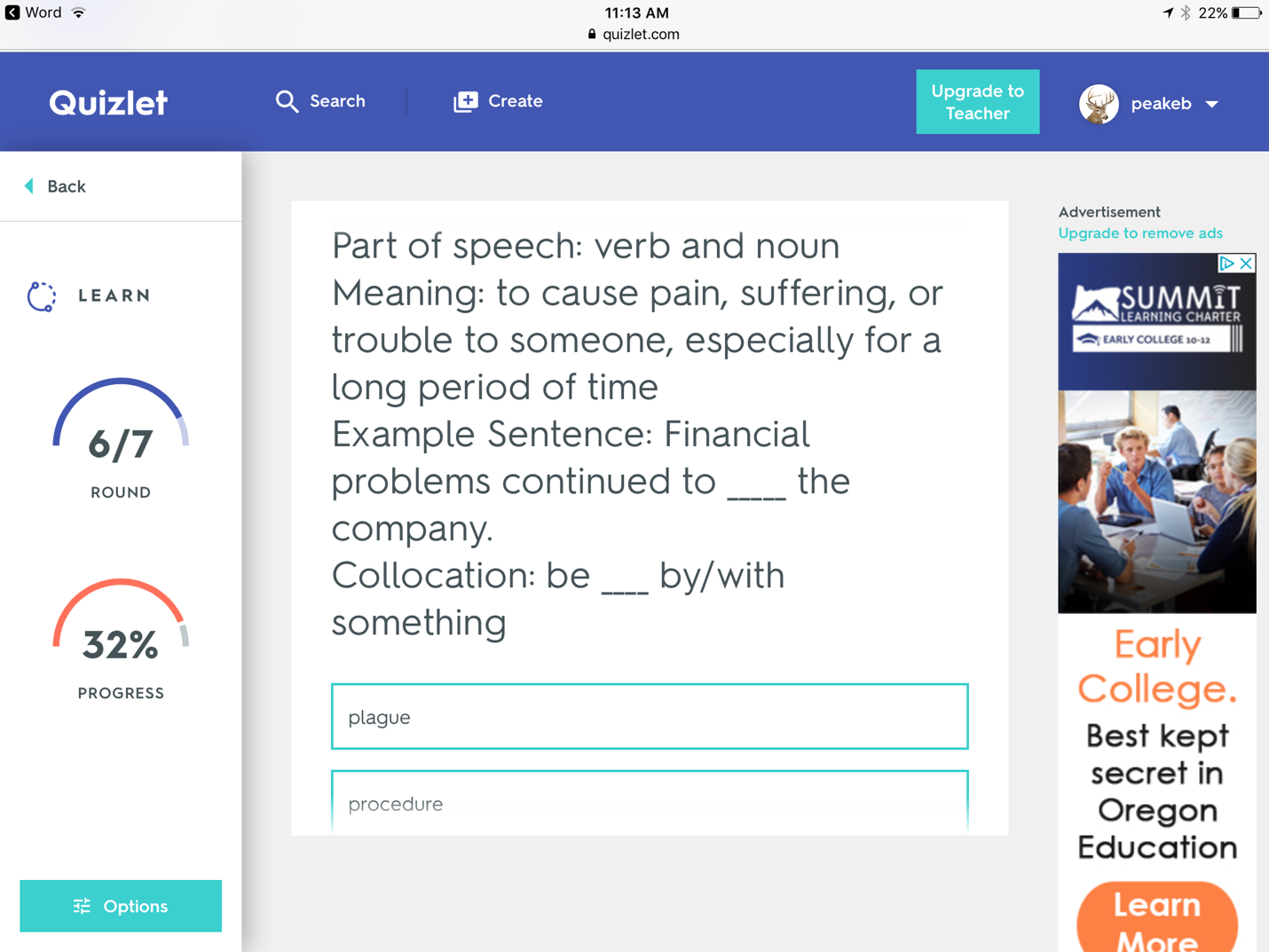
The variety of study modes is the real value here. One set of flashcards generates multiple practice formats: classic review, a matching game, fill-in-the-blank, a practice test, and Quizlet Live for group play. The platform handles much of the repetition logic automatically, surfacing terms the learner got wrong more often than those they’ve mastered.
Quizlet isn’t an assessment platform. It’s a study platform. The reporting is light compared to assessment-focused tools, and there’s no proctoring or anti-cheating infrastructure. For compliance training, pre-employment testing, or any context where results need to be auditable, it isn’t the right fit. For formative check-ins, vocabulary review, and reinforcement practice, it’s excellent.
Pros:
- Multiple study modes from one content set: flashcards, Learn mode, Match, Spell, and practice tests
- Quizlet Live creates a collaborative team game from any existing study set
- Strong support for language learning, science terminology, and any memorization-heavy subject
- Rich media support including images, diagrams, and audio clips
Cons:
- Reporting depth is limited. There’s no question-level analytics or performance trending for groups
- Not designed for formal assessments. No proctoring, randomization, or audit trail
How Quizlet Compares to Kahoot: Kahoot focuses on live, competitive play. Quizlet focuses on building mastery through retrieval practice over time. Quizlet Live adds group engagement, but its real strength is the spaced learning logic that Kahoot doesn’t offer at all.
Pricing: Starts at $9.99 per month
Capterra Rating: 4.6/5
4. TriviaMaker – Best Quiz Game Show Maker for Jeopardy & Family Feud Style Games
Unlike most Kahoot alternatives that primarily focus on traditional quizzes, TriviaMaker is built specifically for creating interactive TV-style quiz game shows. It enables educators, trainers, and event hosts to turn ordinary review sessions into engaging experiences using familiar game formats like Jeopardy game style, Family Feud, Wheel of Fortune, Hangman, Tic-Tac-Toe, and more.
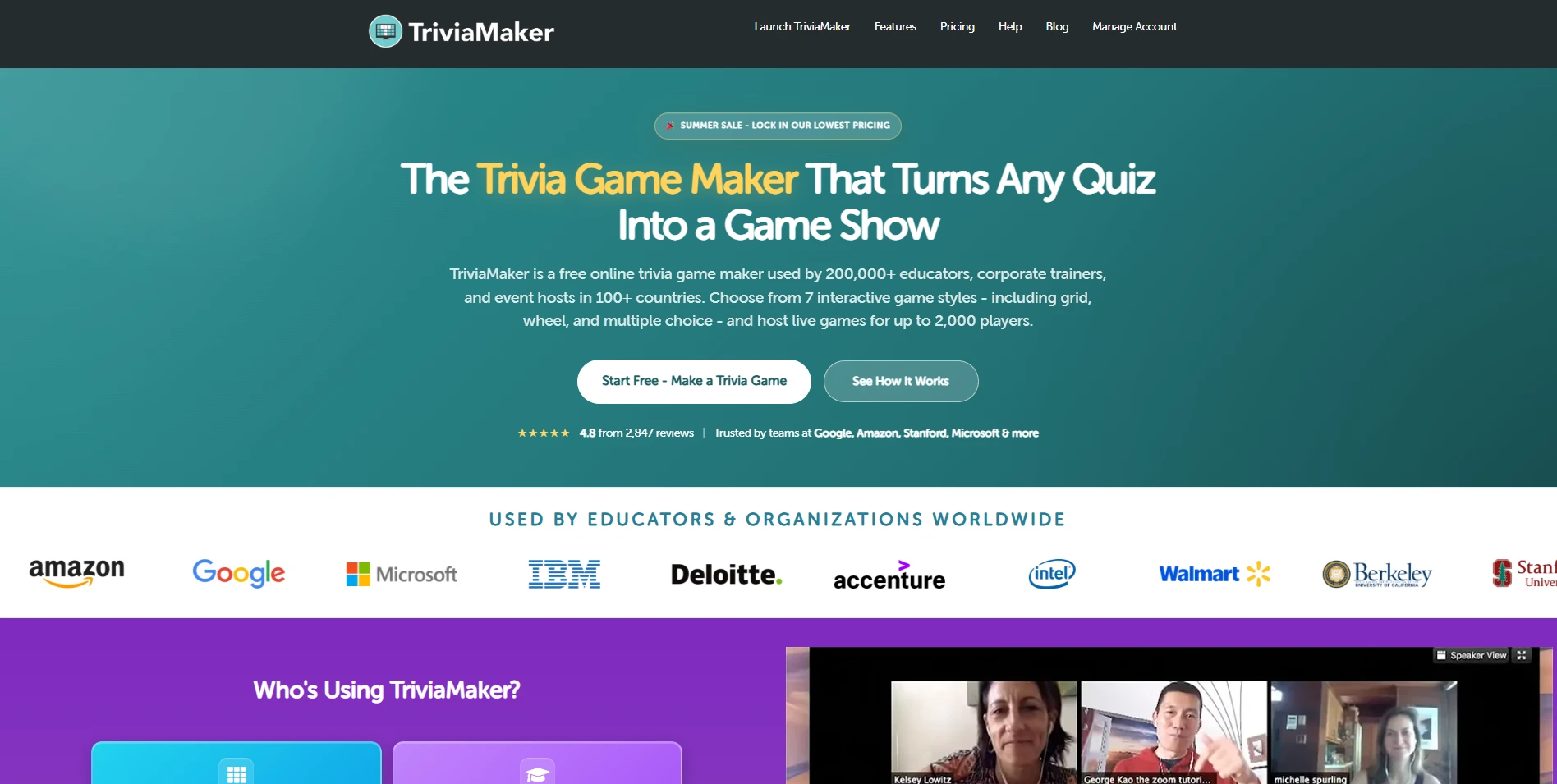
What makes TriviaMaker stand out is that it doesn’t simply ask questions, it recreates the excitement of popular game shows while keeping participants actively involved. Whether you’re reviewing classroom lessons, running professional development sessions, hosting virtual meetings, or organizing team-building events, the platform encourages collaboration, friendly competition, and higher participation.
Teachers can build games from scratch, import existing questions, or generate complete quizzes with AI in just a few minutes. Players join using a simple game code from any device, making it easy to launch engaging activities without complicated setup.
Pros:
- One of the best platforms for TV-style educational games
- Excellent for classroom review, training, and icebreakers
- Multiple TV-style quiz game templates
- AI-powered game and quiz generation
- Real-time leaderboard and scoring & custom branding
- Works for schools, higher education, corporate training, and team-building
Cons:
- Users looking only for simple assessments may not need all of the available game formats.
How Does TriviaMaker Compare to Kahoot: While Kahoot is well known for fast-paced quizzes and classroom assessments, TriviaMaker takes engagement a step further by focusing on interactive TV-style quiz game shows. Instead of relying primarily on multiple-choice quizzes, TriviaMaker lets educators create Jeopardy, Family Feud, Wheel of Fortune, Hangman, and other game-show experiences that encourage teamwork, discussion, and friendly competition.
Pricing: Starts at $6.99/month
5. Blooket: Best for Playful Game Variety in the Classroom
Blooket solves a specific problem I see a lot in classrooms: Kahoot fatigue. When students have been playing the same speed-race format for years, engagement drops. Blooket addresses that by wrapping quiz content in multiple game modes, each with its own mechanics. The same question set becomes Tower Defense in one session, a Gold Quest treasure hunt in another, and a cafe management game in the next.
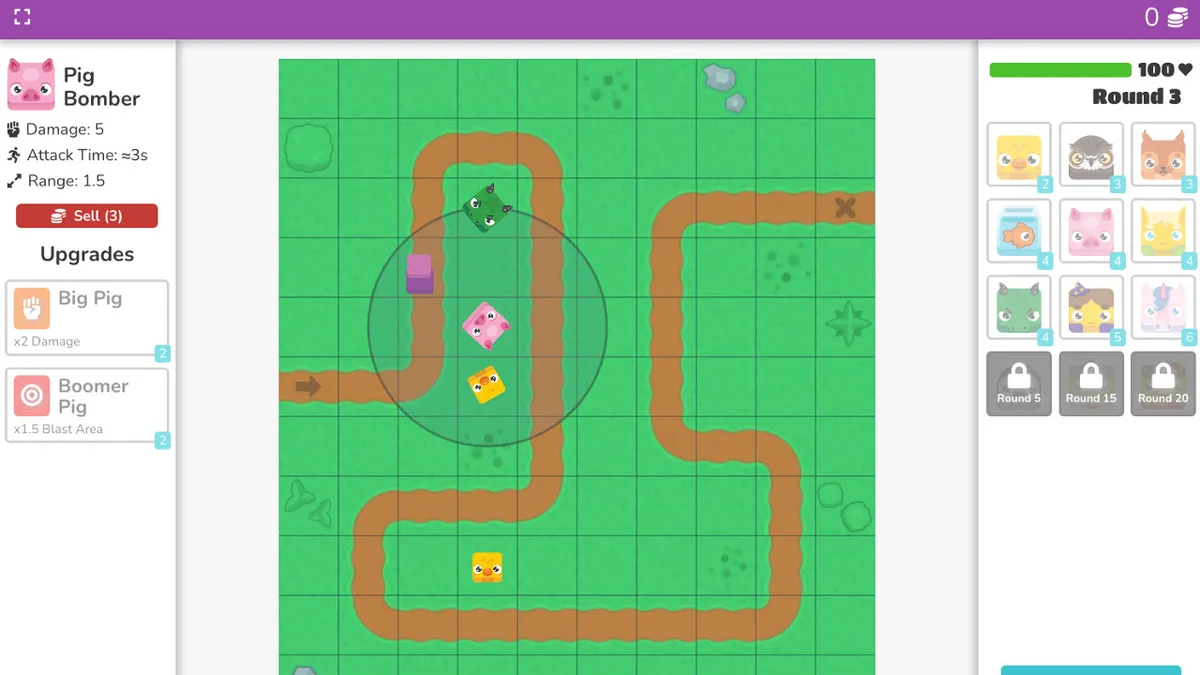
Setup is quick. Students join with a code, and most modes work for both individual and team play. The variety is genuinely helpful for repeated review across a unit, because the game changes even when the content doesn’t.
Blooket is not a reporting tool. The analytics are basic, and some game modes lean heavily on chance, which can detach performance from actual knowledge. It works best as an engagement layer on top of more structured instruction, not as a standalone assessment platform.
Pros:
- Multiple distinct game modes prevent the repetition fatigue common with single-format tools
- Simple student access via join codes, no account needed for participants
- Supports live play and asynchronous homework assignments
- Works well for younger learners who respond to game mechanics
Cons:
- Analytics are minimal. There is no question-level reporting or performance tracking over time
- Some modes involve randomized outcomes, which can reduce the connection between correct answers and winning
How Blooket Compares to Kahoot: Kahoot uses one format with one mechanic. Blooket applies quiz content to multiple game styles. That makes Blooket better for sustained classroom use, but neither tool is appropriate for formal assessment or analytics-driven training decisions.
Pricing: Starts at $4.99/month
6. Gimkit: Best for Strategy-Based Review Games
I came across Gimkit and was surprised that it’s built by a student who wanted quiz games like Kahoot to go beyond just being the fastest to answer. And honestly, that shift really shows in how the platform works.
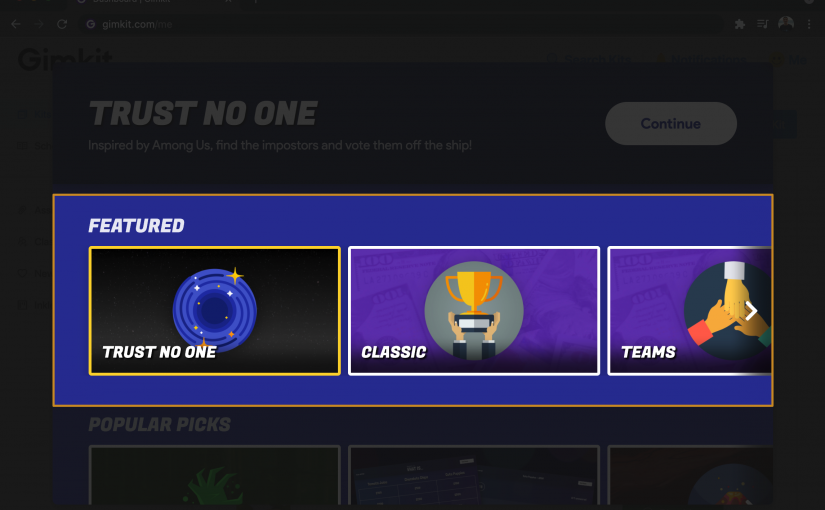
I found the resource management layer really interesting. When I answer questions correctly, I earn in-game currency, which I can then use on upgrades, power-ups, or other strategic moves. It starts to feel less like a simple quiz and more like a strategy game where your knowledge keeps building over time.
This approach kept me engaged much longer than typical quiz tools. I wasn’t just thinking about getting the right answer. I was also thinking about how to use my resources between questions, which added another layer of involvement.
That said, I did notice a trade-off. At times, the game mechanics can take over, especially for learners who might focus more on the strategy than the actual content. Also, when I tried the free plan, it felt quite limited, especially in terms of participant count and the number of game modes available.
Pros:
- Earnings-based mechanics add a strategic dimension that sustains engagement
- Supports live mode and asynchronous homework assignments
- Regular new modes and seasonal updates keep the experience fresh
- Customizable question sets with teacher-controlled settings
Cons:
- Game strategy can distract from the underlying learning objective for some students
- Setup takes more time than simpler platforms when configuring specific game types
How Gimkit Compares to Kahoot: Gimkit is more immersive than Kahoot because the decisions don’t stop at the question. Kahoot is cleaner and faster to run. For engagement in longer review sessions, Gimkit has the edge. For quick, low-friction checks, Kahoot is still simpler.
Pricing: Starts at $14.99/month
7. Quizalize: Best for Standards-Aligned Academic Quizzes
Quizalize does something most quiz tools skip entirely: it connects quiz results directly to curriculum standards. When I set up a quiz on Quizalize, I can link each question to a specific learning objective, and the platform breaks down performance by standard rather than just by total score.
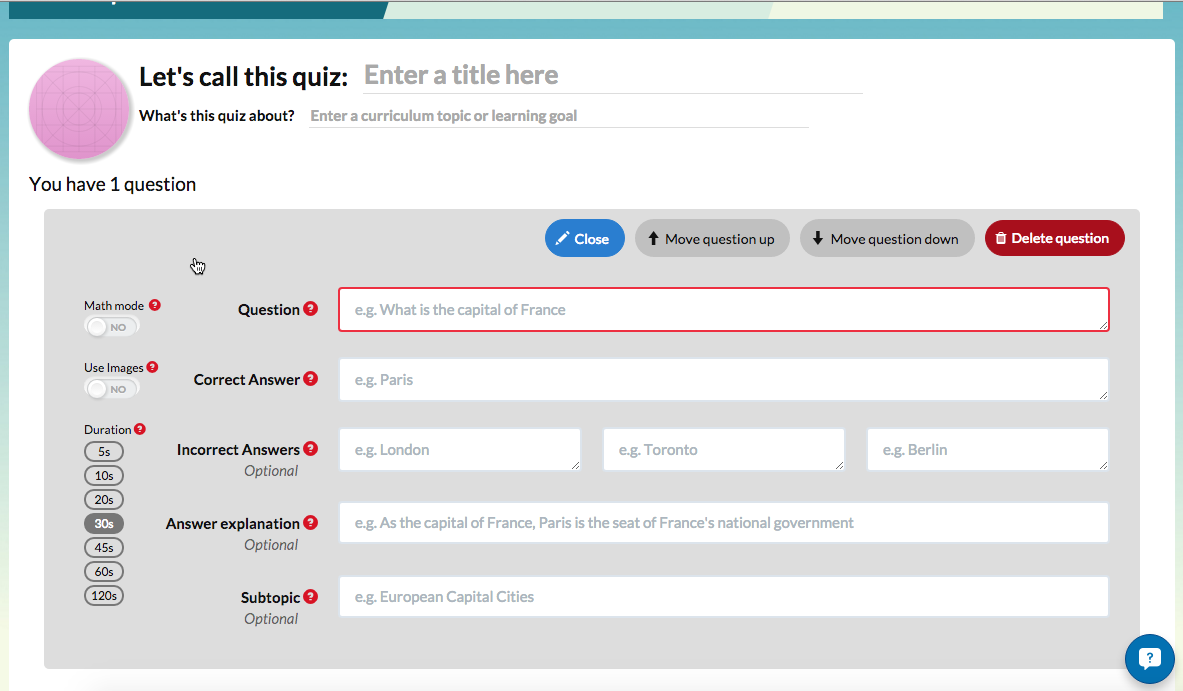
For teachers working against state or national standards, this turns routine quiz data into something genuinely useful for lesson planning. The report shows not just who scored well overall, but which learning objectives need more class time and which students are struggling with the same specific concept.
The trade-off is that Quizalize is narrower in scope than some alternatives. The question type variety is limited, the interface shows its age, and the free version includes ads that can interrupt learner focus.
Pros:
- Curriculum standards alignment lets teachers track performance against specific learning objectives
- Class-wide and individual gap reports make it easy to identify where to focus instruction
- Missions and activities add a game-like layer to standards-based review
- Teacher collaboration through shared and adaptable quiz libraries
Cons:
- Question type variety is narrower than platforms like ProProfs or Wayground
- The interface feels dated compared to newer tools and can be slow to navigate
How Quizalize Compares to Kahoot: Kahoot doesn’t track standards or curriculum objectives at all. Quizalize does. If your job is to ensure students are meeting specific benchmarks and your reporting needs to connect quiz scores to those benchmarks, Quizalize offers something Kahoot can’t.
Pricing: Starts at $5.00/month
8. Testportal: Best for Proctored Skills Testing and HR Assessments
When I explored Testportal, it clearly felt like a tool designed for more professional, high-stakes environments. It’s not trying to be fun or game-like. Instead, it focuses on situations where accuracy and reliability really matter, like certification programs, pre-employment screening, compliance testing, and HR assessments.
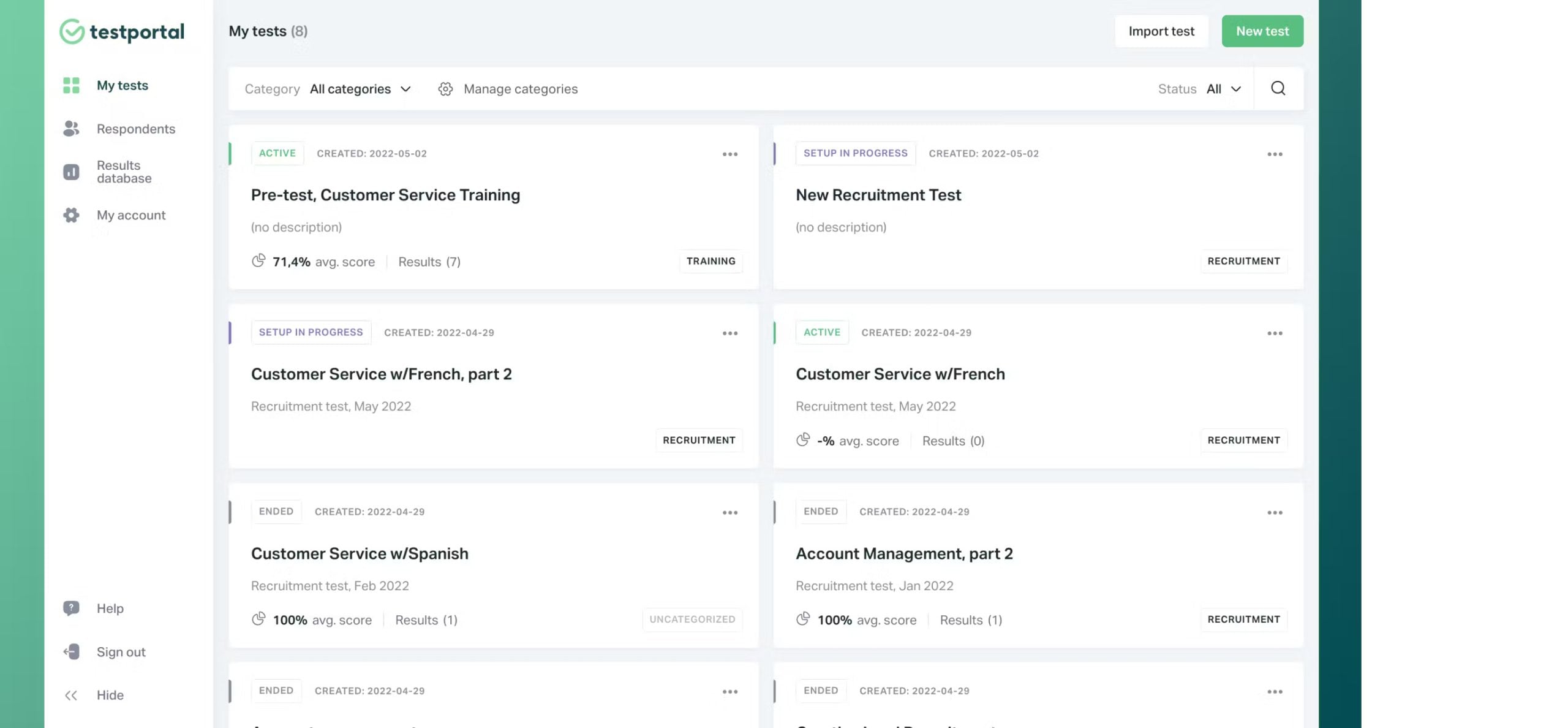
I absolutely loved the security features. I could control access with passwords and unique codes, limit attempts to just one, set strict time limits, and even track how much time is spent on each question. If I were running remote assessments without direct supervision, these features would give me a lot more confidence, almost like recreating exam conditions online.
I also liked the AI-powered question creation. I could generate questions from documents or simple prompts, which is especially helpful when I need to build role-specific assessments quickly instead of relying on generic question banks.
That said, the platform feels more functional than engaging. The interface is clean and professional, which works well for enterprise use, but it doesn’t have the same pull as game-based tools. For corporate testing, though, that trade-off actually makes sense.
Pros:
- Strong exam security: passwords, access codes, attempt limits, and question time tracking
- AI quiz creation from prompts or uploaded documents, useful for custom skills assessments
- Detailed performance analytics including question difficulty, time-on-task, and score distributions
- Microsoft Teams integration and compatibility with education and HR platforms
- Scales from small teams to large organizations without participant count issues
Cons:
- The interface is functional but not engaging, which makes it less suitable for student audiences
- Some advanced configuration options have a learning curve for new administrators
How Testportal Compares to Kahoot: Testportal and Kahoot serve fundamentally different purposes. Kahoot is a classroom engagement tool. Testportal is a professional assessment platform. If you need proctoring, compliance-grade reporting, and defensible results, Testportal operates in a category Kahoot doesn’t reach.
Pricing: Starts from $35/month
Capterra Rating: 4.8/5
9. Baamboozle: Best for Team-Based Play Without Individual Devices
When I used Baamboozle, I found it especially helpful in situations where not every student has their own device but I still want to run something interactive. Instead of individual play, I can divide the class into teams and use a shared screen, which removes the device barrier and naturally encourages collaboration.
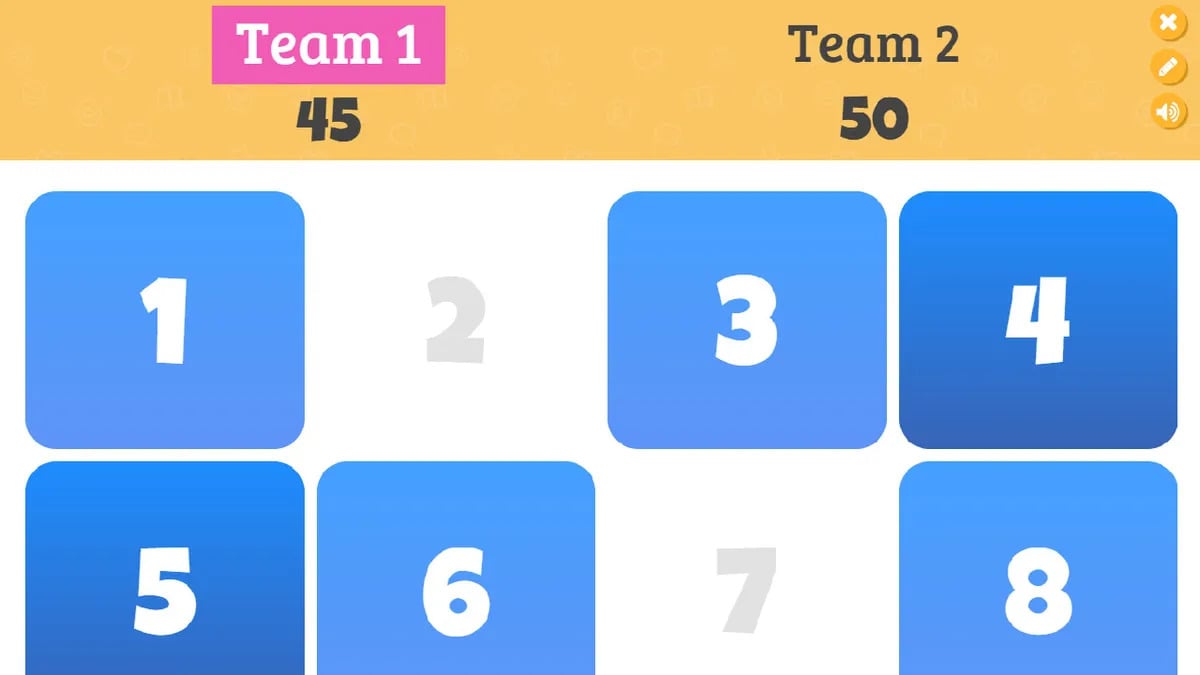
What I like is how quick it is to get started. I can pick from thousands of pre-made games like Kahoot or create my own in minutes, and the platform keeps things intentionally simple. There’s no deep reporting, no proctoring, and no compliance features, which makes it clear that this is meant for quick reviews and engagement rather than formal assessments.
From my experience, it works really well in younger classrooms or places where device access is inconsistent. But if I need to track individual performance or run structured training, this isn’t the right fit.
Pros:
- Works without individual student devices, useful in low-tech environments
- Team-based format encourages peer collaboration and shared accountability
- Thousands of pre-made games across subjects, fast to set up and run
- Simple enough for quick icebreakers or end-of-class review
Cons:
- No individual analytics or progress tracking across sessions
- Game format variety is more limited than other platforms on this list
How Baamboozle Compares to Kahoot: Kahoot tracks individual scores. Baamboozle tracks team scores on a shared screen. Baamboozle solves the device access problem Kahoot doesn’t address, but Kahoot gives you more individual visibility and a better analytics baseline.
Pricing: Starts from $4.99/month
10. AhaSlides: Best for Live Quizzes Embedded in Presentations
AhaSlides solves a workflow problem I’ve run into repeatedly: having to switch between a slide deck and a separate quiz platform mid-presentation. The tool embeds quiz questions, polls, word clouds, and Q&A directly into presentation slides, so everything runs from one place.
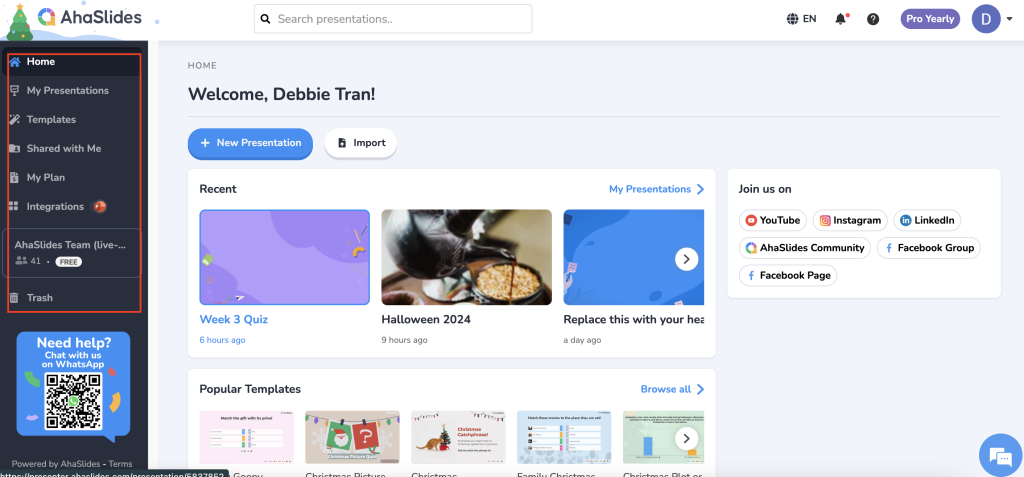
For workshops, corporate training sessions, or university lectures where you want to check engagement without breaking the flow of the presentation, this is a real productivity gain. Participants join with a code on their phones, results appear live on the shared screen, and the leaderboard integrates into the slide deck.
AhaSlides isn’t built for homework assignments or long-form assessments. It’s a presentation companion tool. The analytics are session-level, not longitudinal, and there’s no question bank or assessment security. If those things matter for your use case, look elsewhere.
Pros:
- Quiz questions, polls, and word clouds integrate directly into slide decks
- Multiple interaction formats including Q&A, scales, and open text in addition to quizzes
- Real-time leaderboards and instant result displays keep live sessions engaging
- Phone-based participation requires no app download
Cons:
- Not designed for asynchronous or homework-based assignments
- Limited offline functionality and no question bank or pooling features
How AhaSlides Compares to Kahoot: Kahoot runs as a standalone quiz game. AhaSlides runs inside a presentation. If your quizzes are part of a longer session rather than the main event, AhaSlides keeps the workflow cleaner. For standalone game-based review, Kahoot is still simpler to set up.
Pricing: Starts from $7.95/month
Capterra Rating: 4.6/5
11. Mentimeter: Best for Polls, Open Q&A, and Live Audience Interaction
Mentimeter is less of a quiz tool and more of an audience interaction platform. The real strength is how it handles open-ended input: word clouds that build in real time, anonymous Q&A sessions, opinion scales, and ranked voting alongside traditional quiz formats.
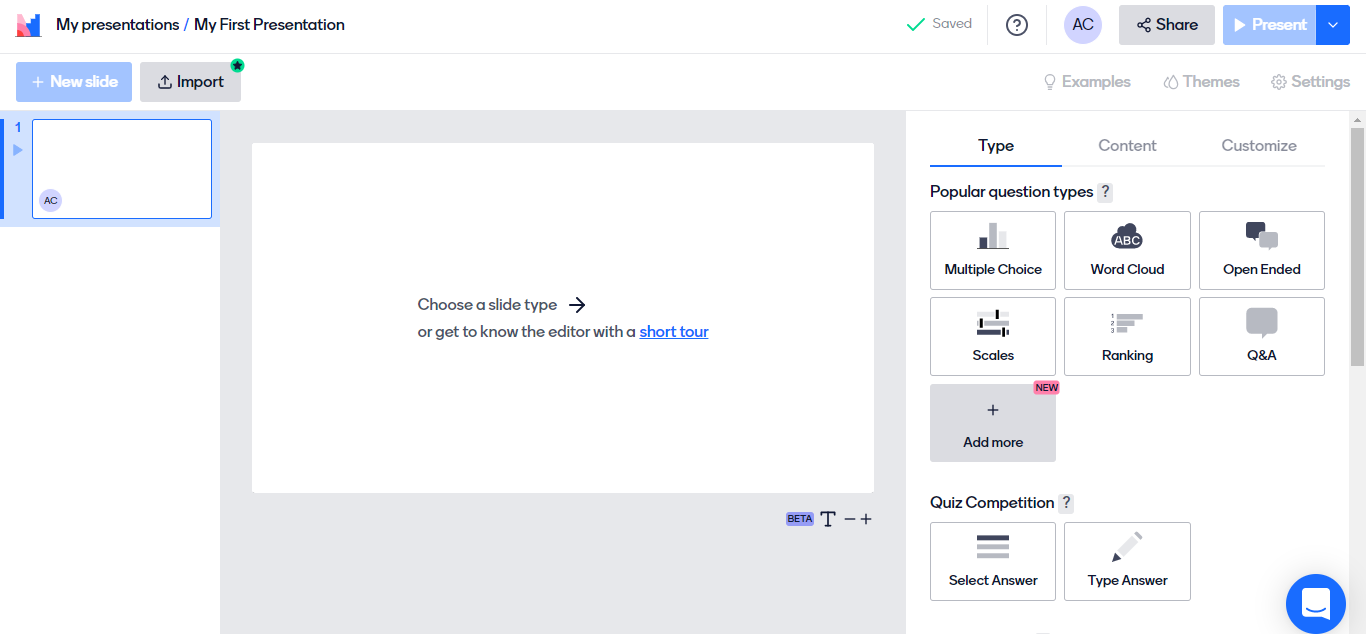
I’ve used it most often in corporate settings where the goal is gathering genuine feedback or checking comprehension without putting individuals on the spot. The anonymous response option gets honest answers in ways that named leaderboards don’t, which matters when you’re asking employees about process gaps or collecting reactions during a sensitive training topic.
For straight knowledge testing or anything that requires grading, Mentimeter isn’t the right fit. There’s no scoring infrastructure, no question bank, and no analytics beyond session-level result summaries.
Pros:
- Wide range of interaction types: polls, Q&A, ranking, word clouds, and quiz questions in one platform
- Anonymous response mode encourages honest participation, especially in corporate settings
- Clean result visualizations that display live on a shared screen
- Works well across education, corporate training, and conference presentations
Cons:
- Not designed for scored assessments or graded quizzes. No scoring or grade book features
- Exporting results and accessing deeper analytics requires a paid plan
How Mentimeter Compares to Kahoot: Kahoot is a quiz game. Mentimeter is an audience engagement platform. Mentimeter does things Kahoot can’t: anonymous responses, word clouds, open text, and ranked voting. But Kahoot does things Mentimeter doesn’t: scored competition, leaderboards, and question banks. They’re different tools solving different problems.
Pricing: Starts from €14/ presenter/month
Capterra Rating: 4.4/5
Evaluation Criteria
The way I evaluated these Kahoot alternatives free tools wasn’t random. I followed a structured approach to make sure the recommendations are practical, relevant, and actually useful in real-world teaching and training scenarios. Here’s what I focused on:
- User Reviews / Ratings: I considered verified user reviews and ratings from platforms like Capterra to understand real-world performance, common strengths, and potential issues across different use cases
- Essential Features & Functionality: I evaluated how well each tool delivers on core capabilities, including engagement features, assessment integrity (proctoring, browser lockdown, attempt limits, question randomization), and overall effectiveness in real teaching and training scenarios
- Ease of Use: I focused on how intuitive each platform is in terms of interface, navigation, and overall learning experience, ensuring it reduces friction and keeps both instructors and learners engaged
- Customer Support: I assessed how responsive and helpful the support is across onboarding, troubleshooting, and ongoing usage, especially in time-sensitive training environments
- Value for Money: I looked at whether these free alternatives genuinely save time, simplify workflows, and deliver meaningful outcomes without adding unnecessary complexity
- Personal Experience / Experts’ Opinions: My evaluation is informed by hands-on usage patterns, practical application across teams, flexibility in different formats (live, self-paced, team-based), and reliability in delivering consistent results
- Compliance and audit readiness: I examined whether the tools support structured reporting, certification automation, audit trails, and completion tracking for compliance-driven scenarios
Why Do Companies Switch From Kahoot to Other Platforms?
Kahoot built its reputation on simplicity and live energy. For a quick classroom warmup or a team icebreaker, it still works. But I’ve seen the same complaints surface across forums, Reddit threads, and G2 reviews often enough to know these aren’t edge cases. They’re structural limits.
The free plan caps participants at a low limit, so full classrooms or larger corporate teams can’t use it without paying. The gameplay format hasn’t changed much in years, and students who’ve been playing Kahoot since middle school are increasingly tuning it out.
Faster learners game the speed scoring system, while slower, more thoughtful learners consistently finish last, regardless of how well they understood the material.
For anyone running formal assessments and wondering “What features are missing in Kahoot for serious assessments?”, here’s your answer:
- No built-in proctoring, tab-switch detection, or browser lockdown for remote exams
- No question bank or pooling feature, so every taker sees the same questions in the same order
- Analytics stop at leaderboards. You can’t see which question types caused the most errors or how a team’s scores changed across attempts
- No certification or compliance-grade audit trail
- Limited question types: mostly multiple choice, with no drag-and-drop, no scenario-based items, and no partial scoring
None of this makes Kahoot a bad tool. It makes it the wrong tool for anything beyond light engagement and quick formative checks.
Top 3 Picks for Kahoot Alternatives
If you don’t want to go through the entire comparison, these three stand out based on how different needs show up in real use. I’ve picked them based on where they deliver the most value, whether that’s assessment depth, classroom flexibility, or pure engagement.
1. ProProfs Quiz Maker
ProProfs Quiz Maker handles the full lifecycle from question creation to result reporting without relying on external tools. The AI quiz generator saves time at the top of the workflow. The proctoring, randomization, and browser lockdown controls protect integrity in the middle. Detailed question-level analytics and automated certification close the loop at the end. For any assessment context where results need to be trusted, this is the strongest platform on this list.
2. Wayground
Wayground gives teachers the combination they actually need: a tool that works for live games and homework assignments, supports multiple question formats, and generates useful reporting on where learners are struggling. The self-paced mode alone makes it a better default than Kahoot for classrooms where learner speed varies.
3. Blooket
Blooket is the right answer when the job is purely engagement. The variety of game modes means you can run the same question content in different formats across multiple review sessions without students feeling like they’re repeating themselves. It’s not an assessment tool, but as a way to make review sessions worth showing up for, it does the job.
Turn Assessment Data Into Smarter Decisions
Kahoot isn’t going anywhere, and for quick icebreakers and classroom warmups, there’s still a case for it. But the tools that replaced it as the default in serious learning and training environments did so because they solved problems Kahoot wasn’t built to solve: pace flexibility, assessment integrity, standards alignment, and analytics that go beyond who clicked fastest.
The question worth answering before you choose is not which platform looks most impressive in a demo. It’s which one gives you the data you need to make better decisions about what your learners know and where they’re stuck. That question leads to a very different shortlist than the one Kahoot was ever designed to satisfy.
If you’re running assessments where accuracy and auditability matter, ProProfs Quiz Maker is a free Kahoot alternative that covers the essentials. It’s worth testing against your specific question types and reporting needs before committing to anything else.
Frequently Asked Questions

What quiz platforms are best for pre-employment testing and candidate screening?
ProProfs Quiz Maker and Testportal are the strongest options for pre-employment assessments. Both offer automatic scoring, configurable pass/fail thresholds, question randomization, and results that can be shared or exported. ProProfs also includes 200+ expert-designed skill assessments for common roles.
Are there Kahoot alternatives that offer a genuinely useful free plan?
Blooket, Wayground, and Quizlet all offer functional free plans for classroom use. ProProfs Quiz Maker's free tier is the most complete for assessment purposes, covering short quizzes with grading, feedback, and basic reporting. Most platforms gate proctoring, advanced analytics, and long-form assessments behind paid plans.
What features should corporate trainers prioritize when choosing a quiz platform?
Corporate trainers should focus on role-based assignment, automated grading and notification workflows, question banks for recurring assessments, and reporting that shows performance trends over time and across teams. Compliance use cases also require audit trails, completion tracking, and certificate automation.
Can quiz tools integrate with LMS platforms like Moodle or Cornerstone?
Several platforms on this list support LMS integration. ProProfs Quiz Maker supports SCORM and xAPI exports, which work with most enterprise LMS platforms. Wayground integrates with Google Classroom. Testportal connects with Microsoft Teams. Check integration compatibility against your specific LMS before selecting a platform.
How do these platforms handle large groups or enterprise-scale participant volumes?
Participant limits vary significantly. Kahoot's free plan caps sessions at relatively few participants. ProProfs Quiz Maker and Testportal are designed to handle enterprise scale without performance issues. Blooket and Quizlet can accommodate large groups on paid plans. Verify concurrent user limits with any vendor before piloting at scale.
Which Kahoot alternative is best for knowledge gap analysis?
Quizalize and ProProfs Quiz Maker provide the most actionable knowledge gap reporting. Quizalize maps results to curriculum standards. ProProfs provides question-level and category-level breakdowns across individual learners and groups. Both give instructors and trainers data they can act on, rather than scores alone.
Do any of these platforms support gamification for corporate training?
ProProfs Quiz Maker includes leaderboards, points, and badges. Blooket and Gimkit have richer game mechanics but are primarily designed for education. For corporate contexts, ProProfs balances gamification with the assessment controls and compliance features that enterprise training programs require.
Let ProProfs AI Build a Quiz

 We'd love your feedback!
What did you like & how can we make it even better?
 Thanks for your feedback!
 Ask Your Question
Have a question? Get expert help to make your decision easier.