I’ve watched too many hiring decisions get made on the clean story a resume tells. That’s why I rely on hiring assessment methods early, before interviews start doing what they often do best: rewarding confidence, polish, and the “right” answers.
A bad hire can look perfect on paper and then unravel in the first month when real work, real constraints, and real pressure show up.
When I think about hiring as a business decision, the only question that matters is this: can this person do the job here, with this team, in this environment, when things get messy? Hiring assessments help answer that without replacing interviews or human judgment.
They add something hiring teams rarely have early on: evidence. Done well, assessments reduce guesswork, surface real ability, and make evaluations more consistent across candidates.
In this guide, I’ll break down what hiring assessments are, which types matter, how to choose the right mix for different roles, and the mistakes that quietly derail results as you scale.
What Is a Hiring Assessment?
A hiring assessment is a structured way to evaluate how well a candidate fits the actual demands of a role.
Where resumes summarize experience and interviews test communication, assessments focus on something more grounded: performance. They create a space where candidates can demonstrate how they think, solve, prioritize, or respond in ways that relate directly to the job.
At their core, hiring assessments are designed to answer one question:
Can this person do the work, the way the work needs to be done here?
This isn’t about pass or fail. It’s about visibility. You’re not guessing based on confidence or charisma. You’re working with real input, something you can measure, review, and compare.
By giving you a clearer picture earlier in the process, hiring assessments help shift the conversation from impressions to evidence.
The Benefits of Hiring Assessments
Resumes hint at potential. Interviews reveal personality. Assessments uncover how someone actually works. That clarity is what separates confident guesses from confident decisions.
1. Clear Evidence of Ability
Assessments show how candidates think, solve problems, and respond to role-specific challenges. You’re evaluating practical performance, not polished storytelling.
2. Faster, More Focused Screening
Introducing assessments early helps eliminate misaligned candidates before interviews. Your team spends less time on conversations that go nowhere and more time on those that matter.
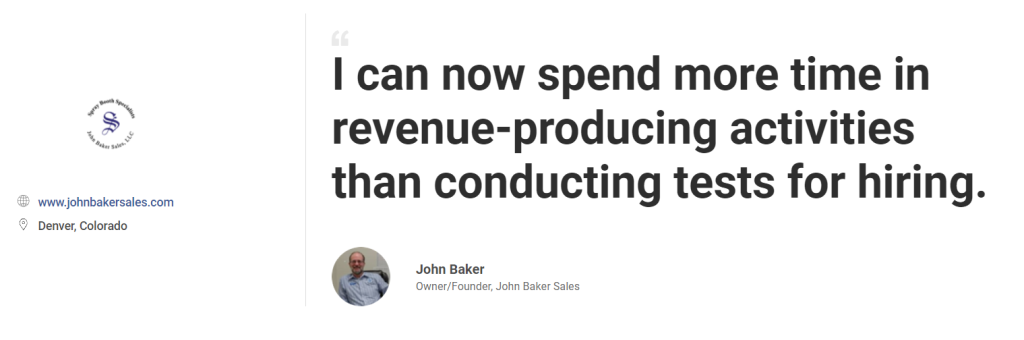
This shift made a measurable impact at John Baker Sales, a Denver-based provider of industrial paint booths. The team previously used a manual, in-person process that consumed hours each week.
By moving the same assessment online using ProProfs Quiz Maker, they began filtering applicants before interviews and reclaimed valuable time for high-priority work.
3. More Informed Decisions
Assessment data reveals how candidates work, not just what they claim. It helps hiring teams make side-by-side comparisons that go deeper than surface impressions.
4. Consistency Across Candidates
Every applicant faces the same challenge under the same conditions. This creates a fairer process and helps you evaluate responses with confidence.
5. Better Fit, Stronger Retention
People who demonstrate alignment through assessments are more likely to succeed and stay. When expectations and reality match, long-term performance follows.
6. A Scalable, Repeatable Framework
Assessments give you a structure that can grow with your hiring needs. Whether you’re scaling across teams or geographies, the process stays consistent.
7. Lower Risk, Greater Accountability
When assessments are tied to job requirements, they create a clear record behind each decision. That supports fairness and reduces exposure to bias or legal scrutiny.
Types of Hiring Assessments
Hiring assessments come in different forms, and each one is designed to evaluate a specific aspect of readiness for the role. Choosing the right type matters because not every job requires the same kind of evidence.
Below are the core assessment formats and what each one helps you understand.
1. Skills Tests
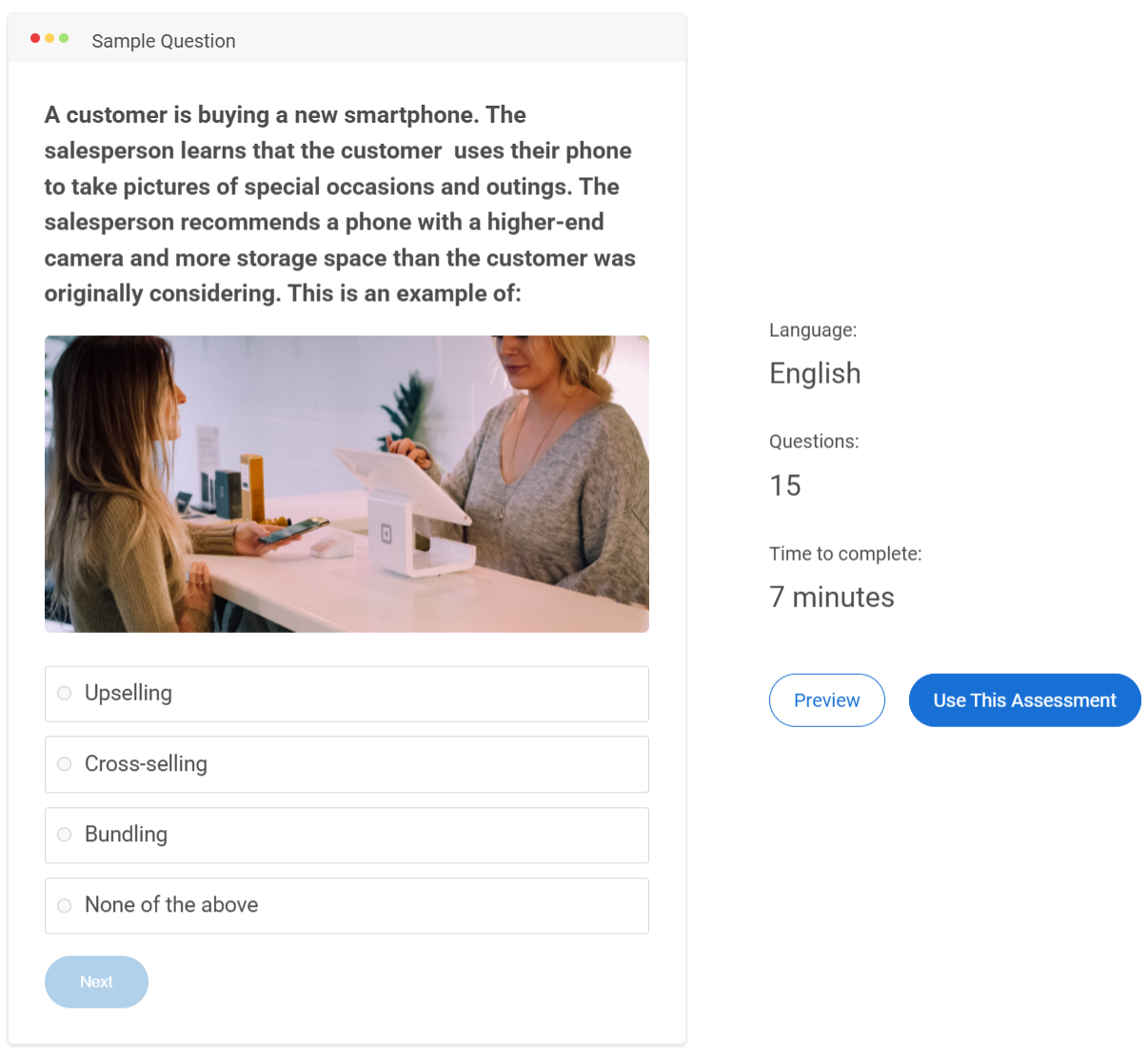
Skills tests measure execution, not experience.
A candidate may have years in a role, but that doesn’t guarantee fluency in the specific tasks your team depends on. Skills assessments work because they test the work directly, whether that’s writing, analysis, customer handling, or technical ability.
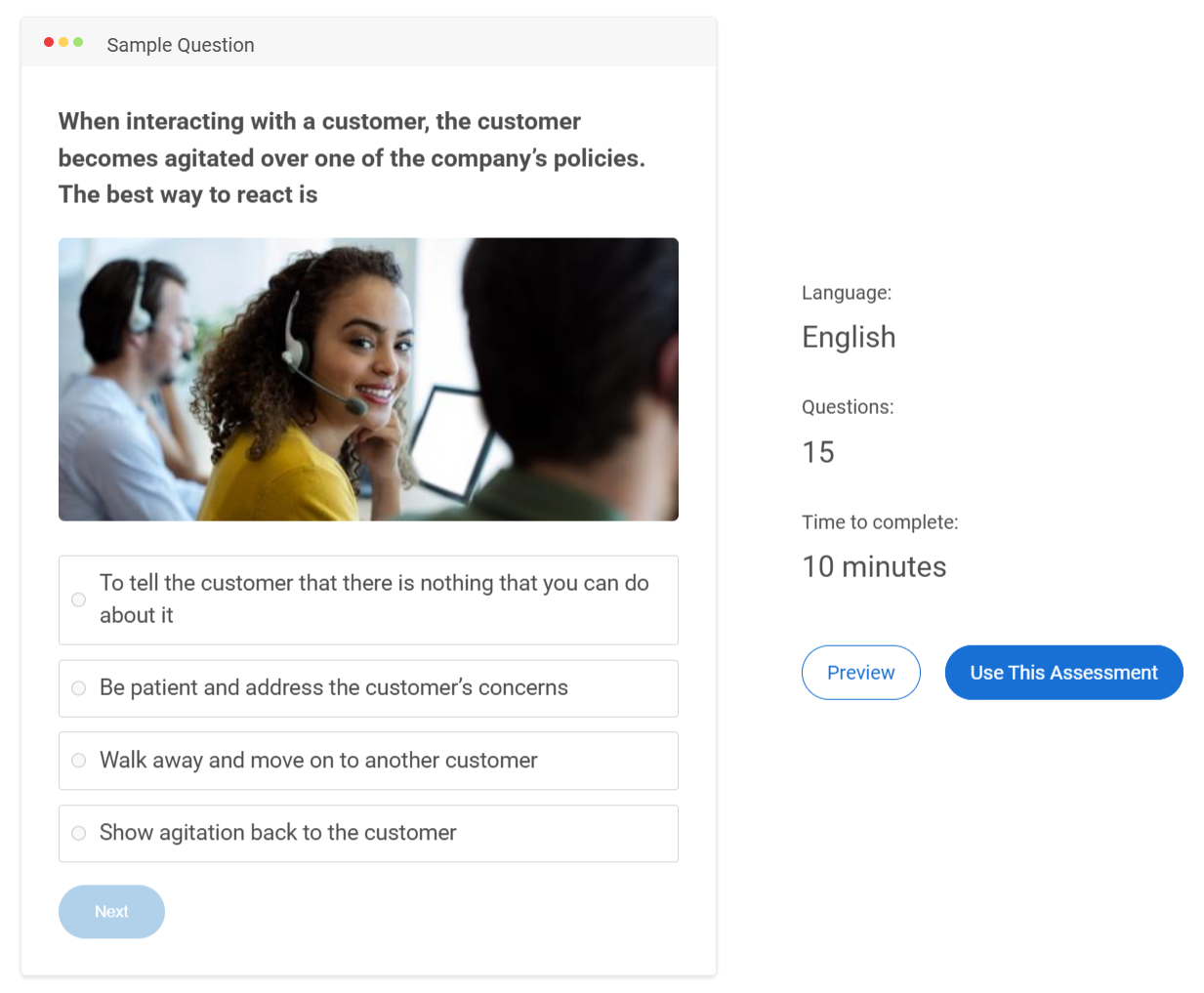
For example, a support candidate might be asked to respond to a difficult customer message, while an analyst might solve a short data task.
To make them meaningful:
- Test what the job demands weekly, not what looks impressive on paper
- Prioritize applied questions over definitions or trivia
- Keep the test short enough to respect serious candidates
A strong skills test answers one thing clearly: can this person contribute on day one?
Watch: How to Create a Skill Assessment Online
2. Cognitive Ability Tests
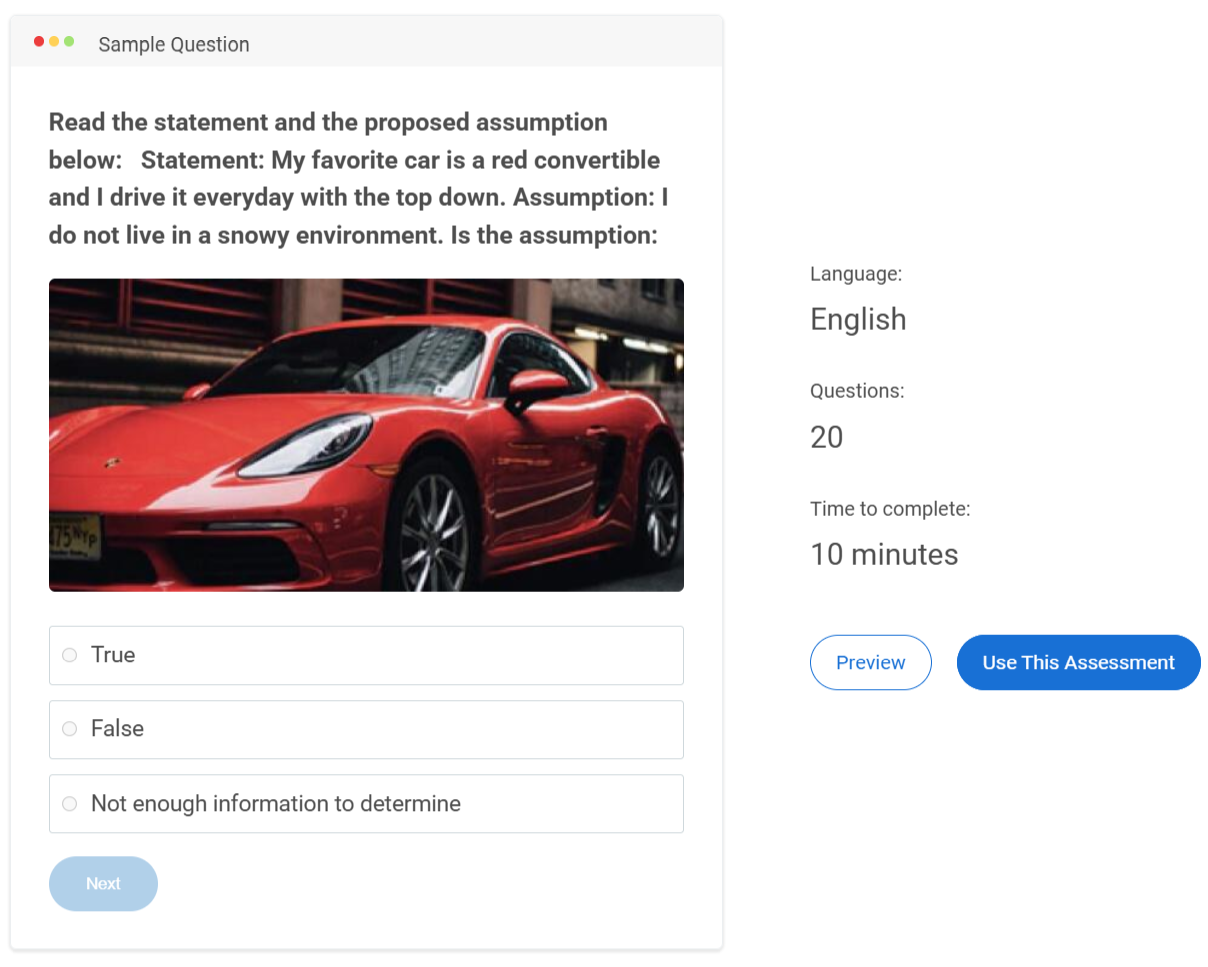
Cognitive tests measure how someone handles unfamiliar problems.
They’re useful when the role requires constant learning, complex judgment, or work that cannot be reduced to a checklist. These assessments can reveal how quickly someone connects ideas, processes information, and adapts when the answer isn’t obvious.
They work best in roles like:
- Analytical functions
- Operations and strategy
- Fast-changing technical environments
One caution: cognitive tests should never stand alone. They need context, structure, and validation to avoid misleading conclusions.
3. Personality Assessments
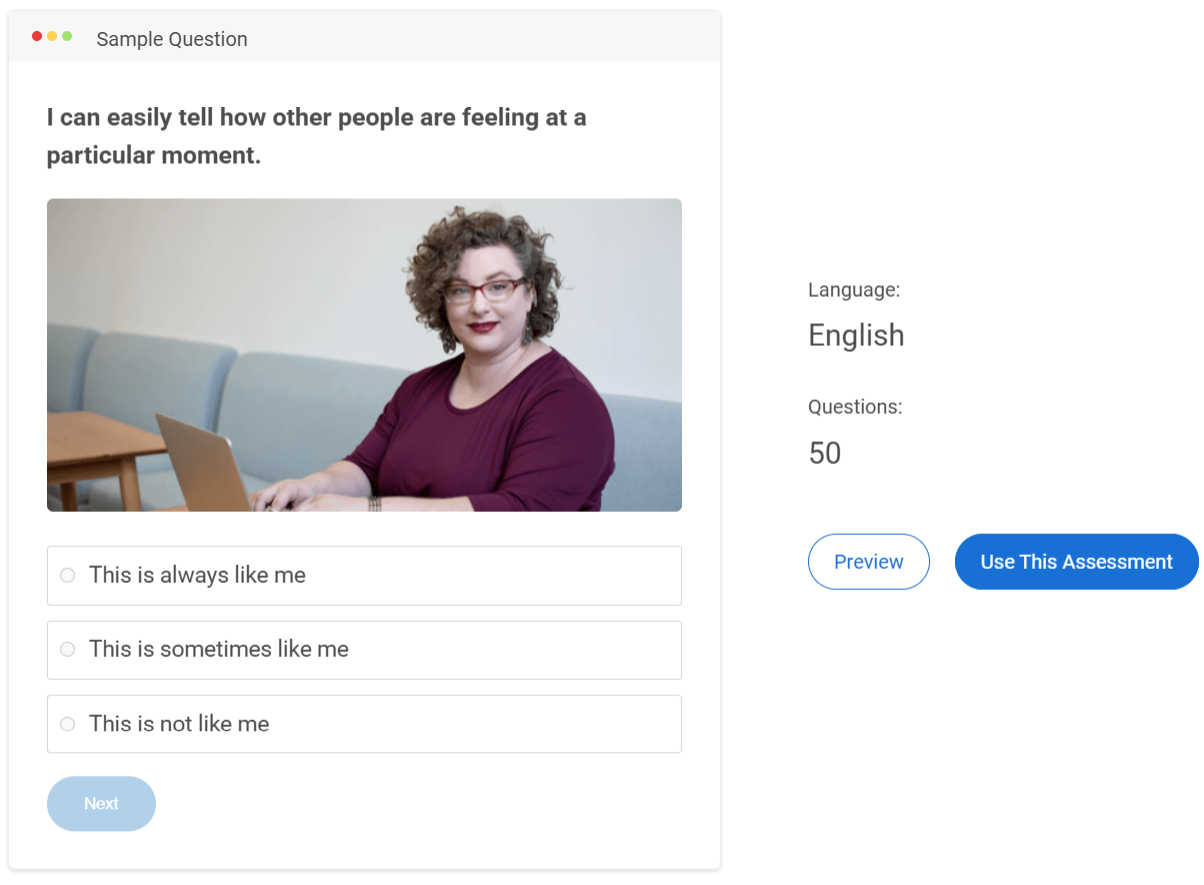
Personality assessments don’t tell you whether someone is capable. They tell you how someone tends to work.
That distinction matters.
These pre-employment assessment tools can surface patterns around communication, pacing, conflict response, or leadership style. They are most useful when the role depends heavily on collaboration or people management.
Use personality results to:
- Support structured interview questions
- Identify coaching needs early
- Understand team dynamics before friction appears
Avoid using them as shortcuts. Personality is context, not a verdict.
Watch: How to Create a Personality Quiz
4. Situational Judgment Tests (SJTs)
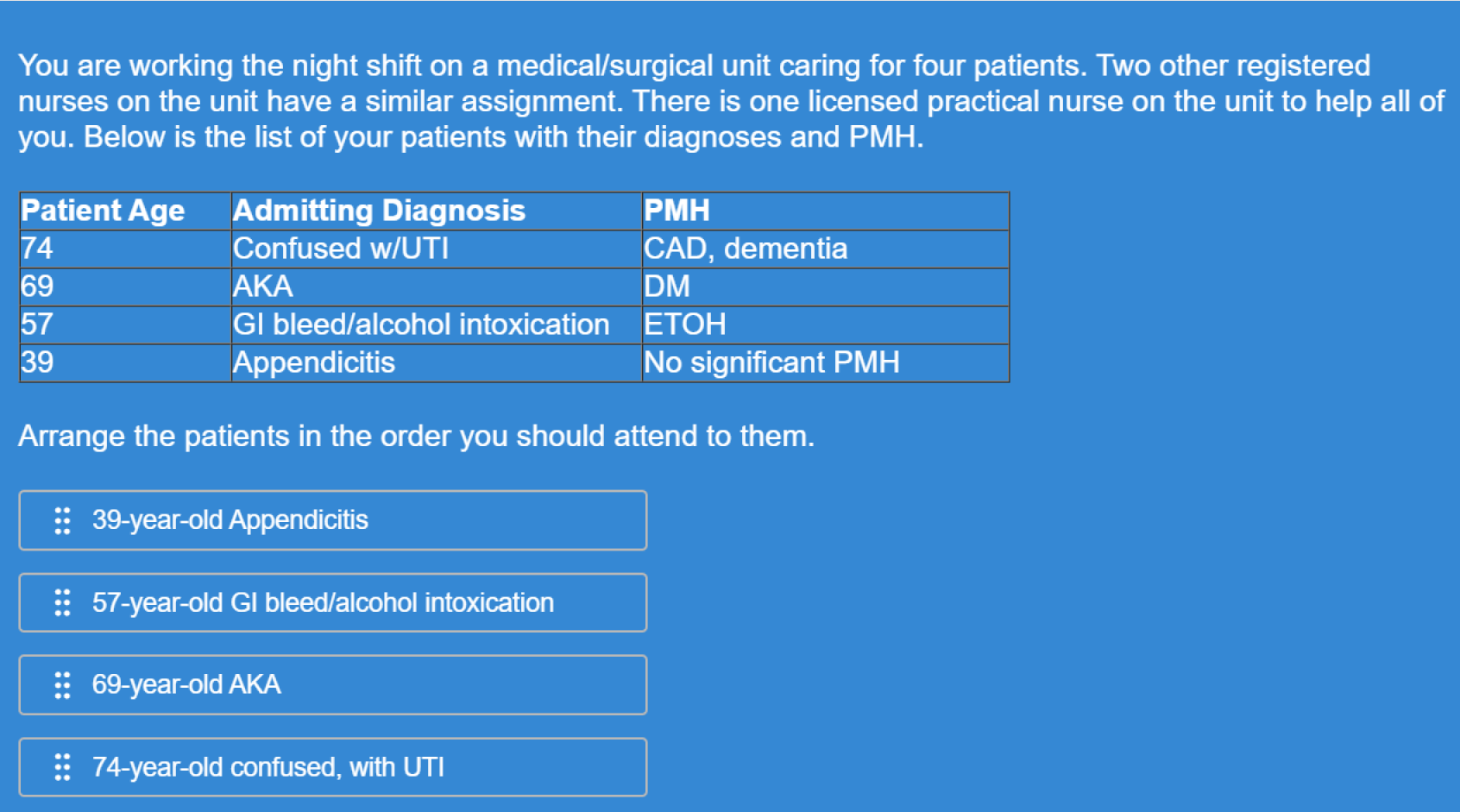
SJTs assess decision-making in the gray areas.
Instead of asking what a candidate knows, you present a realistic workplace dilemma and ask what they would do next. This is where you learn how someone prioritizes, navigates trade-offs, and applies judgment when policies don’t give clean answers.
For example, you might ask how they would handle a client request that conflicts with company policy.
SJTs are especially valuable for:
- Customer support and service roles
- Leadership and management
- Healthcare and compliance environments
The best SJTs are built from real situations inside your organization, not generic scenarios.
5. Integrity Tests
Integrity assessments focus on reliability under responsibility.
They are most relevant when the role involves trust, autonomy, or access to sensitive systems. These tests help you understand how a candidate approaches ethical boundaries and workplace accountability.
They work best when:
- Questions are tied directly to job realities
- The tone stays professional, not personal
- The goal is risk reduction, not moral judgment
Poorly designed integrity tests feel invasive. Well-designed ones feel role-appropriate.
6. Job Simulations
Job simulations are the closest thing to seeing the hire before the hire.
Instead of asking candidates to explain how they would work, you give them a slice of the work itself. This reveals approach, quality, and decision-making in real time.
For instance, a candidate might draft a short client email or resolve a mock support issue.
The key is focus. One strong simulation tied to the highest-impact task is more revealing than an elaborate multi-hour exercise.
7. Video Interview Assessments
Video interview assessments evaluate structured communication, not charm.
Candidates respond to prompts asynchronously, which helps teams screen at scale while keeping questions consistent. These are useful when clarity, composure, or client interaction is central to the role.
To use them well:
- Ask questions that require reasoning, not storytelling
- Score responses with a rubric
- Account for nerves and tech limitations
Video assessments should measure thought process, not production quality.
Quick Comparison of Hiring Assessment Types
| Assessment Type | What It Reveals | Best Fit For |
|---|---|---|
| Skills Tests | Practical ability in core tasks | Role-specific screening |
| Cognitive Tests | Learning speed and reasoning under complexity | Analytical and fast-changing roles |
| Personality Tests | Work style and interpersonal tendencies | Team-based and leadership contexts |
| SJTs | Judgment in realistic workplace dilemmas | Customer-facing and manager roles |
| Integrity Tests | Reliability in trust-heavy situations | Sensitive or high-responsibility roles |
| Job Simulations | Real-world performance on critical tasks | Final-stage evaluation |
| Video Assessments | Structured communication and thinking clarity | Remote and client-facing hiring |
How to Choose the Right Hiring Assessments
Choosing assessments is not about building a long testing pipeline. It’s about selecting the smallest set of evaluations that gives you meaningful evidence for the role.
In most cases, two assessments are enough. For high-stakes roles, three is the practical maximum. Anything beyond that usually adds friction without improving hiring quality.
Here are hiring assessment examples that show how to match assessments to what the job truly demands.
1. Technical and Hard-Skill Roles
For roles like engineering, finance, or IT, execution is the priority. A short skills test confirms baseline competence, and a focused job simulation shows how the candidate performs on real work.
2. Customer-Facing Roles
For support or customer success roles, judgment and communication matter most. Situational judgment tests paired with a communication-based skills assessment tend to work best.
3. Sales Roles
Sales performance is behavioral. A realistic simulation, such as handling objections or writing outreach, combined with a structured video response, gives a clearer view than generic testing.
4. Leadership and People Management Roles
Managers succeed through prioritization, decision-making, and conflict handling. Situational judgment assessments are often the strongest fit, with personality tools used only as supporting context.
5. High-Trust and Compliance Roles
In finance, healthcare, or security roles, integrity and responsibility become central. A role-specific integrity assessment paired with scenario testing helps evaluate reliability without becoming invasive.
6. Fast-Changing or High-Growth Roles
For operations or strategy roles where adaptability matters, cognitive ability testing can be useful when combined with a simulation that reflects ambiguity and prioritization.
A simple guideline keeps the process grounded: use one assessment to confirm ability, one to evaluate judgment or real work, and only add a third if the role truly warrants it.
Best Practices for Implementing Hiring Assessments
Hiring assessments can improve hiring quality dramatically, but only when they’re designed and implemented with discipline. A poorly built test creates false confidence. A well-run assessment process creates clarity that interviews alone rarely provide.
If you’re deciding how to implement hiring assessments in a way that actually improves outcomes, the practices below cover both what to do and how to apply it effectively.
1. Anchor Assessments in Real Job Requirements
Every assessment should trace back to the role itself. If the job requires handling difficult customers, test decision-making in realistic service situations. If the job demands financial accuracy, test applied reasoning, not abstract puzzles.
A simple check helps: if the assessment wouldn’t make sense to someone already doing the job, it doesn’t belong in the process.
2. Prioritize Validity Over Variety
The goal is not to use many assessment types. The goal is to use assessments that actually predict performance.
The most reliable formats tend to be:
- Role-specific skills tests
- Focused job simulations
- Scenario-based judgment exercises
Generic assessments often add noise instead of insight.
3. Place Assessments at the Right Stage
Timing matters. Used too early, assessments feel premature. Used too late, they become redundant.
A practical structure works well:
- Early stage: short skills screen
- Mid-stage: situational or judgment-based layer
- Final stage: simulation only for high-impact roles
Most roles don’t need more than two assessment touchpoints.
4. Keep Assessments Reliable and Consistent
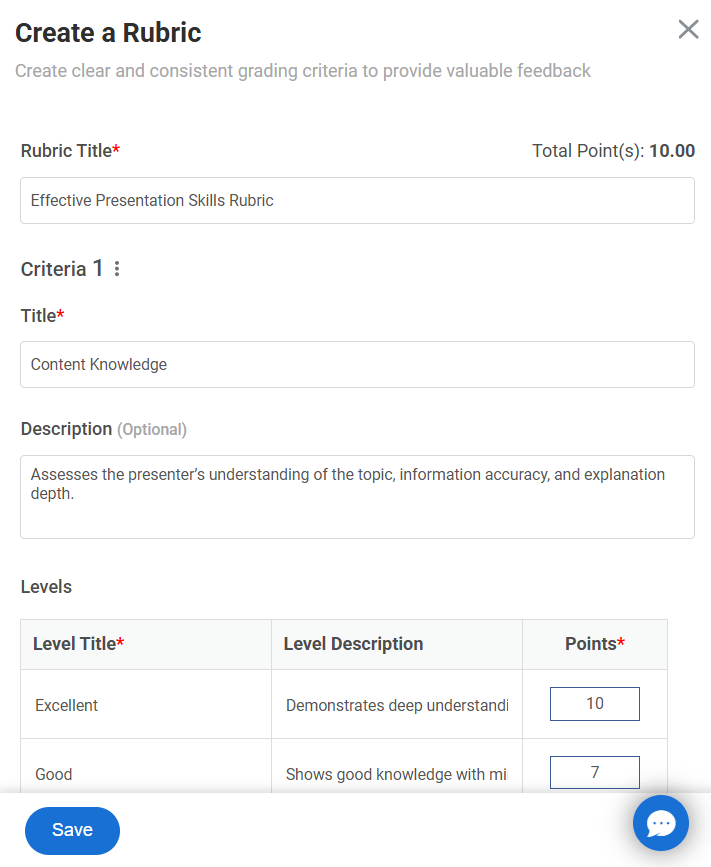
Reliability is about consistency. Two candidates of equal ability should not receive different outcomes because scoring was subjective.
To strengthen reliability:
- Use structured scoring rubrics
- Keep difficulty consistent across candidates
- Avoid open-ended evaluation without criteria
Without reliability, results become guesswork again.
5. Set Benchmarks Before You Launch
Assessments only help when you know what good performance looks like.
Before rolling anything out, define:
- Minimum acceptable performance
- Strong performance indicators
- What results require follow-up
This prevents inconsistent interpretation under hiring pressure.
6. Standardize Scoring Across Hiring Teams
One of the biggest breakdowns happens when different reviewers score differently.
To avoid this:
- Train interviewers on the rubric
- Keep the criteria role-specific and simple
- Document evaluation standards early
Consistency is what makes assessments scalable.
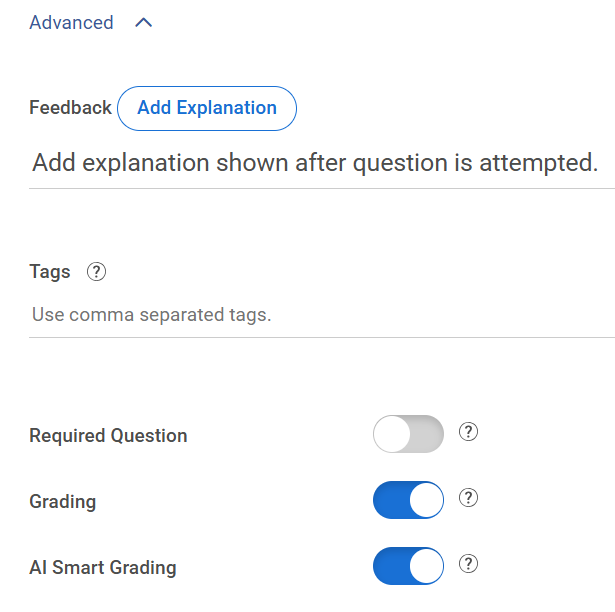
Automated AI grading for open-ended responses can further reinforce this by applying the same scoring logic across every candidate, while still giving reviewers the ability to adjust scores and add feedback where human judgment matters.
7. Design for Fairness and Bias Reduction
Assessments should reduce bias, not introduce new forms of it. That means testing only what is job-relevant and applying the same standards across candidates.
Good fairness practices include:
- Avoiding culturally loaded or overly academic questions
- Keeping evaluation criteria consistent
- Reviewing outcomes for unintended drop-offs
Structured evaluation is what makes assessments equitable.
8. Ensure Legal and EEO Defensibility
Hiring assessments must be tied to legitimate business needs, especially cognitive and personality tools.
At minimum, ensure:
- The test measures skills required for the role
- Scoring is consistent and documented
- The process is applied uniformly
This protects both fairness and accountability.
9. Communicate Clearly With Candidates
Candidates engage more seriously when they understand the purpose.
Simple improvements help:
- Explain why the assessment matters
- Keep the length appropriate
- Share expectations upfront
Transparency improves completion and trust.
10. Use Technology to Reduce Operational Friction
Online assessment platforms make delivery easier by automating scoring, tracking, and sharing results.
For example, quiz-based tools like ProProfs Quiz Maker can help teams create skills screens quickly with AI, apply consistent scoring, and send assessments remotely without manual coordination.
The tool matters less than the structure, but automation helps teams stay consistent.
Watch: How to Create Assessments in Seconds With AI
11. Use Results to Improve Interviews, Not Replace Them
Assessments work best when they shape better conversations.
Instead of interviewing blindly, hiring teams can ask:
- What did this reveal that the resume didn’t?
- Where should we probe deeper?
- Did the candidate’s approach match the role’s demands?
Assessments should guide judgment, not automate it.
12. Review Outcomes and Improve Over Time
The strongest hiring systems evolve. Benchmarks shift, roles change, and questions that once worked may lose relevance.
Track outcomes such as:
- Do high scorers succeed after hiring?
- Are certain assessments screening out strong candidates?
- Is the process still aligned with the role today?
Continuous refinement is what keeps assessments useful instead of routine.
Watch: How to Review Assessment Reports & Statistics
How to Create Quizzes for Hiring Assessment
To make hiring decisions more reliable, it’s important to gather structured, comparable results before the interview process begins. In this section, we’ll explore how to create, score, secure, and deploy role-based online quizzes for hiring assessments using ProProfs Quiz Maker as an example.
This approach ensures a more consistent and data-driven evaluation of candidates.
Step 1: Create a New Quiz
Start inside your dashboard:
- Click Create a Quiz
- Choose to start from scratch, use a template from the Assessment Library, or generate a draft using the AI Quiz Generator
If you need a starting point, the Assessment Library includes 200+ ready-to-use skill and psychometric assessments that can be edited for your role.
If speed matters, the AI Quiz Generator can create a draft from:
- A job description
- A topic or outline
- A detailed prompt
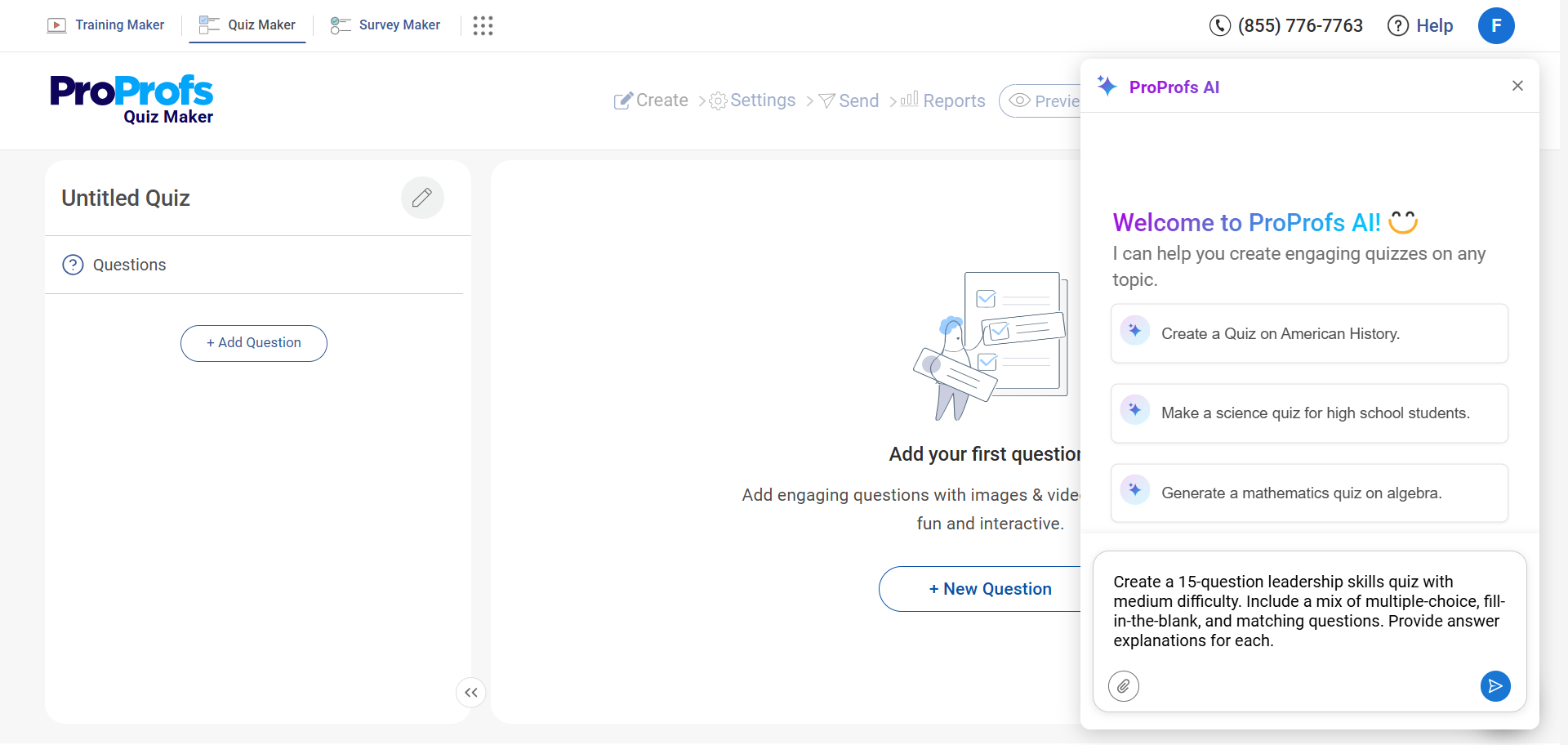
You can also upload internal SOPs, training documents, or policy files and let AI convert them into quiz-ready questions automatically.
This is especially useful when your hiring criteria already exist in documentation and you want the quiz to reflect real internal standards.
Step 2: Add Role-Specific Questions
Click Add Question and choose your preferred format:
- Multiple choice
- Multi-select
- True/False
- Short answer
- Media-supported questions
Watch: 20+ Question Types for Online Assessment
This is where alignment matters most. Hiring quizzes work when questions look like the decisions the role requires, not like exam prep.
A practical mix:
- Scenario-based multiple choice for judgment
- Multi-select when more than one option can be valid
- Short answers only when you truly need to see the candidate’s reasoning
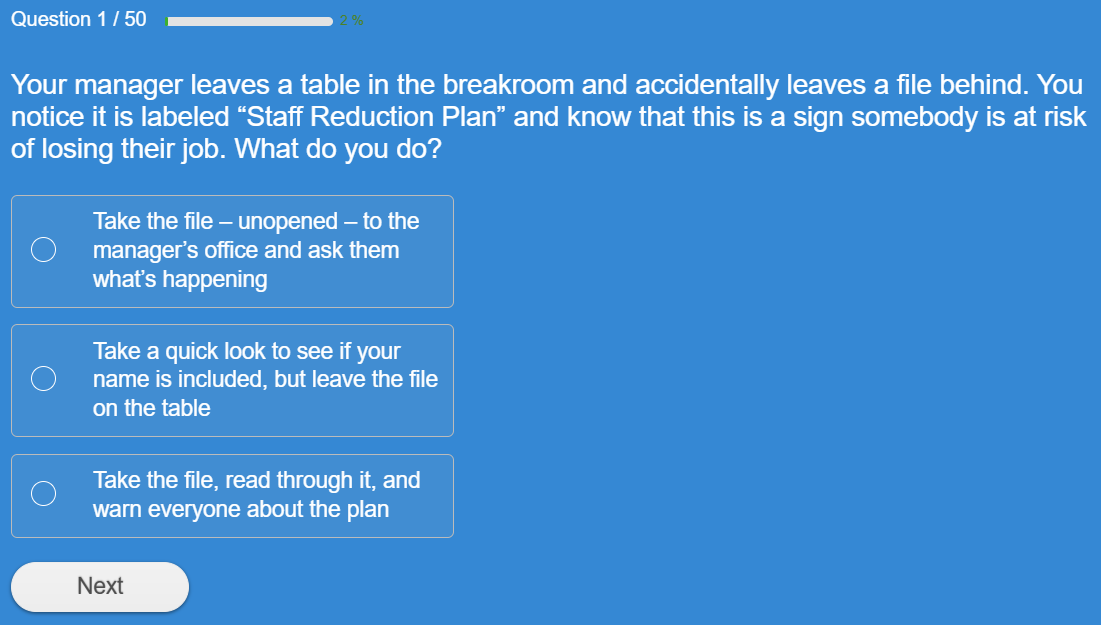
To speed up question creation, you can:
- Pull from a question library with 1 million+ ready-to-use questions
- Customize questions from existing assessments
- Generate additional questions instantly using the AI Quiz Generator
- Upload your own questions if they already exist in an Excel spreadsheet or document file
- Expand scenarios by prompting AI to create variations or increase difficulty
Watch: How to Create a Quiz Using Question Bank & Templates
If you already have interview questions or past screening questions in a spreadsheet, importing them directly saves time and keeps continuity in your process.
After importing or generating questions, edit them inside the builder to match the exact expectations of the role. Remove anything generic. Tighten wording. Make scenarios realistic.
Step 3: Configure Scoring
Before sending the quiz to candidates, set your scoring rules.
Inside ProProfs, you can:
- Define a passing score
- Apply weighted scoring to high-impact questions
- Enable partial grading for multi-select questions
- Use negative marking if necessary
Watch: How to Automate Quiz Scoring & Grading
Decide your thresholds up front.
For example, you might:
- Automatically move candidates above a certain score forward
- Flag borderline scores for deeper interviews
- Require a minimum score on specific critical questions
Once configured, scoring runs automatically for every submission. No manual grading required.
Step 4: Enable Security Settings
Hiring assessments influence real decisions. Integrity settings protect comparability.
Open Quiz Settings and enable the controls appropriate for your role:
- Time limits
- Question and answer randomization
- Question pools for version variation
- Attempt limits
For higher-stakes roles, you can also activate:
- Tab-switch prevention
- Webcam proctoring
- Screen monitoring
- IP restrictions
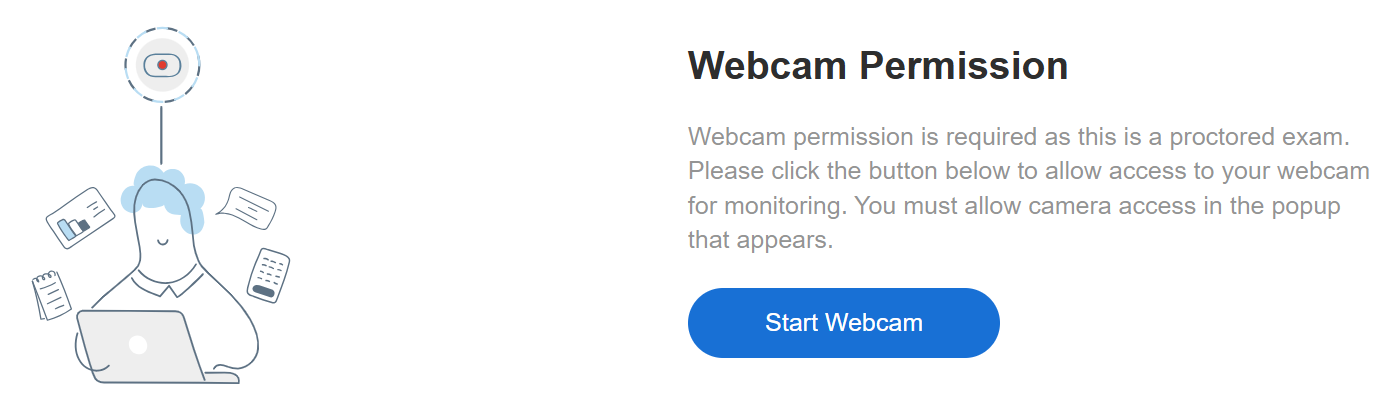
All settings can be adjusted before launch, depending on how strict the assessment needs to be.
Watch: How to Prevent Cheating in Online Assessments | 9 Proven Strategies
Step 5: Control Access
Consistency in delivery keeps results comparable.
Under access settings, you can:
- Share private links
- Send email invitations
- Require login or password access
- Set availability dates and time windows
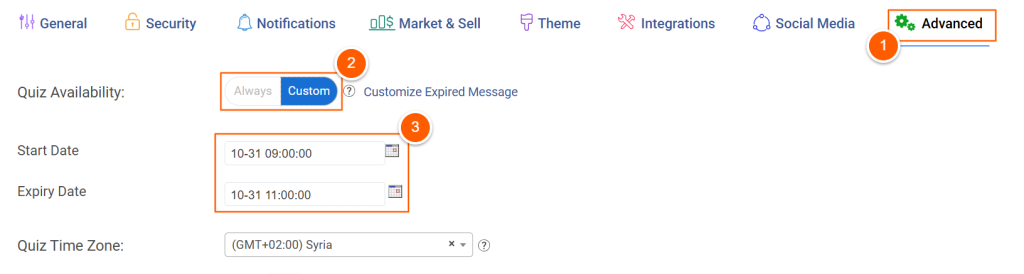
This prevents open-ended access and ensures candidates complete the quiz under defined conditions.
Step 6: Review Reports
Once candidates complete the quiz, ProProfs automatically:
- Grades objective questions
- Applies weighted scoring
- Generates performance reports
- Displays detailed breakdowns
From the reporting dashboard, you can:
- Compare candidates side by side
- Export results for hiring panels
- Identify patterns in missed questions
This data becomes your structured reference point before interviews begin.
When configured this way, a hiring quiz inside ProProfs Quiz Maker becomes a repeatable evaluation layer that is:
- Automated
- Consistently scored
- Secure
- Easy to scale
It standardizes early screening, reduces manual review time, and gives hiring teams structured data they can use immediately in the next stage of evaluation.
Maximize Recruitment Success With Hiring Assessments
Hiring assessments work best when they create real evidence, not extra steps. When you test what the job actually demands, you stop rewarding polished interviews and start rewarding capability. That shift makes hiring fairer, faster, and easier to defend.
Keep the system simple. Use a small set of assessments that match the role, run them under consistent rules, and score them with clear thresholds. Add integrity controls that protect comparability, like time limits, question pooling, tab-switch prevention, and proctoring.
If you want a practical way to operationalize this, an online assessment tool like ProProfs Quiz Maker can help you build and deliver role-based quizzes quickly, using ready-to-use skill and psychometric assessments, AI creation from prompts or uploads, automated scoring, and security settings when needed.
Start with one high-volume role, refine for a few cycles, then scale.
Frequently Asked Questions

How many assessments should you use for one role?
In most scenarios, two assessments cover the essentials: one to confirm baseline ability and one to test judgment or real work. Add a third only when the role is unusually high-impact or high-risk. More than that usually increases friction without improving decisions.
How do you keep hiring assessments fair and defensible?
Fairness starts with job relevance and validation. Use assessments backed by evidence that scores relate to job performance, and routinely check results for adverse impact across groups. Test only role-related traits and avoid anything that could introduce discrimination.
How do you prevent cheating in online hiring assessments?
Treat security as a stack, not a single setting. Use question banks so candidates get different versions, shuffle questions and answers, add time limits, and apply browser controls like tab-switch prevention. For truly high-stakes roles, add proctoring to create a credible record of the attempt.
How do you avoid rejecting strong candidates because of automation?
Over-reliance on automated scoring can create false negatives and frustrate candidates. Build a review process for borderline results, and use assessments to inform interviews instead of acting as a blunt pass-fail gate. Human oversight protects quality, especially when context matters.

Let ProProfs AI Build a Quiz

 We'd love your feedback!
What did you like & how can we make it even better?
 Thanks for your feedback!
 Ask Your Question
Have a question? Get expert help to make your decision easier.