

I’ve sat in on a debrief where an engineering manager said a candidate “seemed sharp,” we made the offer, and three weeks later, that same hire couldn’t debug a basic API call without daily help from a senior. The interview measured confidence. It never measured whether the person could actually code.
That’s the gap technical assessment tools exist to close. According to the U.S. Bureau of Labor Statistics, the median annual wage for a software developer was $133,080 in 2024. Get that hire wrong, and you’re not just losing weeks of onboarding; you’re carrying a six-figure salary for someone who can’t do the job while the team picks up the slack.
I tested eight platforms recruiters and TA teams use to screen technical talent before interviews. Here’s what each gets right, where it falls short, what it costs, and which one is worth choosing for your hiring needs.
What Are Technical Assessment Tools?
Technical assessment tools are platforms that let recruiters test a candidate’s actual coding ability, technical knowledge, or job-specific skills before investing interview time in them. A candidate completes graded questions or coding tasks through a shareable link, and you get a comparable, auto-scored result instead of a resume claim.
For recruiters already comparing platforms, the question isn’t whether to use a technical assessment tool; it’s which one best fits their hiring process. The right choice depends on factors such as how many candidates you screen, the technical skills you need to evaluate, how much of the assessment process you want to automate, and whether your hiring team needs advanced features such as coding environments, proctoring, analytics, or ATS integrations.
A good technical assessment platform should help you:
- Test technical skills: Evaluate role-specific abilities
- Screen faster: Filter candidates before interviews
- Score automatically: Reduce manual evaluation
- Compare candidates: Use consistent criteria
- Prevent cheating: Protect assessment integrity
- Track performance: Turn results into hiring insights
8 Best Technical Assessment Tools for Recruiters
I evaluated these online technical assessment tools specifically for recruiters and hiring teams, looking at assessment depth, technical skills coverage, customization, security controls, reporting, pricing, and user ratings. Here’s how the eight platforms compare for real-world technical hiring needs.
Choosing the right technical assessment tool can be challenging. This quick video breaks down some of the most popular platforms and shows how they compare across technical assessment and recruitment use cases.
| Tools | Best For | Pricing | Capterra |
| ProProfs Quiz Maker | Creating Quizzes & Assessments for Business & Training | Free plan available; Paid plan starts at $19.99/month | 4.5 |
| HackerRank | High-volume enterprise developer hiring | From $165-199/mo | 4.6 |
| Codility | Validated, unsupervised take-home tests | From $1,200/yr | 4.6 |
| TestGorilla | Technical plus cognitive/personality testing | Free plan; from ~$135/mo (annual) | 4.1 |
| CodeSignal | Realistic, role-specific coding simulations | Custom quote only | 4.6 |
| CoderPad | Live, collaborative coding interviews | Free tier; from ~$80-120/mo | 4.6 |
| TestDome | Budget, no-contract screening | From $20 one-time | 4.6 |
| iMocha | Enterprise skills intelligence | From ~$400/mo | 4.5 |
1. ProProfs Quiz Maker – Best for Easily Creating Quizzes & Assessments for Business & Training
ProProfs Quiz Maker is what I reach for when I need a technical or skills assessment live quickly without building an entire coding-interview stack around it. It’s not a live collaborative coding IDE, and I wouldn’t position it that way. Where it stands out is fast, customizable assessment creation for technical knowledge, programming fundamentals, and job-specific skills.
AI generates complete assessments from a job description, document, video, webpage, or prompt, including answers and explanations. For technical hiring, it supports languages like Python, C, C++, and JavaScript/TypeScript, along with broader IT skills. Assessments can also be customized to fit specific hiring needs.
Try a prompt: “Create a 10-question Python assessment for a mid-level developer, covering data structures, functions, and error handling” in the box below. The AI will generate a ready-to-customize assessment for you.

Let ProProfs AI Build a Quiz
The platform supports 20+ question types, including scenario, image, video, and audio-based questions, plus MCQ, fill-in-the-blank, and essay formats. That range matters once you move past pure coding tests.
Security is built into the assessment workflow, with browser lockdown, IP tracking, webcam and screen proctoring, and configurable time limits. Automated grading, including AI-assisted essay grading, and detailed reports help recruiters evaluate performance beyond a simple pass/fail score.
Pros:
- AI-powered assessment creation from prompts, documents, or videos.
- Ready-made technical and programming assessments that can be customized.
- 20+ question types with automated and AI-powered grading.
- Strong anti-cheating controls including proctoring, browser lockdown, and randomization.
- Question banks and analytics to create varied tests and track candidate performance.
- Video and audio responses for broader skills evaluation.
- 70+ languages and mobile support for global candidate pools.
Cons:
- Cloud-only, with no on-premises deployment option
- No dark mode in the editor, which I noticed during longer authoring sessions
User Rating: 4.5 (Capterra)
Pricing: FREE for short quizzes and all essential features. Paid plan starts at $19.99/month.
Success Story:
Here’s how Zoho used ProProfs Quiz Maker to make candidate assessment faster and more effective without adding extra steps to its hiring workflow. By replacing manual test creation with ready-to-use assessments, Zoho saved valuable time while making it easier to evaluate candidates consistently and identify better-fit talent.

2. HackerRank – Best for High-Volume Enterprise Developer Hiring
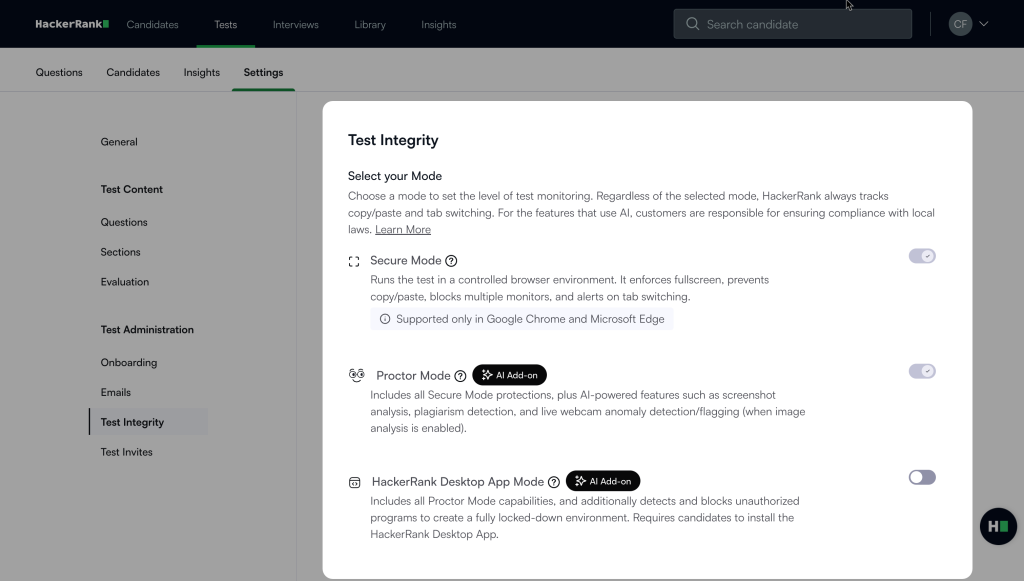
I turned to HackerRank when the hiring volume got real, hundreds of coding assessments a month rather than a handful and the difference showed up immediately in the depth and variety of its technical question library. It covers a broad range of programming languages, frameworks, and technical skills, making it easier for enterprise teams to create role-specific assessments without building every test from scratch.
Its real strength is combining that extensive assessment library with ATS integrations, automated evaluation, and enterprise-grade security. For engineering organizations running continuous technical hiring across multiple teams, that combination can make candidate screening more consistent and easier to manage at scale.
The candidate experience is also built around practical coding rather than purely theoretical questions, which helps hiring teams evaluate how candidates actually approach technical problems.
I wouldn’t recommend it to a small team hiring only a handful of engineers each year; the pricing, setup, and breadth of features can outweigh the benefits at that scale.
Pros:
- Enormous, well-maintained question and coding-challenge library across languages
- Live coding interviews and a real-world coding environment that engineers I’ve worked with generally respect
- AI-assisted interview scoring, along with plagiarism and proctoring detection
- Strong ATS integrations and enterprise security posture, including SOC 2 and ISO certifications
Cons:
- Heavy lean toward competitive-programming-style problems, which doesn’t always reflect day-to-day engineering work
- Pricing is steep for smaller teams, with no free-forever tier
- A few reviewers flagged editor or compiler quirks in specific languages
User Rating: 4.6 (Capterra)
Price: Starter runs $165 to $199/month for 10 attempts; Pro is roughly $449/month for 25 attempts; Enterprise pricing is custom.
3. Codility – Best for Scientifically Validated, Unsupervised Take-Home Testing
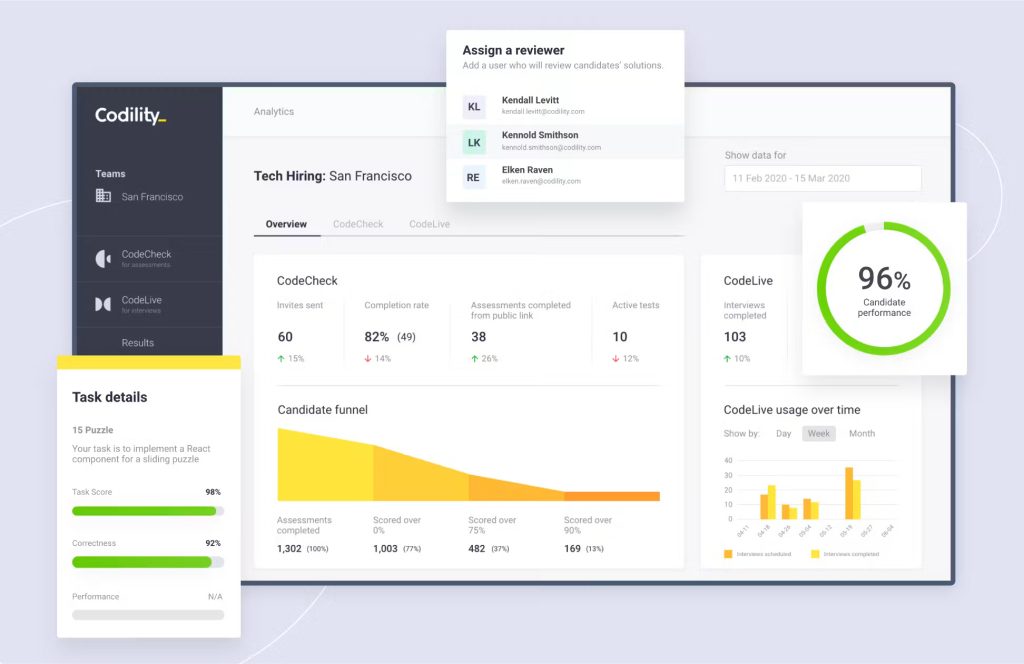
Codility was the platform I pulled in when a legal or HR partner needed assessments that could survive scrutiny, not just look thorough. Its tasks are built by occupational psychologists and validated against Codility’s Engineering Skills Model, with adverse-impact monitoring built into the process. That made it a strong choice when fairness, consistency, and defensibility mattered as much as technical depth.
I’d recommend it for organizations with structured hiring processes or larger engineering teams where assessment quality needs to stand up to internal review. The platform also focuses on evaluating practical, job-relevant skills rather than relying only on theoretical coding questions.
If defensibility matters as much as raw question count, this is the one I’d trust. I wouldn’t recommend it to a solo hiring manager on a tight budget, though; the pricing can be steep for smaller teams that may not need its more advanced capabilities.
Pros:
- Assessment design backed by documented occupational psychology methodology
- Broad task variety: 1,200+ validated tasks across 80+ languages, including algorithmic, SQL, and real-world project-based work simulations
- Live technical interview mode and skills verification for assessing existing engineering teams
- Integrity monitoring to help prevent candidates from using leaked questions
- A clean, stable coding environment, candidates consistently rated well
Cons:
- Starter plan includes only one platform user; adding seats jumps the price sharply
- No published pricing for the Custom tier, so budgeting means a sales call
- Some reviewers wanted built-in AI-based candidate rating rather than manual review
User Rating: 4.6 (Capterra)
Price: Starter is $1,200/year for one seat; Scale runs about $600/month billed annually (roughly $7,200/year) for more seats and library depth; Custom/Enterprise is quote-based.
4. TestGorilla – Best for Combining Technical Tests With Cognitive and Personality Screening
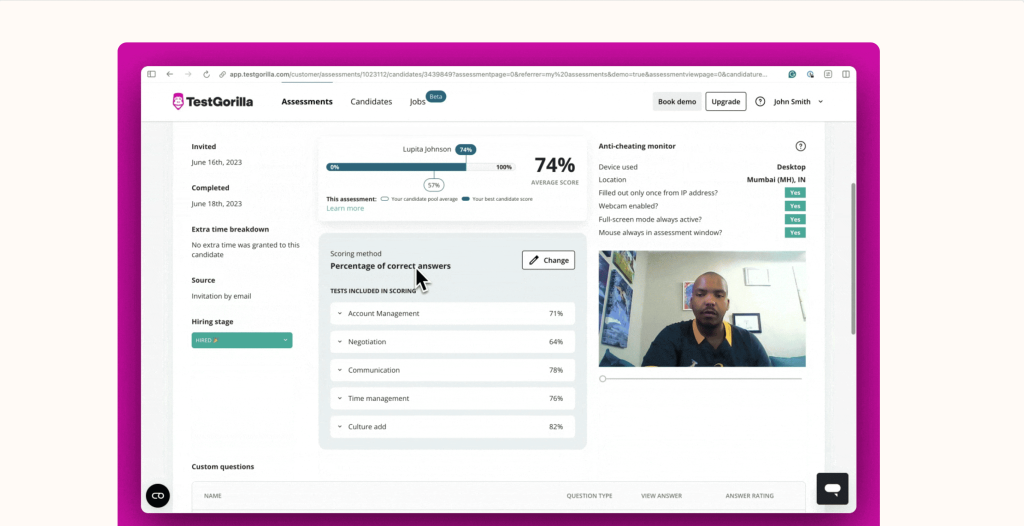
I brought TestGorilla in for roles where a coding score alone wasn’t the whole picture. Cognitive ability, personality, and job-specific skills mattered too, and having these assessments in one platform saved me from using multiple tools.
The assessment library covers a good mix of coding, cognitive, personality, and role-specific tests, so I could look at candidates from different angles without making the process too complicated. It also connects with a sourcing marketplace of 2 million-plus candidates, which is useful when sourcing is part of the hiring process, not just screening.
That said, I wouldn’t choose it if coding depth is the main priority. Reviewers and my own testing found the programming test variety and partial-credit scoring weaker than what dedicated coding platforms offer. For broader pre-employment screening, though, TestGorilla works well when you want a straightforward way to assess different skills in one place.
Pros:
- Broadest non-coding test variety of any platform I tested, with cognitive, personality, coding, and job-specific assessments
- Video response and essay questions add flexibility beyond standard assessments
- Auto-scored candidate ranking dashboard makes comparing candidates across roles fast
- ATS integrations (Plus tier only) and API access support more advanced hiring workflows
- A capable free plan for light or occasional use
Cons:
- ATS integration, video interviews, and API access are locked behind the highest-priced Plus tier
- All paid plans are annual commitments with no monthly option and no refunds past a 15-day window
- Reviewers specifically flag the coding tests as needing more language variety and partial credit
User Rating: 4.1 (Capterra)
Price: Free plan available. Core runs about $135/month billed annually (roughly $1,700/year for 400 credits, 2 seats). Plus starts around $400/month, custom-quoted at scale.
5. CodeSignal – Best for Realistic, Role-Specific Coding Simulations
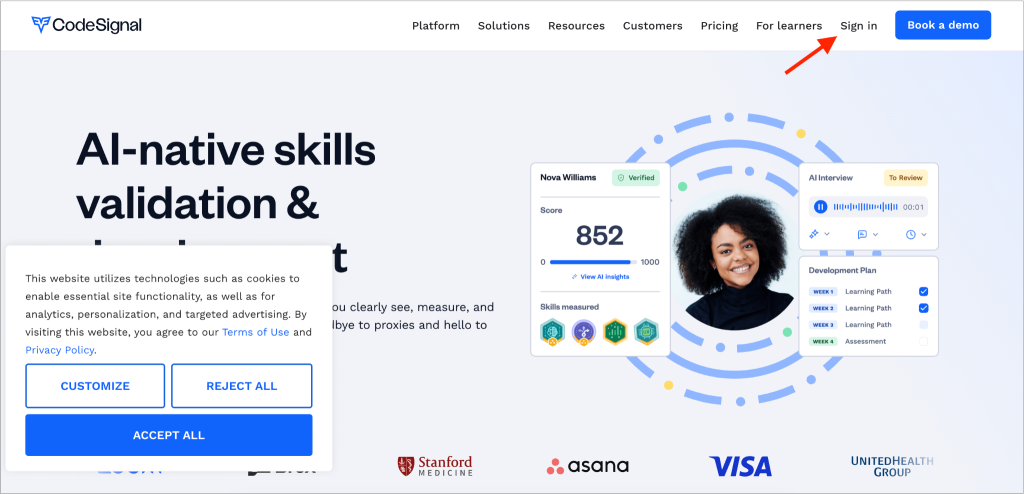
What sold me on CodeSignal was how closely its “flight simulator” style challenges resemble actual engineering work rather than isolated algorithm puzzles. Candidates can work through realistic, role-specific scenarios that give hiring teams a better sense of how they approach problems they may actually face on the job. I also liked the standardized scoring, which makes comparing candidates easier when you’re screening at scale.
Its assessment integrity features are another strong point. AI proctoring, ID verification, and leaked-question monitoring add an extra layer of confidence, particularly for high-volume or high-stakes technical hiring. Detailed post-assessment analytics also help teams look beyond a simple pass/fail result.
The one thing that slowed me down: there’s no published pricing, so every quote starts with a sales conversation. That may be less convenient for smaller teams that want to compare costs quickly before committing.
Pros:
- An intuitive candidate-facing interface
- Detailed post-assessment analytics for evaluating candidate performance
- Realistic, role-specific, scenario-based challenges that I found more true-to-job than pure algorithm tests
- Standardized automated scoring that makes candidate evaluation more consistent
- A strong integrity stack, including AI proctoring, government-ID verification, and leaked-question detection, making it well suited for high-stakes or high-volume screening
Cons:
- Pricing isn’t published anywhere; every quote requires a call
- Some reviewers noted inconsistent difficulty calibration across challenges
- A few users flagged slower support response times compared to competitors
User Rating: 4.6 (Capterra)
Price: Custom quote only; no published starting price.
6. CoderPad – Best for Live, Collaborative Technical Interviews
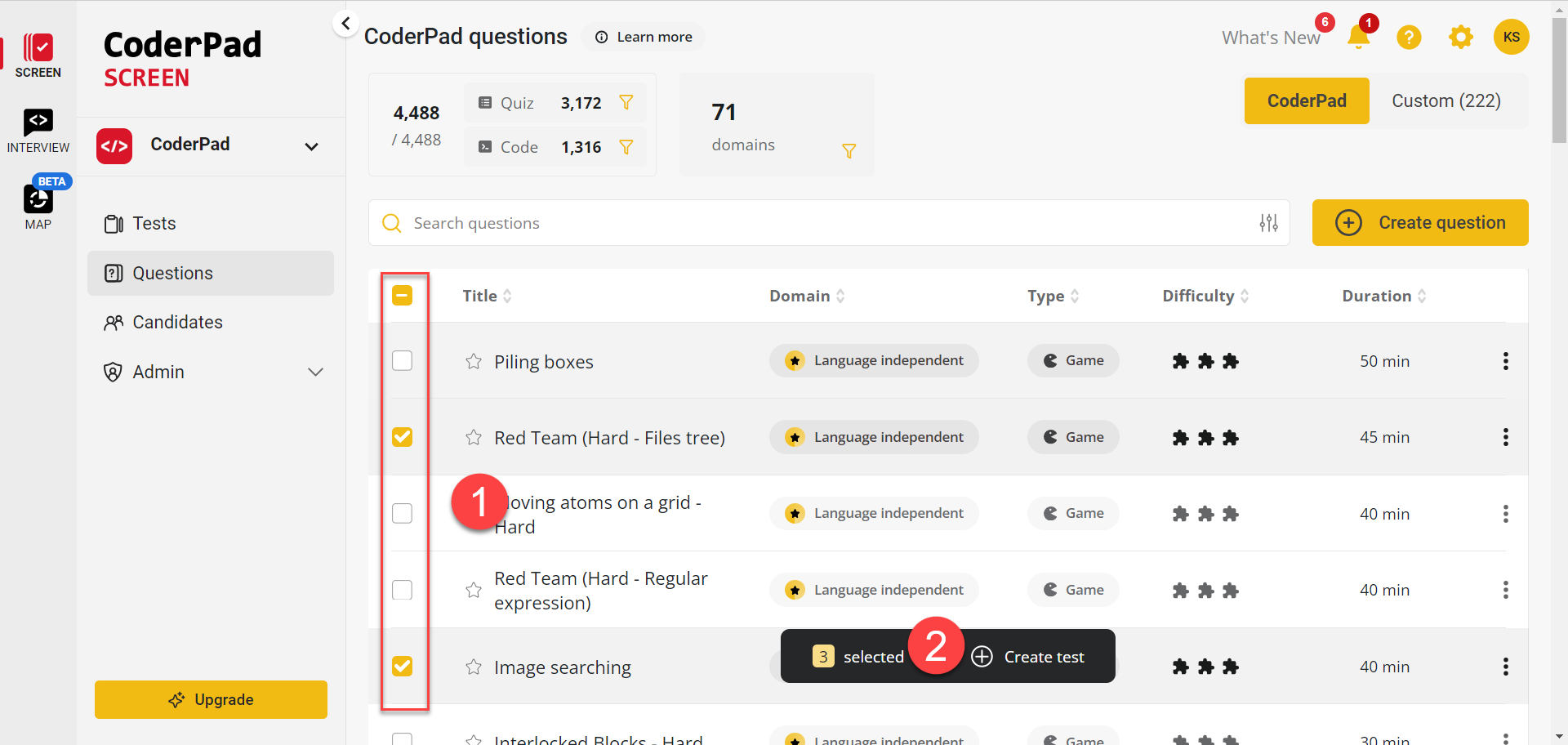 CoderPad earned its spot because of what happens during the interview itself, not just before it. It gives interviewers and candidates a shared, real-time coding environment with support for 30+ languages, plus a built-in whiteboard for system design discussions.
The code playback feature was another standout for me. It lets interviewers see how candidates approached a problem, not just their final answer. With 4,000+ ready-to-use questions, it also makes technical assessment creation easier and faster.
I’d recommend CoderPad for teams that conduct regular, structured live technical interviews. Smaller, low-volume teams may find its advanced capabilities unnecessary, especially since there’s no middle-tier pricing option between the entry plan and the priciest one.
Pros:
- Smooth live coding across 30+ languages
- Digital whiteboard supports system design interviews
- Code playback reveals candidates’ problem-solving process
- 4,000+ questions simplify assessment creation
- ATS integrations with Lever, Greenhouse, and Gem
- Highly rated live coding experience
- High reported assessment completion rate
- Smaller teams may not need its advanced features
Cons:
- AI Reviewer, ATS integrations, and SSO are gated behind the top Custom plan
- Paid tiers jump from a limited free plan straight to $80 to $120/month, with a $25 charge per test over quota
- Smaller teams report the pricing structure is hard to predict month to month
User Rating: 4.6 (Capterra)
Price: Free tier limited to 2 interviews/month. Paid plans run roughly $80 to $120/month (5 tests) up to $400/month (30 tests), with custom enterprise pricing above that.
7. TestDome – Best for Budget-Conscious, No-Contract Technical Screening
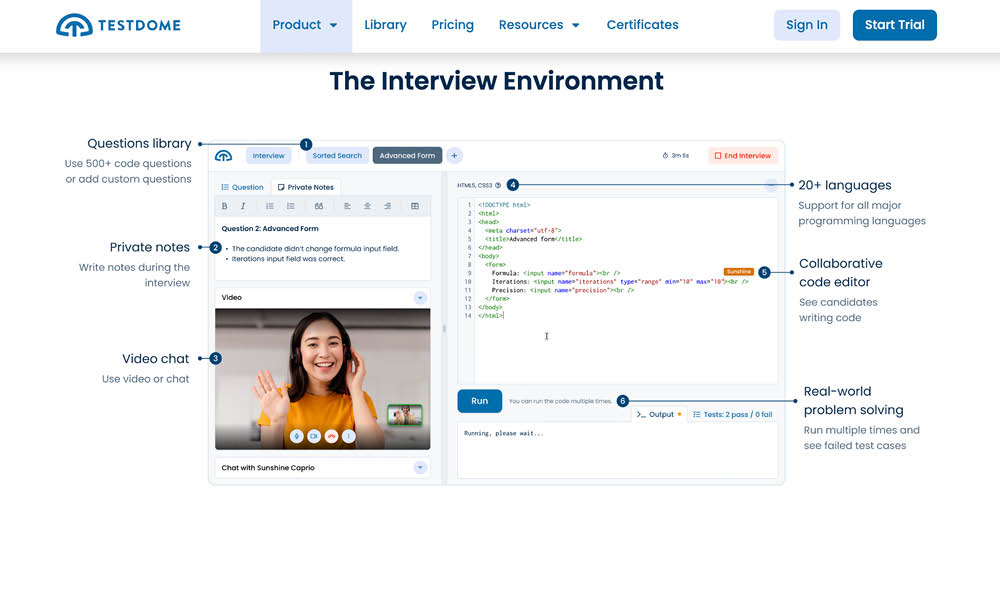 I pulled TestDome into the mix for one main reason: it doesn’t force you into an annual contract from the start. While many other platforms push yearly commitments, TestDome offers a one-time purchase starter pack alongside its subscription plans. That makes it a practical choice if you’re hiring your first engineer, running occasional technical interviews, or simply testing whether structured assessments are worth the investment.
What I also like is the flexibility. You can start small without committing a large budget upfront and scale your usage as your hiring needs grow.
That said, I wouldn’t choose TestDome if having the largest possible test library is your top priority. Its question library is smaller than what you’ll find on platforms like HackerRank or TestGorilla. For smaller teams with limited hiring needs, though, that may not be a major drawback. The simpler pricing approach can make it easier to get started.
Pros:
- A straightforward, candidate-friendly test experience
- Support responsiveness consistently came up as a strength in reviews I checked
- No forced annual contract; you can start with a one-time purchase
- Proctoring and anti-cheating controls add an extra layer of assessment integrity
- Simple, low-friction setup for smaller hiring teams that may not need its more advanced capabilities
- Pre-built technical and role-specific skills tests make it easy to assess candidates without creating tests from scratch
Cons:
- Smaller question library and market footprint than the larger platforms on this list
- Fewer native integrations than enterprise-focused competitors
User Rating: 4.6 (Capterra)
Price: Starter Pack begins at $20 as a one-time purchase, with additional subscription plans available as needs grow.
8. iMocha – Best for Enterprise Skills Intelligence Across Hiring and Internal Mobility
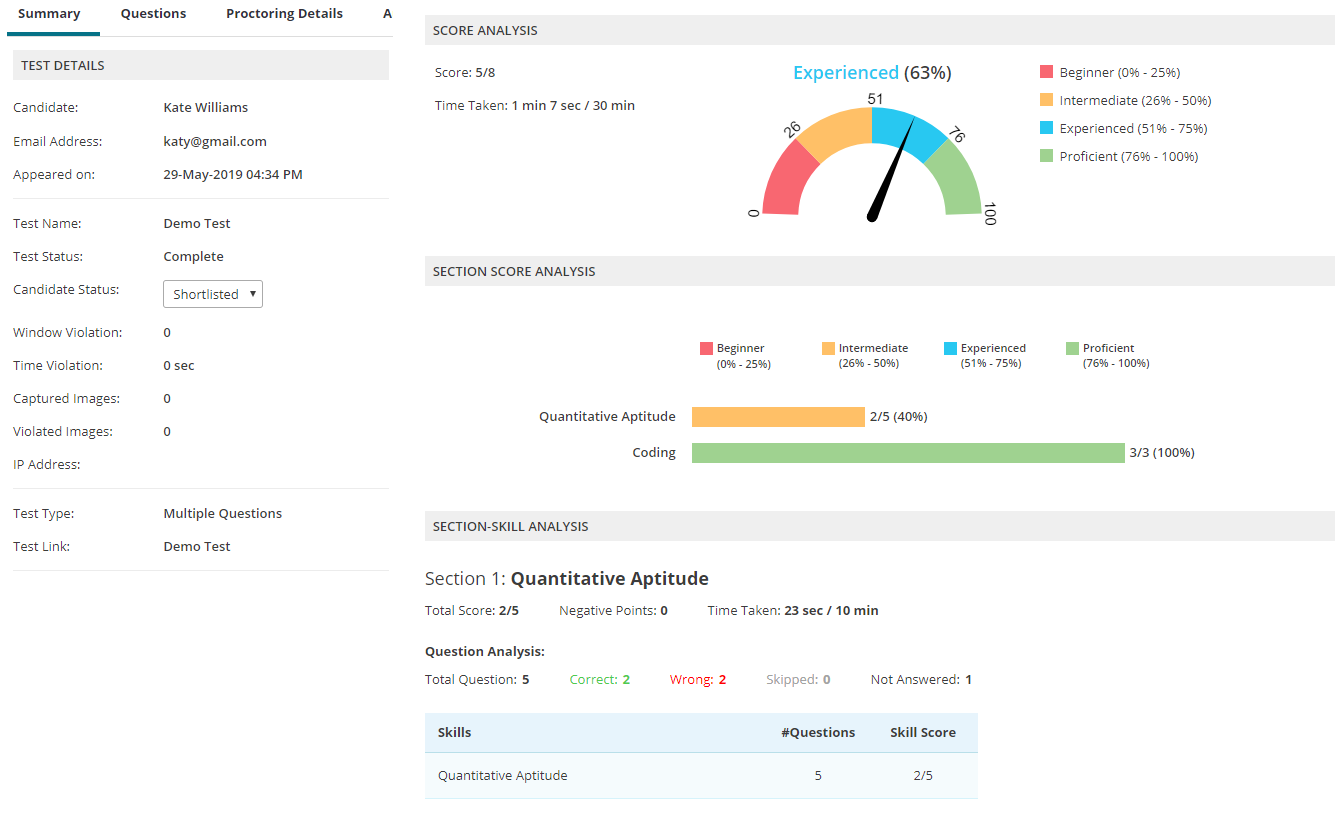
iMocha earned its place because it goes beyond hiring. The platform can assess candidates and map skills across existing employees, making it useful for organizations that want one system for recruitment and workforce development. This helps teams connect technical hiring with broader skills-gap analysis instead of managing separate tools.
Its intelligence capabilities also make it valuable for larger organizations. Teams can identify skill gaps, support upskilling initiatives, and make more informed talent decisions using the same platform. This broader approach can be especially helpful when hiring and employee development need to work together.
I’d recommend iMocha primarily to enterprise TA and HR teams. Smaller teams may find it more than they need if their main goal is straightforward coding assessments. Both the platform’s capabilities and pricing are better suited to larger organizations with more complex hiring and workforce needs.
Pros:
- Offers pre-built technical and role-specific skills tests
- Provides one-time purchase and subscription pricing options
- Includes proctoring and anti-cheating controls
- Delivers a simple, low-friction candidate testing experience
- Easy to set up for smaller hiring teams with straightforward assessment needs
Cons:
- Pricing starts around $400-plus/month with no published free tier
- Some users describe the interface and implementation as more complex than lighter-weight competitors
User Rating: 4.5 (Capterra)
Price: No published free plan; pricing starts around $400/month and scales with a custom quote for enterprise use.
My Top Picks for Technical Assessment Tools
After evaluating the top technical assessment tools for different hiring scenarios, these three stood out as the strongest choices depending on what your recruitment team actually needs.
ProProfs Quiz Maker
If I had to pick one technical assessment tool for a team that needs flexibility without a steep learning curve or enterprise pricing, that’s the main reason I would put it first as a recruitment assessment tool. Its AI-powered assessment creation, 20+ question types, question banks, automated grading, proctoring, and reporting make it easy to build and manage technical skills assessments without piecing together multiple tools.
HackerRank
For teams hiring developers at high volume, HackerRank is one of the strongest options on this list. Its extensive coding assessment library, support for multiple programming languages, and developer-focused evaluation capabilities make it a strong fit when recruiters need to assess actual coding skills at scale.
CoderPad
For teams that want to evaluate technical skills through live, collaborative interviews, CoderPad is the standout choice. Its shared coding environment lets recruiters and technical interviewers assess candidates as they solve problems in real time, making it particularly useful when live technical interaction is an important part of the hiring process.
How Did I Test and Rank These Technical Assessment Tools?
I didn’t rank these technical assessment tools based on feature lists alone. I looked at how well each platform handles real recruiting needs, from assessing technical skills and screening candidates to managing assessments, maintaining test integrity, and delivering useful results to hiring teams.
User reviews and ratings: I leaned on verified G2 and Capterra feedback, looking for patterns across reviews rather than one loud outlier. If several recruiters or hiring managers flagged the same gap or praised the same feature repeatedly, that moved the needle. A single five-star or one-star review didn’t.
Real technical capability, not marketing copy: I checked whether each platform’s claimed features actually held up: question type depth, anti-cheating controls that go beyond an honor system, reporting granular enough to show where a candidate is weak, not just an overall score, and whether AI-assisted question generation is genuinely useful or just a checkbox.
Ease of setup: If getting a first assessment live took hours instead of minutes, that friction compounds every time you hire for a new role. I favored platforms a recruiter without engineering support could actually run independently.
Candidate experience: A clunky, slow, or confusing test experience creates dropout and reflects badly on your employer brand before the candidate has even reached an interview. I factored in what candidates themselves said about each platform, not just what recruiters said.
Pricing transparency and real cost: I looked at what a team would realistically pay at the tier most recruiters would actually use, not just the advertised entry price, and flagged where features are gated behind expensive top tiers.
Integrity and security: For high-stakes technical hiring, proctoring, randomization, and integrity monitoring aren’t optional extras. I weighted platforms with real anti-cheating infrastructure over ones treating it as an afterthought.
Key Features of Modern Technical Assessment Tools
When I evaluated these online technical assessment tools, a few features consistently stood out as the ones that actually affect the hiring process. These are the capabilities I’d pay the most attention to when comparing platforms, because they can determine how quickly you can assess candidates, how trustworthy the results are, and how easily hiring teams can act on them.
AI-assisted question generation matters because it collapses the time between “we need a test for this role” and “the test is live.” Feeding in a job description or existing documentation and getting a graded assessment back saves real hours per requisition.
Proctoring and anti-cheating controls matter more than ever now that candidates have easy access to AI coding assistants; webcam monitoring, browser lockdown, and question randomization all reduce the odds you’re scoring an AI’s work instead of the candidate’s.
Question-level analytics matter because a single overall score tells you almost nothing; knowing a candidate aced SQL but failed every question on data structures tells you exactly where to focus the follow-up interview.
ATS integration matters because a technical assessment sitting in its own silo becomes one more tab your team forgets to check, which slows down time-to-hire regardless of how good the test itself is.
Hire Smarter With Technical Assessment Tools
Every platform I tested solves the same underlying problem in a different way: resumes don’t tell you what someone can actually do.
As Aline Lerner, CEO of interviewing.io, put it, “resumes are a terrible way to gauge if somebody can actually code. The real differences between these eight tools come down to where you’re willing to trade depth for simplicity, and price for polish.”
If you need enterprise-scale coding depth, HackerRank or Codility earn their price tag. If you need a live, collaborative interview experience, CoderPad is purpose-built for it.
But if you want a platform you can stand up today, customize without a developer, and use across technical, aptitude, and role-specific screening without enterprise pricing, ProProfs Quiz Maker is where I’d start.
Build your first assessment for free and see how quickly you get from job requisition to a graded, ranked shortlist.
Frequently Asked Questions
What are the best technical assessment tools for recruiters?
The strongest options depend on your hiring volume and needs. ProProfs Quiz Maker, HackerRank, Codility, TestGorilla, CodeSignal, CoderPad, TestDome, and iMocha each lead in a different use case, from customizable, budget-friendly screening to enterprise-scale coding depth.
What is the difference between technical assessment tools and coding interview platforms?
Technical assessment tools test knowledge, aptitude, and coding ability through structured, often asynchronous questions and tasks. Coding interview platforms, like CoderPad, add a live, collaborative environment where an interviewer and candidate work through a problem together in real time.
Are online technical assessment tools accurate for evaluating developers?
They're accurate for what they measure: specific technical knowledge and problem-solving under test conditions. In my experience, they work best combined with a live interview or code review, since a test score alone won't capture communication, collaboration, or system-design judgment.
How much do online technical assessment tools cost?
Pricing varies widely. Budget-friendly options like TestDome start around $20 for a one-time purchase, while ProProfs Quiz Maker offers a free plan available; paid plan starts at $19.99/month. Enterprise platforms like HackerRank, Codility, and iMocha typically run from $165/month into the thousands per year, depending on volume.
Do online technical assessment tools prevent cheating?
Most reputable platforms I tested include some combination of webcam proctoring, browser lockdown, IP tracking, question randomization, and plagiarism detection. No system is foolproof, but these controls meaningfully reduce the risk of a candidate outsourcing the test to someone, or something, else.
Can I use a technical assessment tool without a dedicated engineering team?
Yes. Platforms like ProProfs Quiz Maker and TestDome are built with pre-designed, expert-authored technical assessments so non-technical recruiters and HR generalists can screen candidates without writing their own coding questions.
What technical assessment tool is best for startups hiring their first engineers?
Startups generally do better starting with a free or low-commitment platform rather than an annual enterprise contract. ProProfs Quiz Maker's free plan, TestGorilla's free tier, or TestDome's one-time purchase all let you test the waters before scaling spend.
Do technical assessment tools integrate with an ATS?
Many do, though integration depth varies and is sometimes locked behind higher-priced tiers. ProProfs, HackerRank and iMocha offer some of the deepest native ATS connections I found, while platforms like TestGorilla and CoderPad reserve full integrations for their top-tier plans.
How long should a technical assessment take a candidate to complete?
Based on what I've seen work best, most effective technical screens run 30 to 45 minutes. That's long enough to cover core skills without causing fatigue or drop-off, and short enough that qualified candidates won't abandon the process partway through.
What should I look for when comparing technical assessment tools?
Focus on relevance to your actual roles, ease of building custom assessments, strength of anti-cheating controls, reporting depth, ATS integration, and total cost at your expected hiring volume, not just the sticker price on the entry plan.
Let ProProfs AI Build a Quiz

 We'd love your feedback!
What did you like & how can we make it even better?
 Thanks for your feedback!
 Ask Your Question
Have a question? Get expert help to make your decision easier.