

Corporate training assessments help me answer a simple question: Did the training make people better at the work they do every day? In fast-moving teams, budgets are reviewed often, so I prefer clear evidence over guesswork.
I’ve watched companies run training sessions, achieve high completion rates, and still deal with the same issues a few weeks later. Mistakes show up again. Customers feel it. Managers start wondering what actually improved.
That’s why I don’t treat assessments as a final quiz. I use them to check where people start, confirm they understood the training, and see what they remember later.
In this guide, I’ll walk through how to build corporate training assessments that are easy to run, fair to learners, and useful for proving ROI with real results.
What Are Corporate Training Assessments?
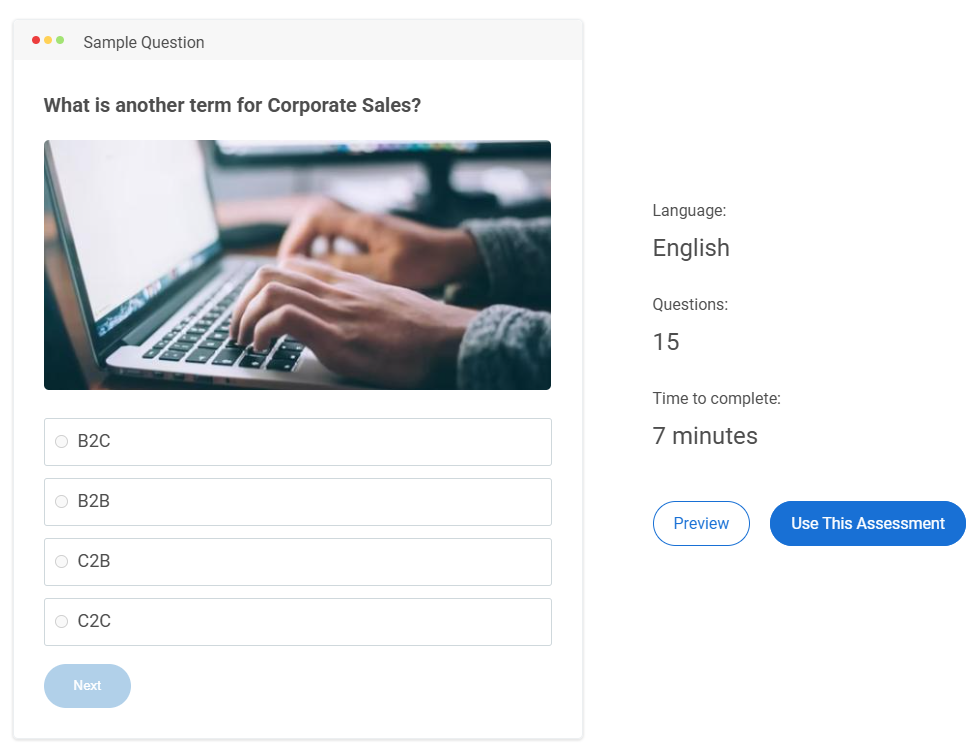
Corporate training assessments are short, structured checks used in corporate training programs to measure two things: what employees learned and whether they can apply it on the job. They help you confirm readiness, spot gaps early, and decide next steps like coaching, refresher training, or certification.
Most teams run these assessments online because it’s easier to assign them at scale, score consistently, and review results quickly.
Here are the common formats and when they’re useful:
- Objective questions for rules, policies, product facts, and procedures
- Scenario questions for real-world decision-making
- Workflow-style questions (ordering, matching) for process accuracy
- Open-ended responses when you need reasoning or explanation
The main point: these assessments are not just “tests.” They’re a practical way to keep training accountable and outcomes-focused.
When to Use Corporate Training Assessments
If you only assess at the end, you mostly learn one thing: who can pass a test right after training. A stronger corporate approach is to assess across the full life cycle so you can answer four practical questions:
- What do people know now?
- Are they learning as we go?
- Are they ready to perform?
- Did the training stick?
1. Before Training: Set a Baseline and Avoid Wasted Training
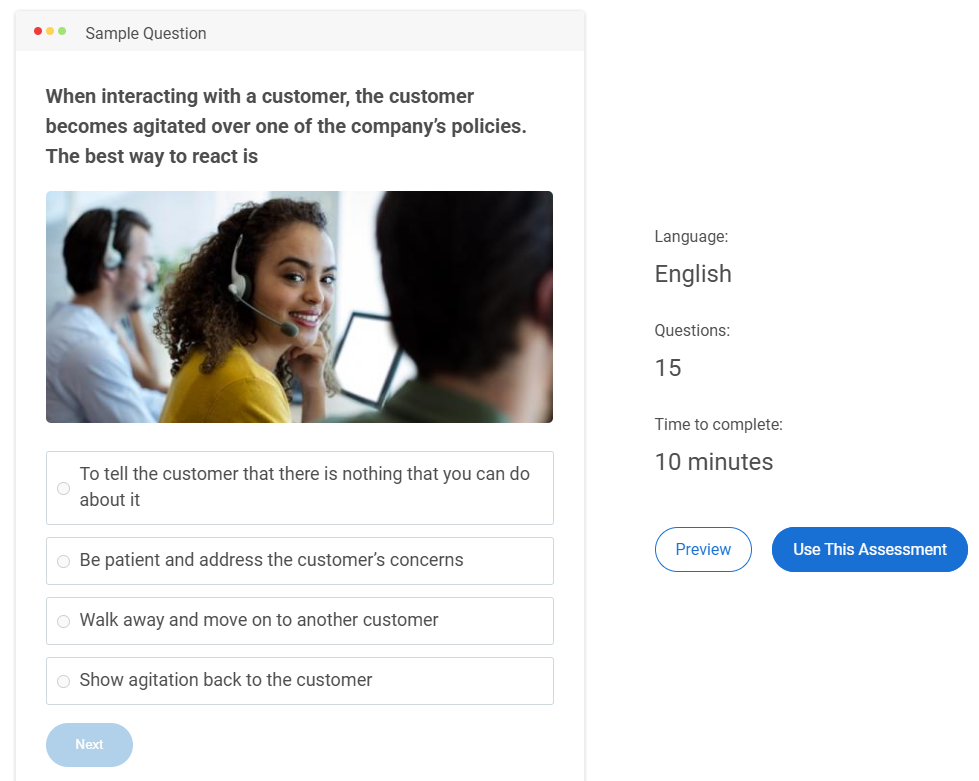
A pre-training assessment gives you a clear starting point. It helps you separate “people don’t know” from “people know but can’t apply,” and it prevents you from building training around guesses.
Use it for onboarding, product or process changes, role expansion, and performance dips. Keep it short and focused on the skills the training will target.
What to look for:
- Gap size by role, team, or region
- Topics that are consistently weak
- Whether the issue is knowledge or application
Example: Before a product rollout, a baseline shows one region understands pricing but struggles with positioning. Another region struggles with feature-to-use-case mapping. You adjust training instead of repeating what teams already know.
2. During Training: Catch Misunderstandings Early
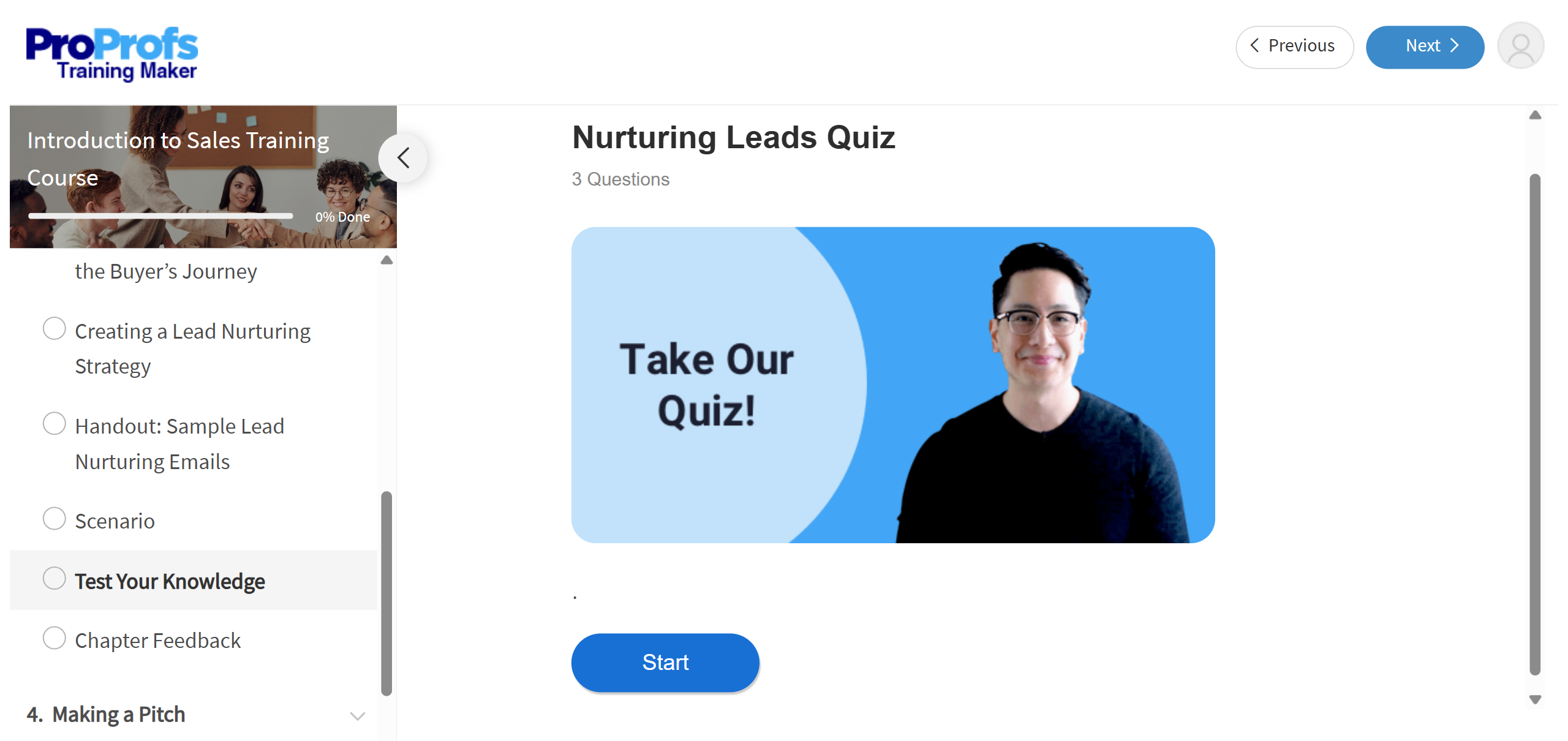
Formative checks stop small confusion from turning into costly mistakes. They also tell you when the training content needs improvement.
Use short checks after key modules and include quick explanations so learners improve while they’re taking the assessment.
What to look for:
- Score drops after a specific module
- The same wrong option being chosen repeatedly
- Misalignment between what was taught and what was tested
Example: After a cybersecurity module, scenario results show many learners miss spoofed sender cues. You tighten that lesson, add one clearer example, and run a quick recheck.
3. After Training: Validate Readiness, Not Just Completion
Post-training assessments confirm employees can meet the standard required for the role. This is where certification and pass criteria make sense for compliance, safety, and customer-facing work.
Use job-realistic questions. If performance matters more than memorization, lean on scenarios and “choose the next step” items.
What to look for:
- Pass rate by cohort or role
- Topic-level weaknesses that need reinforcement
- Critical risks that can’t be ignored even with a high score
Example: A safety assessment includes must-pass questions on critical rules. If someone misses those, they should not be certified.
4. After the Rollout: Check Retention and On-the-Job Use
A lot of training looks successful right away and then fades. Follow-up assessments help you see what stuck, what was forgotten, and who needs reinforcement.
Set frequency based on risk. High-risk topics need more frequent checks. Lower-risk topics can be lighter. If incidents rise, tighten the cycle temporarily.
What to look for:
- Which concepts decay fastest
- Which teams need refreshers versus coaching
- Whether changes to training improve long-term results
Example: Quarterly compliance refreshers keep policies current and reduce “we forgot the rule” incidents. If one cohort keeps missing the same scenario, you update the training and add manager follow-up.
Run assessments at these four points, and you get a complete picture: baseline, progress, readiness, and retention. That’s how you measure training effectiveness, not just training activity.
Benefits of Online Corporate Training Assessments
Online assessments do more than save time. They help you see what changed after training and what still needs work, without turning evaluation into a manual project.
- Same Standard Across Teams: Everyone is measured the same way, so results stay fair even when training is delivered across locations, shifts, or managers.
- Faster Content Improvements: When many learners miss the same question, it often points to unclear training content, not just learner carelessness. If a large group misses a step in a safety workflow, that’s a sign the module needs a clearer explanation.
- Clear Proof of Readiness: Pass rules and stored results make it easier to decide who is ready for real work, which is especially important for compliance, safety, and customer-facing roles.
- Proof for Compliance & Audits: In regulated environments, assessments double as evidence. They show who was trained, what was tested, when it happened, and whether standards were met. This matters during audits, investigations, or customer reviews as it demonstrates due diligence.
- Targeted Refreshers Instead of Full Retraining: Results show exactly which topics are weak, so reinforcement stays focused. If one team struggles with a single SOP step, you can assign a short refresher on that step instead of repeating the full course.
- Less Admin Work for Trainers: Automated scoring and reports reduce time spent grading and compiling results, freeing trainers to coach managers and improve training.
- Earlier Warning on Risk Topics: Misses on critical topics act like an early signal. If many people misunderstand a data-handling rule, you can address it before it becomes audit risk or customer impact.
- Progress You Can Track Over Time: Repeated checks show what sticks and what fades, so you can plan refreshers based on real patterns rather than guesswork.
How to Create a Corporate Training Assessment
The steps below show how to build an assessment inside a quiz tool so it stays clear for learners, manageable for trainers, and credible enough to support decisions like certification, access approval, or targeted refreshers.
Step 1: Set the Assessment Goal, Audience, and Passing Rule
Start by setting the intent of the assessment. This sounds obvious, but many assessments fail because they try to do multiple jobs at once.
Define three basics up front:
- Goal: readiness check, certification, or retention check
- Audience: who will take it, such as new hires, frontline staff, managers, or a specific team
- Passing Rule: pass score, plus whether any questions are must-pass
Example: A safety or compliance assessment often needs a higher pass score and must-pass questions for critical rules. A product knowledge check can be less strict if it is meant to guide follow-up training, not certify.
If different roles do different work, avoid one assessment for everyone. A role-based assessment feels more relevant to learners and gives cleaner signals about training gaps.
Step 2: Pull Testable Content From Your Training Materials
Use the same materials employees trained on, such as slides, SOPs, policy documents, playbooks, handouts, or course modules. This keeps the assessment fair. Learners should recognize the content as what they were taught.
As you review the materials, look for content that directly affects performance:
- Rules: what employees must follow to stay compliant and consistent
- Steps: what must be done in the correct order to avoid errors
- Decisions: what choices employees must make in real situations
- Exceptions: edge cases that usually cause mistakes
Example: If training teaches how to handle escalations, do not only ask for definitions. Test decision points like when to escalate, what details must be collected, and what to do when information is missing.
This step helps you avoid trivia. If a fact will not change behavior or outcomes, it does not need to be assessed.
Step 3: Choose Question Formats That Fit What You Are Measuring
Question format shapes what you learn. A good corporate assessment uses formats that match the skill being trained.
Use this mapping to keep format choices practical:
| Training Content | Format to Use | What It Confirms |
|---|---|---|
| Rules and basic procedures | Multiple choice, true/false | Knows the rule |
| Decisions under pressure | Scenario questions | Chooses the right action |
| Step-by-step workflows | Ordering, matching | Follows the process |
| Reasoning and judgment | Short answer | Explains the choice |
Example: If training covers a workflow like “refund approvals,” ordering questions check whether learners know the sequence. Scenario questions check whether they can choose the correct next action when a customer is upset or when an exception applies.
Most teams get the best results with a mix. Objective questions cover key rules efficiently. Scenarios add realism and reveal whether learners can apply training.
Step 4: Draft Questions Inside the Tool
Now build the assessment. Add questions in a logical order, ideally grouped by topic. Topic grouping keeps the learner experience smoother and makes it easier to reuse sections later.
Aim for clear, job-focused writing:
- Ask one thing per question
- Keep wording direct
- Make wrong options realistic, based on common mistakes
- Rewrite anything that could be read two ways
If your quiz tool supports AI drafting, this is the most natural place to use it. For example, ProProfs Quiz Maker offers an AI quiz generator that can draft questions from training materials like slides, SOPs, and policy documents.
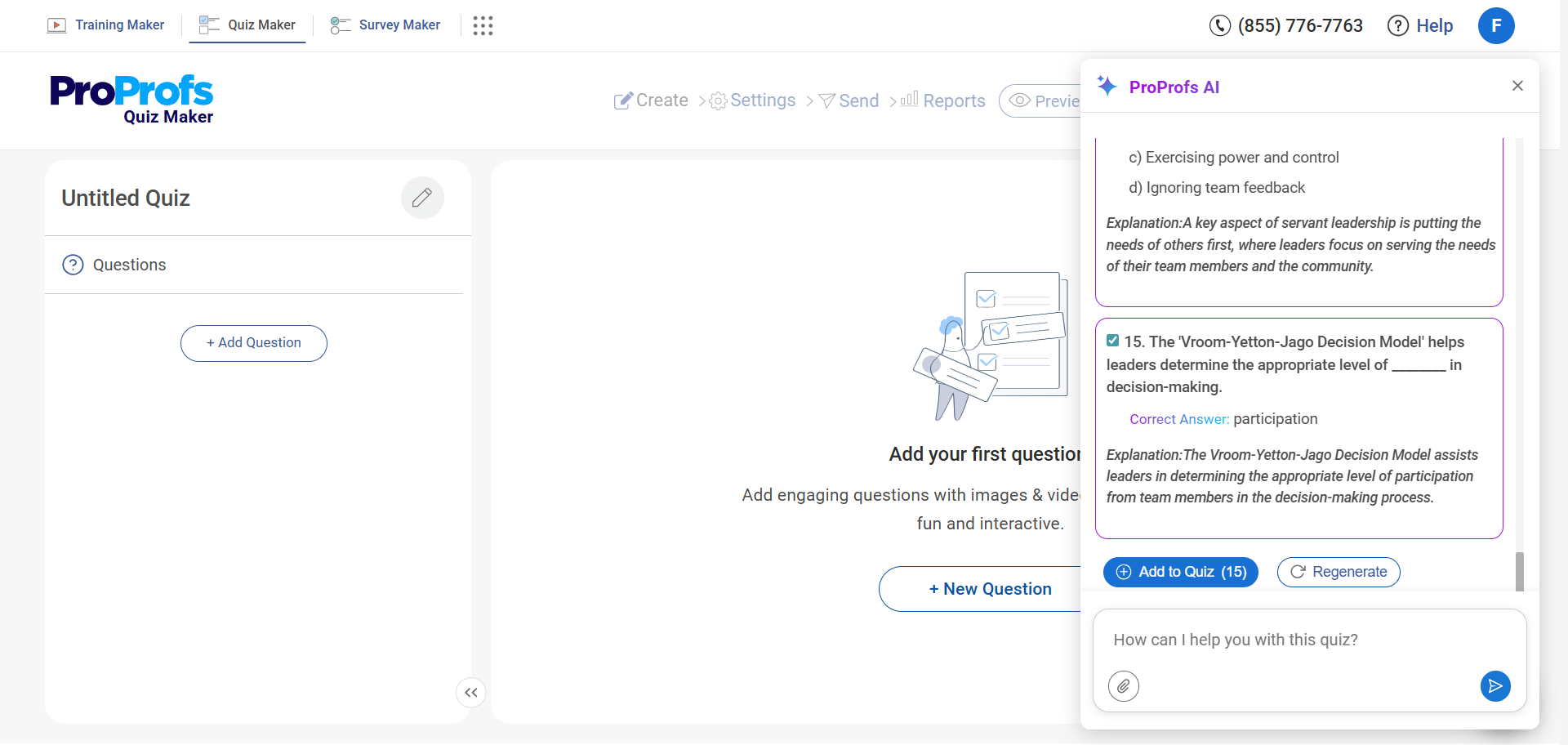
A simple way to stay organized is to draft one topic section at a time, review it, and move to the next.
Step 5: Set Scoring and Learner Feedback
Scoring is not only a number. In corporate training, it supports decisions.
Set:
- Pass score: what learners need to meet the standard
- Must-pass items: critical rules that cannot be missed
- Attempts: whether retakes are allowed and under what conditions
- Feedback: what learners see after submission
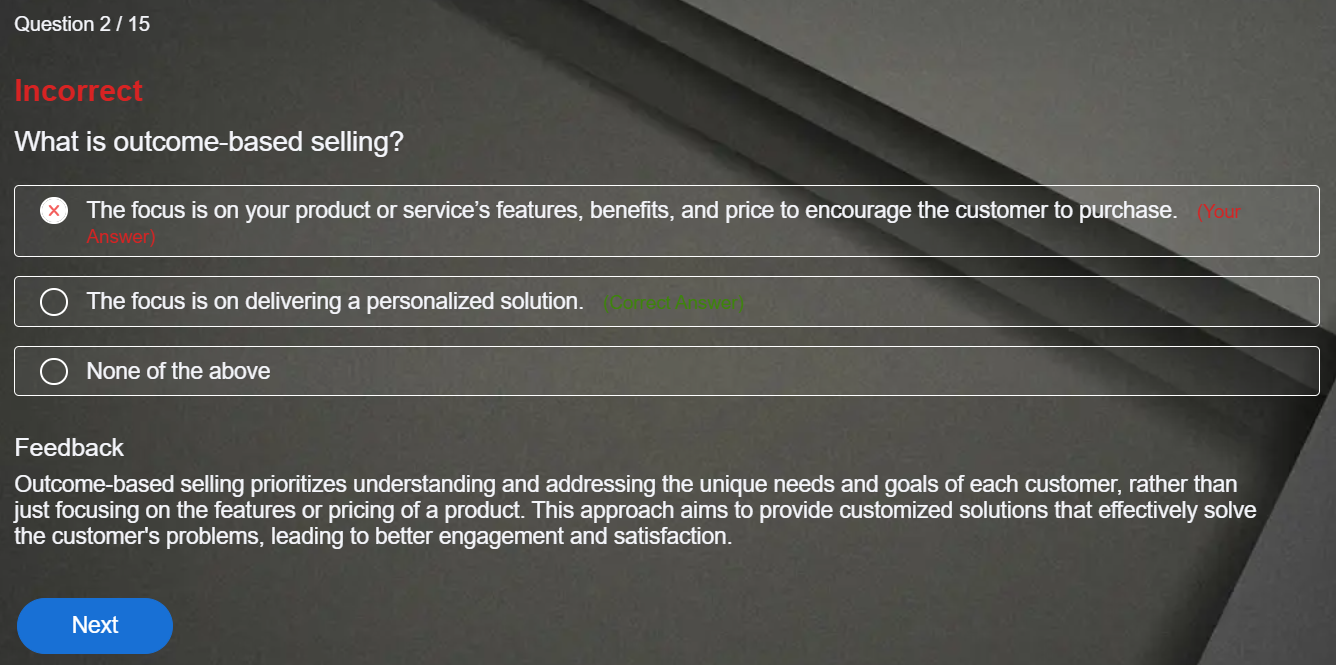
Example: For a learning check, showing correct answers and brief explanations can reinforce knowledge. For a certification-style assessment, you may limit feedback to a final score or pass/fail to reduce answer sharing.
Keep scoring aligned with the goal. If the assessment is meant to certify readiness, ensure the most important job decisions carry enough weight.
Step 6: Configure Grading & Integrity Controls
This step is about making results consistent and trustworthy.
For grading:
- Use automated grading for objective questions so results are instant.
- If you use short answers, define a simple rubric or model answer. If AI-assisted scoring is available in your tool, it can help evaluate short responses against that rubric and reduce manual review.
For integrity, add controls only when the stakes require them:
- Time limits
- Question and option randomization
- Question pools to rotate items across cohorts
- Access controls, such as passwords or unique links
- Browser restrictions and proctoring settings when needed
Example: A quarterly refresher may not need strict controls. A compliance assessment tied to certification often does.
Watch: How to Prevent Cheating in Online Assessments | 9 Proven Strategies
Step 7: Pilot, Launch, and Trigger Next Steps
Run a pilot with a small group that represents the real audience. This helps you catch confusing wording, unexpected timing issues, and questions that are too easy or too hard.
After the pilot, adjust what is needed:
- Simplify unclear questions
- Remove ambiguous options
- Fix questions that test content not covered in training
- Rebalance sections that feel too heavy or too light
Launch the assessment and tie results to actions so the assessment actually improves training:
- Pass: certify, sign off, or move forward
- Near-pass: assign a targeted refresher by topic, retest
- Fail or critical miss: coaching or retraining, retest
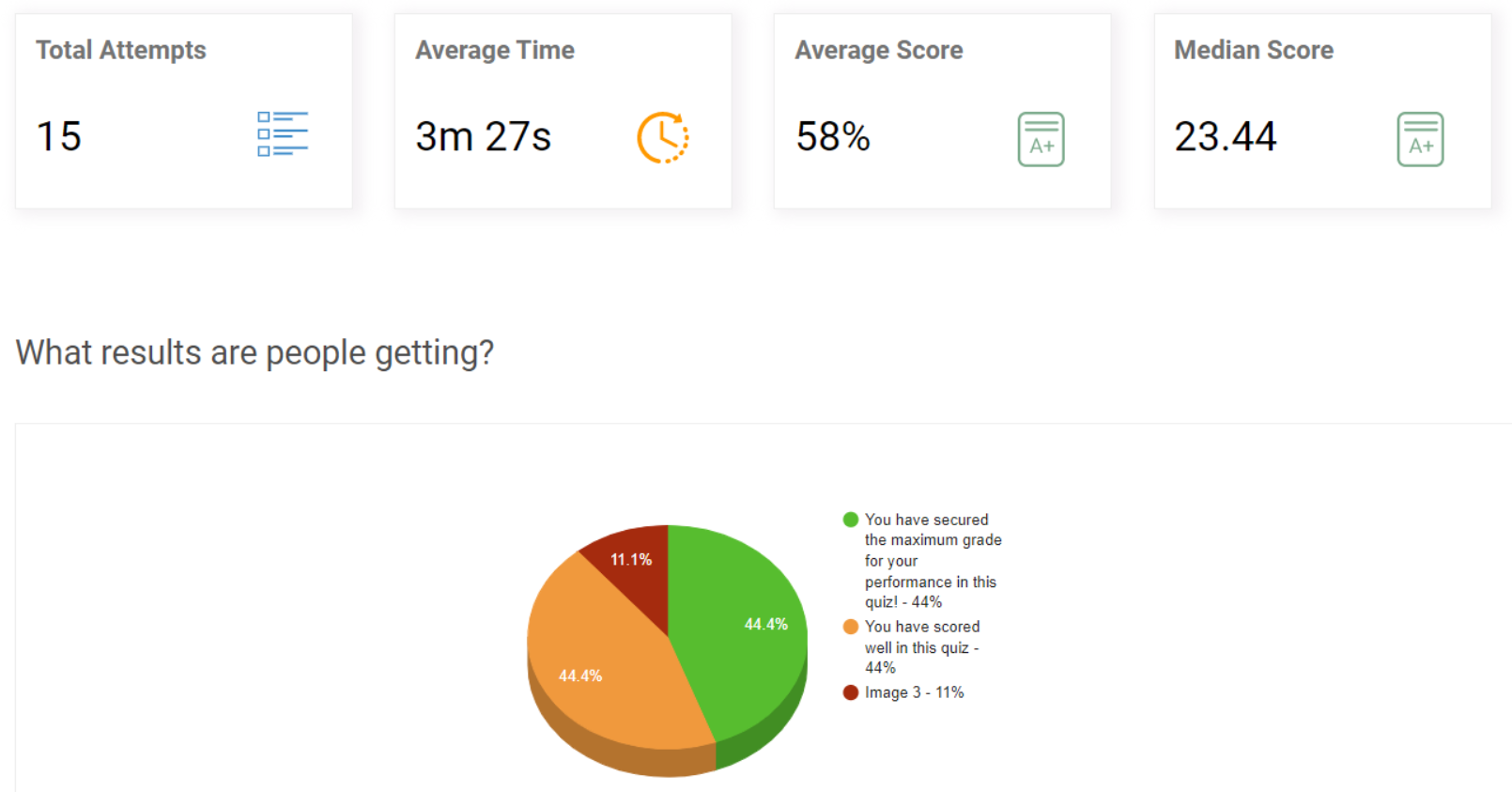
That final loop is what separates a corporate training assessment from a quiz. The results lead to clear follow-up, not just a score sitting in a report.
How to Measure Corporate Training Effectiveness With Assessments
Corporate training assessments help you prove whether training worked and whether it was worth the spend. The trick is to measure change, not just a final score, and connect that change to a business metric.
1. Start With a Simple “Impact Chain”
Before you measure anything, connect training to an outcome in one line.
Training topic → skill/decision improvement → work metric change → business value
Example: De-escalation training → better choices in tense scenarios → fewer escalations → lower cost per ticket.
This keeps your assessment focused on what matters on the job.
2. Use Three Checkpoints Instead of One Test
One post-training test is easy to dismiss. Three checkpoints are harder to argue with.
- Baseline assessment: shows where people started
- Post-training assessment: shows immediate learning improvement
- Follow-up assessment: shows what stuck after time passed
Keep the skill measured consistent across all three. Change the questions, but test the same real-world decisions.
3. Measure Two Things: Learning and On-the-Job Use
To show training impact, measure both capability and application.
Learning: Did employees improve in the skill the training taught?
A practical signal is score lift on scenario questions or process questions from baseline to post-training.
On-the-Job Use: Are employees still making the right choices later?
A practical signal is follow-up assessment performance paired with a manager check or quality review.
Example: A process training may show higher post-training scores, but a follow-up check plus fewer process errors is what proves it transferred to work.
4. Tie Assessment Results to One Business Metric
Pick one business metric that training is supposed to move. Do not pick five. One clean connection is more persuasive.
Good options include:
- Error rate or rework
- Customer escalations or complaint rate
- Audit findings or policy violations
- Cycle time or time-to-complete a workflow
- Refunds/credits due to mistakes
Pair it with one assessment signal that measures the skill behind that metric, such as scenario accuracy on the top 10 situations employees face.
5. Calculate ROI Only When You Need the Money Answer
If leadership wants the financial story, keep it simple.
ROI (%) = (Monetary Benefits − Training Costs) ÷ Training Costs × 100
Assessments help prove the capability change. Business data helps convert that change into money. For example, if errors drop after training and each error costs time and rework, you can estimate savings and compare them to the total training cost.
Tips & Best Practices for Corporate Training Assessments
Corporate training assessments often fall apart in practice, not because the idea is wrong, but because they are hard to reuse, slow to manage, or easy to game. The best practices below focus on making assessments smoother to run and easier to trust.
1. Draft Questions in an Import-Ready Format
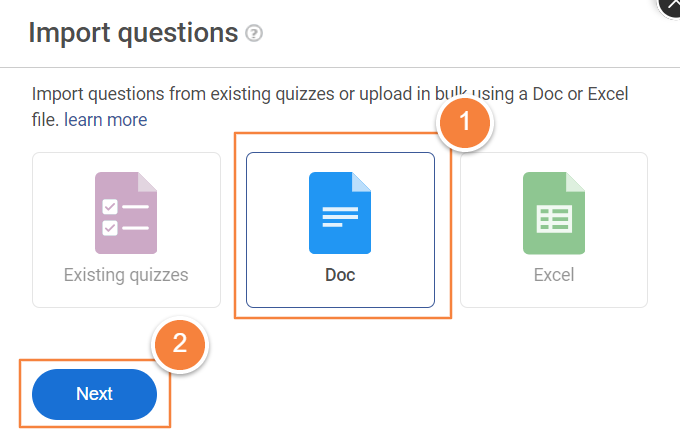
Even if questions start in a document, keep them in a structure that’s easy to move into an assessment tool without rework. Keep one skill per question, keep answer options short, and use consistent wording so setup is faster and cleaner.
2. Build a Reusable Question Bank by Training Area
Create a question bank for recurring areas like onboarding, product knowledge, SOPs, safety, and compliance. This lets you reuse strong questions across cohorts and update items once when policies or processes change.
3. Rotate Questions for Retakes and Repeat Cohorts
Retakes and repeated training cycles can lead to answer sharing. Use question pools so each learner gets a different set while testing the same skill. This keeps results more trustworthy without increasing admin work.
4. Use Media Where Accuracy Matters
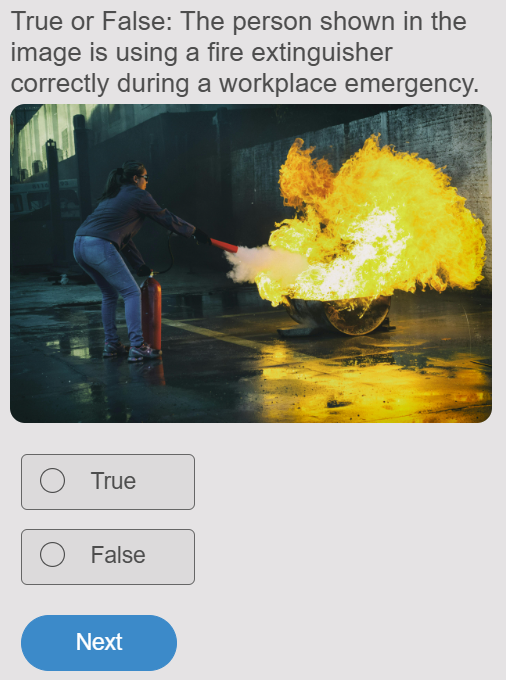
When performance depends on what people see on a screen, label, or form, use screenshots or realistic artifacts instead of describing them. This reduces confusion and makes the assessment closer to real work.
5. Automate the Parts That Slow Training Down
Use auto-grading for objective items, completion signals for managers, and certificates where proof matters. Reducing manual chasing and grading makes assessments easier to run consistently at scale.
Watch: How to Automate Quiz Scoring & Grading
6. Review Item-Level Results to Improve Training Content
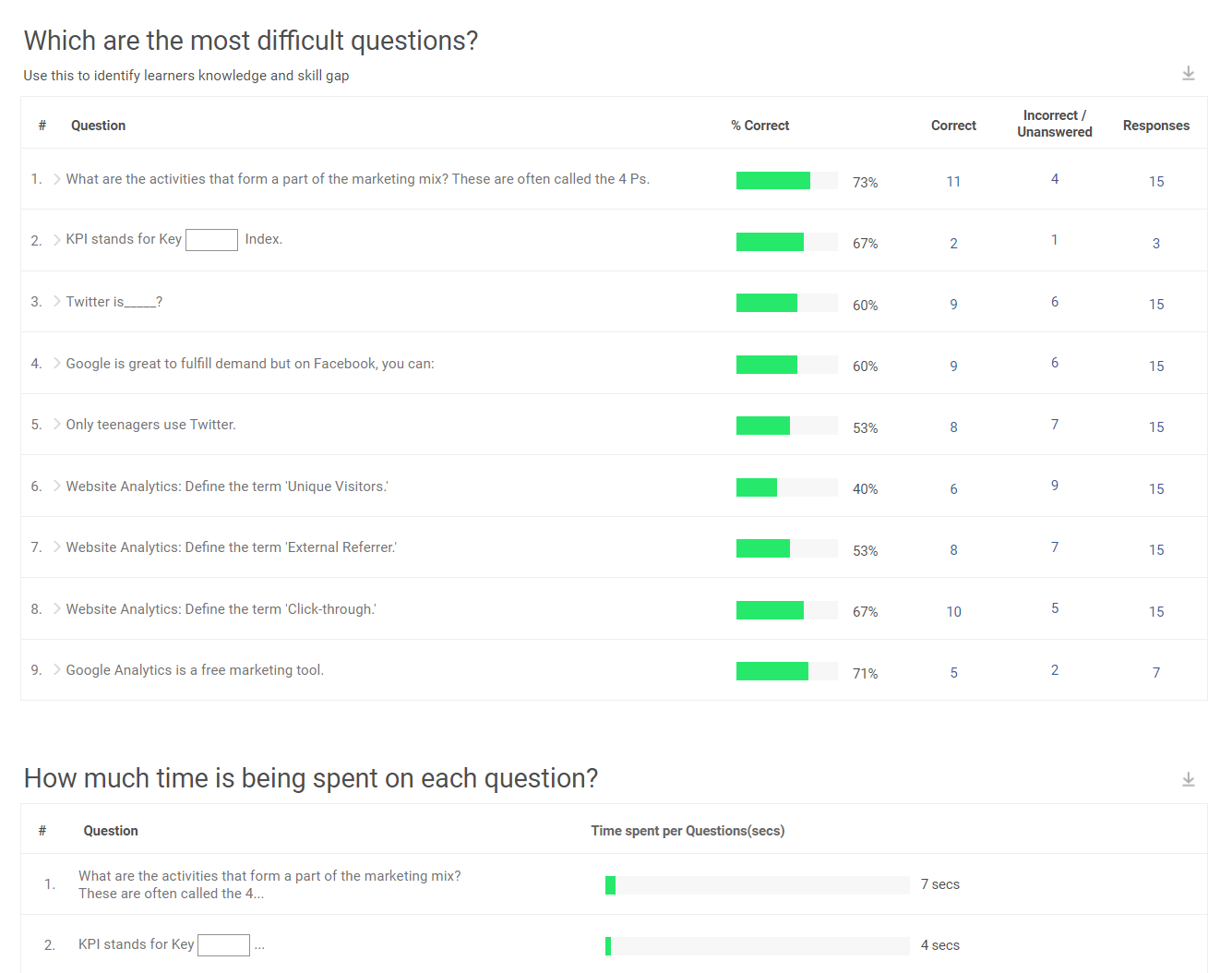
Don’t stop at average scores. Look at the most missed questions and the most chosen wrong options. Those patterns often point to unclear training explanations or steps that need better examples.
7. Use Security Controls Only When the Outcome Requires Trust
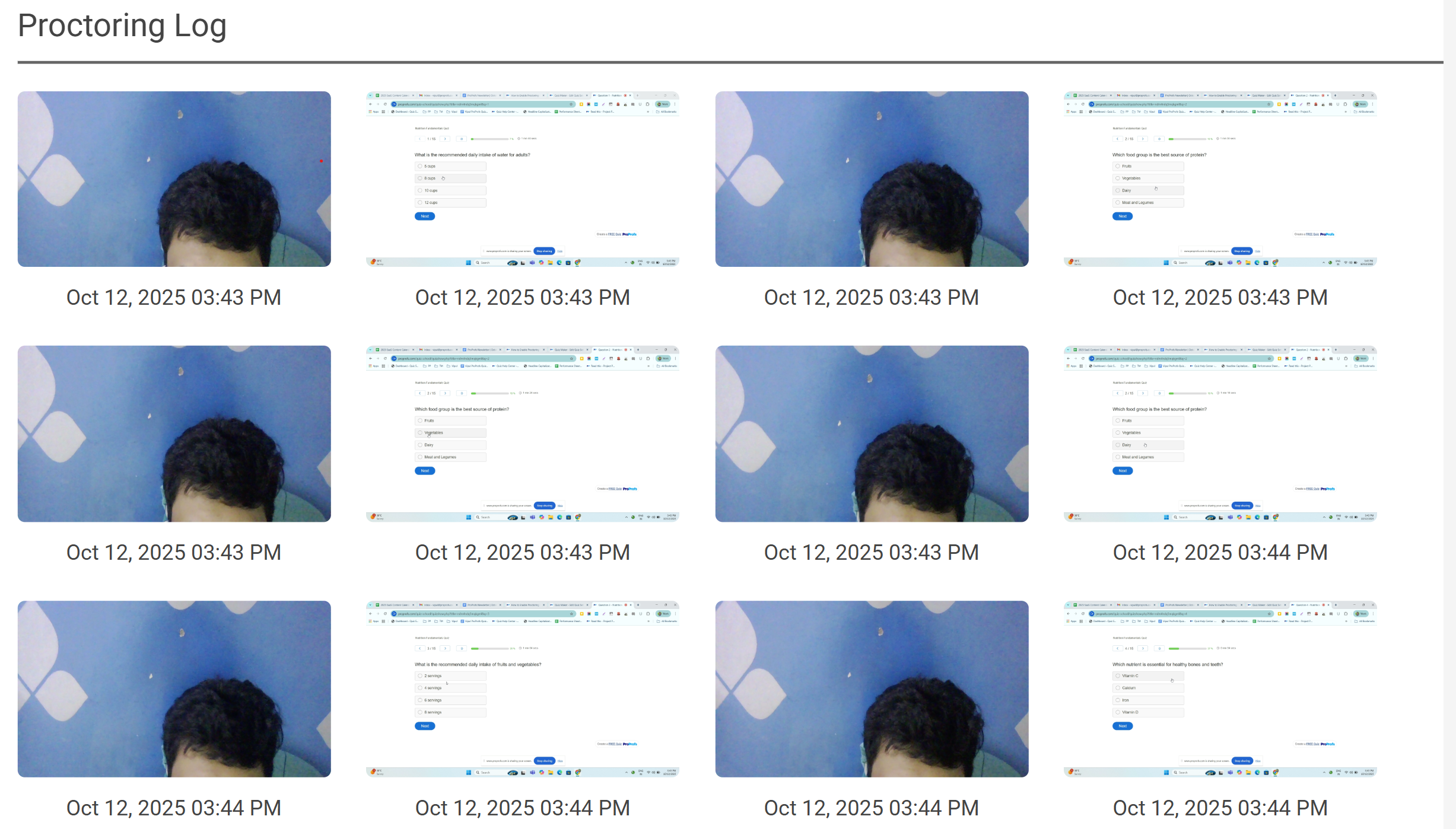
For compliance or certification assessments, use time limits, randomization, access controls, and proctoring settings. For low-stakes refreshers, keep controls light so learners focus on reinforcement rather than restrictions.
Turn Training Results Into Measurable ROI
Corporate training assessments help you move beyond completion rates and get clear proof that training is improving performance. When you assess at the right points and review results with intent, you can spot gaps early, validate readiness, and reinforce what matters before issues show up on the job.
The real value comes from doing something with the results. Use scores and patterns to tighten training content, target refreshers to specific weak areas, and keep managers aligned on what “good” looks like in real work.
If you’re looking for a simple way to run corporate training assessments at scale, an AI-powered online quiz software like ProProfs Quiz Maker can help you create assessments faster and track results with less manual effort, without making the process feel heavy.
Frequently Asked Questions

What is a good passing score for a corporate training assessment?
A good passing score depends on how risky the topic is. Compliance, safety, and customer-facing work usually need a higher pass score because mistakes have real consequences. Lower-risk topics can use a moderate pass score when the goal is spotting gaps and assigning refreshers.
How can organizations prevent cheating in online corporate training assessments?
Organizations can reduce cheating by using time limits, randomizing questions and options, restricting access with passwords or unique links, using question pools, and enabling proctoring when needed. For low-stakes refreshers, lighter controls often work better and keep the experience smooth.
When should organizations run follow-up assessments after training?
Follow-up corporate training assessments usually work well a few weeks after training to check what stuck. After that, frequency should match risk. High-risk topics may need monthly checks, while lower-risk topics can be quarterly or triggered by incidents, audits, or process changes.
What should organizations do if training assessment scores improve but job performance does not?
When scores rise but performance stays the same, the assessment may be testing recall instead of real decisions. Add more job-based scenarios, improve examples in the training, and add simple manager reinforcement. It also helps to check whether the workflow itself is unclear, because training cannot fix a broken process.

Let ProProfs AI Build a Quiz

 We'd love your feedback!
What did you like & how can we make it even better?
 Thanks for your feedback!
 Ask Your Question
Have a question? Get expert help to make your decision easier.