
If you’ve ever stopped mid-scroll to take a “What type of marketer are you?” quiz, you already know how hard these things are to put down. There’s something about a good quiz that just pulls you through to the end.
That pull is exactly what makes quiz funnels so effective for lead generation. According to the Outgrow 2025 Interactive Content Benchmark Report, interactive formats like quizzes average a 47.3% conversion rate compared to just 2.8% for static forms. That is not a marginal improvement. That is a different category of result entirely.
The challenge is finding quiz funnel software that actually delivers on its promise. I’ve tested enough of them, tools that look solid until real traffic hits, integrations that fail mid-campaign, pricing that suddenly spikes when you start scaling, to know which ones hold up and which ones don’t.
What Is a Quiz Funnel, and Why Does It Work Better Than a Form?
A quiz funnel is a way to engage visitors, collect data, and guide them to the right next step based on their answers. Instead of asking for information upfront, you offer value first, usually in the form of a result or insight.
I’ve found that this shift changes everything.
A static form gets you basic details. A quiz gives you intent. You learn what someone is struggling with, how experienced they are, and what they actually need. That’s what turns a contact into a qualified lead.
There’s also a misconception that quiz funnels are only useful for personality tests or product recommendations. In practice, I’ve seen them work really well in more serious use cases:
- Pre-hire screening to filter candidates before interviews
- Compliance training to route employees based on knowledge gaps
- Onboarding to tailor training based on existing knowledge
According to a 2025 report by Marketing LTB, users spend an average of 4.5 minutes on an interactive quiz compared to just 1.3 minutes on a static landing page. That engagement gap is exactly why lead quality improves. At its core, it’s simple logic: score responses and route people accordingly.
Quiz funnel software is what makes this possible. It helps you build the quiz, capture responses, apply scoring, and connect the data to your CRM or follow-up workflows.
9 Quiz Funnel Software Tools for Lead Generation & Conversions
I’ve tested quite a few of these tools, and the difference becomes obvious once you start using them with real traffic. Here are the ones that actually hold up.
| Tool | Best For | Capterra Rating | Starting Price |
|---|---|---|---|
| ProProfs Quiz Maker | Secure quizzes and assessments with AI or templates | 4.5/5 | Free; paid plans start at $19.99/month |
| LeadQuizzes | Quality lead generation | 4.3/5 | $37/mo |
| Outgrow | Marketing surveys and calculators | 4.8/5 | $14/mo |
| Riddle | Collaborative quiz creation | 4.6/5 | $59/mo |
| Qzzr | Interactive polls | 4.2/5 | $24.99/mo |
| Thrive Quiz Builder | Audience segmentation on WordPress | 4.3/5 | $149/quarter |
| Brandquiz | White-labeled quizzes | 4.1/5 | $19/mo |
| ScoreApp | Third-party CRM integrations | 4.7/5 | $39/mo |
| Interact Quiz Maker | AI-generated marketing quizzes | 4.5/5 | Paid from $20/mo |
1. ProProfs Quiz Maker – Best for Creating Quizzes & Assessments for Business, Training, and Education
I have used ProProfs Quiz Maker for everything from candidate screening to compliance training to straight-up lead gen campaigns, and the thing I keep coming back to is how little setup friction there is. You can feed the AI builder a PDF, a YouTube video, a webpage, or a plain text prompt, and it generates a complete, scored quiz with variations and explanations.
You can also import questions directly from Excel or Word, which saves a lot of time when you are working with existing question banks. For a marketing team that is not technical and does not want a developer involved every time someone needs a new quiz, that matters.
Here, you can try it yourself, just add a simple prompt and create a quiz in minutes.

Let ProProfs AI Build a Quiz
What stands out to me is how well it handles both sides of the use case. The lead capture forms are fully customizable, the CRM integrations with HubSpot, Mailchimp, and Salesforce are native, and the analytics show completion rates, drop-offs, and answer-level data. You can also just ask the AI directly which question or step is causing the most drop-off, instead of digging through the completion data yourself.
On the assessment side, you get AI-based scoring with custom rubrics, along with features like browser lockdown, webcam proctoring, question pooling, and automated certification. You are not stitching tools together. It all works in one place.
For the pre-hire screening and compliance use cases specifically, it can also flag answers that show signs of being AI-generated, which matters more now that candidates and employees have easy access to AI tools.
Pros:
- AI quiz builder works from documents (DOC, PDF, PPT), videos, webpages, or a text prompt
- 1,000,000+ question library, so setup is fast regardless of topic
- Customizable lead capture forms that sync directly to your CRM
- Built-in proctoring: webcam monitoring, browser lockdown, IP tracking, question randomization, and AI detection of AI-generated answers
- 20+ question types, including image-based, video response, scenario-based, and interactive formats
- Question pooling from shared banks, so each respondent gets a different set
- Time limits per full quiz or per individual question
- Flexible grading with configurable scoring rules, partial credit, and passing criteria
- Automated certification and recertification with branded certificates
- Instant feedback with explanations after every attempt
- White-label options: custom domain, logo, colors, and fonts
- Detailed analytics covering completion rates, score distributions, drop-off data, and AI you can query directly for the answer
Cons:
- No dark mode, which affects comfort during long assessment sessions
- Cloud-only; no on-premise deployment available
Capterra Rating: 4.4/5
Pricing: Free for short quizzes and all essential features. Paid plans start at $19.99/month, Business at $39.99/month, and Enterprise at $199.99/month.
2. LeadQuizzes – Best for Generating Quality Leads
LeadQuizzes does not try to be everything. It is built for one job: turning quiz takers into qualified leads, and it does that job well. I have recommended it to marketers who need a focused lead generation tool and do not want the overhead of a full assessment platform.
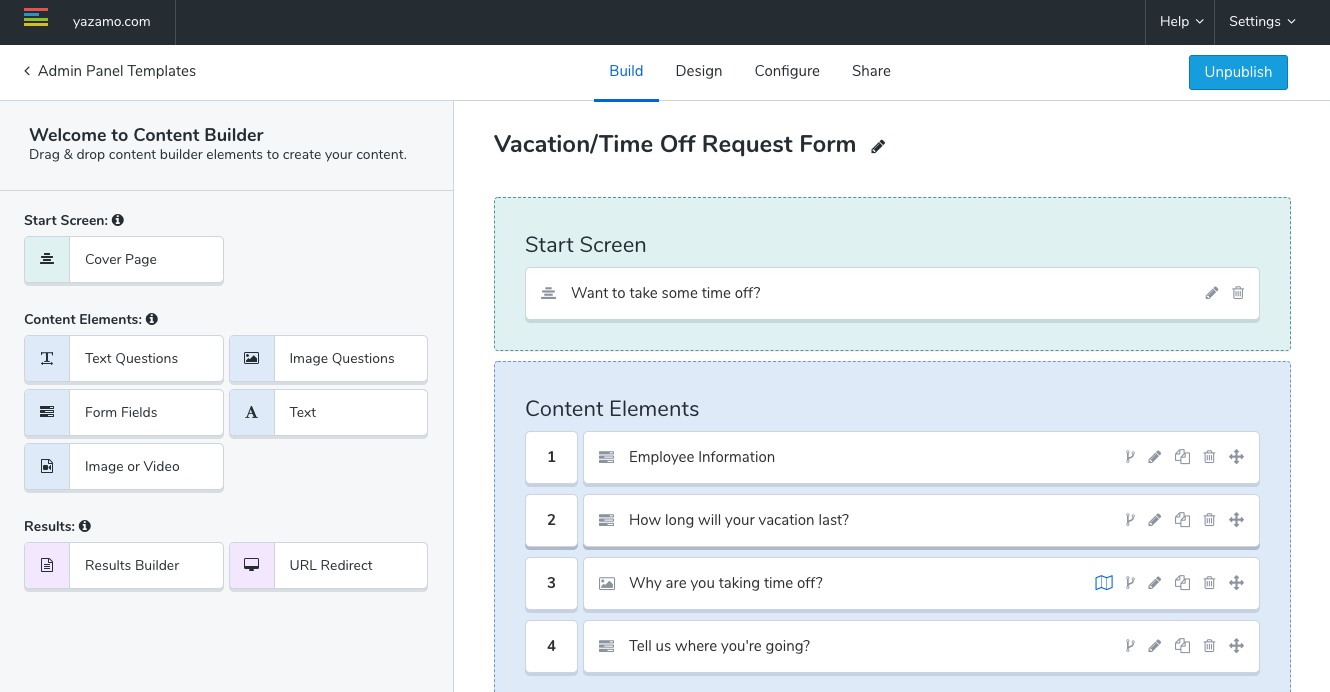
The feature I keep pointing people to is the lead form timing. Most tools ask for an email upfront (which kills completion) or after the result (when interest has already peaked). LeadQuizzes places the form after all the questions but just before the result, and that timing difference produces a measurable lift. You also get lead scoring, which means your sales team receives a ranked list, not just a list. The person who worked through every question thoughtfully gets treated differently from the one who clicked through in thirty seconds.
Pros:
- 75+ customizable templates for quizzes, surveys, and forms
- Lead form positioned between questions and results for higher capture rates
- Conditional logic for branching paths based on previous answers
- Lead scoring that ranks leads by engagement and response quality
- Exit-intent pop-up to recover abandoned visitors
- A/B testing for quiz variations to improve conversion over time
- Email marketing integrations for automated follow-up sequences
Cons:
- No support for video, testimonials, or media badges inside quiz content
- Analytics are fairly surface-level; no question-level drop-off data available
Capterra Rating: 4.3/5
Pricing: Starts at $37/month, billed annually.
3. Outgrow– Best for Marketing Surveys
Outgrow is the tool I point to when someone says “I want more than just quizzes.” It covers calculators, assessments, polls, and product recommendation engines alongside quizzes, all from a single account. For content teams building multiple interactive formats across a campaign, that consolidation saves real time.
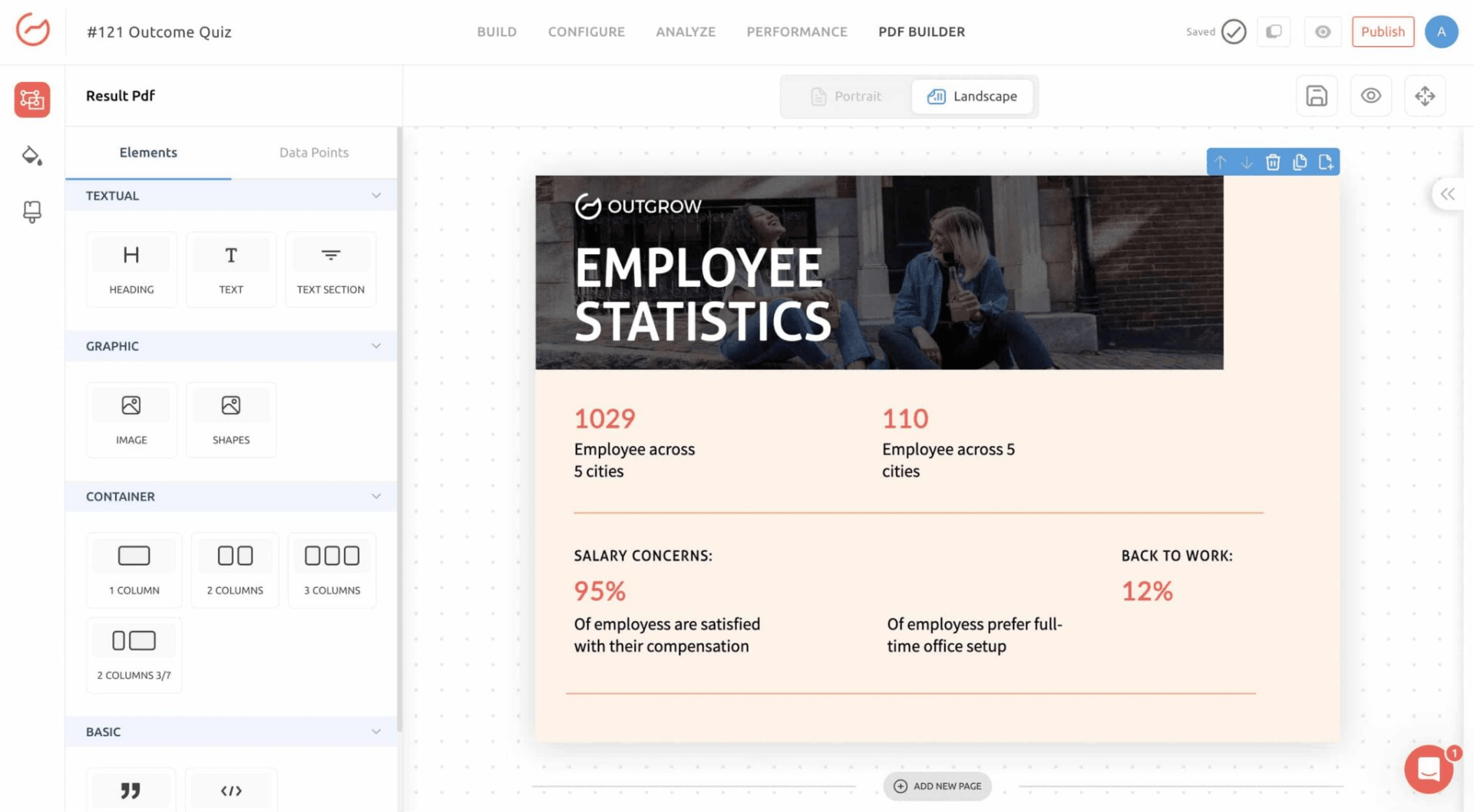
What I find most useful, and what my demand gen peers keep bringing up, is the funnel analytics. You can see exactly where people are dropping off inside your quiz, which specific questions are causing abandonment, and what patterns repeat across thousands of completions. If you are sending paid traffic to a quiz funnel and need to iterate fast on conversion, that data is worth the price of admission on its own. The ability to send personalized emails based on quiz outcomes directly from the platform also cuts out one integration that tends to become a failure point in complex funnels.
Pros:
- Branching logic, conditional messaging, and multiple result outcomes
- Funnel analytics that show exact drop-off points per question
- Fully customizable lead capture forms within the quiz flow
- Personalized marketing emails sent from the platform based on quiz outcomes
- Multiple content formats in one account: quizzes, calculators, assessments, polls, recommendation tools
- Strong security and GDPR-compliant data handling throughout
Cons:
- No WordPress editing; you cannot modify Outgrow quizzes from within WP
- Customer support response times are inconsistent, and tutorials are thinner than you would expect at this price
Capterra Rating: 4.8/5
Pricing: Starts at $14/month, billed annually.
4. Riddle– Best for Collaborative Quizzes
Riddle is the one I reach for when multiple people need to be working on the same quiz simultaneously. The real-time collaboration, live editing, and shared workspaces make the workflow feel more like Google Docs than a solo publish-and-pray tool, which matters when you have copywriters, designers, and brand approvers all involved before anything goes live.
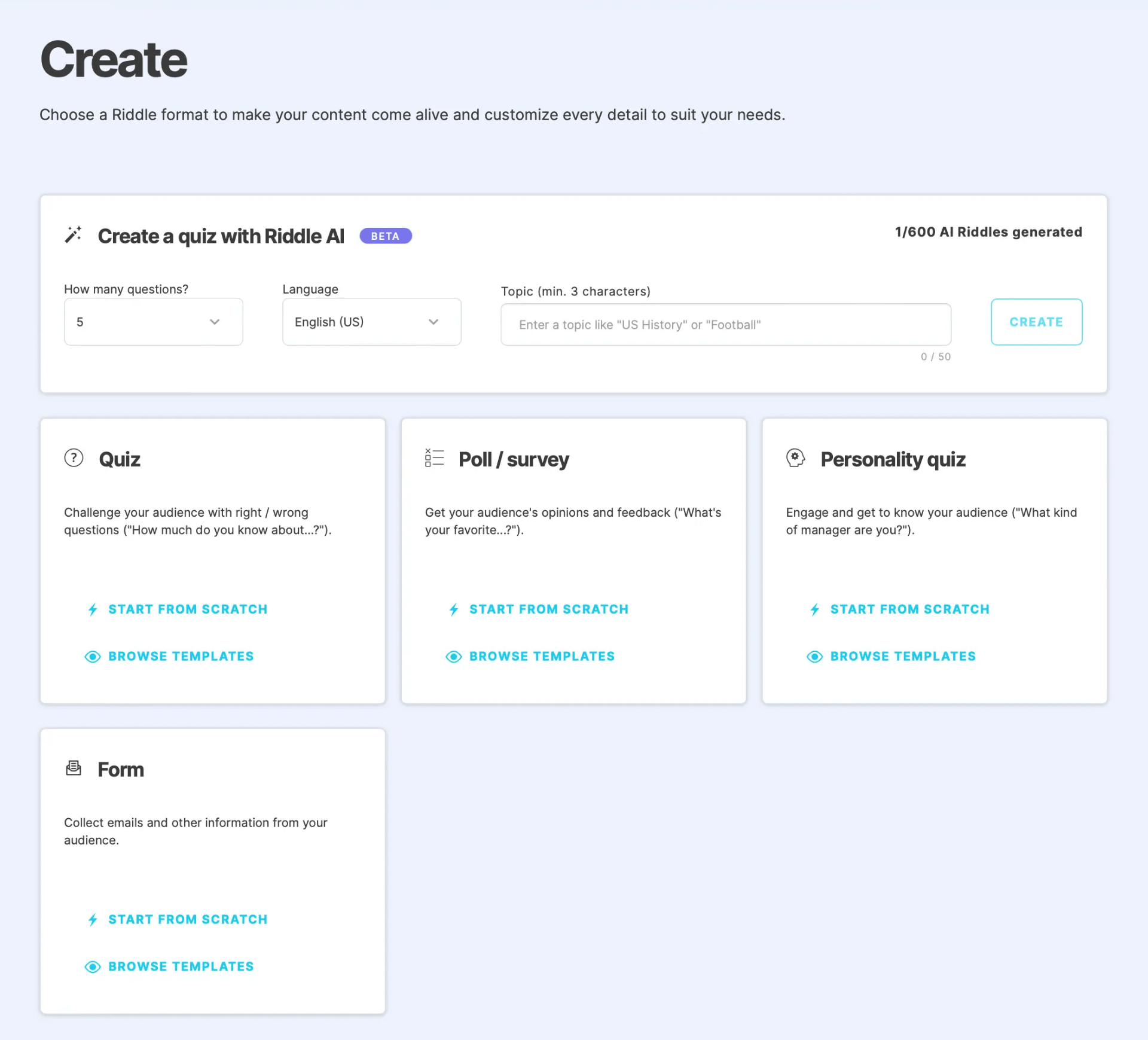
I also find the visual customization unusually deep for a quiz tool. You can go well beyond logo and color swaps: images, GIFs, video embeds, and custom CSS are all on the table. For agency teams managing white-label quiz campaigns across multiple clients, or in-house brand teams with strict standards, that control is hard to match at this price point.
Pros:
- Real-time team collaboration with live editing and shared workspaces
- Deep visual customization: images, video, GIFs, and custom CSS
- Built-in lead form with CRM and email marketing integrations
- Personalized follow-up messaging based on individual quiz results
- Comprehensive analytics and performance reporting
- Social sharing features built in, mobile-responsive across all devices
Cons:
- No free plan; you are paying from day one regardless of usage volume
- Team plans escalate in price quickly compared to most alternatives in this category
Capterra Rating: 4.6/5
Pricing: Starts at $59/month, billed annually.
5. Qzzr-Best for Creating Interactive Polls
Qzzr is the most focused tool on this list, and I mean that as a compliment. If what you actually need is interactive polling within blog content or social campaigns, rather than a multi-step funnel with scoring logic and CRM routing, it handles that specific task cleanly without overcomplicating things.
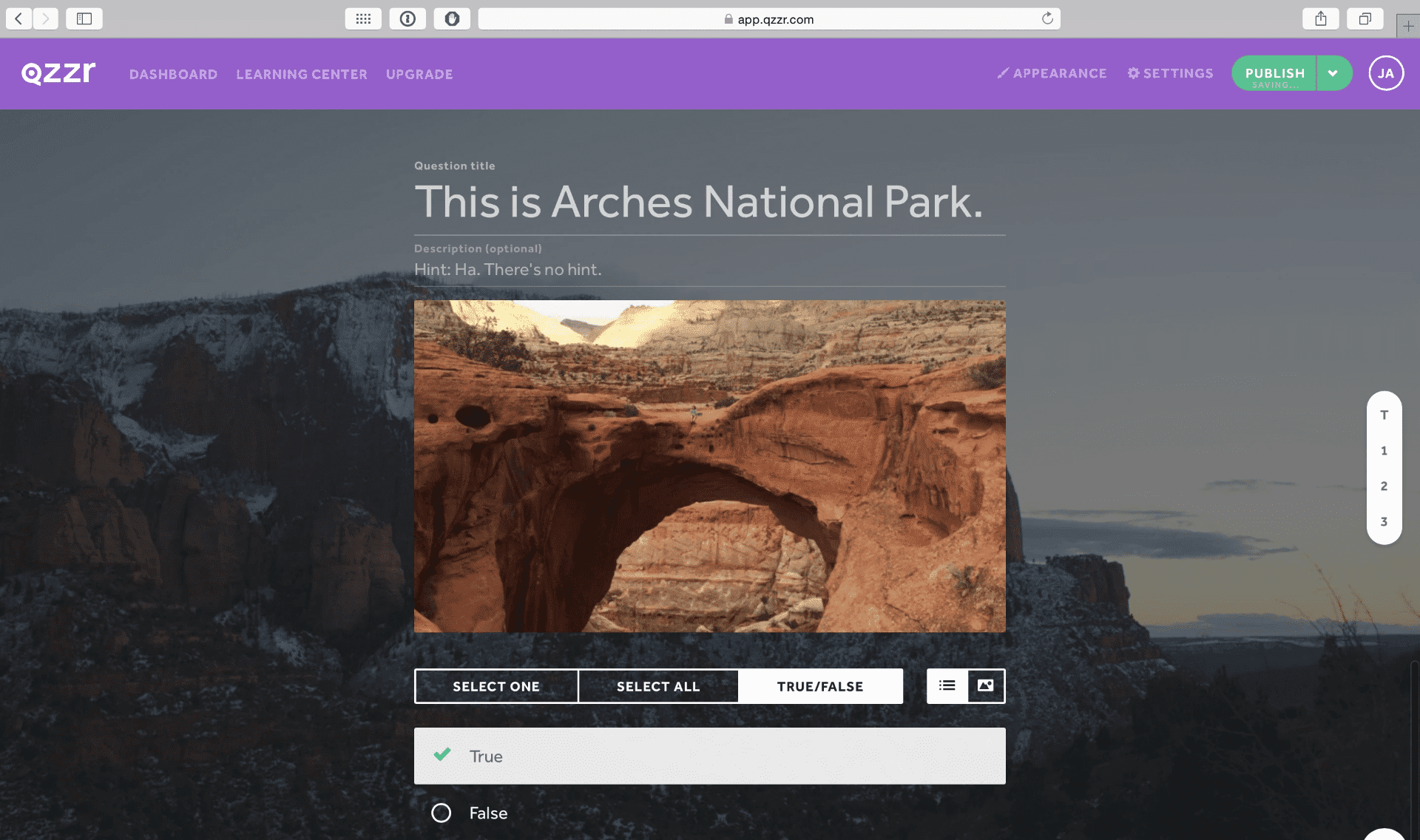
Poll-style content embedded in long-form articles performs well for top-of-funnel engagement, and Qzzr makes that deployment straightforward. It embeds, loads quickly, and is fully GDPR-compliant, which matters for teams running campaigns across European audiences.
Pros:
- Simple interface for building polls and quizzes from scratch or templates
- Real-time analytics and performance reporting
- Embeddable on any website or shareable via social media
- Email capture built into the quiz flow for lead generation
- Scoring and grading for quiz-style formats
- Full GDPR compliance for international campaigns
Cons:
- Tracking and reporting are limited compared to dedicated funnel analytics tools
- No option to display different content after each individual question, which restricts branching experiences
Capterra Rating: 4.2/5
Pricing: Starts at $24.99/month, billed annually.
6. Thrive Quiz Builder– Best for Audience Segmentation
Thrive Quiz Builder is a WordPress plugin, so the decision here is simple: if your site is not on WordPress, move on. If it is, and audience segmentation is your primary goal, I think it is one of the best-value tools in this entire list.
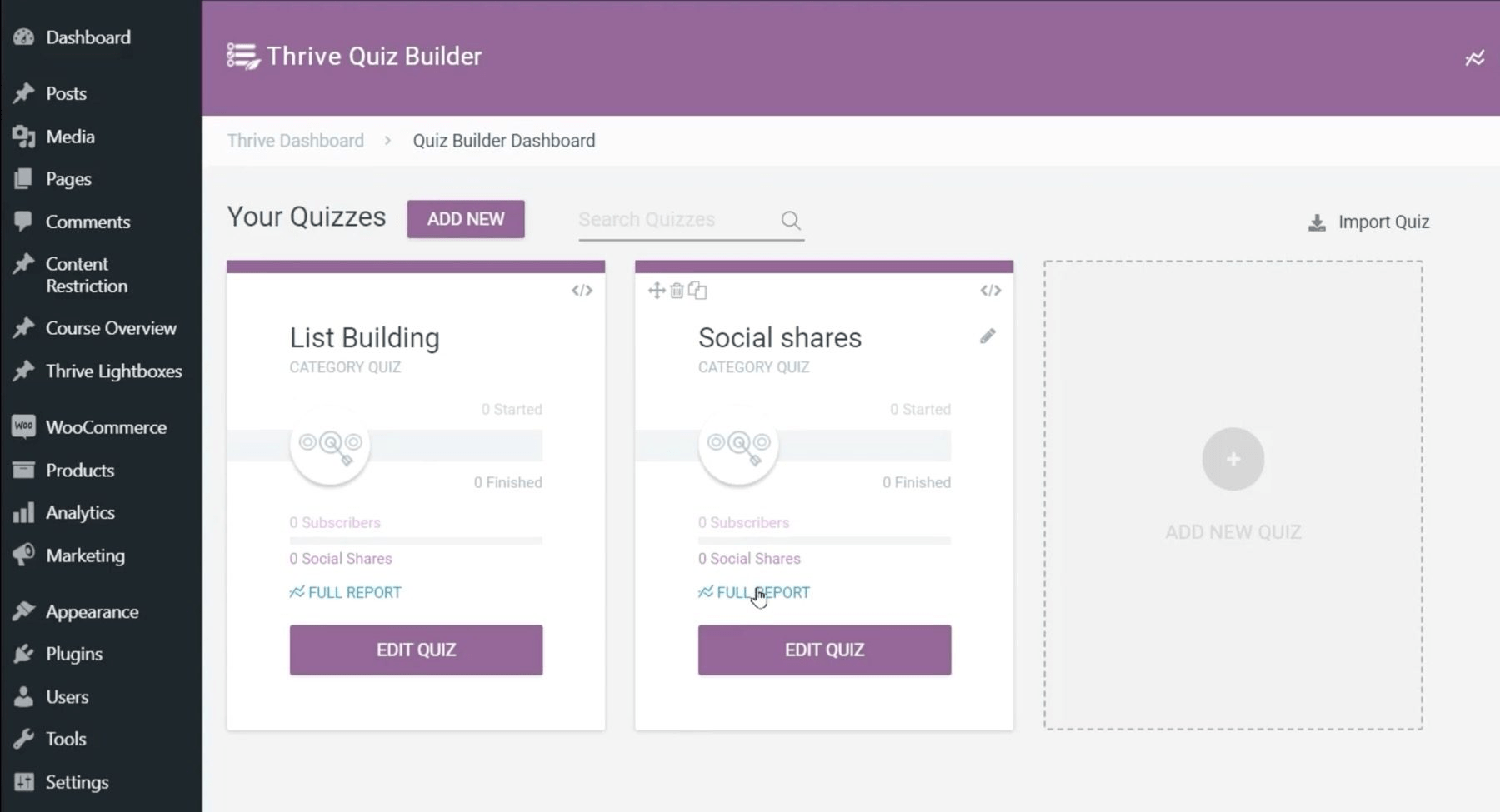
The dynamic content feature is what I keep pointing to. You can show completely different results pages, CTAs, and recommendations based on how someone answered, then tag them in your email platform automatically. That kind of outcome-driven segmentation, built natively into a WordPress workflow without needing Zapier or a developer, is genuinely useful. The A/B testing for quiz elements including titles, questions, and results pages is also more robust here than on most tools in this category.
Pros:
- Dynamic results pages that change content and CTAs based on individual quiz outcomes
- Email platform integrations with result-based subscriber tagging
- A/B testing for quiz titles, questions, answer options, and results pages
- Logic-based segmentation for tailored audience paths
- Mobile-friendly and compatible with major marketing and analytics tools
Cons:
- Requires the full Thrive Suite to unlock full value, making it expensive for small budgets
- Template selection is limited and the default designs look dated compared to standalone quiz platforms
Capterra Rating: 4.3/5
Pricing: Available as an individual plugin at $99/year, or as part of Thrive Suite starting at $149/quarter.
7. Brandquiz– Best for White-Labeled Quizzes
Brandquiz is purpose-built for brand alignment, and it does not hide that. If your requirement is a quiz that looks like it belongs on your site with zero trace of a third-party tool, this delivers. The white-labeling is not a premium add-on buried in a settings menu; it is central to what the product is. Remove their branding, put yours in, and publish to a custom domain.
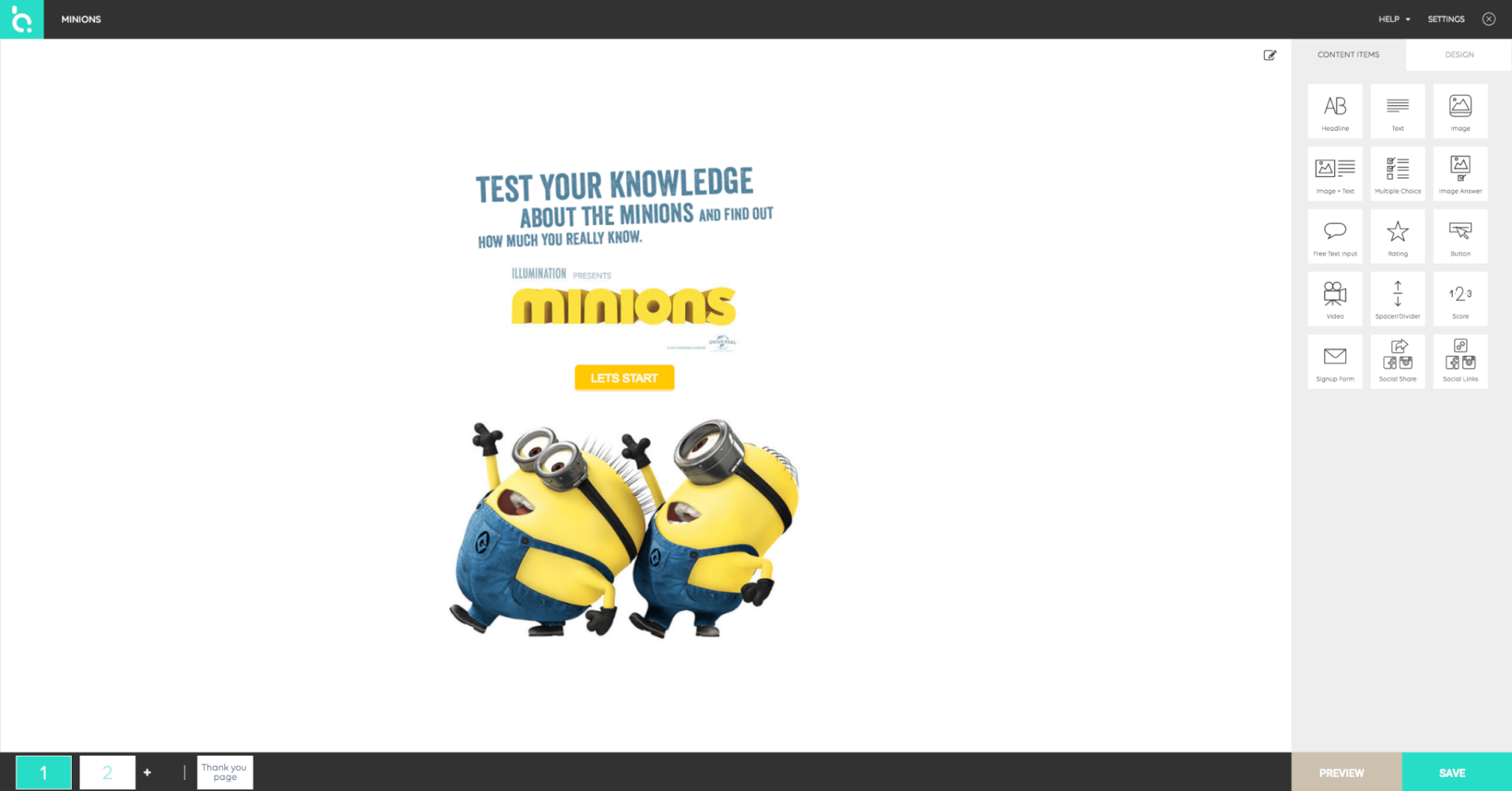
I find the HTML5 drag-and-drop editor more capable than it first appears. You get real layout and design control, not just theme selection, which, combined with 60+ starting templates, makes it a solid choice for agency teams producing quiz campaigns across multiple client brands without reinventing the wheel each time.
Pros:
- True white-labeling with custom domain support
- 60+ templates with a full HTML5 drag-and-drop editor for deep visual control
- Visual customization across colors, fonts, images, and buttons
- Integrations with Mailchimp, Zapier, and ActiveCampaign for lead routing
- Analytics reports, A/B tests, logic jumps, and notification emails
- Embeddable on any website without development work
Cons:
- Advanced logic and branching features are limited compared to Outgrow or LeadQuizzes
- Customer service is consistently flagged in reviews for slow response times, which is a real problem mid-campaign
Capterra Rating: 4.1/5
Pricing: Starts at $19/month, billed annually.
8. ScoreApp– Best for Third-Party Integrations
ScoreApp is built around one idea: every quiz response should land in your CRM with enough context for your sales team to act on it right away. The integrations with HubSpot, Mailchimp, ActiveCampaign, and Zapier are the deepest in this list, and I can tell the product was designed by people who actually think about marketing automation workflows rather than treating integrations as an afterthought.
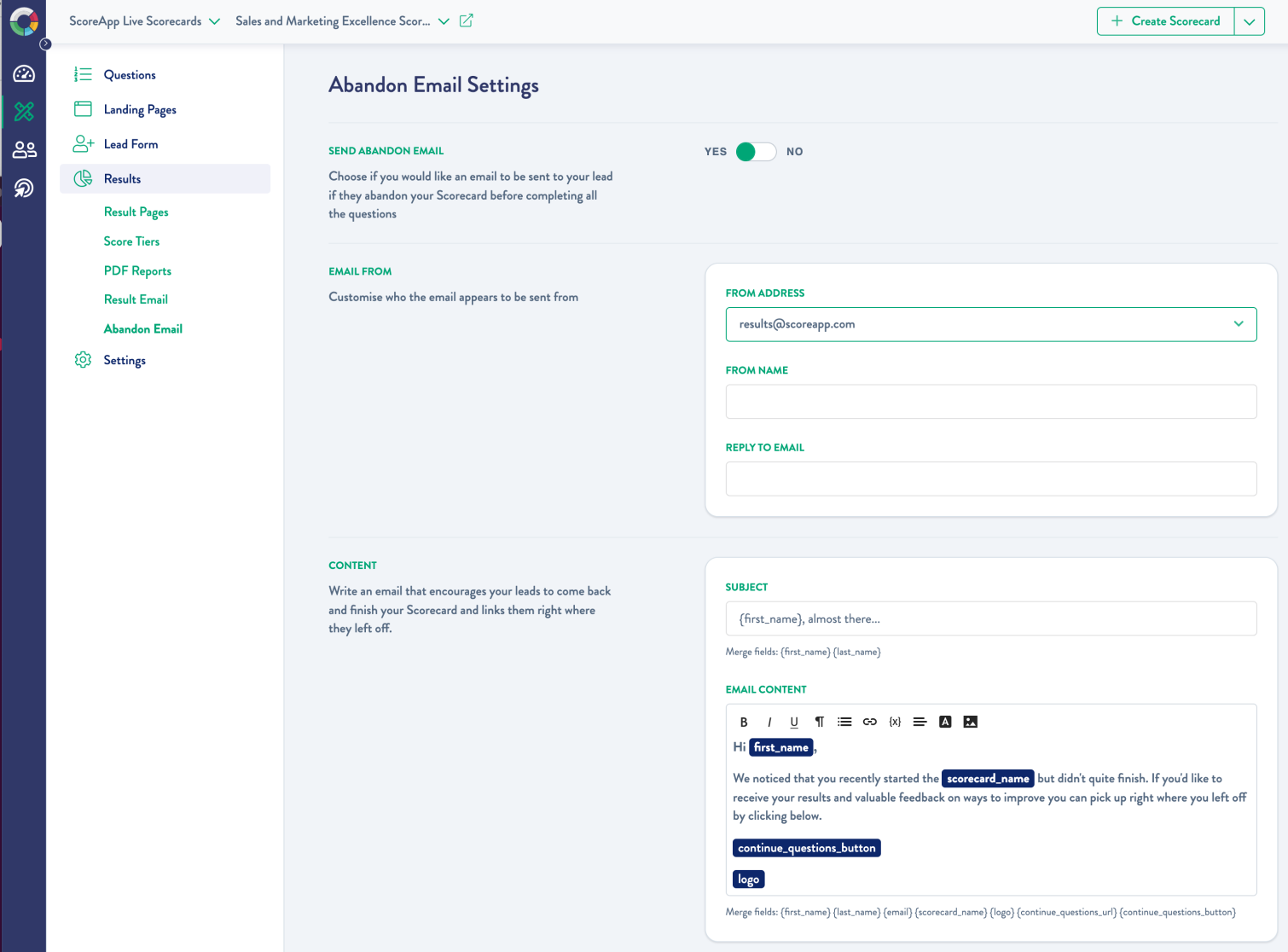
The branded PDF scorecard is the feature I see B2B marketers get most excited about, and I get it. Instead of sending someone to a results page they close in ten seconds, you deliver a personalized, branded report that they save to their desktop and reference later. That becomes your reason to follow up, and it gives your sales team a genuine conversation starter.
Pros:
- Deep native integrations with HubSpot, Mailchimp, ActiveCampaign, and Zapier
- AI quiz builder for fast setup based on your industry and lead goals
- Dynamic results pages that adapt based on respondent answers
- Lead segmentation for targeted follow-up by score, role, or outcome type
- Branded, customizable PDF scorecard delivery as the quiz result
- In-depth analytics and lead performance reporting
Cons:
- No white-labeling on any plan; ScoreApp branding stays on your quiz throughout
- Real learning curve; budget time to get the automation logic right before sending any live traffic
Capterra Rating: 4.7/5Pricing: Starts at $39/month, billed annually.
9. Interact Quiz Maker- Best For AI generated quizzes
Interact has been around long enough to understand what content marketers actually need, and the AI generation feature reflects that experience. You describe your audience, your goal, and your industry context, and the platform builds question sets, branching logic, and outcome pages for you. I have used it when a campaign deadline is tight, and I need something solid in front of people quickly, and it delivers on that.
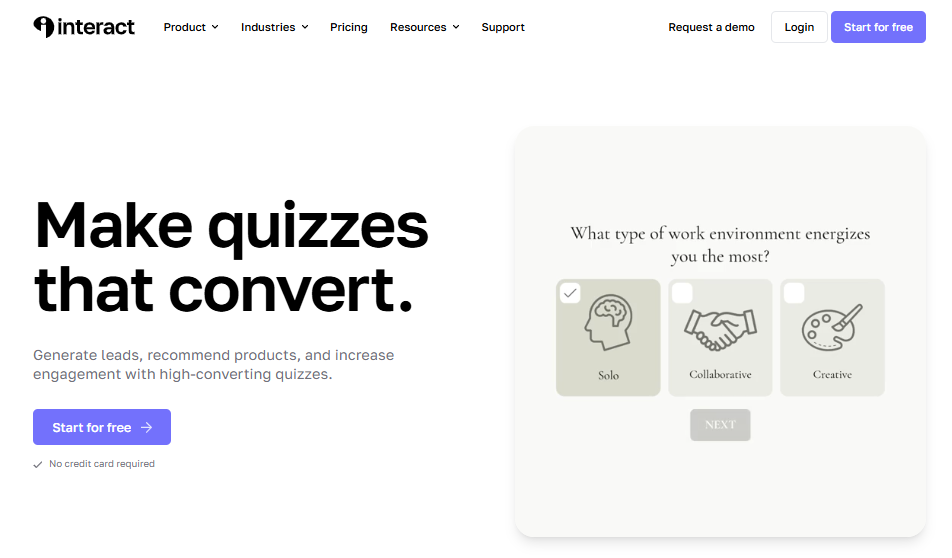
The results segmentation is also genuinely well-designed. Respondents are tagged and routed based on their specific outcome, which feeds into email sequences that are actually relevant to what each person told you during the quiz. For content-first strategies where the quiz is the entry point, and email is where conversion happens downstream, that workflow is clean and reliable.
Pros:
- AI builds a complete quiz, including questions, logic, and outcomes from a prompt
- Lead segmentation by quiz response and outcome type for personalized follow-up
- Integrations with Mailchimp, HubSpot, Salesforce, and other major marketing platforms
- White-label options for custom branding throughout the quiz experience
- Social sharing built into results pages for organic reach
- Embeddable on websites, landing pages, blogs, and course platforms
Cons:
- Free plan covers only one quiz; you need a paid plan to run multiple quizzes at once
- No dark UI mode available
Capterra Rating: 4.5/5
Pricing: Free plan available. Paid plans start at $20/month. All paid plans include a 14-day free trial.
How I Evaluated These Tools
I did not build this list solely from feature pages. Here is what actually went into the evaluation:
- User reviews and ratings from Capterra, plus direct feedback from marketers running live quiz funnels
- Core features and functionality, with particular attention to lead capture mechanics, logic depth, and analytics quality
- Ease of use for non-technical marketers building without developer support
- CRM and marketing stack integration quality, not just whether an integration exists, but how well it actually works
- Value for money at each price tier relative to what you get
- Personal testing and peer conversations with practitioners who have run real campaigns on these platforms
So Which Tool Should You Actually Pick?
It depends on one thing more than anything else: what happens after someone finishes your quiz.
If your answer is “they should get a personalized result and land in my CRM segmented by their answers,” most of these tools will get you there. The differentiator is how much friction you are willing to accept to make that happen.
Here are the three I would shortlist for most marketing teams:
ProProfs Quiz Maker is the right choice if you need a single platform that handles marketing quizzes, serious assessments, lead capture, and CRM integration without stitching anything together. The AI builder is fast, the free tier is genuinely useful, and you are not locked out of more advanced use cases if your needs grow.
LeadQuizzes is the right call if list building is your job and you want a tool optimized specifically for that, with smart lead form placement and lead scoring baked in from the start.
ScoreApp is the right call if your stack runs on HubSpot or ActiveCampaign and you want every quiz response to land cleanly in your CRM with a PDF report your sales team can actually use.
My personal recommendation is ProProfs Quiz Maker. The combination of a fast AI builder, real CRM integrations, flexible question types, and meaningful analytics makes it the most versatile option on this list, and the free plan means you can test that before spending anything.
Stop Treating Your Funnel Like a Brochure
The highest-converting marketers I know are not the ones with the cleverest copy or the best-designed landing pages. They are the ones who figured out that engagement is a prerequisite for conversion, and that a quiz that genuinely diagnoses someone’s situation will always outperform a form that just asks for their email.
The tools above give you everything you need to build that kind of funnel. What they cannot do is design the strategy for you. Start with the one outcome you want your quiz to produce. Work backward to the question that surfaces it. Then pick the tool that gets it in front of people fastest.
Frequently Asked Questions

Can quiz funnels be used for pre-employment screening?
Yes, and this is one of the strongest B2B use cases I have seen. A skills assessment quiz delivered before the first interview filters candidates by actual ability rather than resume presentation, significantly reduces interview volume, and provides hiring managers with objective comparison data. ProProfs Quiz Maker's proctoring features make this viable for remote screening where integrity matters.
What data should I collect in a quiz funnel for better segmentation?
The fields that actually move the needle for B2B segmentation are role or job title, company size, industry, current tool or process in use, and the specific challenge they are trying to solve. Avoid collecting data you will not act on. If your CRM does not use a field for routing or scoring, do not ask for it. Every extra field is a reason someone might drop off before completing.
How do I turn quiz responses into personalized offers or training paths?
Map each possible outcome to a specific next step before you build the quiz. If someone scores in the low range on a compliance knowledge check, they go into a remedial training path. If a lead identifies as a mid-market marketing manager with a lead quality issue, they receive a case study and a demo offer tailored to that profile. The routing logic is what makes a quiz funnel useful; the quiz itself is just the mechanism for collecting the signal.
Are quiz funnels effective for B2B lead generation?
They are, but the design needs to match the context. A personality quiz works for consumer audiences. For B2B, the quiz needs to surface a genuine business insight or knowledge gap. The best B2B quiz funnels I have seen either diagnose a specific operational problem the reader has or benchmark the reader's current approach against a standard. Both give the respondent something worth knowing, which is why they complete it.
What makes a quiz funnel convert better than a standard lead form?
The value exchange. A form asks for your information and gives nothing in return until later. A quiz gives you something immediate: a result, a diagnosis, a score, a recommendation. People complete quizzes because they want the output. That investment also means the contact data you capture is more accurate, the follow-up you send is more relevant, and the conversion rate downstream improves because you are sending the right message to the right segment.
What is the best quiz funnel software for B2B use?
For most B2B use cases, ProProfs Quiz Maker handles the widest range of needs: lead capture, CRM integration, scoring logic, and assessment-grade features for hiring or compliance use cases. If your priority is specifically CRM integration depth and branded report delivery, ScoreApp is the stronger choice.
How to use quiz funnels for knowledge gap analysis?
Build the quiz around the core competency you want to assess, assign scores to each answer, and set threshold ranges that map to different knowledge levels. Route low scorers to educational content or a training path, mid scorers to a comparison or evaluation resource, and high scorers to a decision-ready offer. The scoring system is what transforms a marketing quiz into a genuine diagnostic tool.
Let ProProfs AI Build a Quiz

 We'd love your feedback!
What did you like & how can we make it even better?
 Thanks for your feedback!
 Ask Your Question
Have a question? Get expert help to make your decision easier.