
I’ve sat through more employee learning and development tools demos than I can count, and they all follow the same script. Slick dashboard, a slide about “engagement,” a case study from a company three times your size. What almost none of them show you is what happens in week three, after the new-hire excitement wears off and the course sits there, unopened, next to eleven other browser tabs.
That gap between the demo and week three is the whole ballgame. Most of what follows is what I’ve learned from watching employee learning and development tools succeed and fail on that exact point, not from a features checklist.
This is for:
- L&D managers standardizing training across teams that outgrew spreadsheets a while ago
- HR professionals comparing platforms before a budget cycle closes
- Training coordinators trying to prove a program works, not just that it ran
- People managers who inherited “training” as a duty with none of the tooling to back it up
- Business leaders who keep hearing the word “engagement” and want to know what fixing it actually costs
What Do People Actually Mean by “Employee Learning and Development Tools”?
- Full learning management systems (LMS): structured courses, compliance tracking, audit-ready records
- Learning experience platforms (LXP): content discovery, informal learning, skills recommendations
- Narrower point solutions: built for one job, like assessments or authoring
Here’s the part that trips people up during evaluation. Almost nobody runs exactly one of these.
A mid-size company will have an LMS for compliance, something lighter for onboarding, and a separate quiz or assessment tool bolted on because the LMS’s built-in testing is an afterthought. That’s not a failure of planning. It’s just how the market for employee learning and development platforms actually shipped.
Why Do Employees Ignore the Employee Learning and Development Tools You Already Bought?
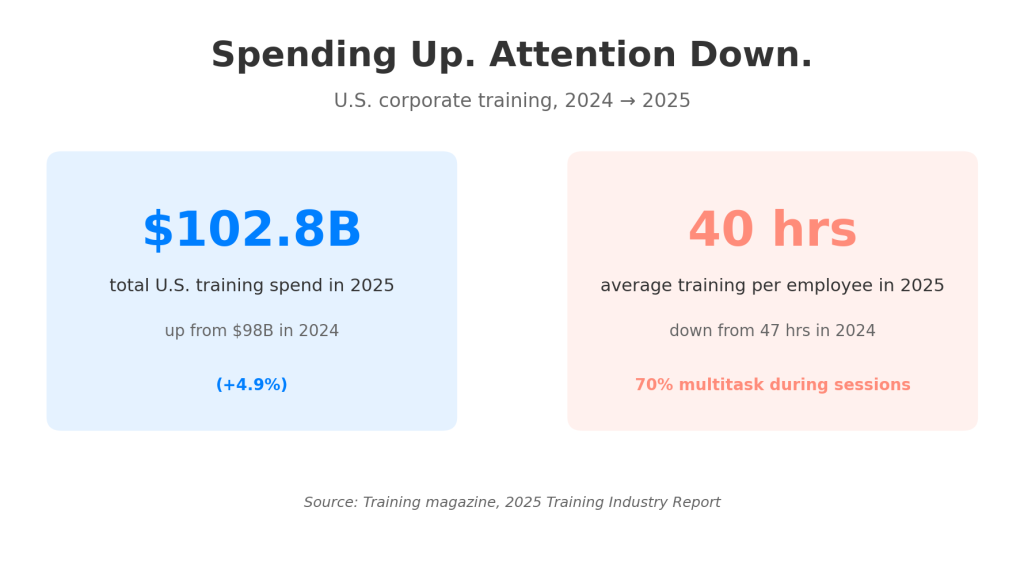
Training magazine’s 2025 Training Industry Report found that employees averaged 40 hours of training that year, down from 47 the year before, and that 70 percent multitask during training sessions regardless. Read that twice. Spending went up. Attention went down. That’s not a content problem you can write your way out of.
Most of the drop comes down to the forgetting curve, and it’s worth being specific about why. A person can sit through a well-produced module, pass a knowledge check on the way out, and lose most of the content within a month if nothing brings it back.
This is exactly where the benefits of e-learning for employee training and development get oversold. E-learning by itself doesn’t beat the forgetting curve. Spaced retrieval does, and spaced retrieval requires something that actually pings the learner back, not a course that assumes one pass is enough.
The honest version of the benefits of e-learning for employee training and development is narrower than most vendors pitch it:
- Consistency across locations
- A record of who did what
- A format that supports repetition cheaply
It is not, on its own, a guarantee that anyone remembers anything.
Why Does the Same Training Land Differently for Every Employee?
A generic course built for “everyone” ends up serving almost no one well. Your five-year veteran clicks through content she already knows. Your new hire drowns in jargon nobody defined. Neither one is disengaged because they’re lazy; they’re disengaged because the content wasn’t built with their starting point in mind.
Personalization gets treated like a luxury feature, something you add once the basics are working. I’d argue it’s closer to the basics than people think. A few things that actually move the needle:
- Role-based assignment
- Adaptive branching based on a pretest
- Content that adjusts pacing to prior performance
Those aren’t nice extras. They’re the difference between a tool people tolerate and one that actually changes what someone can do on the job. Your situation may look different if your workforce is genuinely homogeneous in role and tenure, but that’s rarer than most org charts suggest.
How Do You Actually Prove Any of This Worked?
This is the part most teams get wrong, and it’s not really their fault. Completion rate is the easiest number to pull, so it becomes the number everyone reports, even though a completed course tells you almost nothing about whether behavior changed. I’ve seen teams hit 98 percent completion on a program that had zero measurable effect on the outcome it was supposed to fix.
Real measurement means connecting learning data to something that already matters to the business:
- Error rates
- Ramp time for new hires
- First-call resolution
- Whatever the role actually gets judged on
Assessment data helps here in a way completion tracking never will, because a scored quiz or scenario-based test tells you whether the skill landed, not just whether someone clicked through.
According to Udemy Business’s 2026 Global Learning and Skills report, 61 percent of organizations have adopted or are actively testing AI within their learning and development strategy, much of it aimed at exactly this gap between activity and impact.
How Should Your Employee Learning and Development Strategies Shape Which Tools You Buy?
Tool selection usually happens backward. A team picks a platform based on a demo, then tries to retrofit their employee learning and development strategies around whatever that platform does well. It should run the other direction.
A compliance-heavy organization, the kind that lives or dies by audit trails and certification records, needs different employee learning and development strategies than a company betting on skills-based hiring and internal mobility.
- Compliance-first orgs care about proof of completion and legal defensibility.
- Skills-first orgs care about granular skill data and flexible, short-form content that keeps pace with jobs that change every quarter.
Buying the same category of tool for both is how you end up with software nobody asked for, solving a problem nobody has.
Write your strategy down before you take a single demo call. Not a mission statement, just three sentences: what you’re training for, how you’ll know it worked, and who owns the follow-through. Most of the tool-selection disasters I’ve watched trace back to skipping that step entirely, and it’s the same step most employee learning and development strategies get right on paper and skip in practice.
What Should You Actually Look For in Employee Learning and Development Software?
Here’s what I’d prioritize, in order, and it’s shorter than most checklists pretend it needs to be.
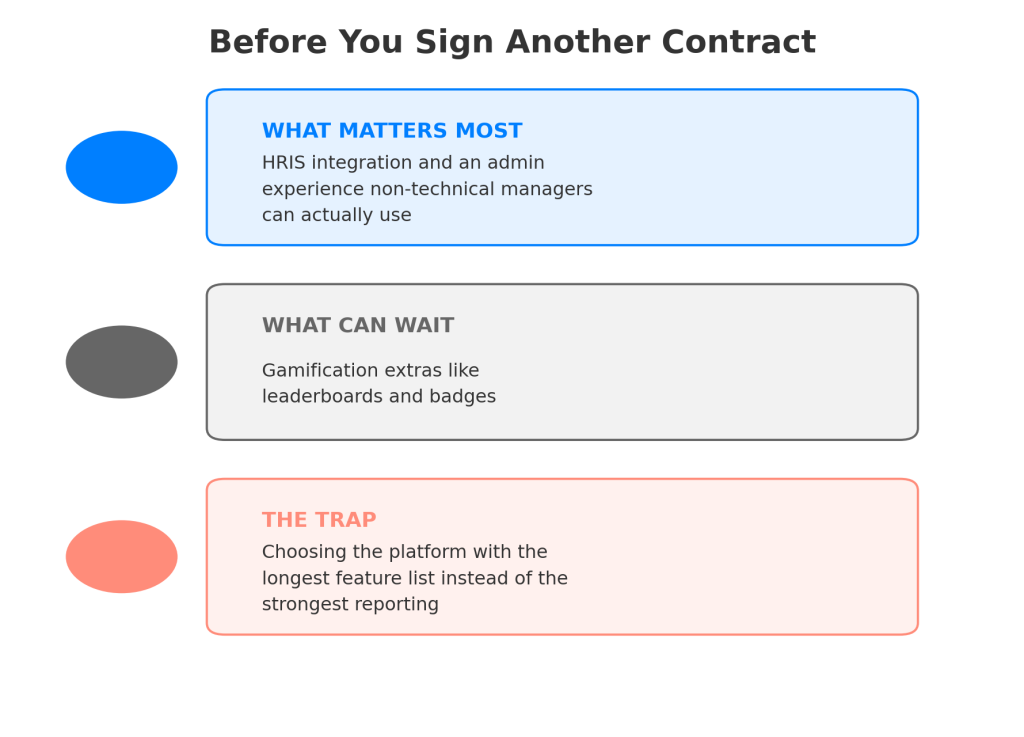
What Matters Most
Integration with the systems you already use, especially your HRIS. Most employee learning and development software promises this out of the box; fewer deliver it well. A brilliant employee learning and development platform that can’t sync who’s active, who’s new, and who’s left will generate more admin work than it saves.
Right behind that: an admin experience your least technical manager can actually use without a ticket to IT. If the person running a team of ten can’t assign a module without help, adoption dies at the manager layer before it ever reaches employees.
What Can Wait
Gamification bells like leaderboards and badges. They help at the margins for the right audience, but they’ve never fixed a fundamentally broken content or measurement problem. I’ve watched teams spend a full quarter customizing badges instead of fixing the actual course.
The Trap
Choosing based on the longest feature list. A platform that does forty things adequately usually loses to one that does five things well, especially once your admin team is the one stuck configuring the other thirty-five features nobody uses, a pattern I’ve watched repeat across employee learning and development platforms at every price tier.
If you can only fix one thing this quarter, fix your reporting. Everything else is easier to course-correct once you can actually see what’s happening.
Where Do Quizzes and Assessments Actually Fit Into the Stack?
By the time most teams evaluating employee learning and development platforms realize their measurement is the real problem, not their content library, they’re looking at the same gap: no reliable way to check whether a skill actually transferred. That’s a narrower job than “run all our training,” and it’s usually better served by a tool built specifically for it rather than whatever testing feature got bolted onto a broader LMS as an afterthought.
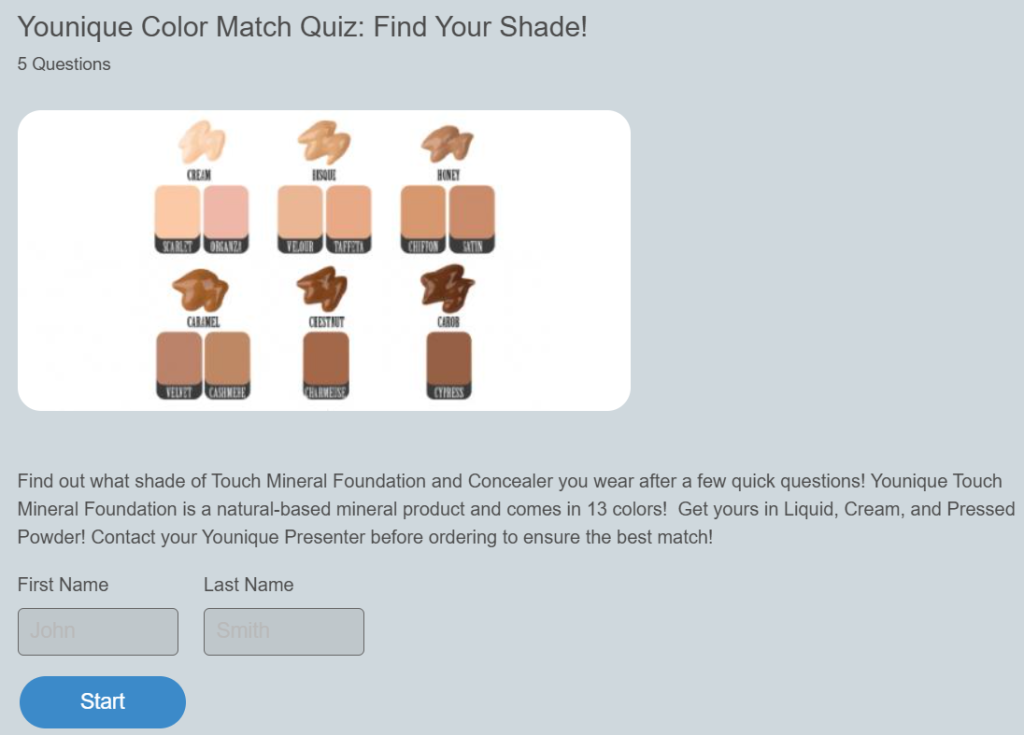
ProProfs Quiz Maker is built around exactly that job. It’s designed to skip the two most common complaints I hear about bolted-on LMS testing: clunky item creation and reporting nobody actually reads afterward. A few specifics worth knowing:
- It creates quizzes fast, letting you describe what you want to test or upload existing material like a PDF or slide deck and have ProProfs AI generate the questions from that content
- It auto-grades every question type, including essays, against a rubric you set
- Its reporting breaks down which questions people actually struggled with, not just who passed
For a team drowning in the “we ran training but can’t prove it worked” problem, that reporting layer alone tends to be the thing that changes the conversation with leadership.
None of that replaces a full LMS like ProProfs Training Maker, or your broader content strategy. It closes the specific gap between delivering training and knowing what stuck, which is the gap that keeps showing up across every section above.
LMS, LXP, or a Focused Assessment Tool: Which Do You Actually Need?
Most organizations need more than one category of employee learning and development tools, but knowing what each type of platform is actually built for keeps you from buying overlap.
| Category | Built For | Weak Point |
|---|---|---|
| LMS | Compliance tracking, structured courses, audit-ready completion records | Content discovery and personalization are usually clunky add-ons |
| LXP | Content discovery, skills-based recommendations, informal learning | Weaker on compliance proof and structured certification paths |
| Focused assessment tool | Knowledge checks, scored exams, certification, skills verification | Not built to house or sequence full course libraries |
If you’re staring at this table trying to figure out which single box solves everything, that’s the wrong question. The right one is which gap in your current stack is costing you the most right now?
The Part That Actually Decides Whether Any of This Works
I’ll be blunt about something most vendor content won’t say directly: no employee learning and development tools, on their own, fix a culture that treats training as a checkbox.
If leadership doesn’t visibly use or reference the training, if managers aren’t asked whether their team applied what they learned, the best platform in the market becomes an expensive place to store unwatched videos. That’s true even for the strongest benefits of e-learning for employee training and development; consistency and repetition don’t matter if nobody’s watching what happens after the course ends.
Any employee learning and development software you evaluate should earn its place against that specific gap, not against a features checklist:
- Pick the tool that closes it
- Measure something that connects to a result the business already cares about
- Build in a way for someone to check that a skill actually stuck, whether that’s a manager conversation or a scored assessment
Do those three things, and the tool you pick matters a lot less than most demos would have you believe.
Frequently Asked Questions
What are the best employee learning and development tools for a small team?
Start narrow: a lightweight LMS for structured content, plus a dedicated assessment tool if proving skill transfer matters. The right employee learning and development tools for a five-person team look nothing like what a 500-person org needs, so skip enterprise-priced options until headcount actually justifies them.
How much do employee learning and development platforms typically cost?
Pricing varies widely by seat count and feature tier, from free plans capped by usage to enterprise contracts priced per active user. Assessment-specific tools like ProProfs Quiz Maker price around $19.99 per 100 active quiz takers a month, worth comparing against per-seat LMS pricing for smaller teams.
What are the real benefits of e-learning for employee training and development?
Consistency across locations, a documented completion record, and cheap repetition are the honest wins. E-learning alone doesn't guarantee retention; that requires spaced repetition or assessment built into the format, not just delivery.
Do I need a separate tool for quizzes and assessments?
If your LMS's built-in testing feels like an afterthought, or you can't get question-level analytics on where people struggled, yes. A focused tool usually gives you better AI-assisted question creation, grading, and reporting than a generalist platform's bolted-on testing module.
What employee learning and development strategies work best for compliance-heavy industries?
Prioritize audit-ready completion records, certification tracking, and reporting your legal team can hand to a regulator without editing. Personalization matters less here than defensibility.
How do I measure whether employee learning and development tools are actually working?
Stop leading with completion rate. Tie a specific training program to a business metric it's supposed to move, like error rate or ramp time, and check assessment scores against that metric over time, not just at the moment of course completion.
Can AI actually help with employee learning and development software selection?
It helps more inside the tools than in the buying decision. Features like auto-generated quiz questions from uploaded content, adaptive grading, and gap-focused reporting are increasingly standard in employee learning and development software, and they're worth testing during a trial rather than taking on faith.
What's the biggest mistake teams make when choosing employee learning and development platforms?
Picking the platform before writing down what they're actually solving for. Teams that skip that step tend to buy based on the flashiest demo feature rather than the gap that's actually costing them, and they end up paying for capability they never use.

Let ProProfs AI Build a Quiz

 We'd love your feedback!
What did you like & how can we make it even better?
 Thanks for your feedback!
 Ask Your Question
Have a question? Get expert help to make your decision easier.