Across G2, Capterra, and SelectHub reviews, a few complaints about Questbase keep resurfacing: uploading and organizing questions has gotten more cumbersome as question banks grow, price increases feel hard to justify against the alternatives reviewers are comparing it to, and more than one user has run into server outages or trouble recovering old tests and student data.
That’s usually where the search for Questbase alternatives begins, not because teams suddenly dislike their quiz software, but because their patience with these specific issues, or their requirements around AI and proctoring, has outgrown what Questbase currently offers.
- Maybe they need AI to generate questions instead of building every assessment from scratch.
- Maybe they need stronger proctoring, a smoother mobile experience, deeper reporting, or integrations that connect assessments to the LMS and HR systems they already use.
The right alternative can mean less manual work, stronger assessment security, and a much easier path from quiz creation to certification and reporting.
I compared eight Questbase alternatives to see what each one does differently and which use cases they’re best suited for.
Why Are Teams Switching From Questbase?
If you’re reading this, you’ve probably already run into one of these walls. Here’s what actually shows up across recent reviews and comparisons, rather than what search intent alone would suggest.
No AI-assisted question creation: Building a test in Questbase still means typing questions in manually, one at a time. Tools built in the last few years let you generate a full quiz from a document, slide deck, or webpage in seconds, which matters a lot once you’re running more than a handful of assessments a month.
Proctoring and anti-cheating: High-stakes assessments now expect lockdown browser controls, tab-switching alerts, webcam monitoring, and IP tracking as standard. Questbase’s built-in security options are thinner than what certification bodies and hiring teams increasingly expect.
Pricing that’s becoming harder to justify: Reviewers on SelectHub specifically cite Questbase’s rising fees as a sticking point, with several comparing its cost directly against alternatives like ProProfs Quiz Maker and ExamOnline when deciding whether to renew.
Server reliability and data recovery concerns: A recurring theme in independent reviews is outages severe enough to disrupt live testing, plus difficulty retrieving old tests or student records when something goes wrong, a real risk for anyone treating Questbase as their system of record rather than just a quiz tool.
None of this means Questbase is without a genuine strength. Reviewers consistently point to one real advantage over most modern quiz tools: solid support for both online and paper-based testing from the same question bank. If that specific combination is what you rely on day to day, it’s worth weighing against what you’d gain by switching before you do.
Top 8 Questbase Alternatives for Online Quizzes & Assessments
I built this list around the friction points above, then checked it against what actually shows up in comparisons for this exact query, so nothing obvious got left out. “Best Questbase alternatives” means something different to a certification body running a licensing exam than it does to a teacher writing a Friday pop quiz.
| Tool | Best For | Starting Price | User Rating |
|---|---|---|---|
| ProProfs Quiz Maker | Creating Quizzes & Assessments for Business, Training, and Education | $19.99/month | 4.3/5 (G2) |
| TestGorilla | Skills-Based Hiring & Pre-Employment Testing | $215/month | 4.8/5 (G2) |
| Codejudge | Technical Screening & Developer Coding Assessments | Custom pricing | 4.5/5 (G2) |
| EasyTestMaker | Quick, Printable Tests for K-12 & Classroom Use | $59.95/month | 4.2/5 (G2) |
| Google Forms | Free, No-Frills Quizzes Inside Google Classroom | Free | 4.6/5 (G2) |
| Kahoot! | Gamified Quizzes for Training & Classrooms | $19/month | 4.6/5 (G2) |
| TAO Testing | Self-Hosted, Privacy-Controlled Assessments | Free (self-hosted), Other plan starts at $499/month | Not listed on G2, 4.5/5 (Capterra) |
| ClassMarker | High-Volume Certification Exams | $19.95/month | 4.4/5 (G2) |
1. ProProfs Quiz Maker: Best for Creating Quizzes & Assessments for Business, Training, and Education
I’ve used ProProfs Quiz Maker, a Questbase alternative across hiring, employee training, and classroom assessments, and that’s exactly the gap it closes. Questbase was never built to generate one for you, grade it automatically at scale, or hand back a branded certificate the moment someone passes.
The AI-powered quiz generator turns a document, PDF, slide deck, video, or webpage into a full graded assessment in seconds, with explanations included. You also get 20+ question types, a library of over a million ready-made questions, and security features Questbase doesn’t touch: browser lockdown, IP tracking, question randomization, and automated webcam and screen proctoring. You can give it a try; check:

Let ProProfs AI Build a Quiz
Detailed analytics and automated grading track scores and skill gaps across groups, while flexible grading rules and instant feedback turn every quiz into a learning moment instead of just a score. Automated certification and recertification, expert-designed skill tests, and full branding round it out.
Pros:
- AI quiz generator that builds a full graded assessment from a document, video, or webpage
- Automated webcam and screen proctoring, browser lockdown, and IP tracking
- 20+ question types, including scenario-based and video-response formats
- Automated certification and recertification with branded certificates
- Category-level detailed analytics and question-level performance insights
Cons:
- No dark mode, which may affect comfort during extended use
- Only cloud-based; no on-premises version available
How ProProfs Quiz Maker Compares With Questbase: Two of the most common complaints in recent Questbase reviews are the increasingly cumbersome question-upload process and pricing that’s gotten harder to justify. ProProfs Quiz Maker’s AI import addresses the first problem directly, turning a document or slide deck into a finished quiz instead of a manual data-entry job, and its published $19.99/month starting price addresses the second with a number you can plan around rather than a recurring surprise. It also adds proctoring that Questbase doesn’t offer and produces a certified, trackable record instead of a static score sheet.
User Rating: 4.3/5 (G2)
Pricing: Free for short quizzes; paid plans start at $19.99/month.
2. TestGorilla: Best for Skills-Based Hiring & Pre-Employment Testing
TestGorilla shows up constantly in comparisons once a search shifts from “classroom quiz” to “how do I screen candidates fairly?” It’s built around a library of validated, job-specific skills tests rather than open-ended quiz building.
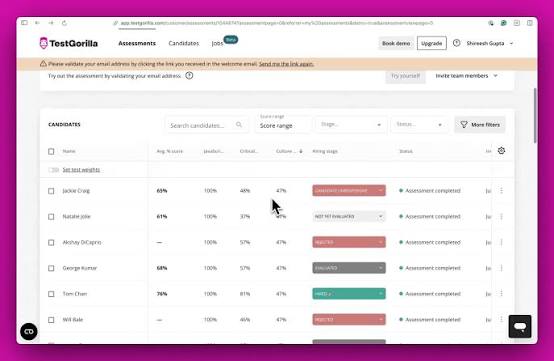
You can combine cognitive ability, personality, situational judgment, and role-specific tests into a single assessment, then add custom questions, including video responses, on top. Anti-cheating tools like webcam snapshots, full-screen detection, and IP logging are built in, and results feed directly into ranked candidate shortlists.
Where Questbase leaves hiring teams to build a test from scratch and guess at fairness, TestGorilla’s scientifically validated test library takes that guesswork out, which matters once a role has dozens or hundreds of applicants to screen.
Pros:
- Large library of validated, role-specific skills tests
- Video response and custom question support
- Built-in anti-cheating and candidate ranking
- ATS integrations for hiring workflows
Cons:
- Overkill for simple classroom or training quizzes
- Free plan is limited in the number of active tests
How TestGorilla Compares With Questbase: Questbase has no purpose-built hiring test library or candidate ranking. TestGorilla’s validated assessments and anti-cheating tools are designed specifically for pre-employment screening, a use case Questbase only partially covers.
User Rating: 4.8/5 (G2)
Pricing: Free plan available; paid plans start around $215/month.
3. Codejudge: Best for Technical Screening & Developer Coding Assessments
Neither Questbase nor most general quiz tools can evaluate actual code. Codejudge exists specifically for that gap: real coding tasks, project-based assessments, and code-quality analysis rather than multiple-choice questions about programming concepts. It remains an active, standalone assessment platform as of 2026, with ongoing integrations like its Greenhouse Recruiting connector.
Candidates work in a live IDE on real-world problems, and the platform scores not just whether the code runs, but how well it’s written, structured, and optimized. Plagiarism detection and technical video interviews round out the hiring workflow for engineering teams.
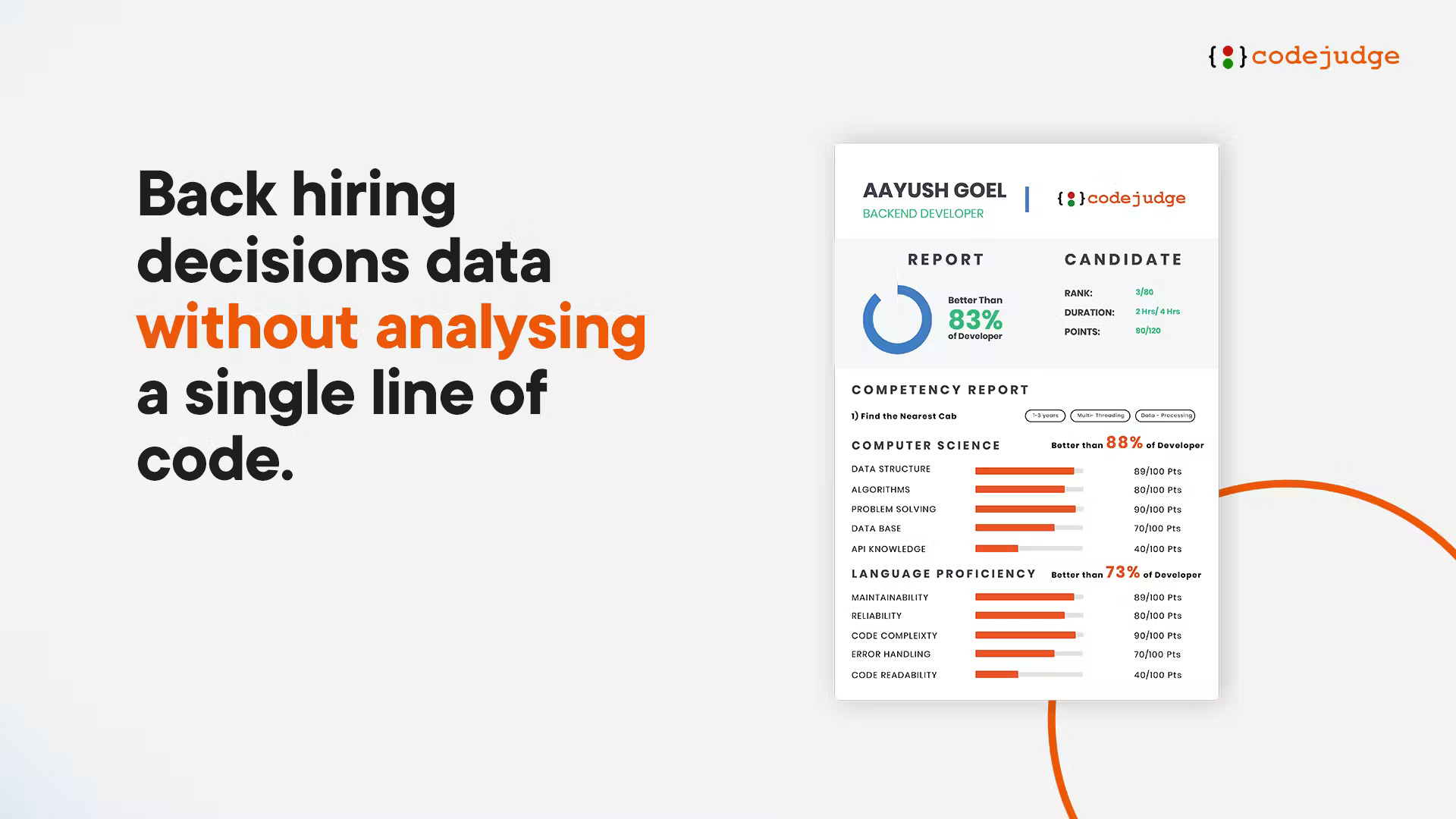
For any organization hiring developers, this is a fundamentally different job than what Questbase or a general quiz platform was built to do. It’s a narrower tool, but for technical screening, that narrowness is the point.
Pros:
- Real coding tasks in a live IDE, not multiple-choice questions
- Code-quality analysis beyond pass/fail results
- Plagiarism detection built for technical assessments
- Supports technical video interviews alongside coding tests
Cons:
- Not suited to general classroom or corporate training quizzes
- Pricing is typically custom, with less self-serve flexibility
How Codejudge Compares With Questbase: Questbase has no meaningful way to assess actual coding ability. Codejudge evaluates real code quality and problem-solving, a technical screening use case Questbase was never designed to serve.
User Rating: 4.5/5 (G2)
Pricing: Custom, quote-based pricing.
4. EasyTestMaker: Best for Quick, Printable Tests for K-12 & Classroom Use
Not every classroom needs proctoring or AI generation. Sometimes a teacher just needs a clean, fast way to build a test, print it, or deliver it online, and that’s exactly where EasyTestMaker fits.
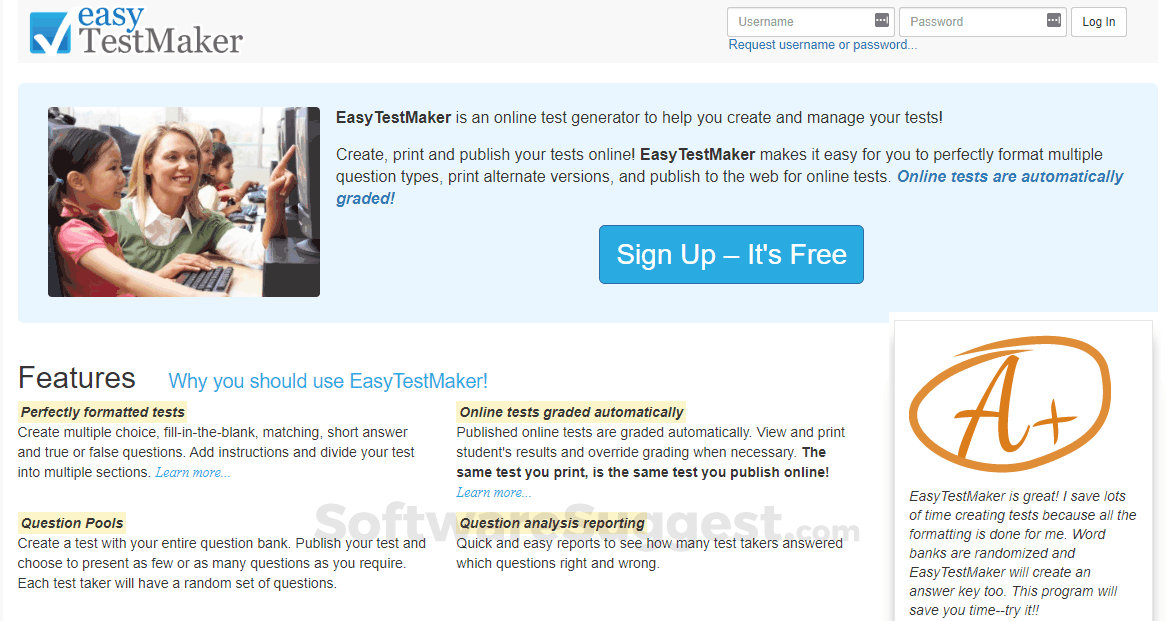
It supports multiple-choice, fill-in-the-blank, matching, short-answer, and true/false formats, with automatic test scrambling so no two printed copies look identical. Online tests are auto-scored, and everything exports cleanly to PDF for classrooms that still rely on paper.
Compared to Questbase, it strips away the complexity and focuses on speed. For a teacher writing a quiz between classes, that simplicity is worth more than a feature list neither of them will use.
Pros:
- Fast, simple test-building interface
- Automatic test scrambling for print versions
- Multiple question formats suited to classroom use
- Clean PDF export for paper-based testing
Cons:
- Limited analytics compared to business-focused platforms
- Free tier caps the number of active tests
How EasyTestMaker Compares With Questbase: Both support paper and online testing, so this isn’t a case of one tool doing something the other can’t. The real difference is simplicity: EasyTestMaker’s interface has a much shorter learning curve for a teacher who just needs to build and print a quiz between classes, without the deeper feature set Questbase carries.
User Rating: 4.2/5 (Capterra)
Pricing: Free plan available; paid plans start around $59.95/month.
5. Google Forms: Best for Free, No-Frills Quizzes Inside Google Classroom
If budget is the only constraint, Google Forms is the honest answer. It’s free, already inside Google Workspace, and most people building a quiz have already used it for something else.

Quiz mode auto-grades responses, supports answer keys and per-question feedback, and syncs directly with Google Classroom and Google Sheets. There’s effectively no learning curve, and no limit on the number of forms or responses for typical classroom use.
The tradeoff is security and structure. There’s no lockdown browser, no proctoring, and no certification workflow, so it’s a strong fit for low-stakes checks and a weak one for anything that needs to hold up as a formal, secure exam.
Pros:
- Completely free with a standard Google account
- Deep native integration with Google Classroom and Sheets
- Instant familiarity for most students and staff
- Auto-grading with per-question feedback
Cons:
- No proctoring, lockdown browser, or anti-cheating tools
- No certification or advanced reporting features
How Google Forms Compares With Questbase: Questbase at least offers some structure around test security. Google Forms trades that away entirely in exchange for being free and instantly familiar, which works for casual checks but not for anything high-stakes.
User Rating: 4.6/5 (G2)
Pricing: Free.
6. Kahoot!: Best for Gamified Quizzes for Training & Classrooms
Questbase is built for quiet, formal testing. Kahoot! is built for the opposite: live, competitive, game-show-style quizzes that keep a room’s attention during training sessions or classroom reviews.
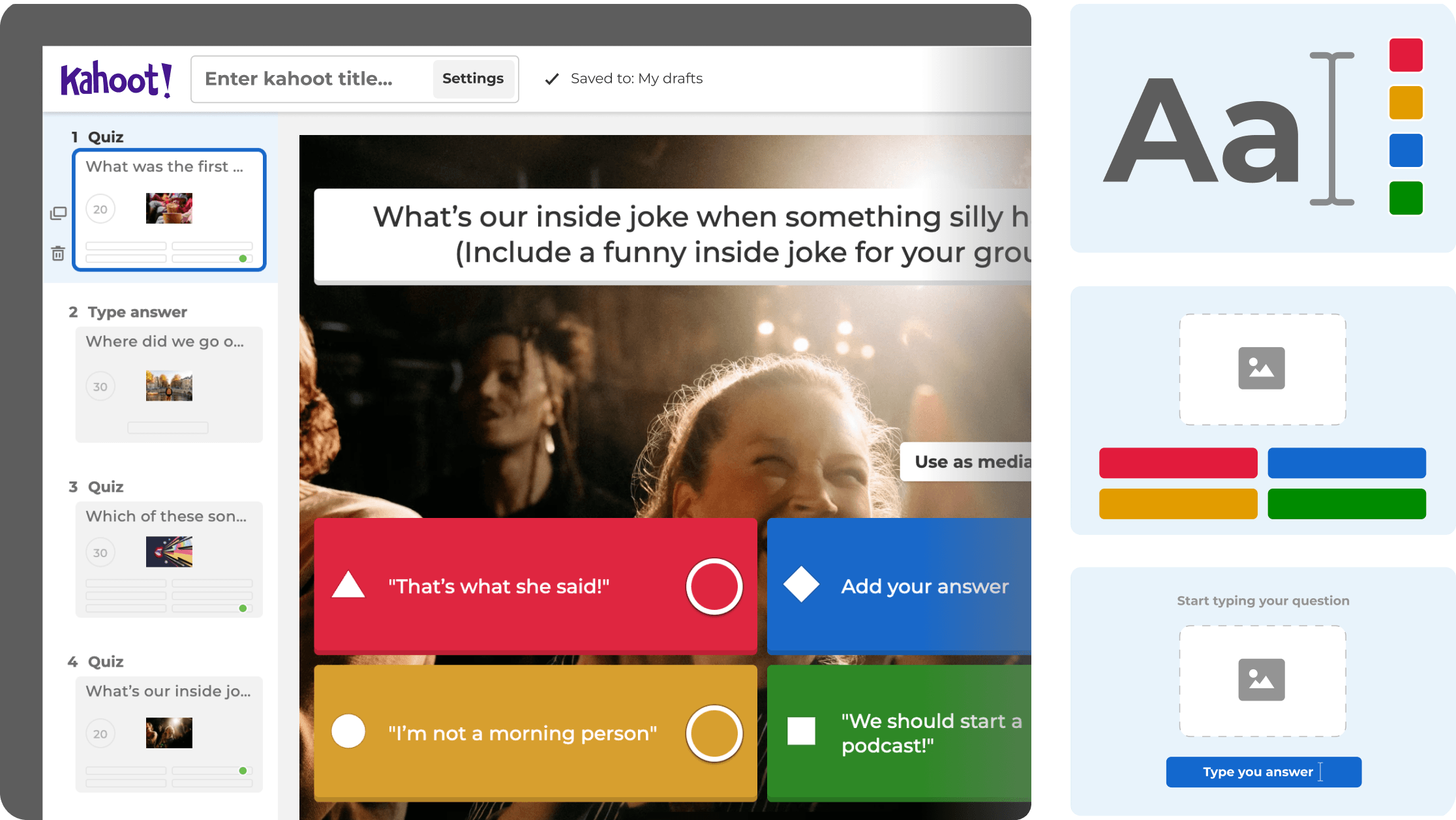
Leaderboards, music, and real-time play turn a knowledge check into an event, and Kahoot!’s business tier extends that format into compliance training, onboarding, and sales enablement, not just classroom trivia. Self-paced assignments are also available for asynchronous use.
It’s a poor fit for anything that needs to be quiet, secure, or formally graded, but for engagement-first assessments where attention is the real challenge, it does something Questbase’s calmer format was never built to do.
Pros:
- Strong gamification with leaderboards and live play
- Works for both classroom review and corporate training
- Self-paced mode available for asynchronous assignments
- Large existing user base and familiarity
Cons:
- Not built for formal, low-key, or high-stakes assessment
- Free tier limits live game size
How Kahoot! Compares With Questbase: Questbase treats every quiz the same, quiet and static. Kahoot! adds energy and competition specifically for training and classroom contexts where engagement matters as much as the score.
User Rating: 4.6/5 (G2)
Pricing: Free plan available; paid plans start around $19/month.
7. TAO Testing: Best for Self-Hosted, Privacy-Controlled Assessments
For institutions and organizations that need full control over their data, self-hosting is the deciding factor, and TAO Testing is one of the more established open-source assessment engines built specifically for that job, rather than being an LMS with a quiz module attached.
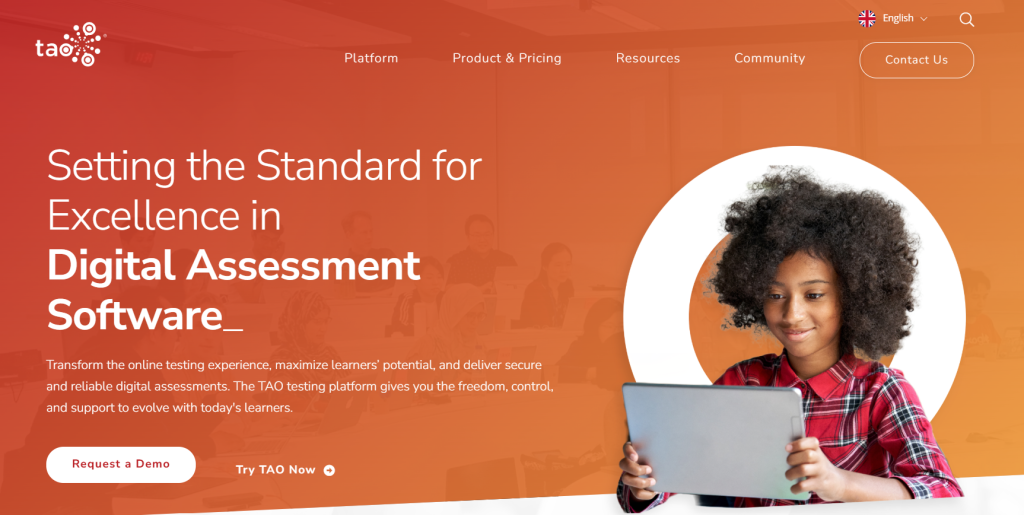
It’s built on the IMS QTI standard, supports extensive item authoring and item banks, and is used for everything from classroom testing to national-scale, high-stakes exams. Because it’s open source and self-hostable, there’s no recurring per-seat fee and no third party holding your assessment data.
Compared to Questbase’s cloud-only model, TAO asks more of your IT team upfront but gives back complete ownership over infrastructure, customization, and long-term cost, which matters a lot for larger institutions running assessments at scale.
Pros:
- Full data ownership through self-hosting
- Built on the open IMS QTI standard for interoperability
- Extensive item authoring and item-bank customization
- No per-user licensing cost when self-hosted
Cons:
- Requires technical setup and ongoing maintenance
- Steeper learning curve than plug-and-play SaaS tools
How TAO Testing Compares With Questbase: Questbase is cloud-only, with your data on someone else’s servers by default. TAO’s self-hosted model hands that control back, which matters for institutions with strict data policies Questbase can’t accommodate.
User Rating: 4.5/5 (Capterra, not listed on G2)
Pricing: Free, open source (self-hosted); managed hosting available at added cost starting at $499/month
8. ClassMarker: Best for High-Volume Certification Exams
When a certification body needs to run an exam for hundreds or thousands of people at once without the system buckling, ClassMarker is one of the more commonly recommended options for that specific job.
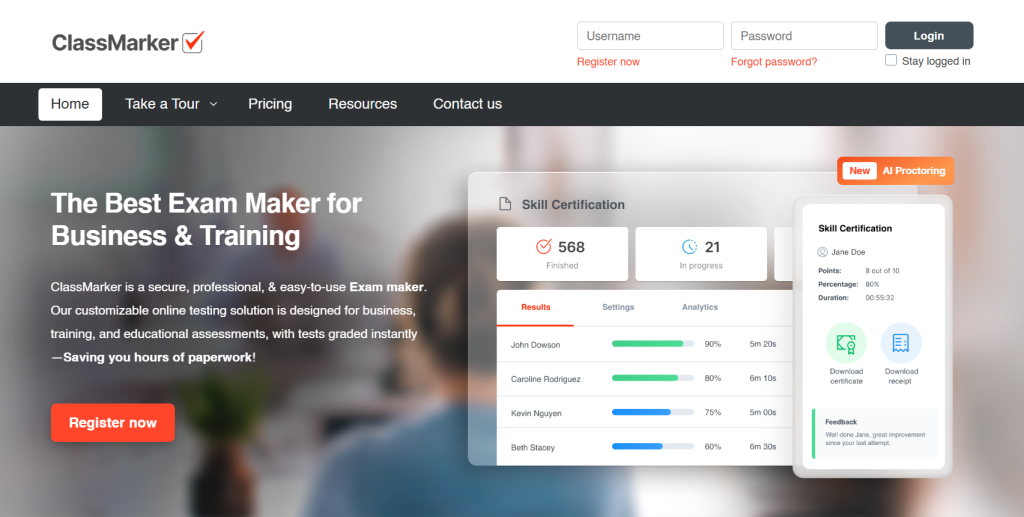
It’s built around question randomization, strict time limits, branded certificates, and detailed analytics, with question banks and group management for organizing large candidate pools. Security controls are aimed squarely at high-stakes exam integrity rather than casual quizzing.
Where Questbase can technically handle a large group, ClassMarker is purpose-built for the scale and security certification programs actually need, which shows up in how cleanly it manages registration, timing, and results at volume.
Pros:
- Built for secure, high-volume exam delivery
- Branded certificates and detailed candidate analytics
- Question banks and group/registration management
- Strong randomization and timing controls
Cons:
- Interface feels more utilitarian than modern SaaS competitors
- Advanced features require higher-tier plans
How ClassMarker Compares With Questbase: Both target formal testing, but ClassMarker’s security, timing, and reporting are built specifically for certification at scale, an area where Questbase’s feature set is comparatively thin.
User Rating: 4.4/5 (Capterra)
Pricing: Paid plans start around $19.95/month; free trial available.
How I Chose These Questbase Alternatives
I didn’t build this list from feature pages alone. Here’s the framework behind it:
User Reviews & Ratings: I checked how each tool performs in real, daily use on G2 and Capterra, not just what the marketing pages claim.
Core Features & Functionality: I focused on what actually matters for online assessment: question variety, proctoring depth, grading automation, and integration options. A tool that’s strong at surveys but weak at secure testing didn’t make the cut.
Ease of Use: A powerful platform a teacher or hiring manager can’t set up quickly defeats the purpose. Setup time and interface clarity carried real weight.
Value for Money: This isn’t about the cheapest option. It’s about whether the free tier or entry price actually solves Questbase’s specific gaps: AI-assisted question creation, proctoring depth, faster question management, or predictable pricing.
Use Case Coverage: I made sure every major reason someone searches for Questbase alternatives: K-12, hiring, developer screening, gamified training, self-hosted privacy, and high-volume certification has a genuine answer on this list, with no two tools competing for the exact same buyer.
Competitive Parity Check: I compared this list against tools that consistently show up in existing Questbase competitor roundups, to confirm the consensus picks are represented, not just the easiest ones to write about.
Top 3 Questbase Alternatives
After comparing all eight platforms, three stood out for solving the broadest range of Questbase’s limitations.
1. ProProfs Quiz Maker
ProProfs Quiz Maker is my top pick for anyone whose search for a Questbase replacement is really about running a secure, gradable, certifiable assessment, not just a quiz. It replaces manual question entry with AI generation and adds proctoring Questbase doesn’t offer.
2. TestGorilla
If your version of “alternatives to Questbase” means screening job candidates fairly and at scale, TestGorilla’s validated skills tests and anti-cheating tools are purpose-built for that job in a way a general quiz builder isn’t.
3. TAO Testing
For institutions where data ownership and long-term cost matter more than convenience, TAO’s self-hosted, standards-based model is the strongest answer, giving you the control Questbase’s cloud-only setup can’t.
Get a Better Way to Run Online Quizzes & Assessments
Switching away from Questbase doesn’t mean starting from zero. It means matching the tool to the job you actually need done: AI-assisted quiz creation, real proctoring, LMS integration, or certification at scale, instead of working around a platform that’s stayed the same while expectations moved on.
For most of the training and certification teams I talk to, ProProfs Quiz Maker comes out ahead here, combining an AI quiz generator, secure proctoring, and automated certification in one plan, at a published price that won’t change on you without warning.
If your priority is hiring instead of training, TestGorilla’s validated skills tests are worth a closer look, and if you’re screening at real volume, ClassMarker’s certification-scale tooling is built for exactly that.
You can browse ProProfs quiz maker 20+ question types or start with the free plan and judge for yourself whether it fits your next assessment rollout.
Frequently Asked Questions
Which alternative is best for developer or technical hiring?
Codejudge is built specifically for this, scoring real coding tasks and code quality rather than multiple-choice programming questions. TestGorilla is a strong option when you need broader skills testing alongside technical screening.
What's the best Questbase replacement for K-12 classrooms?
EasyTestMaker and Google Forms are the strongest fits for classroom use, with EasyTestMaker better suited to printable, paper-based tests and Google Forms better suited to fully online, auto-graded quizzes.
Which Questbase competitor offers the strongest proctoring and anti-cheating features?
ProProfs Quiz Maker and TestGorilla both include modern anti-cheating tools, including browser lockdown, webcam monitoring, and IP tracking, well beyond what Questbase currently offers.
Is there a self-hosted alternative to Questbase for data privacy?
TAO Testing is the strongest self-hosted option here, giving you full control over where assessment data lives instead of relying on a third-party cloud platform.
Which online exam software alternative works best for high-volume testing?
ClassMarker is purpose-built for large-scale certification exams, with question randomization, timing controls, and reporting designed to handle hundreds or thousands of test-takers at once.
What's the best Questbase alternative for AI-generated quizzes?
ProProfs Quiz Maker's AI quiz generator can build a full assessment with explanations from a document, video, or webpage in seconds, a feature Questbase doesn't offer.
Which alternative integrates best with an LMS like Canvas or Google Classroom?
None of these tools replace an LMS outright, but ProProfs Quiz Maker connects directly to Canvas, Moodle, and Google Classroom, making it the more practical pick if you need assessments embedded inside an existing LMS rather than running a separate system.
Let ProProfs AI Build a Quiz

 We'd love your feedback!
What did you like & how can we make it even better?
 Thanks for your feedback!
 Ask Your Question
Have a question? Get expert help to make your decision easier.