If you’re looking for ThinkExam alternatives, you’re probably not just looking for another online exam platform. You’re looking for a tool that makes it easier to create, deliver, and evaluate assessments without adding unnecessary work to your team.
ThinkExam covers the core needs of online assessments, but different teams need different things, from AI-powered question generation and ready-to-use templates to flexible pricing, stronger customization, or simpler workflows.
That’s where the right alternative can make a difference. I’ve compared 8 ThinkExam competitors based on features, ease of use, pricing, assessment capabilities, and the needs of different types of teams.
Here’s what you’ll find: the key differences between these platforms, who each one is best suited for, and what to consider before choosing one.
Why Are Teams Switching From ThinkExam?
If you’re comparing ThinkExam against everything else on the market, here’s what comes up most often from HR teams, training managers, educators, and assessment administrators.
Pricing that takes real work to compare: ThinkExam does publish self-serve pricing on its site: a free tier (30 test attempts/month) plus Standard, Professional, and Business tiers starting around $36–59/month, according to third-party listings sourced from ThinkExam’s own pricing page. The catch is that it runs two separate pricing tracks, one priced by test attempts and one by number of users, so getting to a single number you can compare against a flat competitor rate takes some work. Anything past the standard tiers still needs a custom Enterprise quote.
AI question generation exists, but as a separate branded tool: ThinkExam does offer AI-assisted question generation through Think Originate, its own AI Question Generator, so this isn’t a case of the feature being missing. What’s less clear from public information is how directly that generator surfaces inside the core exam-builder workflow versus living as its own product, worth confirming on a demo if AI generation speed is your main reason for comparing tools.
A steep admin learning curve: Setting up candidate rules, multi-tier permissions, and proctoring settings can feel clunky next to the drag-and-drop builders most teams are used to now. That setup time adds up fast when you’re running recurring compliance or onboarding assessments.
Mobile and low-bandwidth performance is worth testing directly: Some administrators report exams feeling heavier on unreliable connections than newer, lighter-weight builders. I couldn’t independently verify this at scale from public reviews, so treat it as something to stress-test yourself during a trial rather than a settled fact.
Proctoring that leans toward always-on by default: ThinkExam’s own marketing states that AI proctoring is included in its plans from the base paid tier up. That’s a real strength for high-stakes exams, but it can feel like more monitoring than a low-stakes compliance quiz or classroom check actually needs, especially for teams that want lighter integrity tools, randomization, and tab-switch alerts without full webcam capture by default.
Top 8 ThinkExam Alternatives for Online Exams & Assessments
I compared the top ThinkExam alternatives on the features that matter for online exams and assessments, including test creation, proctoring, analytics, integrations, and ease of use. The list covers options for corporate training, academic assessments, and individual instructors.
| Tool | Best For | Starting Price | User Rating |
| ProProfs Quiz Maker | Creating Quizzes & Assessments for Business, Training, and Education | $19.99/month | 4.3/5 (G2) |
| Mercer | Mettl | Enterprise Recruitment & Talent Assessment | Custom quote | 4.4/5 (G2) |
| TestGorilla | Pre-Employment & Technical Skills Testing | Free / ~$142/mo billed annually | 4.5/5 (G2) |
| ClassMarker | Small Training Centers & Independent Educators | $19.95/month | 4.4/5 (G2) |
| iSpring QuizMaker | SCORM-Based Corporate Training & LMS Authoring | $39.17/month | 4.7/5 (G2) |
| Typeform | Conversational, Branded Quizzes & Lead Gen | Free / $28/month | 4.5/5 (G2) |
| Kahoot! 360 | Gamified Training & High-Energy Sessions | ~$19/month per host | 4.6/5 (G2) |
| Google Forms | Free, No-Frills Quizzes for Small Teams | Free | 4.6/5 (G2) |
1. ProProfs Quiz Maker: Best for Creating Quizzes & Assessments for Business, Training, and Education
I’ve used ProProfs Quiz Maker across corporate training and classroom assessment for exactly that gap: getting from an empty question bank to a live, secure exam in minutes rather than a longer configuration process. This is one of the most sought-after ThinkExam alternatives. ThinkExam’s proctoring is capable, but getting from “empty question bank” to “live, secure exam” takes real setup time.
The AI-powered quiz generator builds a complete, explained assessment from a document, slide deck, or webpage in seconds, and it supports 20+ question types, including scenario-based, image-based, and video-response formats. Automated webcam and screen proctoring, browser lockdown, IP tracking, and question randomization come standard on paid plans, so integrity controls don’t require a separate add-on negotiation. Check it yourself with our AI quiz feature:

Let ProProfs AI Build a Quiz
Where ThinkExam splits pricing across separate test-attempt and user-based tracks that take real work to compare, ProProfs Quiz Maker uses one flat, published rate per 100 active quiz takers, and the free plan lets you build and test a real assessment before you commit to anything.
Pros:
- AI-powered quiz generator that builds a full graded assessment from a document, video, or webpage
- Automated webcam and screen proctoring, browser lockdown, and IP tracking
- 20+ question types, including scenario-based and video-response formats
- Automated certification and recertification with branded certificates
- Transparent, self-serve pricing with a usable free plan
Cons:
- No dark mode, which may affect comfort during extended admin sessions
- Cloud-based only; no on-premises deployment option
How ProProfs Quiz Maker Compares With ThinkExam: ThinkExam’s candidate-rule and permission setup takes real configuration time, and its dual test-attempt/user-based pricing tracks take real work to compare against a flat number. ProProfs Quiz Maker uses a single published rate per active quiz taker and a fast, self-serve setup flow, which matters most for teams that want a live, secure exam running the same day they sign up. Worth noting: ThinkExam does have its own AI question generator, Think Originate, so this isn’t a case of one platform having AI and the other not; the real difference is setup speed and pricing clarity, not AI presence.
User Rating: 4.3/5 (G2)
Pricing: Free for short quizzes; paid plans start at $19.99/month.
2. Mercer | Mettl: Best for Enterprise Recruitment & Talent Assessment
Mettl comes up constantly in “ThinkExam alternatives” conversations for a specific reason: scale. Where ThinkExam serves education, corporate, and recruitment fairly broadly, Mercer | Mettl is built almost entirely around pre-hire and workforce assessment for large enterprises, with a much deeper bench of psychometric and coding-skills test libraries.
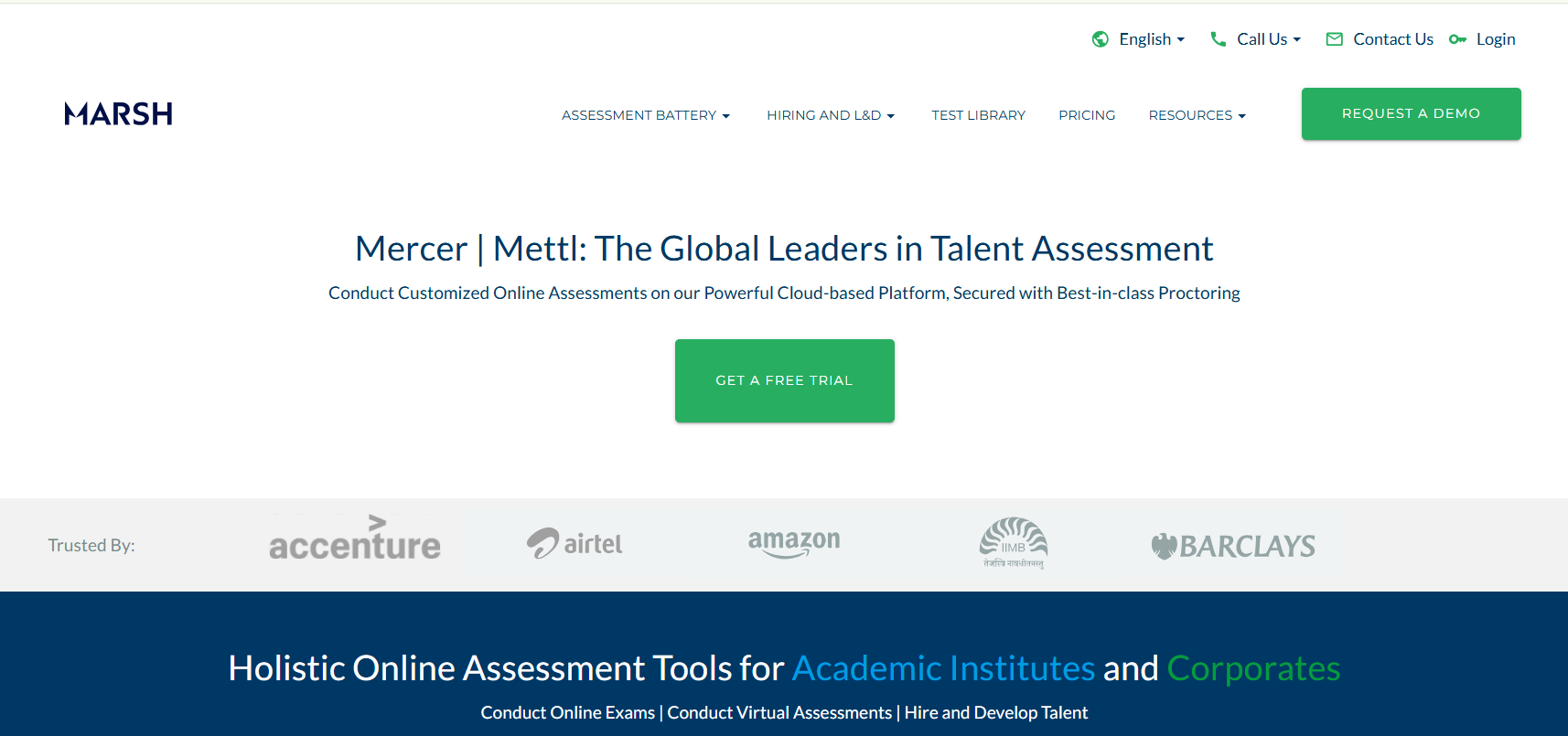
It bundles AI-based proctoring, live human invigilation options, and detailed candidate analytics into its assessment suite, and it’s positioned to plug into enterprise recruitment and talent-management workflows rather than standalone classroom testing. Reviewers consistently flag the platform’s depth for structured hiring assessments over its ease of initial setup.
Where it falls short of ThinkExam for smaller teams is accessibility: there’s no published pricing tier, average implementation time runs close to three months according to G2 buyer data, and it’s clearly built for enterprise recruitment budgets rather than a training center evaluating tools on a Tuesday afternoon.
Pros:
- Deep library of psychometric, coding, and cognitive-ability assessments
- AI proctoring plus optional live human invigilation
- Strong fit for high-volume enterprise recruitment pipelines
- Detailed candidate benchmarking and analytics
Cons:
- No self-serve pricing; requires a custom sales quote
- Reported implementation time averages around three months
How Mercer | Mettl Compares With ThinkExam: Both platforms serve recruitment and corporate testing, but Mettl leans further into enterprise-scale hiring assessment with a deeper psychometric library, while ThinkExam stays closer to general-purpose exam administration across education and corporate use cases.
User Rating: 4.4/5 (G2)
Pricing: Custom quote only; no published self-serve tier.
3. TestGorilla: Best for Pre-Employment & Technical Skills Testing
TestGorilla solves a problem ThinkExam wasn’t really built for: validating job-specific and technical skills before an interview even happens. Its library of 350+ tests covers coding challenges, role-specific skills, and cognitive ability, and its free plan gives smaller teams five tests to start with before committing to anything.
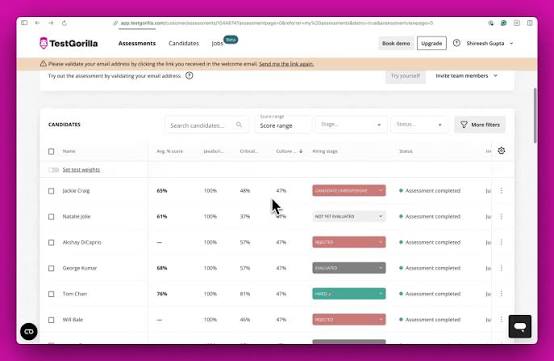
Custom essay and file-upload questions get AI-powered auto-scoring on paid tiers, and analytics break down candidate performance by skill category rather than just a pass/fail score. Reviewers specifically call out how the platform combines cognitive, behavioral, and role-specific testing into one streamlined evaluation instead of requiring separate tools for each.
Setup and candidate experience both score well against ThinkExam in head-to-head comparisons, though some reviewers note customization options feel less flexible than platforms built specifically for exam administration rather than hiring.
Pros:
- 350+ pre-built skills, coding, and cognitive tests
- AI-powered auto-scoring for custom essay and file-upload questions
- Free plan with five tests to start
- Strong candidate-side experience and completion rates
Cons:
- Customization is more limited than platforms built for formal exam administration
- Full test library and integrations require the Plus tier
How TestGorilla Compares With ThinkExam: ThinkExam is built for general exam administration across education and corporate settings. TestGorilla is purpose-built for pre-hire skills validation, with a deeper, ready-made test library that a recruiting team doesn’t have to build from scratch.
User Rating: 4.5/5 (G2)
Pricing: Free plan available; Core plan starts around 1,700/year(~142/month).
4. ClassMarker: Best for Small Training Centers & Independent Educators
ClassMarker is the pick I’d point to as an independent tutor or a small training center. It keeps the core of what ThinkExam does well: secure test delivery, question banks, access controls without the enterprise sales process wrapped around it.
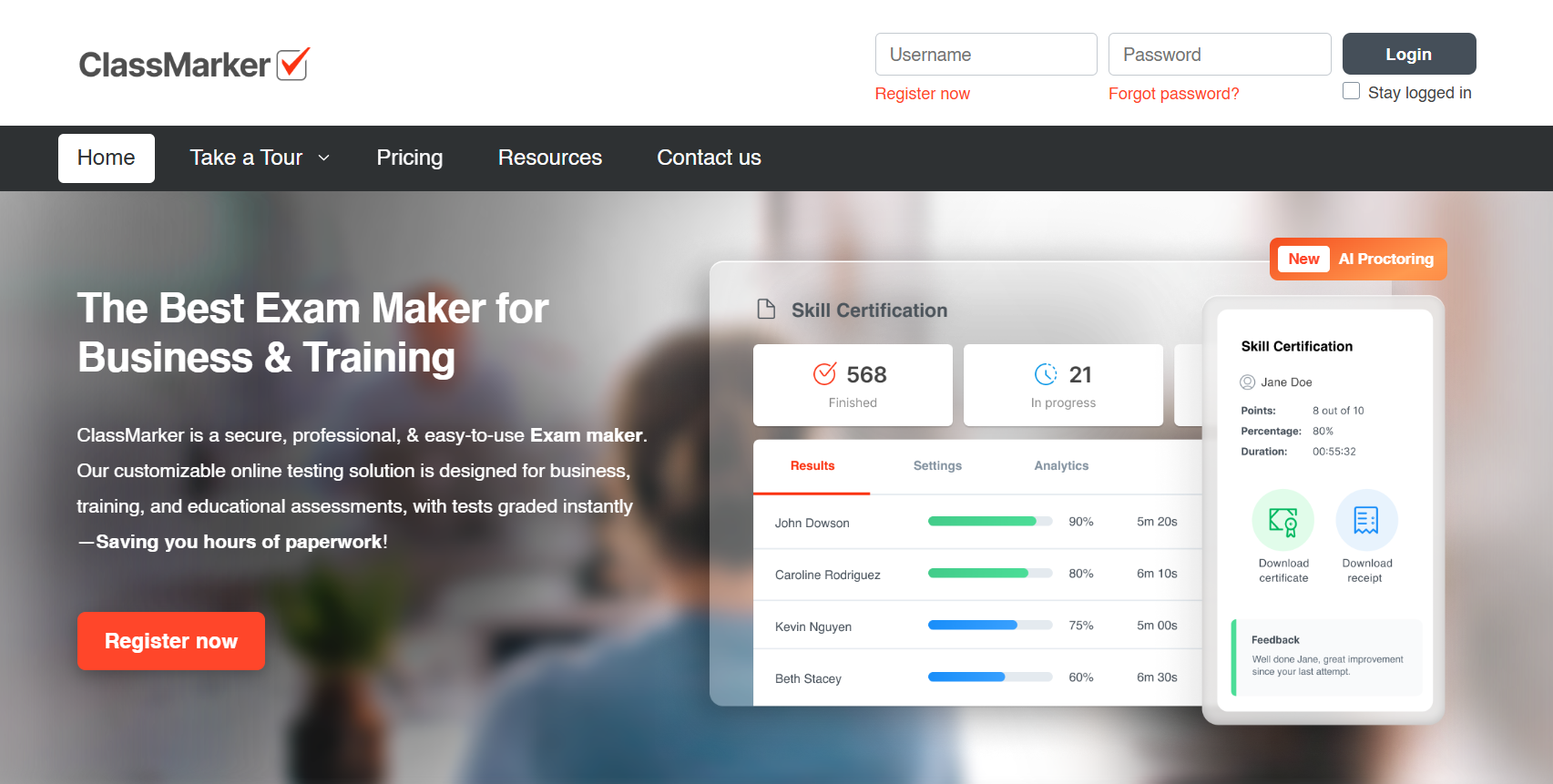
Educators can add multiple-choice, true/false, short-answer, matching, and essay questions, set time limits, randomize question order, and instantly grade results with detailed performance analytics. AI exam proctoring and custom certificates are included on the Professional tiers, and a discounted education pricing track exists specifically for schools and nonprofits.
It’s not trying to be an enterprise talent-assessment platform, and reviewers are upfront that design customization is limited. But for a team that just needs reliable, secure testing without months of implementation, that trade-off is usually worth it.
Pros:
- Reliable, secure test delivery with instant grading
- AI exam proctoring included on Professional plans
- Discounted education/nonprofit pricing track
- Straightforward setup with a genuinely usable free tier for educators
Cons:
- Limited design and branding customization
- Fewer advanced integrations than larger enterprise platforms
How ClassMarker Compares With ThinkExam: ThinkExam’s tiered plans and candidate-rule configuration can feel like overkill for a small operation. ClassMarker delivers the same core security and grading functionality with a much lighter setup process and published pricing that starts under $20/month.
User Rating: 4.4/5 (G2)
Pricing: Starts at $19.95/month (education); Business Professional plans start at $39.95/month.
5. iSpring QuizMaker: Best for SCORM-Based Corporate Training & LMS Authoring
If your assessments need to live inside an existing corporate LMS rather than stand alone, iSpring QuizMaker solves a problem ThinkExam doesn’t directly address: authoring. It’s built as a desktop-based quiz and assessment authoring tool that exports directly to SCORM and xAPI, so finished quizzes drop straight into whatever LMS your organization already runs.
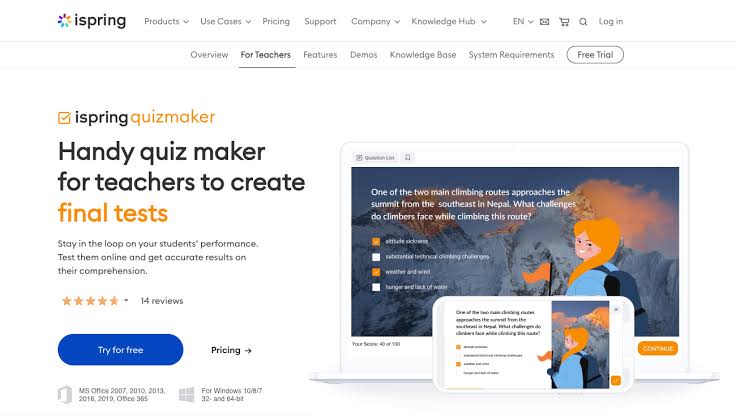
It supports 14+ question types, branching scenarios, and randomized question pools, and it integrates tightly with iSpring’s broader course-authoring suite for teams already building e-learning content. Reviewers consistently rate its ease of setup and support experience highly relative to other exam-focused tools in this category.
The trade-off is that it’s an authoring tool first, not a hosted testing platform; you’re building and exporting content rather than administering live proctored exams the way you would in ThinkExam.
Pros:
- Direct SCORM/xAPI export for any compliant corporate LMS
- 14+ question types, including branching scenarios
- Strong support ratings and fast setup
- Deep integration with iSpring’s course-authoring suite
Cons:
- Desktop-based authoring model rather than a hosted testing platform
- Higher upfront cost than browser-based alternatives on this list
How iSpring QuizMaker Compares With ThinkExam: ThinkExam hosts and administers exams directly. iSpring QuizMaker is built to author assessments that live inside whatever LMS a corporate training team already has, which matters for organizations standardized on SCORM-based compliance tracking.
User Rating: 4.7/5 (G2)
Pricing: Starts around $39.17/month.
6. Typeform: Best for Conversational, Branded Quizzes & Lead-Gen Assessments
Typeform isn’t built as an exam-security platform, and it doesn’t try to be. What it does better than ThinkExam is completion rate: its one-question-at-a-time, conversational format consistently outperforms stacked-page testing layouts, which matters for voluntary assessments, certification pre-screens, or onboarding knowledge checks where you’re worried about drop-off.
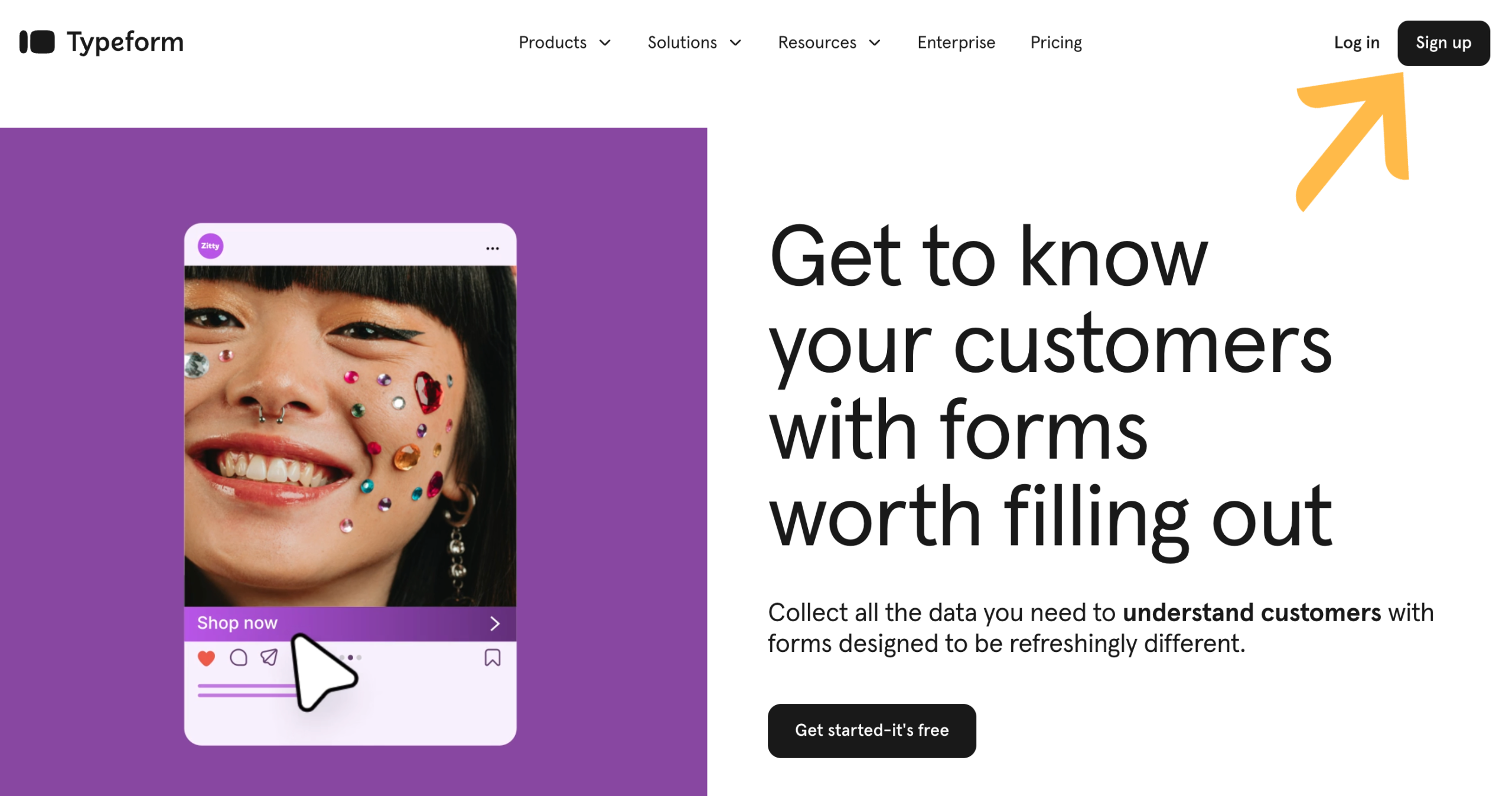
Native AI form generation builds a quiz from a prompt in seconds, and scoring logic lets you route respondents to different outcomes based on their answers. It integrates cleanly with HubSpot, Google Workspace, and most marketing stacks, which makes it a natural fit for assessment content tied to a broader lead-gen or onboarding funnel.
The catch is depth on the security side; there’s no webcam proctoring or browser lockdown here, and response caps on lower tiers (100/month on the entry plan) come up fast for anything beyond light usage.
Pros:
- Conversational, one-question-at-a-time format with high completion rates
- Native AI quiz and form generation
- Clean integrations with HubSpot and Google Workspace
- Strong branding and design customization
Cons:
- No webcam proctoring or browser lockdown for high-stakes exams
- Response caps hit quickly on entry-level plans
How Typeform Compares With ThinkExam: ThinkExam is built for secure, proctored testing. Typeform is built for engagement and completion rate on lower-stakes assessments, which makes it the better fit when the priority is getting people to finish a quiz, not lock down an exam environment.
User Rating: 4.5/5 (G2)
Pricing: Free plan available; paid plans start around $28/month.
7. Kahoot! 360: Best for Gamified Training & High-Energy Sessions
Kahoot’s business line, Kahoot! 360 has moved well past classroom trivia into a genuine workforce-training tool. It’s positioned specifically for onboarding, compliance refreshers, and sales training that needs to hold a room’s attention, something ThinkExam’s more formal exam interface was never designed to do.
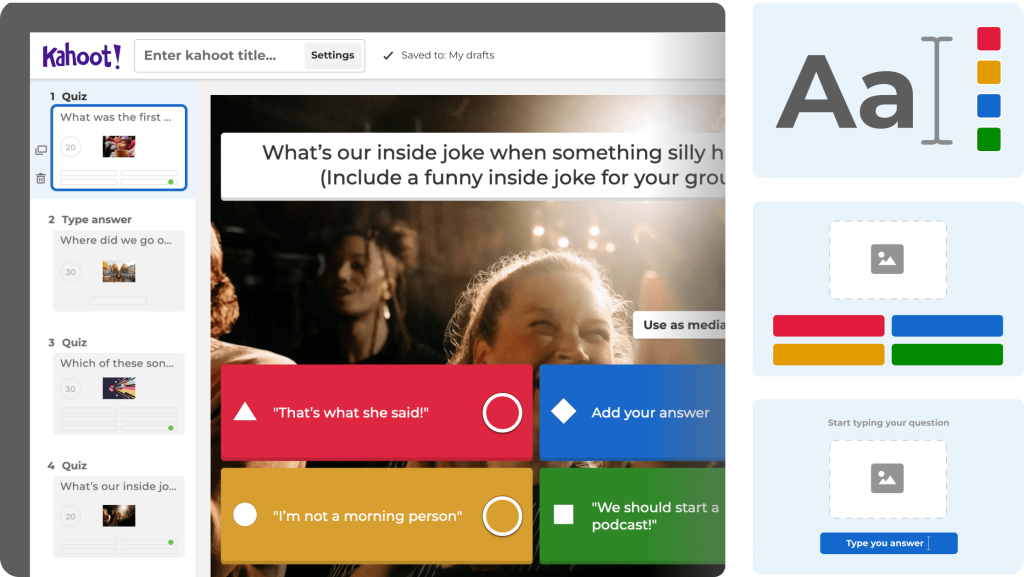
Live leaderboards, AI-generated kahoots, and slide import from Google and Microsoft Slides make it fast to spin up an interactive session, and reports break results down to the individual participant level so trainers can see exactly where a cohort is struggling. Sessions scale from 50 participants on the entry tier up to 2,000 on the Spirit plans for larger organizations.
It’s a poor substitute for formal, proctored certification exams, but for the “keep people awake during mandatory training” problem, it does something none of the more serious testing platforms on this list attempt.
Pros:
- Strong gamification with leaderboards and live competitive formats
- AI-generated kahoots and slide import from Google/Microsoft
- Individual-level performance reporting
- Scales from small team meetings to 2,000-participant sessions
Cons:
- Not built for formal, proctored, high-stakes exams
- Per-host pricing multiplies quickly for larger training teams
How Kahoot! 360 Compares With ThinkExam: ThinkExam is built for quiet, formal assessment. Kahoot! 360 is built for the opposite: high-energy, gamified sessions for training and onboarding where engagement matters more than exam security.
User Rating: 4.6/5 (G2)
Pricing: Paid Pro plans start around $19/month per host.
8. Google Forms: Best Free, No-Frills Alternative for Simple Quizzes
For teams asking specifically about a “ThinkExam alternative free” option, Google Forms is usually the honest answer. It’s not a dedicated exam platform, but its quiz mode supports auto-grading, point values, and answer feedback at zero cost, which covers a surprising amount of ground for low-stakes knowledge checks and informal training quizzes.
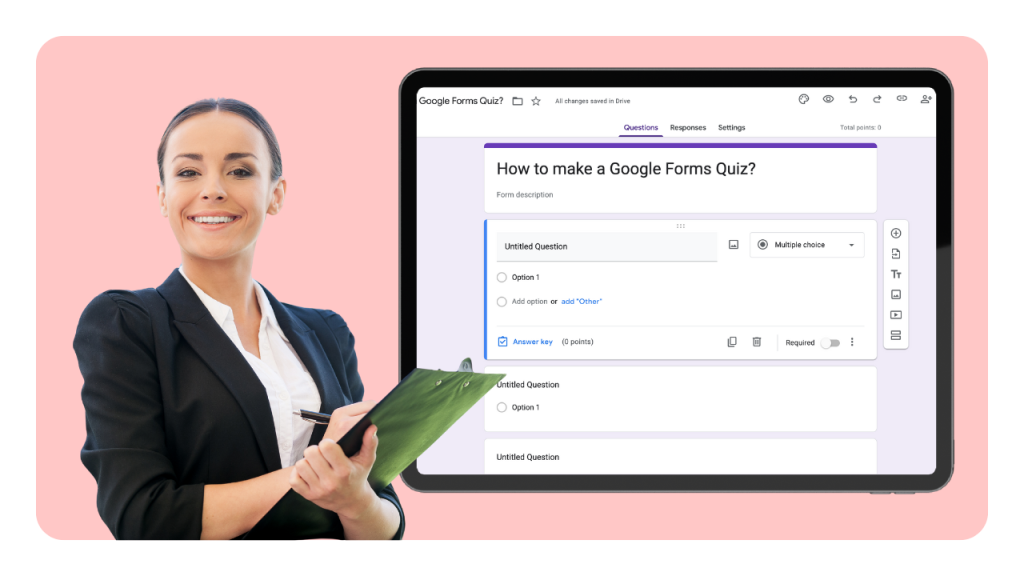
It integrates natively with Google Sheets for results tracking and with Google Classroom for education use, and because most teams already have a Google Workspace account, there’s no new procurement process to get started. What it lacks is everything ThinkExam is actually built around: no proctoring, no browser lockdown, no question randomization beyond a basic shuffle setting, and no certification workflow.
I’d recommend it as a genuine starting point for a small team testing whether they need a dedicated platform at all, not as a long-term replacement for anything security-sensitive.
Pros:
- Completely free with no participant or response caps
- Native integration with Google Sheets and Classroom
- Simple, fast setup with no procurement process
- Familiar interface for most users
Cons:
- No proctoring, browser lockdown, or IP tracking
- No certification, recertification, or branded reporting features
How Google Forms Compares With ThinkExam: ThinkExam is purpose-built for secure exam administration; Google Forms is a general-purpose survey tool with basic quiz scoring bolted on. It’s the right call for informal, low-stakes checks, not for anything that needs to hold up as a certified assessment.
User Rating: 4.6/5 (G2)
Pricing: Free.
How I Chose These ThinkExam Alternatives
I looked beyond feature lists to understand how each platform handles real-world assessment needs. Here’s the framework I used to compare them.
- User Reviews & Ratings: I checked verified feedback on G2 and Capterra for how each tool performs in daily use, not just what the marketing page claims.
- Core Assessment Features: I focused on what matters for exam administration specifically: proctoring depth, question-bank flexibility, grading automation, and certification. A tool that’s strong at surveys but weak at security didn’t rank ahead of dedicated exam platforms.
- Ease of Admin Setup: A powerful platform an assessment administrator can’t configure in an afternoon defeats the purpose of switching away from ThinkExam’s steeper learning curve.
- Value for Money: This isn’t about picking the cheapest option; it’s about whether the pricing model actually solves ThinkExam’s specific limitations, namely a two-track pricing structure that takes real work to compare against a single number.
- Community & Research Signals: I cross-referenced Reddit threads from r/Professors, r/edtech, and r/AskProfessors for the exact reasons people cite when evaluating exam software, then made sure each pick addresses at least one of them measurably.
- Competitive Parity Check: I compared this list against tools currently ranking for “ThinkExam alternatives” and related queries to confirm the consensus picks are represented, not just the ones easiest to write about.
Top 3 ThinkExam Alternatives
After comparing all eight platforms, three stood out for covering the broadest range of ThinkExam’s gaps.
1. ProProfs Quiz Maker
My top pick for any team that wants ThinkExam’s proctoring and security depth without the setup time, on a single, easy-to-compare published rate instead of two parallel pricing tracks.
2. TestGorilla
The right call if your assessment is really pre-employment skills validation rather than academic or compliance exams. Its 350+ pre-built tests remove the need to write a technical assessment from scratch.
3. ClassMarker
The best fit for a small training center or independent educator who wants ThinkExam’s core security features: question banks, proctoring, instant grading without an enterprise sales process or a steep learning curve.
Ready to Switch Beyond ThinkExam?
The right assessment platform should do more than replace ThinkExam. It should make creating, delivering, and evaluating assessments easier from the start.
Whether you’re screening candidates, training employees, running compliance assessments, or issuing certified exams, the platform you choose should give you the tools to do it without unnecessary complexity.
ProProfs Quiz Maker brings those capabilities together in one platform, with AI-powered quiz creation, a large question library, automated proctoring, customizable certificates, detailed reports, and branding options.
You can compare ProProfs Quiz Maker’s pricing directly against ThinkExam’s dual test-attempt/user-based tiers: one flat rate per 100 active quiz takers, no separate track to reconcile. Start your first assessment for free and see how ProProfs Quiz Maker can simplify your next assessment rollout.
Frequently Asked Questions
What are the best ThinkExam alternatives for corporate certification?
ProProfs Quiz Maker is the strongest fit for this specifically: it pairs AI quiz generation with automated, branded certification and recertification tracking in one workflow. ThinkExam can generate questions with AI through its own Think Originate tool, but linking that generation directly to a certification and recertification workflow takes more manual setup on ThinkExam's side.
Which ThinkExam competitor is best for pre-employment testing?
TestGorilla and Mercer | Mettl are the two most commonly chosen for hiring assessments, with TestGorilla better suited to small and mid-sized teams and Mettl built for enterprise-scale recruitment pipelines.
What's the best ThinkExam replacement for small training centers or independent educators?
ClassMarker is the closest match; it keeps secure test delivery, question banks, and instant grading without the enterprise procurement process ThinkExam's sales-quote model requires.
Is there an online examination platform alternative that integrates with an LMS?
iSpring QuizMaker exports directly to SCORM and xAPI for corporate LMS platforms, and ProProfs Quiz Maker is also SCORM/TinCan-compliant with API and SSO support for connecting to an existing LMS or HRIS. Canvas and Blackboard also support native quiz and assessment tools, if you'd rather keep everything inside those platforms directly.
Which alternative offers the best AI-powered quiz generation?
Exam has its own AI question generator, Think Originate. Among the alternatives on this list, ProProfs Quiz Maker and Typeform both build AI quiz generation directly into their core editor from a prompt or document, with ProProfs adding automated grading, proctoring, and certification on top.
What's the best ThinkExam alternative for gamified corporate training?
Kahoot! 360 is purpose-built for this, with live leaderboards, AI-generated sessions, and individual-level performance reporting designed specifically for onboarding and compliance training that needs to hold attention.
What should I look for when evaluating online examination platform alternatives?
Beyond price, weigh proctoring depth (browser lockdown vs. webcam monitoring), question-bank flexibility, AI-assisted question generation, LMS or SCORM compatibility, and how the platform handles certification or recertification tracking. The right mix depends on whether you're running academic exams, compliance training, or pre-employment screening.
Let ProProfs AI Build a Quiz

 We'd love your feedback!
What did you like & how can we make it even better?
 Thanks for your feedback!
 Ask Your Question
Have a question? Get expert help to make your decision easier.