
The problem with skills assessment software usually shows up after the first few rounds of hiring. The tests work, but choosing and setting up the software can feel more complicated than the hiring process itself: demo calls, annual contracts, setup work, and proctoring can feel excessive for a first-round screen.
iMocha is built for enterprise skills programs, and that depth makes sense when hiring, helping existing employees move into new roles and identifying their skills, all within the same system. It makes less sense when a recruiter simply needs a role-specific test, sensible anti-cheat controls, and scores without a complicated setup.
That is when iMocha alternatives become worth comparing. Which one fits depends on what changed first: the roles you hire for, how much security you need, or how much platform you are willing to manage.
Why Are Teams Switching From iMocha?
I looked through user reviews on G2, Capterra, and other software review platforms to understand why recruiters and HR teams consider iMocha alternatives. Here are the common concerns:
- Complicated initial setup: Creating assessments and learning to navigate the platform can take time, especially for new users.
- Time-consuming test creation: Building assessments from scratch and selecting the right questions from a large library can be time-consuming.
- Limited customization flexibility: Some reviewers report difficulty modifying questions and adjusting tests to match specific hiring requirements.
- Unclear pricing: Public pricing is unavailable, making it harder for smaller businesses to estimate costs without contacting sales.
- Question library gaps: Some users find that certain assessments lack sufficient question variety or do not fully cover specialized skills.
- More features than necessary: Teams needing simple skills tests may find iMocha’s broader enterprise workforce management capabilities excessive.
- Limited report export options: Some reviewers want easier ways to download assessment questions and export multiple reports at once.
- Access limitations: A few users mention restrictions when multiple team members need to access the platform simultaneously.
Top 10 iMocha Alternatives Compared
Here’s a quick comparison of the top 10 iMocha alternatives to help you understand what each tool offers and find the right fit for your skills assessment needs:
| Software | Best For | Starting Price | User Rating |
| ProProfs Quiz Maker | Creating Quizzes & Assessments for Business, Training, and Education | Free; paid from $19.99/month | 4.3/5 |
| TestGorilla | Broad Pre-Hire Screening for All Roles | Free; paid from $215/month | 4.5/5 |
| Equip | Flexible Skills Testing for Recruitment | Free trial; from $30/month | 4.5/5 |
| Vervoe | Assessing Candidates Through Real-World Job Tasks | Custom quote | 4.6/5 |
| Testportal | Affordable Custom Tests With Light Proctoring | Free trial; paid from $35/month | 4.9/5 |
| Hirevire | Video and Communication-Based Candidate Screening | Free trial; paid from $39/month | 5.0/5 (Capterra) |
| CodeSignal | Developer Hiring With Work Simulations | From $79/month (billed annually) | 4.5/5 |
| HackerRank | High-Volume Developer Screening | From $199/month | 4.5/5 |
| Codility | Enterprise Engineering Assessments | From $1,200/year (annual billing only) | 4.6/5 |
| Codejudge | Practical Coding Projects and Developer Assessments | Custom quote | Too few reviews |
1. ProProfs Quiz Maker – Best for Creating Quizzes & Assessments for Business, Training, and Education
ProProfs Quiz Maker makes it easy to create skills assessments for hiring, employee training, and education without spending hours on question preparation or test management.
You can start with a ready-made assessment or use the AI quiz generator to create one based on a topic or an uploaded document. The platform supports 20+ question types, including multiple-choice, essays, audio, and video responses, making it useful for testing both technical knowledge and soft skills.
For hiring, you can customize questions to match a role, set time limits, randomize answers, and enable available anti-cheating controls. Automatic grading handles scoring, while detailed reports help recruiters compare results and understand where candidates perform well.
Unlike platforms focused mainly on recruitment, ProProfs Quiz Maker also supports onboarding, compliance training, certifications, and regular employee knowledge checks. This makes it a practical iMocha alternative for businesses seeking a single, easy-to-use tool for a range of assessment needs.

Let ProProfs AI Build a Quiz
Pros:
- Generate complete assessments from a topic, document, or existing material using AI and customize the questions to match specific hiring requirements.
- Access over one million ready-to-use questions to prepare skills assessments without writing everything yourself.
- Use 20+ question types, including essays, matching, audio, and video responses, to assess different abilities.
- Add timers, randomized questions, controlled access, and available proctoring options to make assessments more secure.
- Receive instant scores, review individual performance, identify knowledge gaps, and export assessment results.
Cons:
- No dark mode
- Cloud-only, with no on-premises version
User Rating: 4.3/5
Pricing: Free for short quizzes and essential features. Paid plans start at $19.99/month and scale up to $199.99/month on the Enterprise plan for larger teams.
2. TestGorilla – Best for Broad Pre-Hire Screening Across Roles
TestGorilla helps recruiters evaluate applicants for different job roles using ready-made skills tests. Its library includes assessments for communication, problem-solving, language skills, personality, technical knowledge, and other abilities.
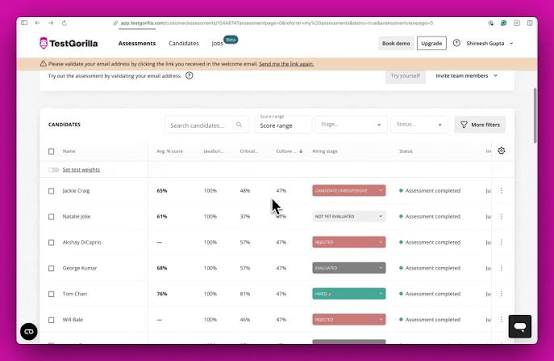
This is particularly helpful for companies hiring across several departments because recruiters do not need to create a separate test from scratch for every position.
You can combine multiple assessments into a single screening process. For example, a sales candidate could complete tests covering communication, numerical reasoning, and customer handling. The platform also supports AI interviews, giving hiring managers another way to understand candidates before speaking with them.
TestGorilla offers a simpler way to manage broad pre-employment testing when you need consistent results across many applicants. Its ready-made content and candidate comparison features make it a useful alternative to iMocha for recruitment-focused teams.
Pros:
- Choose from hundreds of assessments covering technical knowledge, cognitive abilities, language skills, personality, and workplace behavior.
- Assess multiple abilities within one candidate evaluation instead of sending separate tests for every skill.
- Gather additional information about applicants through structured AI interviews before scheduling live conversations.
- Review assessment results side by side to understand how applicants match the requirements of an open position.
- Connect supported applicant tracking systems to keep candidate information and screening results organized.
Cons:
- Pricing can feel steep for smaller teams
- ATS integrations and branding removal sit higher in the plan structure
User Rating: 4.5/5
Pricing: Free plan available. Core starts at $215/month.
3. Equip – Best for Pay-Per-Candidate Skill Screening
Equip brings skills assessment and candidate management together, helping recruitment teams handle more of their hiring process in one place.
Recruiters can create tests for coding, reasoning, Excel, communication, typing, and other job-related skills. Questions can be selected from the existing library or added manually, allowing assessment of the abilities that matter most for a particular opening.
Another useful feature is its built-in applicant tracking system. You can collect applications, review resumes, send assessments, and follow each candidate’s progress without moving between separate platforms.
Equip also provides AI-assisted evaluations and test monitoring. These features help recruiters understand candidate performance while keeping online assessments more secure.
For organizations that find iMocha’s broader skills management features unnecessary, Equip offers a more focused approach to testing applicants and organizing recruitment.
Pros:
- Test candidates on programming, communication, logical reasoning, Excel, typing, and other practical workplace skills.
- Add your own questions and adjust assessments according to the responsibilities of different positions.
- Manage applications, candidate details, assessment results, and recruitment stages from a single platform.
- Receive candidate performance summaries and interview feedback to support faster screening decisions.
- Use the available camera, microphone, and screen-monitoring features to identify suspicious assessment activity.
Cons:
- Small review base
- No certificates or candidate-facing scores for L&D use
User Rating: 4.5/5
Pricing: Free trial with 10 credits. Plans start at $30/month, with credits priced at $1 each.
4. Vervoe – Best for Assessing Candidates Through Real-World Job Tasks
Vervoe takes a practical approach to skills assessment by asking candidates to complete tasks similar to the work they would actually do.
Instead of relying only on traditional knowledge tests, recruiters can create assessments based on real job responsibilities. A customer support applicant might respond to a customer complaint, while someone applying for an administrative position could complete a spreadsheet task.
The platform offers a library of role-based assessments and an AI assessment builder that can create tests from a job description. It supports written responses, video answers, coding challenges, spreadsheets, and other formats.
Vervoe also uses AI-assisted grading to evaluate candidate responses and explain the results. Recruiters can review each person’s strengths and skill scores to understand how well they performed.
This approach makes Vervoe an interesting iMocha alternative for companies that want to see candidates demonstrate their abilities before deciding who to interview.
Pros:
- Evaluate candidates through practical tasks that reflect the work they would perform in their roles.
- Create role-specific assessments using AI and customize the content to suit your hiring requirements.
- Collect written answers, video responses, coding submissions, and spreadsheet tasks to evaluate different abilities.
- Receive AI-assisted scores and explanations that help hiring managers understand candidate performance.
- Review individual strengths and areas for improvement through detailed reports that can be shared with hiring teams.
Cons:
- Pricing requires a custom quote.
- Teams may need time to set up and review practical assessments for specialized positions.
User Rating: 4.6/5 (G2)
Pricing: Custom quote. Contact Vervoe for current pricing and assessment options.
5. Testportal – Best for Affordable Custom Tests With Light Proctoring
Testportal is designed for businesses and training teams that want to build their own assessments using existing questions or learning materials.
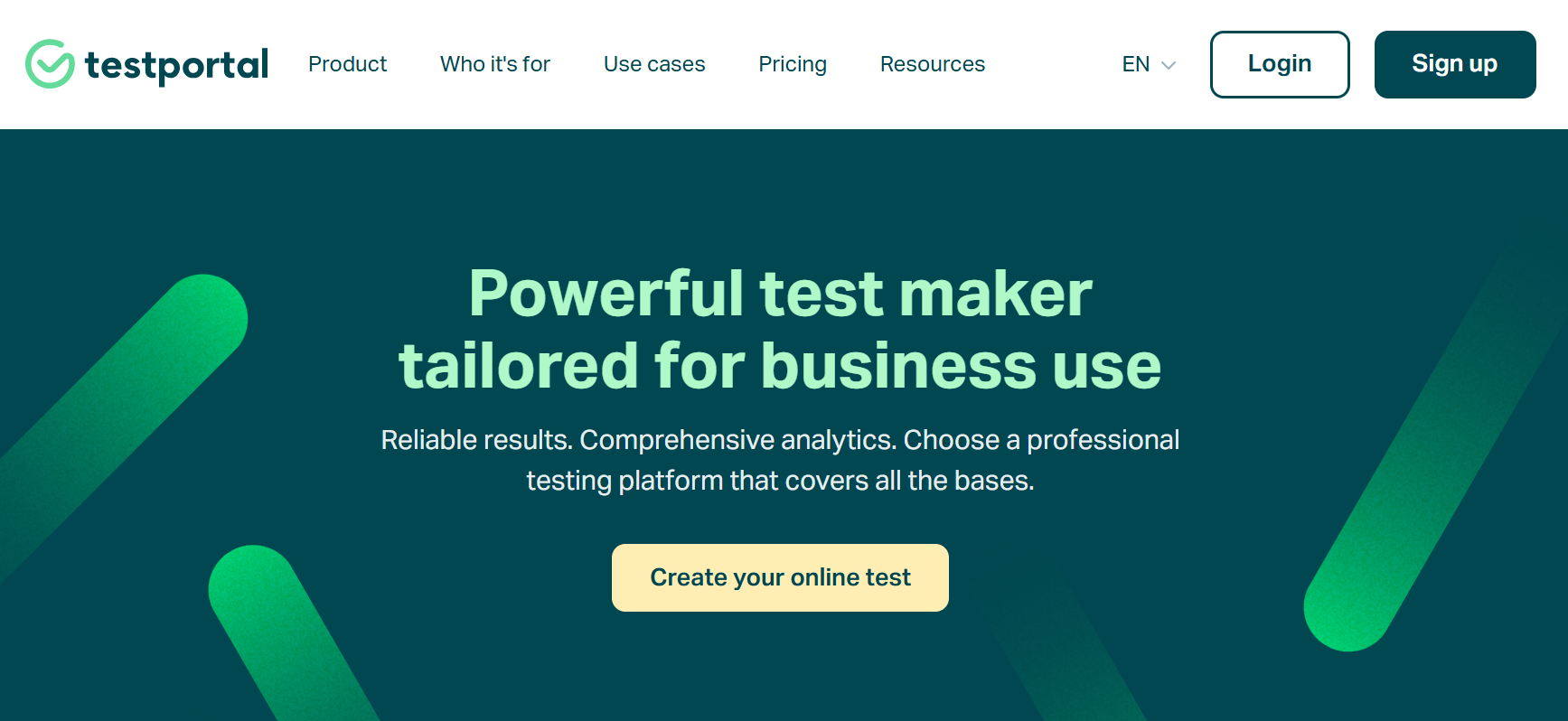
You can create tests manually, generate questions with AI, or import content from documents. This saves time when preparing assessments based on company policies, product knowledge, technical procedures, or training material.
Testportal also makes it easier to understand how people perform. Its reports show scores, individual answers, and the time spent completing assessments. Supported question types can be graded automatically, reducing the effort required to review submissions.
It is a useful option when the main requirement is straightforward test creation and performance tracking rather than a complete enterprise skills management system.
Pros:
- Create assessment questions with AI and edit them to match specific topics or skill levels.
- Turn existing training documents and learning materials into tests without manually rewriting every question.
- Grade supported question types automatically and make results available after candidates complete their tests.
- Review individual responses, completion times, and scores to understand performance in greater detail.
- Apply available monitoring and security settings to help protect the reliability of online test results.
Cons:
- Monthly result caps on all paid tiers
- Few listed integrations
User Rating: 4.9/5
Pricing: Free trial available. Paid plans start at $35/month for 30 results.
6. Hirevire – Best for Async Video and Quiz Screening on a Budget
Hirevire is particularly helpful when recruiters need to understand how applicants communicate before inviting them for an interview.
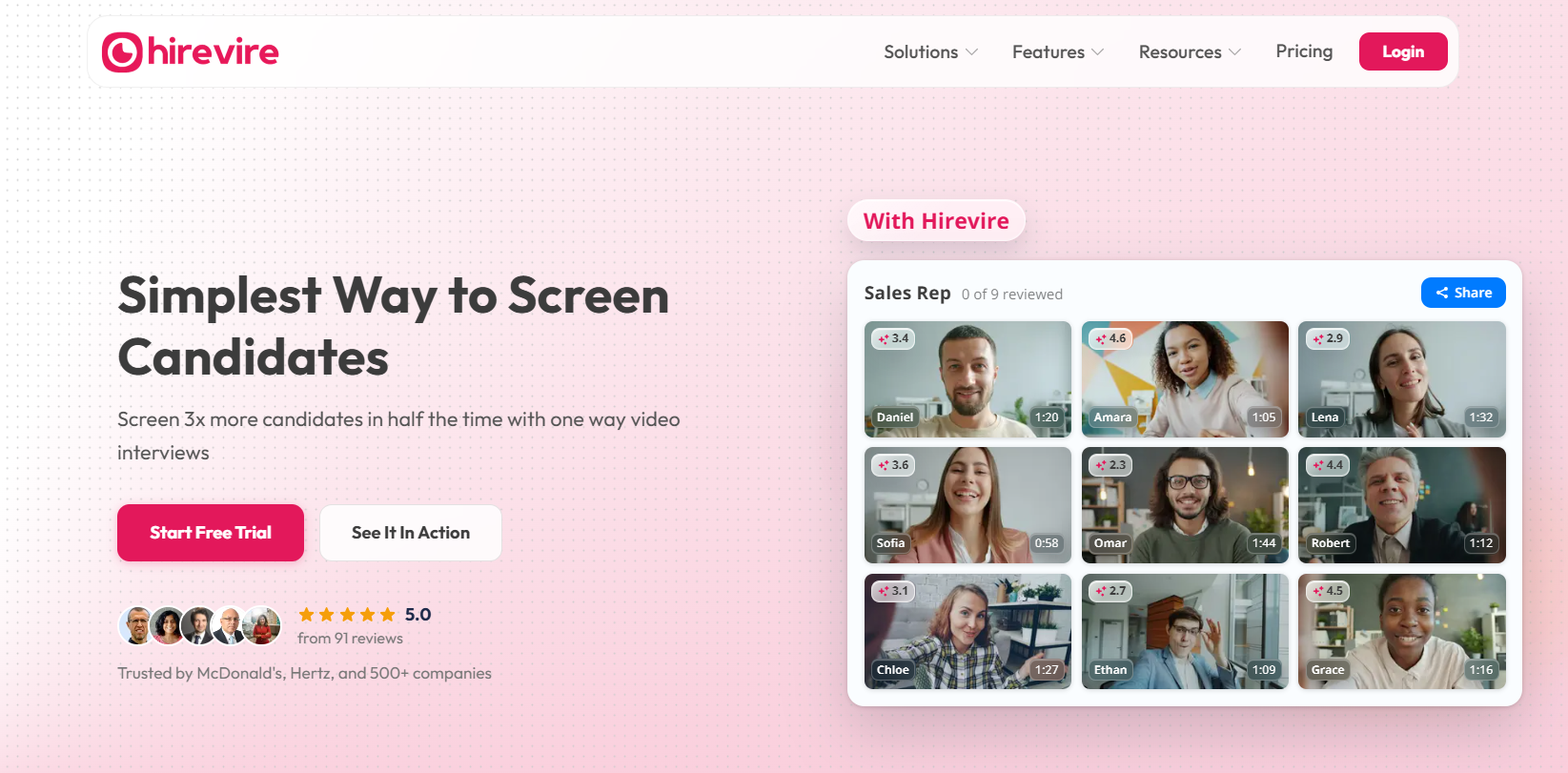
The platform lets you send questions that candidates answer through recorded video, audio, text, or file submissions. Since applicants can respond at their convenience, recruitment teams can review responses without needing to arrange separate introductory calls.
For example, when hiring a customer support representative, you could ask candidates to explain how they would handle an unhappy customer. Their recorded answers provide insight into communication, confidence, and problem-solving skills.
Its focus on recorded interviews makes it a practical alternative to iMocha for early-stage screening, especially when communication and presentation skills are central to the role.
Pros:
- Let applicants record video answers at their convenience, reducing the need to schedule live screening calls.
- Accept video, audio, text, and supported file submissions depending on what you want candidates to demonstrate.
- Convert recorded answers into written transcripts so recruiters can review responses without watching every video in full.
- Assess applicants against defined hiring criteria and review AI-assisted performance summaries.
- Send interview links to candidates and share completed responses with other members of the hiring team.
Cons:
- Better for communication than hard-skill validation
- Entry plan limits active jobs, interview volume, and storage
User Rating: 5/5 (Capterra)
Pricing: 7-day free trial. Plans start at $39/month, billed yearly.
7. CodeSignal – Best for Developer Hiring With Work Simulations
CodeSignal focuses on evaluating technical skills through coding challenges and exercises that reflect real software development work.
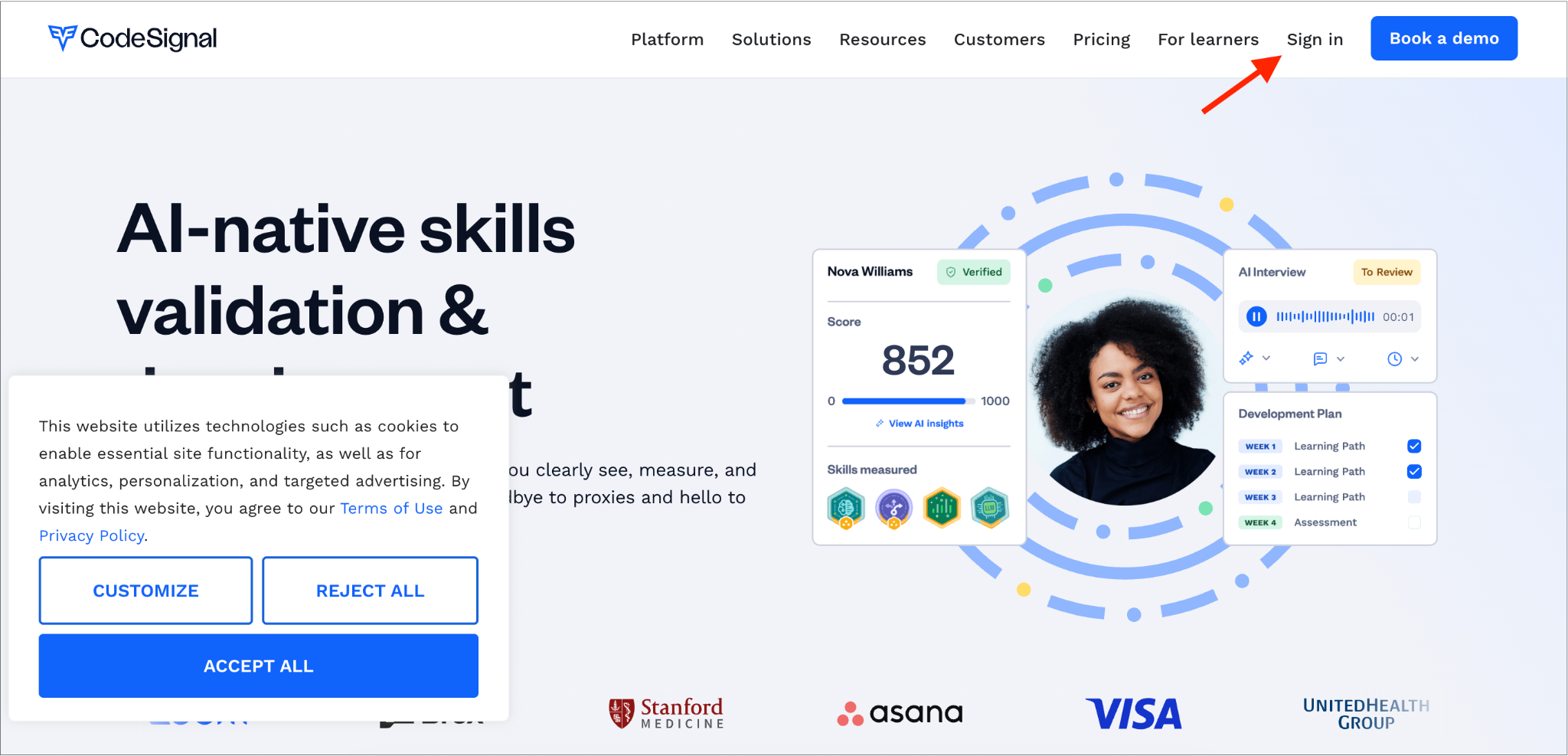
Candidates can complete programming tasks in an online coding environment rather than answering only multiple-choice questions. This helps engineering teams understand how applicants write code, solve problems, and approach technical assignments.
The platform also offers live technical interviews and AI-supported interview features. Hiring managers can review coding submissions, discuss solutions with candidates, and examine detailed reports showing performance across different skills. Another useful capability is its AI-assisted assessment creation, which helps teams prepare technical evaluations for specific roles.
CodeSignal stands out among iMocha alternatives when assessing programming ability is the main objective. Its work simulations and technical interviewing features are particularly relevant to teams hiring software developers and engineers.
Pros:
- Evaluate candidates through programming exercises that resemble tasks they may encounter in software development jobs.
- Allow applicants to write, run, and test code using an online environment designed for technical assessments.
- Conduct live coding interviews where hiring managers can observe problem-solving approaches and discuss solutions.
- Use AI tools to help prepare technical questions and customize evaluations for different positions.
- Review coding performance, skill scores, and assessment results to compare candidates more effectively.
Cons:
- Credit-based pricing with extra-assessment charges
- Less useful for teamwork and communication assessment
User Rating: 4.5/5
Pricing: From $79/month, billed annually. Pro is custom quoted.
8. HackerRank – Best for High-Volume Developer Screening
HackerRank helps companies evaluate programming skills when hiring developers for multiple positions or reviewing a large number of applications.
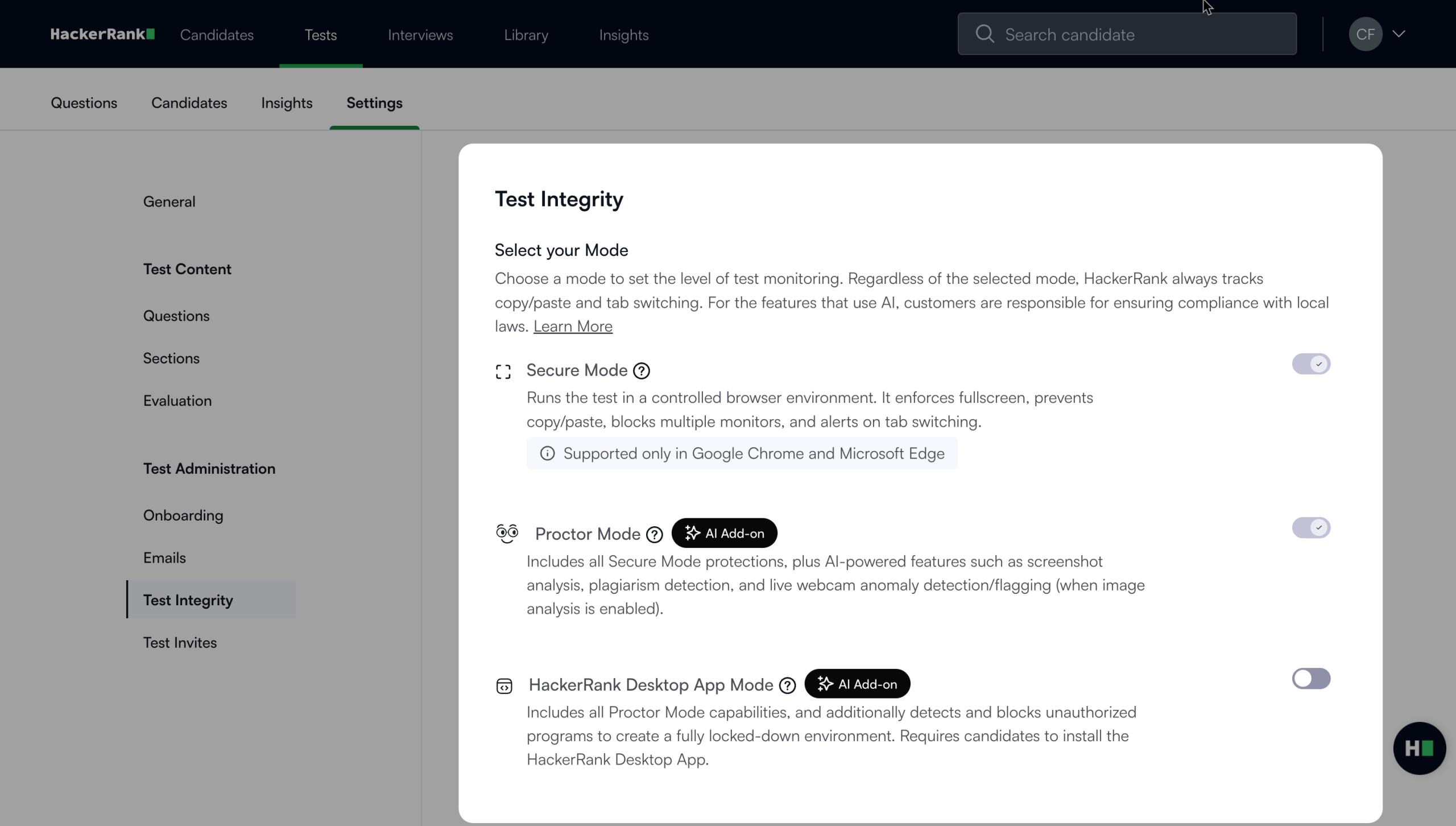
Recruiters can choose from an extensive library of coding challenges covering different programming languages, technical concepts, and difficulty levels.
The platform automatically evaluates coding submissions, making it easier to screen applicants without requiring hiring managers to manually check every solution. It also supports live coding interviews, allowing technical teams to observe how candidates approach programming problems.
HackerRank includes plagiarism detection and other assessment security features to help protect test results. These capabilities provide a structured way to manage technical screening and identify candidates with the right programming skills for engineering teams that regularly recruit developers.
Pros:
- Access programming challenges across different languages, technical topics, and difficulty levels.
- Create role-specific assessments that evaluate the programming skills required for specific development roles.
- Grade coding submissions automatically to reduce the time hiring managers spend checking solutions.
- Watch candidates solve programming problems and discuss their decisions during live coding interviews.
- Identify potentially copied submissions and use available security controls to protect assessment content.
Cons:
- No ATS integrations on Starter
- Higher tiers get expensive quickly
User Rating: 4.5/5
Pricing: Starting from $199/month. Pro is $449/month.
9. Codility – Best for Enterprise Engineering Assessments
Codility gives engineering teams a structured way to assess programming skills before making hiring decisions.
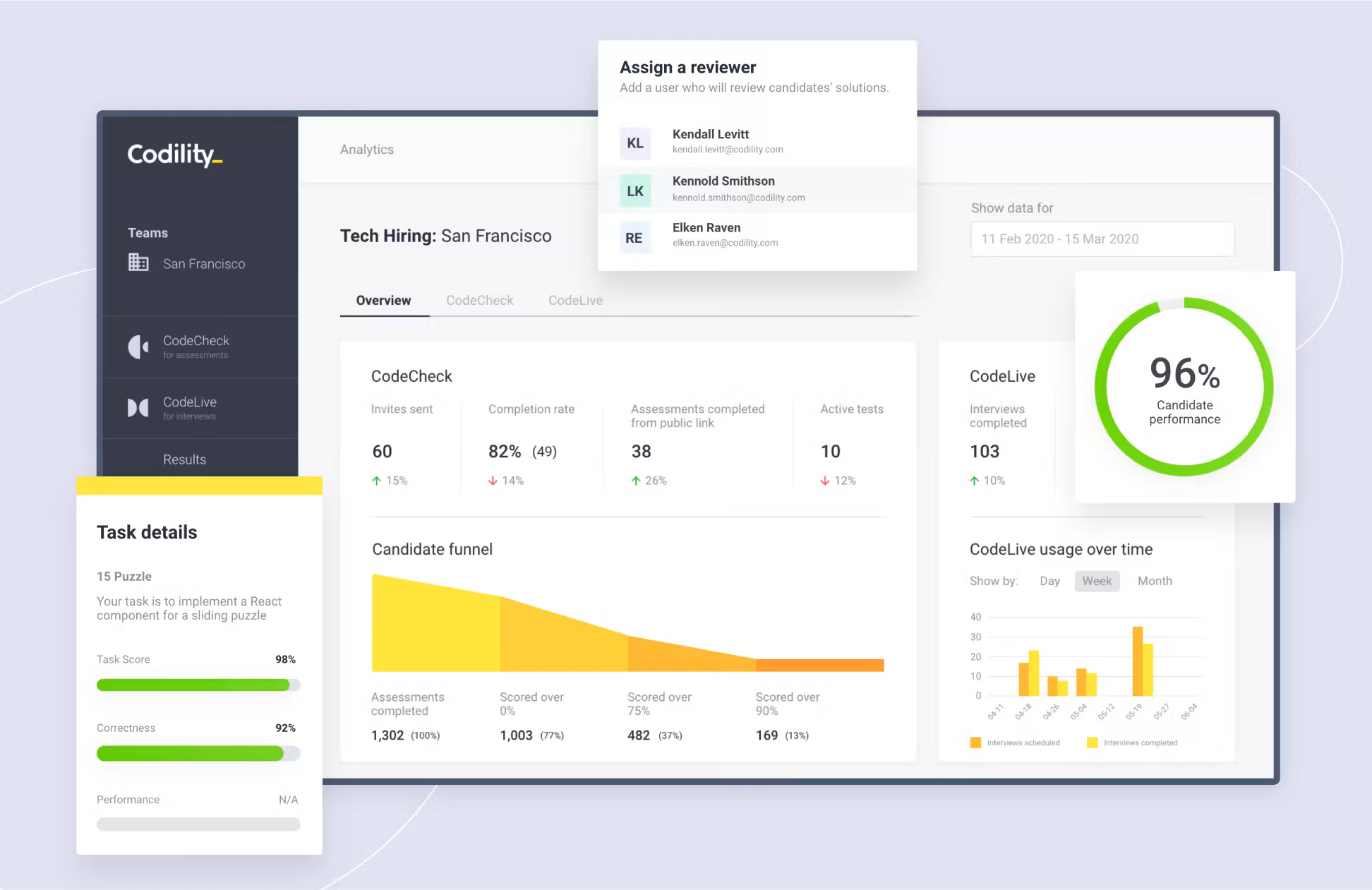
Its assessment library covers numerous programming languages and technical concepts. Hiring managers can assign coding exercises, review completed solutions, and conduct live interviews in a shared coding environment.
One of Codility’s strengths is its focus on assessment consistency. Companies can evaluate applicants using the same technical requirements and review their results through detailed performance reports.
The platform also includes security features such as code similarity detection, identity verification options, and monitoring of assessment activity.
Codility provides a focused alternative to iMocha for organizations that want a well-organized technical hiring process with practical programming assessments and consistent evaluation criteria.
Pros:
- Choose from a large collection of programming challenges covering different languages and engineering skills.
- Evaluate applicants against consistent technical requirements to make candidate comparisons more meaningful.
- Conduct live technical discussions in a shared coding environment where interviewers can observe candidates’ work.
- Use available identity verification, code similarity checks, and activity monitoring to strengthen test security.
- Review detailed technical performance reports to understand how applicants approached and completed programming tasks.
Cons:
- Annual commitment only
- Advanced proctoring and SSO require Custom
User Rating: 4.6/5
Pricing: From $1,200/year. Scale is $6,000/year.
10. Codejudge – Best for Real-World Micro-Project Coding Tests
Codejudge helps engineering managers evaluate candidates through practical programming projects rather than relying only on standard coding questions.
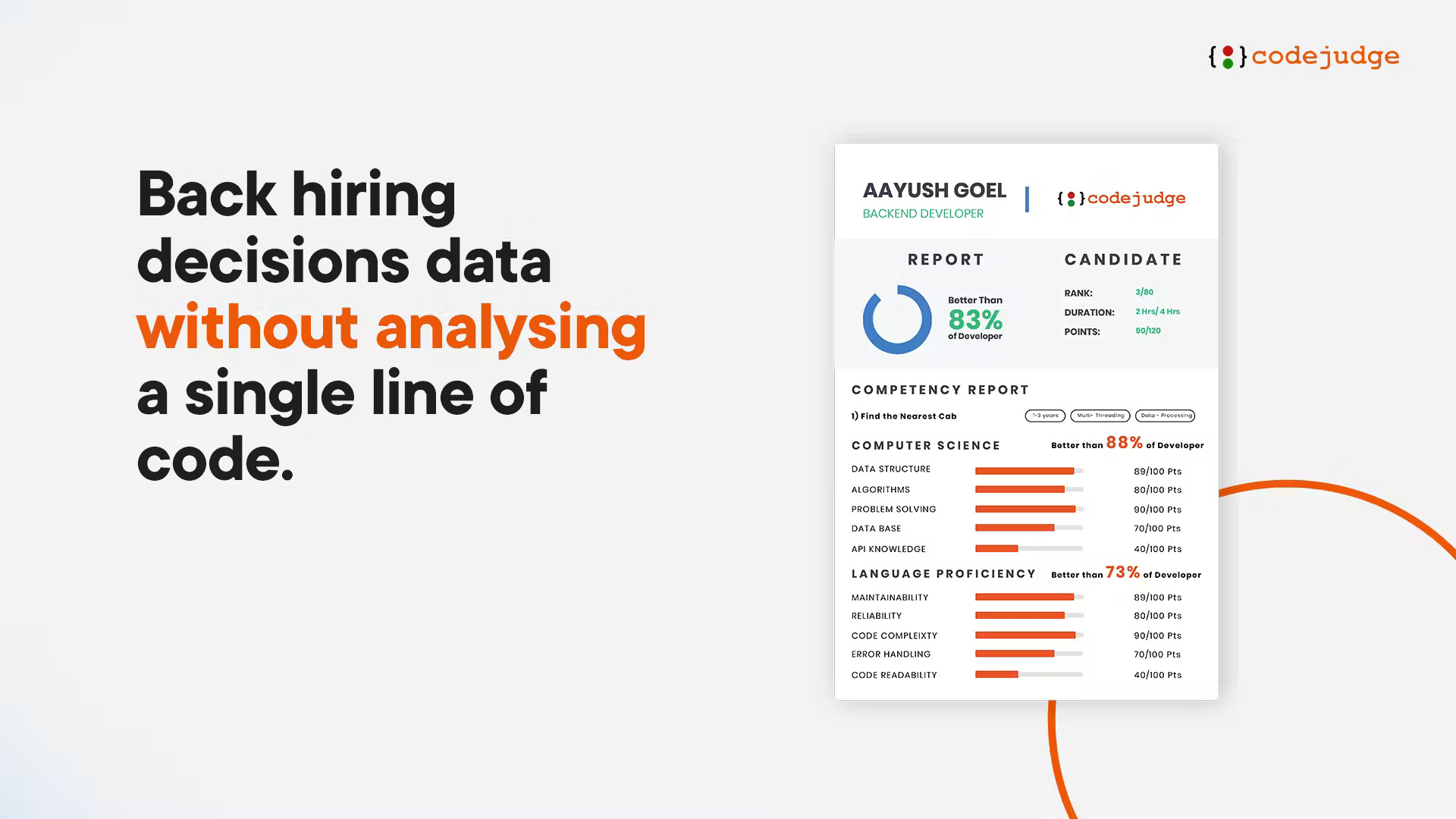
Applicants complete tasks that resemble actual development work, such as building a feature, solving an application problem, or improving existing code. This gives hiring managers a clearer view of how candidates apply their technical knowledge.
The platform can also help create assessments from job descriptions, making it easier to prepare tasks relevant to a particular position.
After candidates submit their work, Codejudge provides reports covering code quality and other technical measures. Its live-coding interviews and plagiarism-detection features support further evaluation.
Codejudge offers a different approach to iMocha, placing greater emphasis on completed coding projects and the quality of candidates’ practical work.
Pros:
- Evaluate applicants through development tasks that demonstrate their ability to complete practical programming work.
- Review reports covering numerous technical measures to understand the quality of submitted code.
- Prepare coding assessments based on the responsibilities and requirements of an open position.
- Discuss programming challenges with candidates and observe how they approach problems during live interviews.
- Use code comparison and available monitoring features to identify submissions that may need closer examination.
Cons:
- Too few public reviews for a reliable rating
- Coding only, so non-technical roles need another platform
User Rating: Too few reviews
Pricing: Custom quote.
My Top Picks Among the iMocha Alternatives
Not every hiring team needs the same type of assessment software. These three options stand out for their ability to support a range of recruitment needs, from general skills testing to specialized developer evaluations.
- ProProfs Quiz Maker
ProProfs Quiz Maker stands out for its ease of creating assessments, extensive library of pre-built assessments, AI-generated questions, flexible test settings, and automatic reporting. It supports both technical and non-technical hiring and serves employee training and development needs. This brings together the most useful assessment features on a single platform for businesses looking to simplify skill testing across departments.
- TestGorilla
TestGorilla offers an extensive collection of ready-made assessments for companies hiring across multiple roles. Its combined skills tests, AI interviews, and candidate comparison features help recruiters evaluate applicants more consistently. The platform is particularly useful for businesses that want to screen candidates using established tests rather than building every assessment themselves.
- CodeSignal
CodeSignal focuses on practical technical evaluation through coding challenges, work simulations, and live programming interviews. Engineering teams can review how candidates solve problems, write code, and demonstrate their technical knowledge. This makes it particularly relevant for companies whose recruitment needs center on software development and other technical positions.
How I Evaluated These iMocha Alternatives
I did not rank these ten alternatives to iMocha on feature lists alone. Here is what shaped the order:
- User reviews and ratings: I looked at G2 first and used Capterra, where review coverage was stronger. I paid more attention to recurring feedback around test quality, usability, pricing, candidate experience, and support than to the score alone.
- Essential features and functionality: I compared assessment breadth across technical skills, role knowledge, soft skills, language, cognitive ability, and coding, and then reviewed proctoring, reporting, custom test creation, and candidate comparison.
- Ease of use: I considered how quickly a recruiter could build or customize a test, invite candidates, review results, and move someone to the next hiring stage without needing technical help.
- Customer support: I reviewed vendor documentation, available support channels, onboarding resources, and user feedback on responsiveness when setting up assessments or resolving issues.
- Value for money: I compared free-plan limits, annual commitments, credits, candidate invites, result caps, and usage-based charges to see how predictable costs remain as hiring volume grows.
- Personal experience and expert opinion: I combined hands-on experience with assessment workflows, vendor documentation, and independent reviews. I also looked at how well each platform fits mixed-role hiring, developer screening, high-volume recruitment, and internal skills testing.
Choose One Assessment Setup That Can Grow With Hiring
After comparing these options, I would focus less on finding the platform with the most tests and more on finding one the team can keep using as its assessment needs expand.
That is why ProProfs Quiz Maker would be my first choice for most mixed-role hiring teams. You can start with a ready-made skills assessment or generate one with AI, customize it for the role, choose how much proctoring to apply, and automatically grade assessments and compare candidate results.
The same setup also stays useful after hiring. Those assessments can be adapted for onboarding, compliance, knowledge checks, or internal skills testing, so L&D teams do not need to rebuild the process in another platform later.
With ProProfs Quiz Maker, you can simplify skills assessments, make better hiring decisions, and support employee development, all from one platform.
Frequently Asked Questions
What are the best skills assessment tools for mixed-role hiring?
ProProfs Quiz Maker and TestGorilla are the strongest broad-role options in this list. ProProfs suits teams that want custom tests, adjustable security, and L&D use from the same system, while TestGorilla is stronger when a large pre-built library is the priority.
Are there free skills assessment tools for hiring?
Yes. ProProfs Quiz Maker and TestGorilla offer free ways to get started, while Equip offers trial credits. Limits vary by question, test, or candidate volume, so I would run one real hiring workflow before deciding whether the free tier is enough.
What should I look for in pre-employment assessment software?
Start with the role. Then compare test quality, customization, proctoring, candidate experience, reporting, ATS integrations, and pricing. I would also check whether the platform can handle both technical and non-technical roles if your hiring mix changes often.
Which tools offer flexible proctoring?
ProProfs Quiz Maker lets you adjust security by assessment, while Testportal positions its monitoring as lighter and non-intrusive. Coding platforms such as Codility and HackerRank offer stronger integrity controls for technical hiring. Match the level of monitoring to the role's risk.
How long should a pre-employment skills test be?
I would usually aim for 20 to 30 minutes for first-round screening and go shorter for high-volume roles. Longer assessments can work for high-intent or specialist candidates, but the extra time should produce information you genuinely use in the hiring decision.
Can one assessment tool support both hiring and employee testing?
Yes. ProProfs Quiz Maker can support pre-hire assessments, onboarding, training, compliance, and internal skills checks using the same question bank. Some coding platforms also support internal engineering assessments, but their coverage is narrower.
Let ProProfs AI Build a Quiz

 We'd love your feedback!
What did you like & how can we make it even better?
 Thanks for your feedback!
 Ask Your Question
Have a question? Get expert help to make your decision easier.