I started looking into Testmoz alternatives after watching a colleague get caught out mid-semester: her free account hit Testmoz’s 50-question cap right before finals, and the only way past it was an upgrade she hadn’t budgeted for. It’s a small thing, but it’s usually how this search starts, not because Testmoz is bad at what it does, but because what it does hasn’t really changed in years. Once you start comparing tools, though, the cap is rarely the deciding factor. The bigger gaps are AI question writing, real anti-cheating controls, and certificates.
For a quick, cheap, link-shareable quiz, it still works fine. Where it falls short is everything that’s become standard elsewhere: writing questions with AI instead of by hand, real anti-cheating controls beyond a passcode and timer, certificates, and any connection to the LMS or HR system you already use day to day.
I went through ten tools that show up in this exact comparison, looked at what each one actually does differently, and considered who each platform is really built for.
Why Are Teams Switching From Testmoz?
None of this is really about Testmoz being a bad product; it’s about a handful of specific moments where teams outgrow it. Here are the ones I keep hearing about.
No AI-assisted question creation: Testmoz still means building every question by hand. Most tools built in the last couple of years let you turn a document, topic, or webpage into a full quiz in seconds, a real time-saver once you’re running more than the occasional test.
Thin anti-cheating controls: Testmoz gives you randomization, time limits, and attempt caps, which is fine for a classroom pop quiz. It has no webcam proctoring, no browser lockdown, and no tab-switch detection, which matters the moment a test needs to hold up as a formal, secure exam.
A restrictive free tier: Testmoz’s free plan caps you at 50 questions and 100 results per test, and holds back image uploads and email notifications until you pay. It’s a fair deal at $50 a year, but the free ceiling is low if you’re testing at any real volume.
No LMS or HR system integration: Modern alternatives connect natively to Canvas, Moodle, and Google Classroom on the education side, or to HR and CRM tools on the training side. Testmoz leaves all of that connective work to you.
Support is a recurring complaint: Testmoz has no phone line, and independent reviewers report emails to its support address going unanswered for weeks, a real risk if you get locked out of a paid account.
Top 10 Testmoz Alternatives for Online Quizzes
Each tool on this list solves a different piece of what Testmoz can’t, so I’ve grouped them by what they’re actually good for rather than ranking them all against one identical checklist. A certification body running a proctored exam and a teacher writing a five-minute quiz aren’t looking for the same thing, even if they both typed “Testmoz alternative” into Google.
| Software | Best For | Starting Price | User Rating |
|---|---|---|---|
| ProProfs Quiz Maker | Creating Quizzes & Assessments for Business, Training and Education | $19.99/month | 4.3/5 (G2) |
| ClassMarker | Secure Business & Certification Exams | $19.95/month | 4.4/5 (G2) |
| Wayground (formerly Quizizz) | Gamified K-12 & Higher-Ed Classrooms | ~$12/month | 4.9/5 (G2) |
| Google Forms | Free, No-Frills Quizzes Inside Google Workspace | Free | 4.6/5 (G2) |
| iSpring QuizMaker | SCORM/LMS Corporate E-Learning | $470/year | 4.7/5 (G2) |
| Kahoot! | Live, Game-Based Classroom & Training Engagement | $19/month | 4.6/5 (G2) |
| ThinkExam | AI Proctoring at Enterprise Scale | $36 – $65/month | 4.4/5 (G2) |
| EasyTestMaker | Printable + Online Hybrid Classroom Testing | Free, paid plan $59.95/month | 4.2/5 (G2) |
| Jotform | Branded, Integration-Heavy Quizzes & Forms | $39/month | 4.6/5 (G2) |
| Quizgecko | Fast AI Quiz Generation for Simple Use Cases | $9.99/month | 4.5/5 (G2) |
1. ProProfs Quiz Maker: Best for Creating Quizzes & Assessments for Business, Training and Education
Testmoz can build a test. It was never built to generate one for you, add real proctoring on top, or hand back a branded certificate the moment someone passes. I’ve used ProProfs Quiz Maker across training, hiring, and classroom assessment, and that’s exactly the gap it closes.
The AI quiz generator turns a topic, an uploaded document, or a webpage into a full graded quiz in seconds, and you get 20+ question types alongside security features Testmoz simply doesn’t have: webcam proctoring, screen capture, disabled tab-switching, and question-bank randomization.
Detailed analytics, automated certificates with expiry dates, and a genuine forever-free plan round it out (the free plan is limited to up to 12 questions, so it’s best for trying the tool or running short quizzes). If you need AI generation, real proctoring, and certificates in one place, this is the most complete replacement on this list.
Pros:
- AI quiz generator that builds a full assessment from a topic, document, or URL
- Webcam proctoring, browser lockdown, and question randomization
- Automated, branded certificates with expiry dates
- Free plan (up to 12 questions) for smaller quiz volumes
Cons:
- No dark mode, which may affect comfort during extended use
- Only cloud-based; no on-premises version available
How It Compares With Testmoz: Testmoz requires manual question entry and offers no real proctoring. ProProfs Quiz Maker automates question creation with AI, adds modern anti-cheating controls, and produces a certified, trackable record instead of a static score sheet. You can even try a prompt to check how it works:

Let ProProfs AI Build a Quiz
User Rating: 4.3/5 (G2)
Pricing: Free plan available; paid plans start at $19.99 per/month.
2. ClassMarker: Best for Secure Business & Certification Exams
ClassMarker shows up constantly once a search shifts from “simple classroom quiz” to “how do I run a formal exam I can trust.” It’s built specifically around test security rather than general-purpose quiz building.
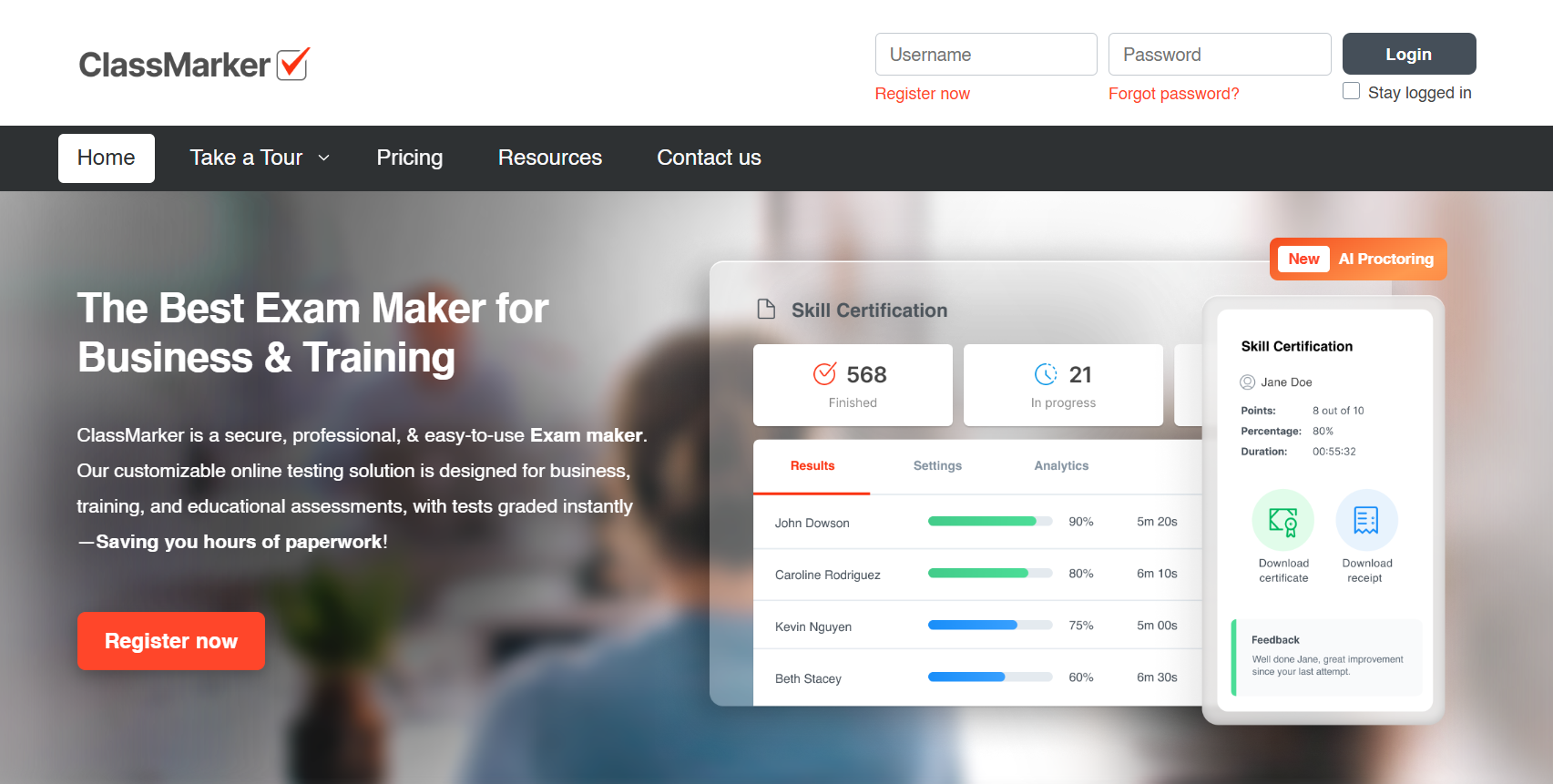
You get question banks, strict randomization, time limits, and AI-assisted proctoring to flag suspicious behavior, plus branded certificates and an API for embedding tests directly on your own site. It’s been running since 2006 with a strong uptime record.
Where Testmoz leaves you with a passcode and a time limit, ClassMarker adds white-labeling, webhooks, and audit-ready reporting the kind of setup a certification body or HR team actually needs.
Pros:
- AI-assisted exam proctoring
- Question banks with strong randomization
- White-labeling and API access
- Detailed, exportable analytics
Cons:
- Interface feels dated next to newer SaaS tools
- No free-forever business plan
How It Compares With Testmoz: Testmoz offers only basic anti-cheating settings. ClassMarker’s proctoring, white-labeling, and API make it a far stronger fit for formal certification and business exams.
User Rating: 4.4/5 (G2)
Pricing: Free education tier available; paid plans start around $19.95/month.
3. Wayground: Best for Gamified K-12 & Higher-Ed Classrooms
Testmoz treats every test the same: quiet, static, no-frills. Wayground does the opposite, turning a knowledge check into something students actually want to finish, which matters a lot for daily classroom use.
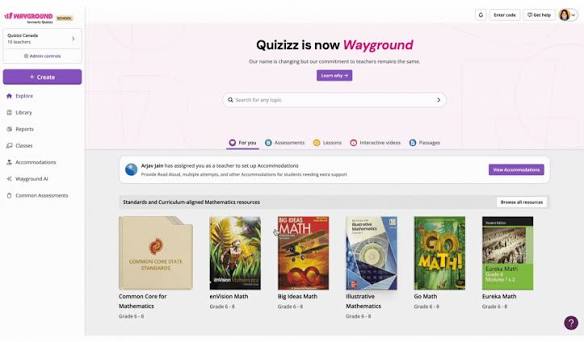
Its AI tool builds quizzes and flashcards from text, documents, or even a YouTube link, and gameplay adds leaderboards, memes, and audio questions on top. It also connects natively to Google Classroom and Canvas, something Testmoz can’t offer.
For a teacher replacing Testmoz purely for engagement reasons, rather than security or certification, Wayground is usually the first stop.
Pros:
- AI quiz and flashcard generation from documents or video
- Strong gamification that keeps students engaged
- Native Google Classroom and Canvas integration
- Genuinely usable free plan
Cons:
- Lighter on analytics depth than assessment-focused tools
- Documented cheating workarounds make it less suited to high-stakes exams
How It Compares With Testmoz: Testmoz has no AI and no LMS integration. Wayground adds both, plus a level of student engagement a plain quiz link can’t match.
User Rating: 4.9/5 (G2)
Pricing: Free plan available; the individual paid plan (Individual/”Super”) starts at around 12/month(144 billed annually).
4. Google Forms: Best for Free, No-Frills Quizzes Inside Google Workspace
If budget is the only real constraint, Google Forms is the honest answer. It’s free, already inside Google Workspace, and most people have used it for something else already.
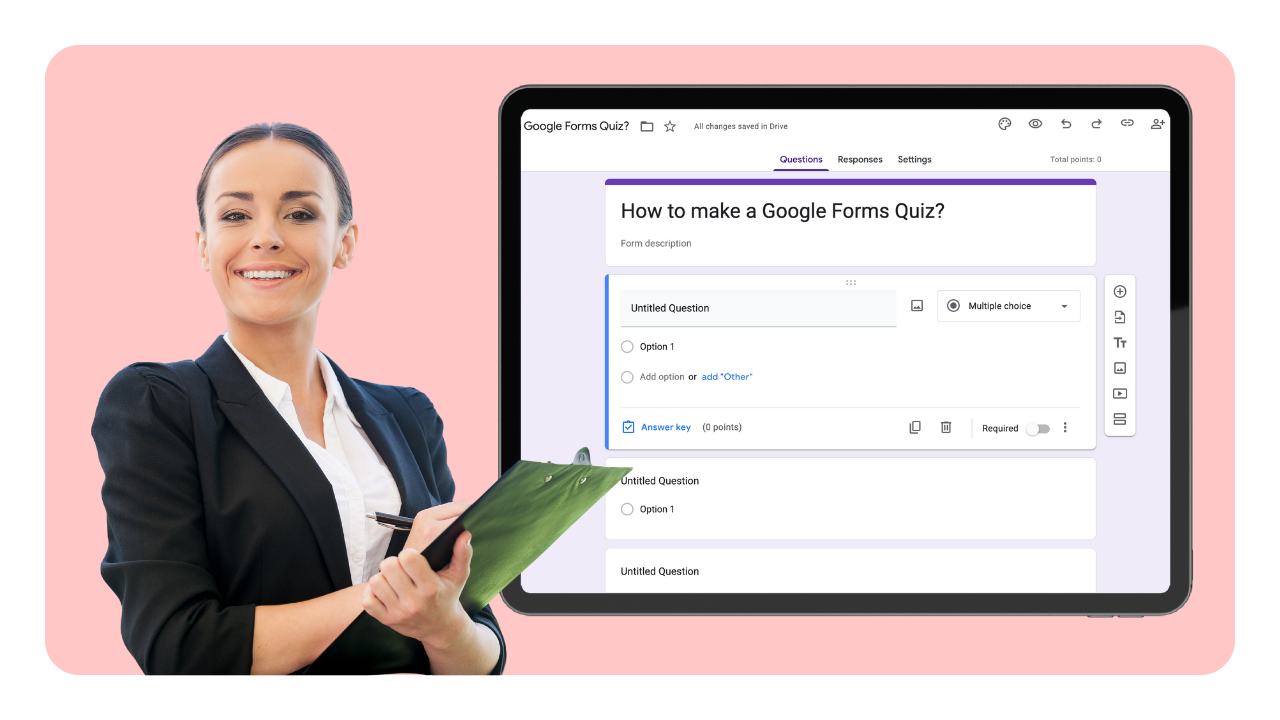
Quiz mode auto-grades responses, supports answer keys and per-question feedback, and syncs directly with Google Classroom and Sheets. There’s effectively no learning curve for staff or students.
The tradeoff is structure and security: no native timer, no question banks, and no real proctoring outside managed Chromebook areas, where Testmoz’s basic time limits and attempt caps actually do more.
Pros:
- Completely free with any Google account
- Deep native integration with Classroom and Sheets
- Instant familiarity for most users
- Auto-grading with per-question feedback
Cons:
- No native timer or question banks
- No proctoring or lockdown outside managed Chromebooks
How It Compares With Testmoz: Testmoz at least offers a timer, attempt caps, and question pools out of the box. Google Forms trades that structure away in exchange for being free and familiar.
User Rating: 4.6/5 (G2)
Pricing: Free.
5. iSpring QuizMaker: Best for SCORM/LMS Corporate E-Learning
Neither Testmoz nor most classroom tools publish cleanly into a corporate LMS. iSpring QuizMaker exists specifically for that gap, built for instructional designers producing structured training rather than one-off quizzes.
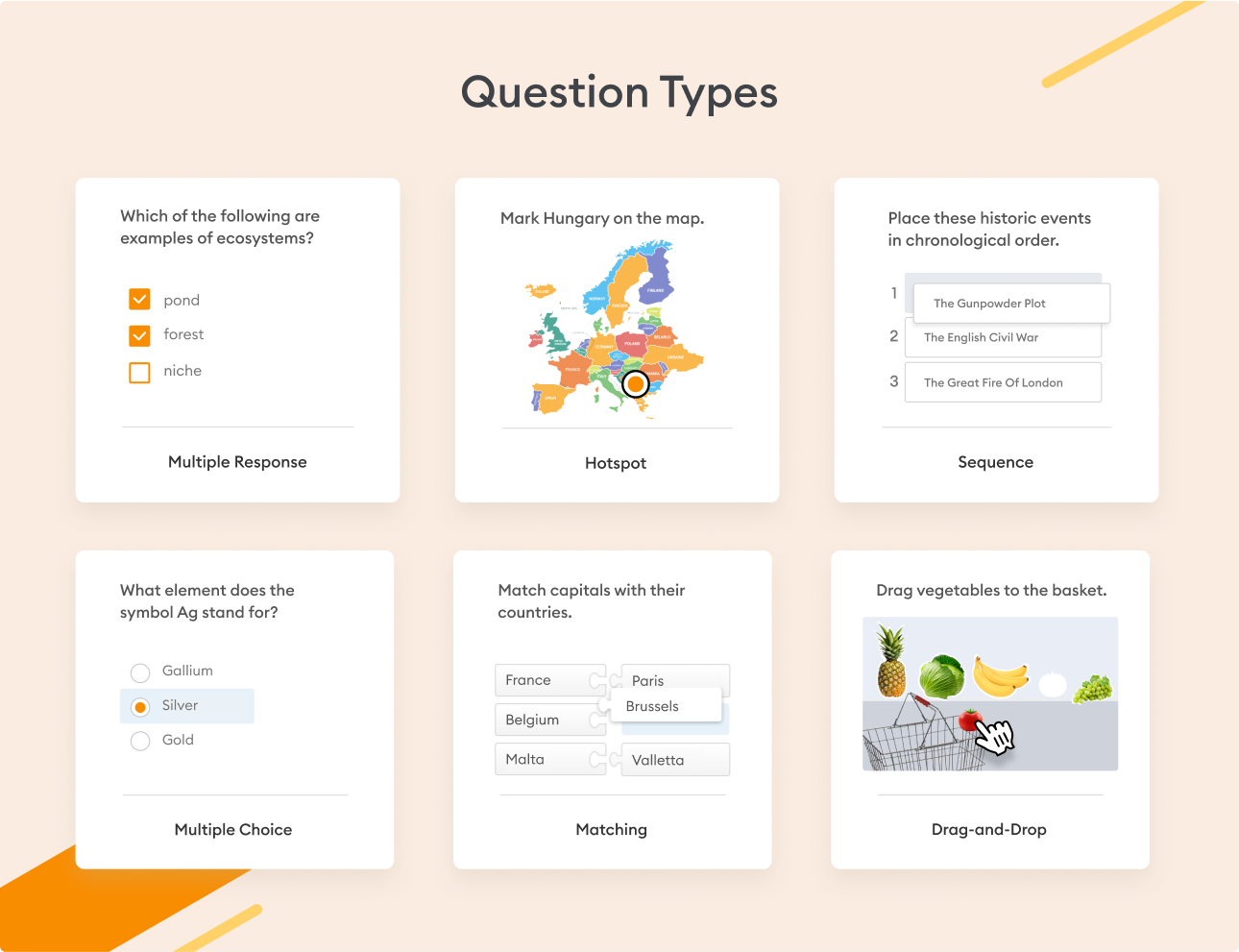
It supports 14 question types, including drag-and-drop and hotspot formats, with multimedia questions and per-question feedback. Everything publishes to the web or directly into an LMS like Moodle or Blackboard via SCORM or xAPI.
For a corporate L&D team building a real training curriculum, this level of interactive question design and LMS integration is a different job entirely than what Testmoz was built for.
Pros:
- 14 interactive question types, including drag-and-drop and hotspot
- True SCORM/xAPI publishing into an LMS
- Multimedia questions and detailed per-question feedback
- Strong analytics on completion and time spent
Cons:
- Meaningfully more expensive than Testmoz
- Desktop, PowerPoint-style authoring workflow
How It Compares With Testmoz: Testmoz has no LMS publishing and a narrow set of question formats. iSpring QuizMaker is built specifically for structured, trackable corporate training delivered through an LMS.
User Rating: 4.7/5 (G2)
Pricing: Starts around $470 per user/year; 14-day free trial available.
6. Kahoot!: Best for Live, Game-Based Classroom & Training Engagement
Testmoz is built for quiet, individual testing. Kahoot! is built for the opposite: live, competitive, game-show-style quizzes that keep a room’s attention during a lesson or training session.
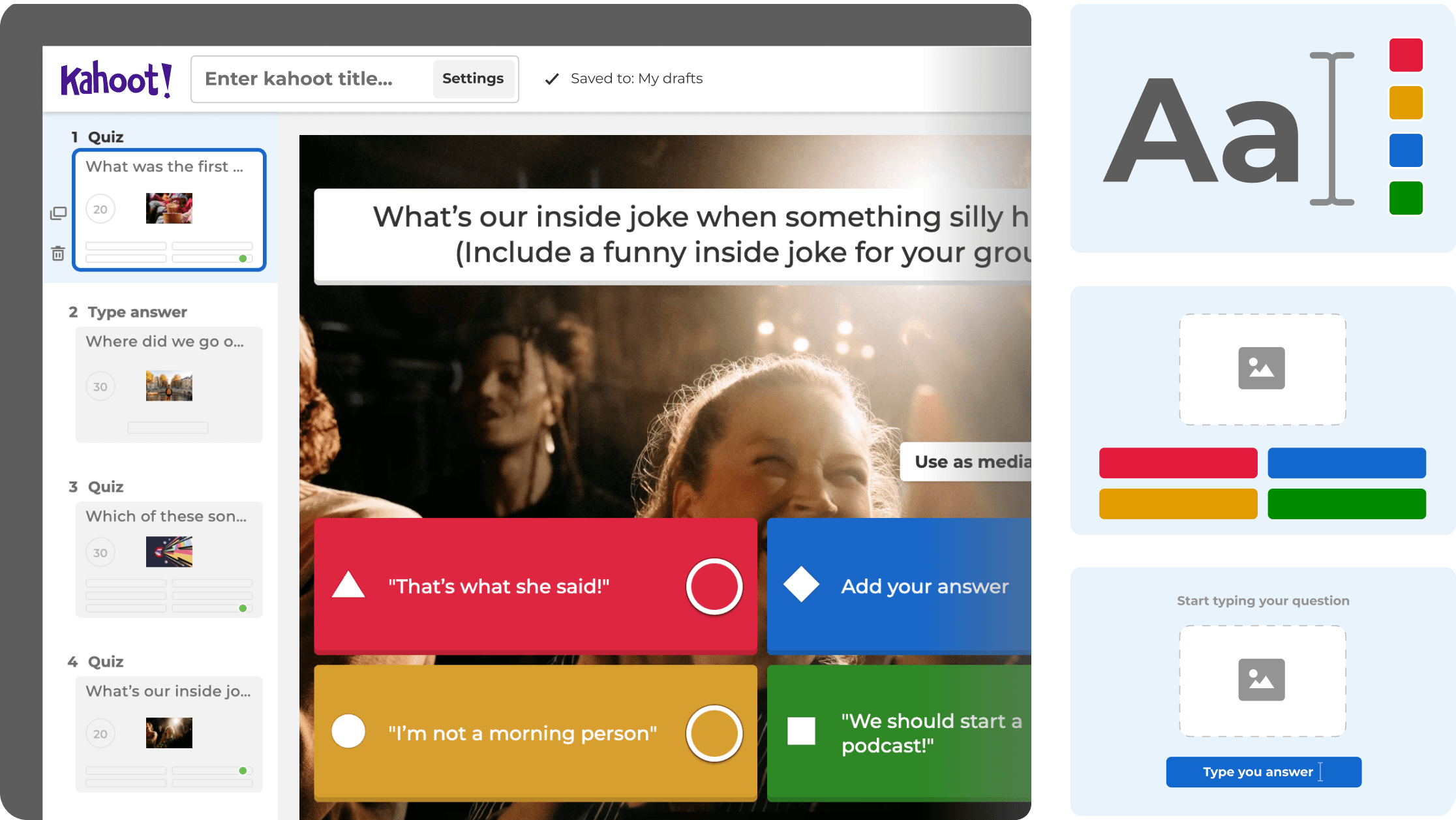
Leaderboards, music, and real-time play turn a review session into an event, and Kahoot!’s business tier extends the same format into onboarding and compliance training, not just classroom trivia.
It’s a poor fit for anything that needs to be quiet or formally graded, but for engagement-first sessions, it does something Testmoz’s static format was never designed to do.
Pros:
- Strong gamification with leaderboards and live play
- Works for both classrooms and corporate training
- Self-paced mode for asynchronous assignments
- Large, familiar user base
Cons:
- Per-host pricing adds up quickly
- Not built for formal or high-stakes assessment
How It Compares With Testmoz: Testmoz treats every quiz the same, quiet and static. Kahoot! adds energy and competition specifically where engagement matters as much as the score.
User Rating: 4.6/5 (G2)
Pricing: Free plan available; paid plans start around $19/month.
7. ThinkExam: Best for AI Proctoring at Enterprise Scale
For schools, universities, and enterprises running exams at real volume, ThinkExam is built specifically for scale and security rather than being a quiz tool with proctoring bolted on.
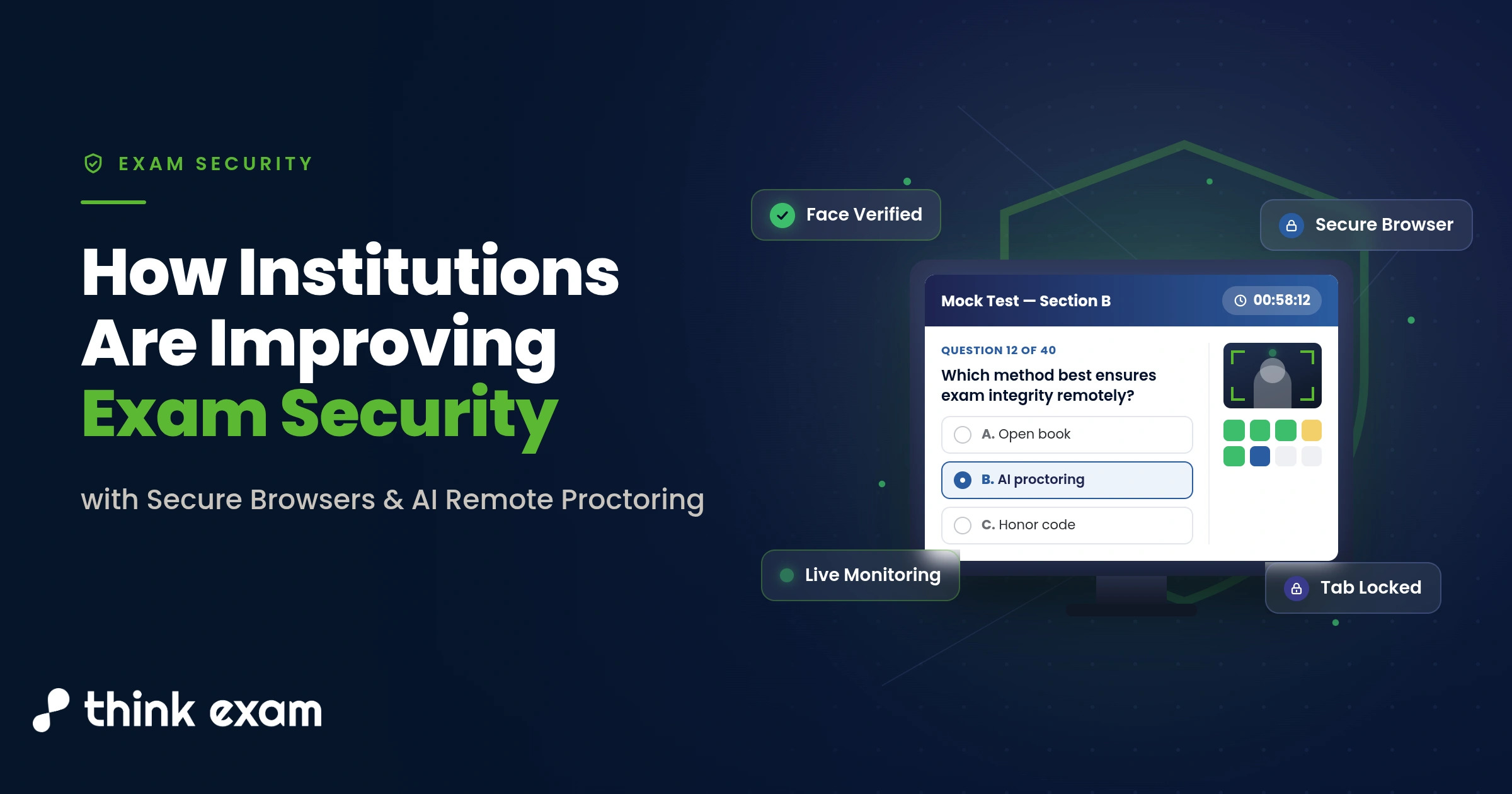
Its AI-based remote proctoring includes facial recognition, ID verification, live pop-in intervention, and full session recording, with browser lockdown and question randomization layered on top. It integrates with Canvas, Moodle, and D2L, and scales from a handful of test-takers into the millions.
Testmoz simply has no answer for high-stakes, large-scale exam integrity. ThinkExam exists precisely for the organizations that have outgrown that limitation.
Pros:
- AI proctoring with facial recognition and ID verification
- Browser lockdown and strict randomization
- LMS integration with Canvas, Moodle, and D2L
- Scales to very large candidate pools
Cons:
- Only right/wrong scoring, no partial credit
- Interface needs modernization by some reviewer accounts
How It Compares With Testmoz: Testmoz has no proctoring beyond a passcode and timer. Think Exam brings enterprise-grade identity verification and lockdown for exams where integrity is non-negotiable.
User Rating: 4.4/5 (Capterra)
Pricing: Free-forever and custom plans; paid plans start around $36 – $65/month.
8. EasyTestMaker: Best for Printable + Online Hybrid Classroom Testing
Not every classroom needs proctoring or AI. Sometimes a teacher just needs a fast way to build a test, print it, or run it online, and that’s exactly where EasyTestMaker fits, much like Testmoz does.
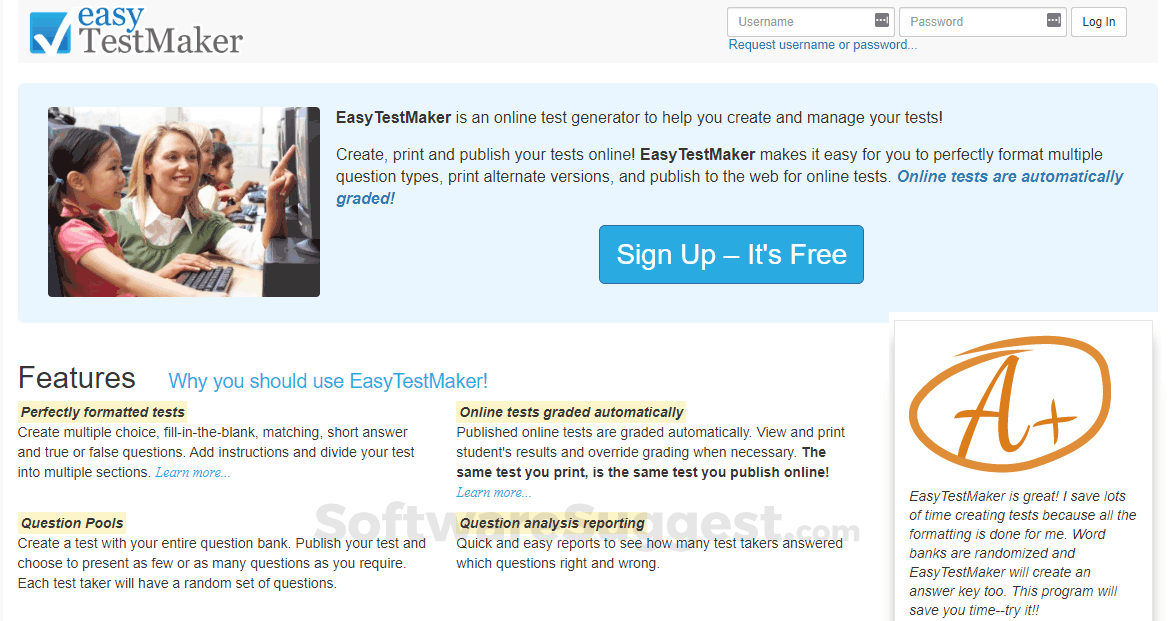
It supports multiple-choice, fill-in-the-blank, matching, and short-answer questions, with automatic test scrambling so no two printed copies look identical, and everything exports cleanly to Word or PDF.
Where it beats Testmoz is the print workflow specifically: generating multiple test versions for a paper classroom is smoother here than anything Testmoz offers.
Pros:
- Fast, simple test-building interface
- Automatic scrambling for printed versions
- Clean Word/PDF export for paper testing
- Question banks for reuse across classes
Cons:
- No AI question generation
- Limited analytics compared to business-focused tools
How It Compares With Testmoz: Both aim at simple test creation, but EasyTestMaker’s print-and-export workflow handles classroom logistics that Testmoz manages more clumsily.
User Rating: 4.2/5 (G2)
Pricing: Free plan available; paid plans start around $59.95/month billed annually.
9. Jotform: Best for Branded, Integration-Heavy Quizzes & Forms
If Testmoz feels visually plain, Jotform is the opposite end of the spectrum: a drag-and-drop builder with a huge template library, conditional logic, and deep third-party integrations.
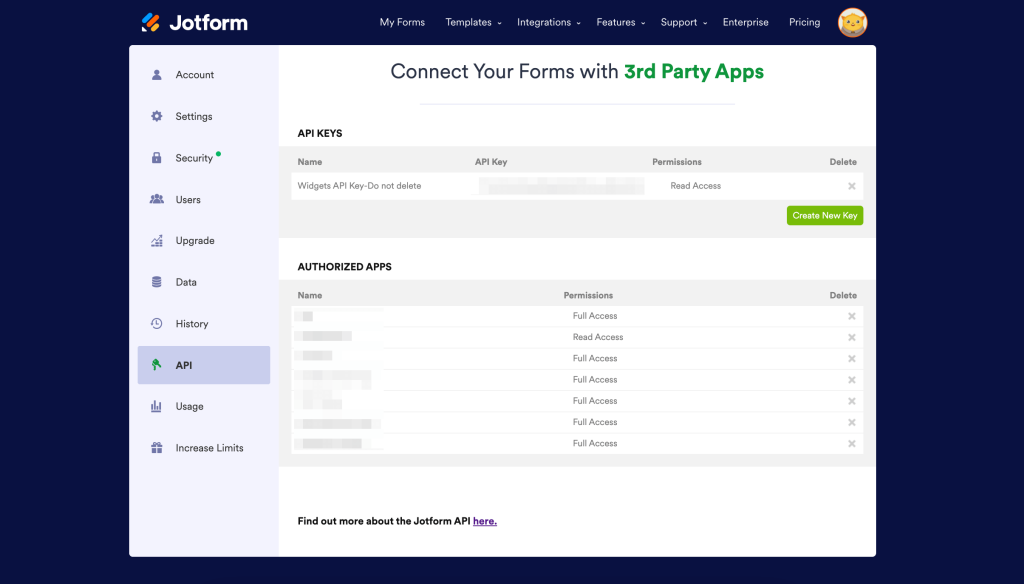
Its AI tools can generate questions and translate quizzes into other languages, and its analytics dashboard tracks completion and drop-off in a way Testmoz’s basic summary stats can’t match. It also connects to 30+ payment gateways, useful if a quiz ever needs to charge a fee.
For businesses and marketers who want a quiz that looks and feels like the rest of their brand, Jotform offers far more customization than Testmoz’s fixed template.
Pros:
- Extensive template library and drag-and-drop design
- AI-assisted question generation and translation
- Deep analytics with completion and drop-off tracking
- Wide range of third-party integrations
Cons:
- Less exam-focused than dedicated assessment tools
- No serious proctoring or browser lockdown
How It Compares With Testmoz: Testmoz offers a fixed, simple layout. Jotform trades some of that simplicity for far greater branding, integrations, and reporting depth.
User Rating: 4.6/5 (G2)
Pricing: Free plan available; paid plans start around $39/month.
10. Quizgecko: Best for Fast AI Quiz Generation in Simple Use Cases
If what you actually liked about Testmoz was its simplicity, not its feature set, Quizgecko is worth a look. It’s an AI-first quiz generator built around exactly one job: turning text, a PDF, a URL, or a YouTube video into a quiz in seconds.
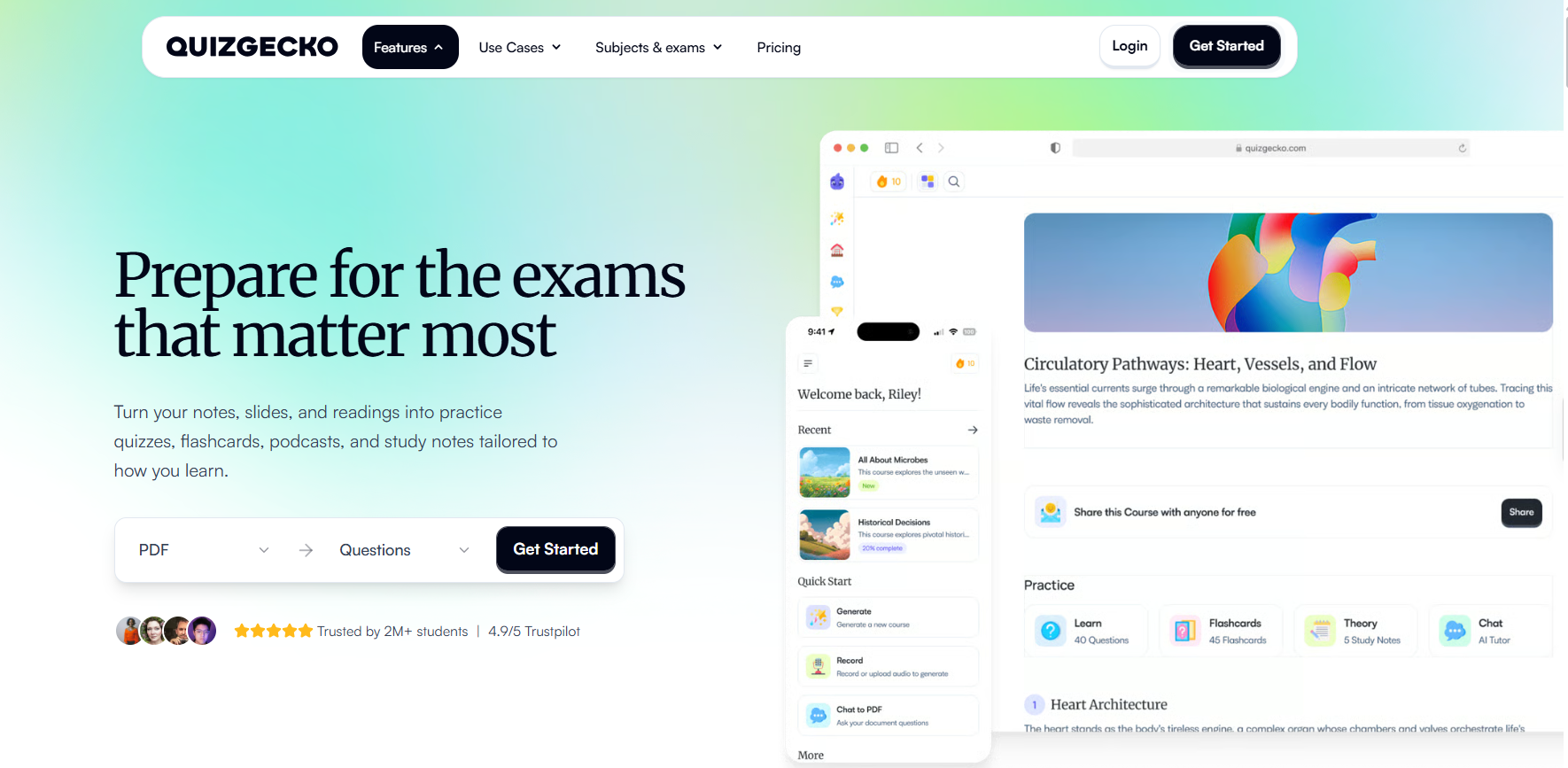
It exports to Excel and several LMS platforms, and its free tier is enough for light, occasional use before you’d need to upgrade.
For someone who wants a Testmoz-style lightweight tool but with AI doing the question-writing, this is one of the more direct replacements on the list.
Pros:
- Fast AI generation from text, PDF, URL, or video
- Exports to Excel and multiple LMS platforms
- Lightweight, simple interface
- Usable free tier for occasional needs
Cons:
- Free tier caps monthly quiz generation
- Fewer proctoring and certification features than business-focused tools
How It Compares With Testmoz: Testmoz requires you to write every question yourself. Quizgecko keeps the same lightweight feel but lets AI do the authoring, which is the single biggest gap in Testmoz today.
User Rating: 4.5/5 (G2)
Pricing: Free tier available; paid plans start around $9.99/month.
How I Chose These Testmoz Alternatives
It’s easy to build a “best of” list by copying feature checklists off vendor pages. I tried to avoid that. Here’s what actually went into the ranking:
User Reviews & Ratings: I checked how each tool performs in real, daily use on G2 and Capterra, not just what the marketing pages claim.
Core Features & Functionality: I focused on what actually matters for online assessment: AI question authoring, proctoring depth, grading automation, and integration options. A tool that’s strong at forms but weak at secure testing didn’t make the cut.
Ease of Use: A powerful platform a teacher or trainer can’t set up quickly defeats the purpose of leaving Testmoz in the first place. Setup time and interface clarity carried real weight.
Value for Money: This isn’t about beating Testmoz’s $50/year price tag outright. It’s about whether the free tier or entry price actually solves Testmoz’s specific gaps — AI generation, proctoring, LMS integration, or analytics.
Use Case Coverage: I made sure every major reason someone searches for Testmoz alternatives K-12, corporate training, hiring, certification, gamified engagement, or SCORM-based e-learning has a genuine answer on this list.
Competitive Parity Check: I compared this list against tools that consistently show up in existing Testmoz competitor roundups, to confirm the consensus picks are represented, not just the easiest ones to write about.
Top 3 Testmoz Alternatives
If you don’t have time to read through all ten, these are the three I’d point most people toward first, based on the situations that come up most.
1. ProProfs Quiz Maker
ProProfs Quiz Maker is my top pick for anyone whose search for a Testmoz replacement is really about running a secure, AI-generated, certifiable assessment, not just a quiz. It replaces manual question entry with AI generation and adds proctoring Testmoz doesn’t offer.
2. ClassMarker
If your version of “Testmoz alternative” means running a formal, secure exam for a business or certification body, ClassMarker’s AI-assisted proctoring and white-labeling are purpose-built for that job in a way a lightweight quiz link isn’t.
3. Quizizz
For classrooms switching away from Testmoz purely to make quizzes more engaging, Quizizz’s AI generation and gamified format solve that specific problem better than any other tool on this list.
Get a Better Way to Run Online Quizzes & Assessments
None of this has to mean starting over. It just means picking the tool built for the job you actually have now, rather than continuing to work around the gaps in the one you started with.
For most of the trainers, HR teams, and educators I talk to, ProProfs Quiz Maker comes out ahead here, combining an AI quiz generator, secure proctoring, and automated certification in one plan.
If your priority is formal certification instead, ClassMarker’s proctoring is worth a closer look, and if engagement is the goal, Wayground is hard to beat for the classroom.
You can browse ProProfs Quiz Maker’s 20+ question types and templates or start with the free plan and judge for yourself whether it fits your next quiz.
Frequently Asked Questions
Do I have to rebuild all my questions from scratch when I leave Testmoz?
Most of these tools don't offer a direct Testmoz import, so a straight copy-paste isn't usually available. In practice, this is where an AI quiz generator like ProProfs Quiz Maker or Quizgecko actually saves time: instead of retyping old questions, you can upload your existing test as a document or paste the content in, and let the AI rebuild a working quiz from it in a fraction of the time.
What's the best Testmoz alternative for AI-generated quizzes?
ProProfs Quiz Maker's AI quiz generator can build a full assessment with explanations from a topic, document, or webpage in seconds, a feature Testmoz doesn't offer at all. Quizgecko is a lighter, more affordable AI-only option.
Which Testmoz competitor offers the strongest anti-cheating and proctoring features?
ProProfs Quiz Maker, ClassMarker, and Think Exam all go well beyond Testmoz's basic time limits and attempt caps, offering webcam proctoring, browser lockdown, and randomization.
Is there a Testmoz alternative built for corporate training and certification?
Yes. ProProfs Quiz Maker and iSpring QuizMaker both support certification, SCORM compliance, and LMS integration, which Testmoz doesn't provide.
What's the best Testmoz replacement for K-12 classrooms?
Waground and Kahoot! are the strongest fits for engagement-driven classroom use, while EasyTestMaker and Google Forms suit teachers who want something closer to Testmoz's simplicity.
Which alternative integrates best with an LMS like Canvas or Google Classroom?
None of these tools replace an LMS outright, but ProProfs Quiz Maker, Wayground, and iSpring QuizMaker all connect directly to platforms like Canvas, Moodle, and Google Classroom, making them more practical picks if your assessments need to live inside an existing LMS.
Why are people looking for Testmoz alternatives in the first place?
Mostly because their needs outgrew Testmoz's simplicity: no AI question generation, limited anti-cheating controls, a restrictive free tier, no LMS integrations, and recurring complaints about slow or unresponsive support.
Let ProProfs AI Build a Quiz

 We'd love your feedback!
What did you like & how can we make it even better?
 Thanks for your feedback!
 Ask Your Question
Have a question? Get expert help to make your decision easier.