
Candidate assessment tools became the foundation of how I think about hiring for one reason: interviews are not proof. They’re in a conversation. The work is what matters.
Resumes can look flawless. Conversations can sound sharp. Execution is harder to fake. Most teams know this, but hiring still slips into instinct more than it should. Structured assessments bring the focus back to capability.
Over time, I stopped looking for tools that simply screen faster. I started focusing on platforms that help you evaluate candidates with more consistency and less bias. What matters is using assessments that reflect the real work, so interviews stay grounded and decisions don’t rely on guesswork.
This guide breaks down the candidate evaluation software I’d recommend to teams making serious hiring decisions. I’ll explain what each tool is built for, where it fits in the funnel, and the tradeoffs that show up in real hiring workflows.
What Are Candidate Assessment Tools?
Candidate assessment tools are platforms that let you evaluate candidates through structured, role-relevant tests. Instead of guessing from resumes or relying on who interviews well, you can measure ability through the kind of tasks the job actually requires.
Most tools in this category are built to assess a few core areas:
1. Job skills: Technical ability, writing, analysis, customer handling, or any role-specific execution.
2. Baseline knowledge: Whether someone truly understands the concepts they claim experience with.
3. Work behavior in context: Judgment, communication, prioritization, and how candidates respond to realistic scenarios.
Depending on the role, assessments can range from simple skills checks to deeper simulations with structured scoring and integrity controls.
The main advantage is clarity. When assessments are tied to real job requirements, you can compare candidates more fairly and move into interviews with better information.
Types of Candidate Assessments
Not every role needs the same kind of evaluation. The best candidate assessment tools support different assessment formats because hiring decisions depend on what you’re actually trying to measure.
Below are the main types of teams used, and what each one is most useful for.
1. Skills Assessments
These are direct tests of role-specific ability. Coding challenges, writing exercises, customer scenarios, finance tasks, and technical knowledge checks all fall here. Skills assessments work best when the job has clear execution requirements, and you want an objective baseline early.
2. Work Samples
Work samples ask candidates to produce something close to real output. That could be drafting an email, solving a realistic problem, or completing a small project task. The value is simple: you see how someone works, not just how they explain their work.
3. Job Simulations
Simulations recreate parts of the job environment under controlled conditions. They are often used for high-impact roles where execution under pressure matters and where interviews alone don’t capture real performance.
4. Cognitive Ability Tests
These measure reasoning, learning speed, and problem-solving. They are especially useful when hiring for roles with steep learning curves or when experience is not a reliable predictor of success.
5. Personality and Behavioral Assessments
Personality assessments help surface work style, collaboration tendencies, and behavioral patterns. They are most useful as context, especially for roles where team dynamics matter.
6. Situational Judgment Tests
Situational judgment assessments present workplace scenarios and ask candidates how they would respond. They are designed to evaluate decision-making, prioritization, and practical judgment in role-relevant situations.
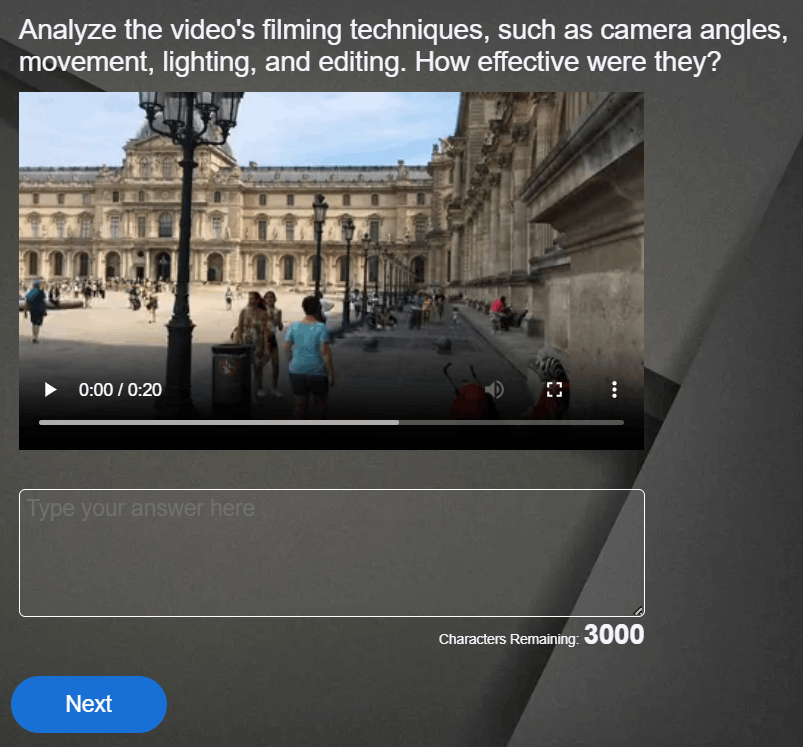
7. Video and Audio Response Assessments
These assessments let candidates record structured responses to prompts. They are useful when communication matters and when teams want an early look at how candidates present ideas before moving into live interviews.
Watch: How to Create a Video Interview Quiz
Strong hiring workflows use assessment types with intent. When assessments reflect real job demands, they give hiring teams clearer evidence and more consistent comparisons.
10 Best Candidate Assessment Tools
I built this list by testing these platforms firsthand and focusing on what actually holds up in real hiring workflows. I also compared peer feedback with what hiring teams consistently discuss in forums like Reddit and Quora, especially around candidate experience, reporting, and assessment quality.
| Tool | Best For | Pricing |
|---|---|---|
| ProProfs Quiz Maker | Creating secure assessments with AI or templates + video screening | Free plan; paid plans start from $19.99/month. |
| Mercer Mettl | Enterprise-scale candidate evaluation software with deep proctoring | Custom pricing |
| TestGorilla | High-volume screening with a broad assessment library | Paid plans start at $135/month |
| HackerRank | Technical skills testing and structured coding interviews | Starts at $165/month |
| Vervoe | Work-sample based assessments with AI-assisted grading | Paid plans start at $300 for 10 candidates |
| Criteria | Cognitive and psychometric testing with structured reports | Custom pricing |
| HireVue | Video-based screening plus structured evaluation at scale | Enterprise pricing starting at $35,000/year |
| iMocha | Broad skills assessment platforms with AI support and proctoring | Custom pricing |
| Pymetrics by Harver | Gamified behavioral trait and potential assessment | Custom pricing |
| eSkill | Pre-built job skill tests with deep customization options | Custom pricing |
1. ProProfs Quiz Maker – Best for Easily Creating Quizzes & Assessments for Business, Training, and Education
What makes ProProfs Quiz Maker work well in candidate evaluation is how much range it gives you without making things feel heavy. You can build structured assessments quickly, keep them role-specific, and still maintain consistency across candidates.
One feature that’s especially useful is the platform’s support for 20+ question types. It also allows you to run video interview quizzes where candidates answer the same prompts on their own time, and you can review communication and presence before scheduling live interviews.
From there, creation stays fast. The AI quiz generator can produce a complete assessment in seconds or turn existing material like SOPs, internal docs, webpages, or YouTube videos into screening quizzes. If you’d rather start with something ready-made, ProProfs also offers 200+ skill and psychometric assessments designed by subject matter experts.
To keep results dependable, this skill assessment platform includes browser lockdown, IP tracking, question pooling, randomization, time limits, and automated webcam and screen proctoring. It can also flag written answers that show signs of being AI-generated, which addresses a newer credibility risk that lockdown and proctoring alone weren’t built to catch. Analytics and grading are automatic, and reports can be sent directly to hiring managers and stakeholders. Hiring managers can also just ask the AI directly which candidates or skill areas need a closer look, instead of reading through every report themselves.
Pros:
- AI quiz creation from documents, webpages, and videos in minutes
- 200+ expert-designed skill and psychometric assessments ready for hiring use
- Strong integrity controls with pooling, tracking, lockdown, proctoring, and AI detection of AI-generated answers
- Automated grading and reporting that make comparisons easy at scale, plus AI you can query directly for the answer
- Video and audio response questions for flexible early-stage candidate screening
Cons:
- No dark mode option available
- No on-premise deployment option since the platform is fully cloud-based
User Rating: 4.6/5 (Capterra)
Pricing: Free plan for short quizzes. Paid plans start at $19.99/month.
2. Mercer Mettl – Best for Enterprise-Scale Candidate Evaluation Software With Deep Proctoring
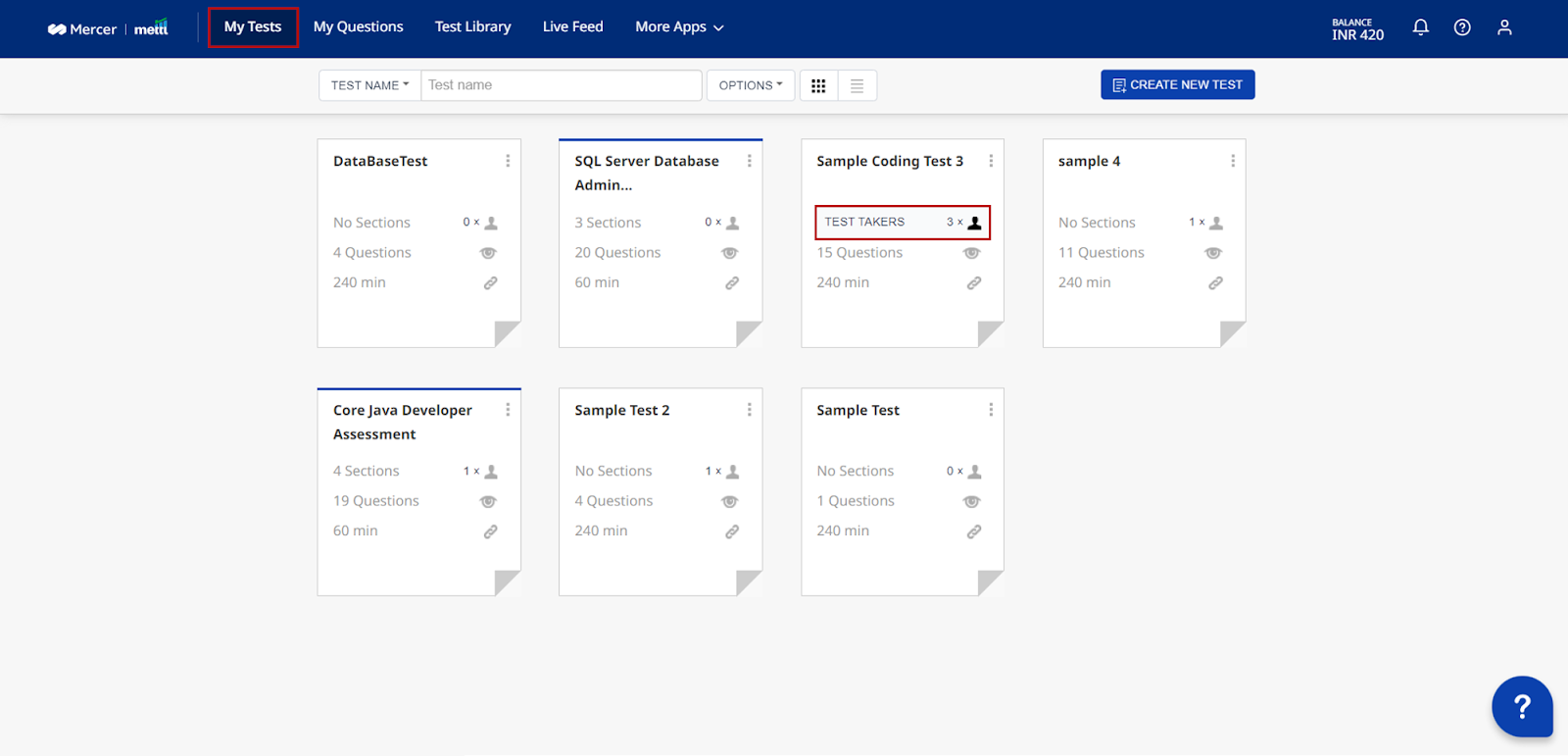
Image source: Mercer Mettl
Mercer Mettl is built for organizations that need candidate assessments to hold up across large hiring programs, especially when consistency and defensibility matter. It supports aptitude, technical, cognitive, and psychometric evaluations in one system, with workflows designed for enterprise hiring at scale.
What stood out most to me is how seriously it treats assessment integrity. The platform offers advanced remote proctoring with layered controls like webcam monitoring, browser restrictions, screen tracking, and automated flagging, which is critical when results influence real hiring decisions.
It also supports structured video interviews alongside tests, making it easier to evaluate communication and role readiness without adding separate tools.
The reporting feels designed for decision-making across stakeholders, with standardized scorecards that help align recruiters and hiring managers across departments, roles, and locations.
Pros:
- Broad assessment coverage across aptitude, skills, and psychometric evaluation needs
- Deep proctoring and monitoring features for high-stakes remote testing environments
- Standardized workflows that support consistent hiring decisions across departments
- Reporting that highlights strengths and gaps clearly for hiring managers
- Enterprise integrations and support built for large recruiting operations
Cons:
- The platform can feel too heavy if you only need simple screening assessments
- Larger setups may require more planning and vendor support upfront
User Rating: 4.3/5 (Capterra)
Pricing: Custom pricing
3. TestGorilla – Best for High-Volume Screening With a Broad Assessment Library
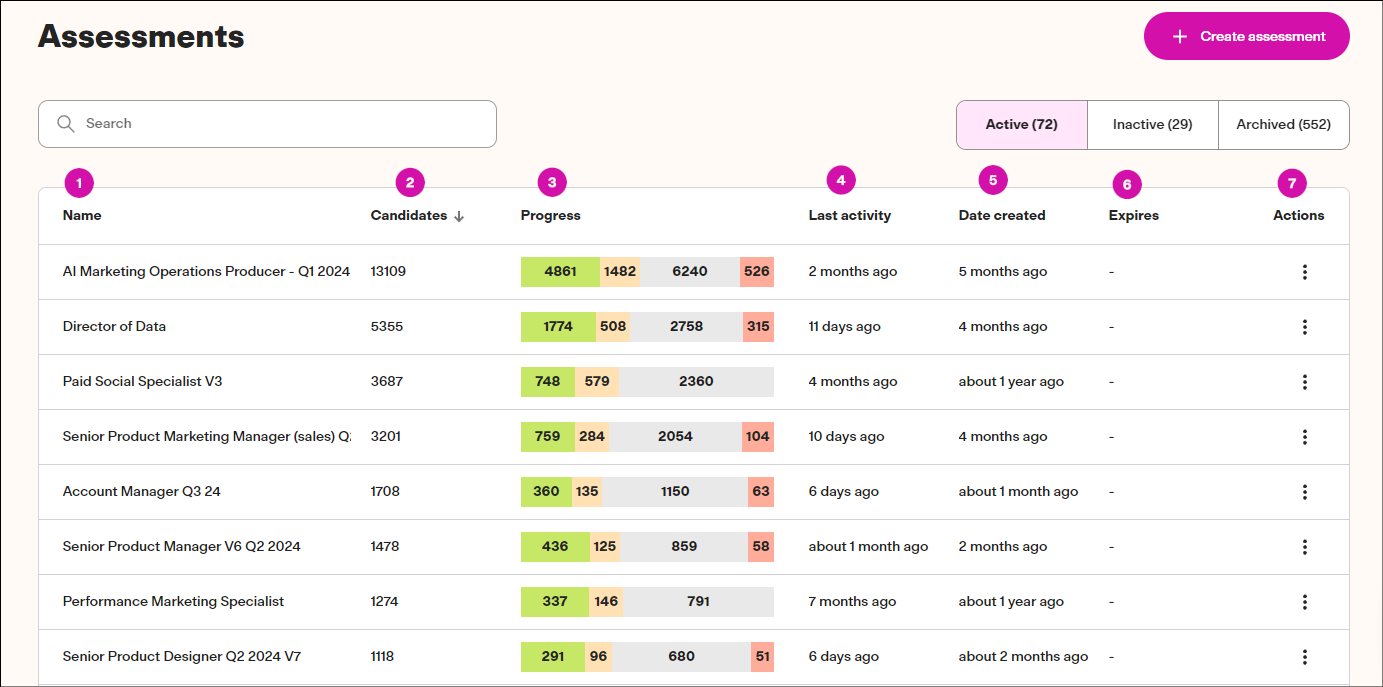
Image source: TestGorilla
TestGorilla is a strong option when you want to screen candidates quickly using a wide assessment library without turning the setup into a long project. It offers 300+ ready-made tests covering job skills, cognitive ability, personality, language, and role-relevant aptitude checks.
I like it most for early-stage filtering because you can assemble an assessment fast, send it out at scale, and compare candidates on a consistent baseline. The candidate experience is straightforward, which matters when you’re handling high applicant volume and don’t want completion rates to drop.
It also includes one-way video response questions, which adds helpful context before scheduling live interviews. For teams looking for a clean, standardized first pass that balances speed with structure, TestGorilla fits well into modern candidate evaluation workflows.
Pros:
- Large assessment library covering skills, cognitive ability, and workplace readiness
- Fast setup that helps teams screen applicants consistently across roles
- Automated scoring and ranking that simplifies shortlisting decisions
- Candidate-friendly assessment flow that supports higher completion rates
- Integrations that help connect results with ATS and hiring workflows
Cons:
- Limited depth if you need detailed role simulations or highly customized work tasks
- Some test content may need review to ensure it matches your job context
User Rating: 4.1/5 (Capterra)
Pricing: Paid plans start at $135/month
4. HackerRank – Best for Technical Skills Testing & Structured Coding Interviews
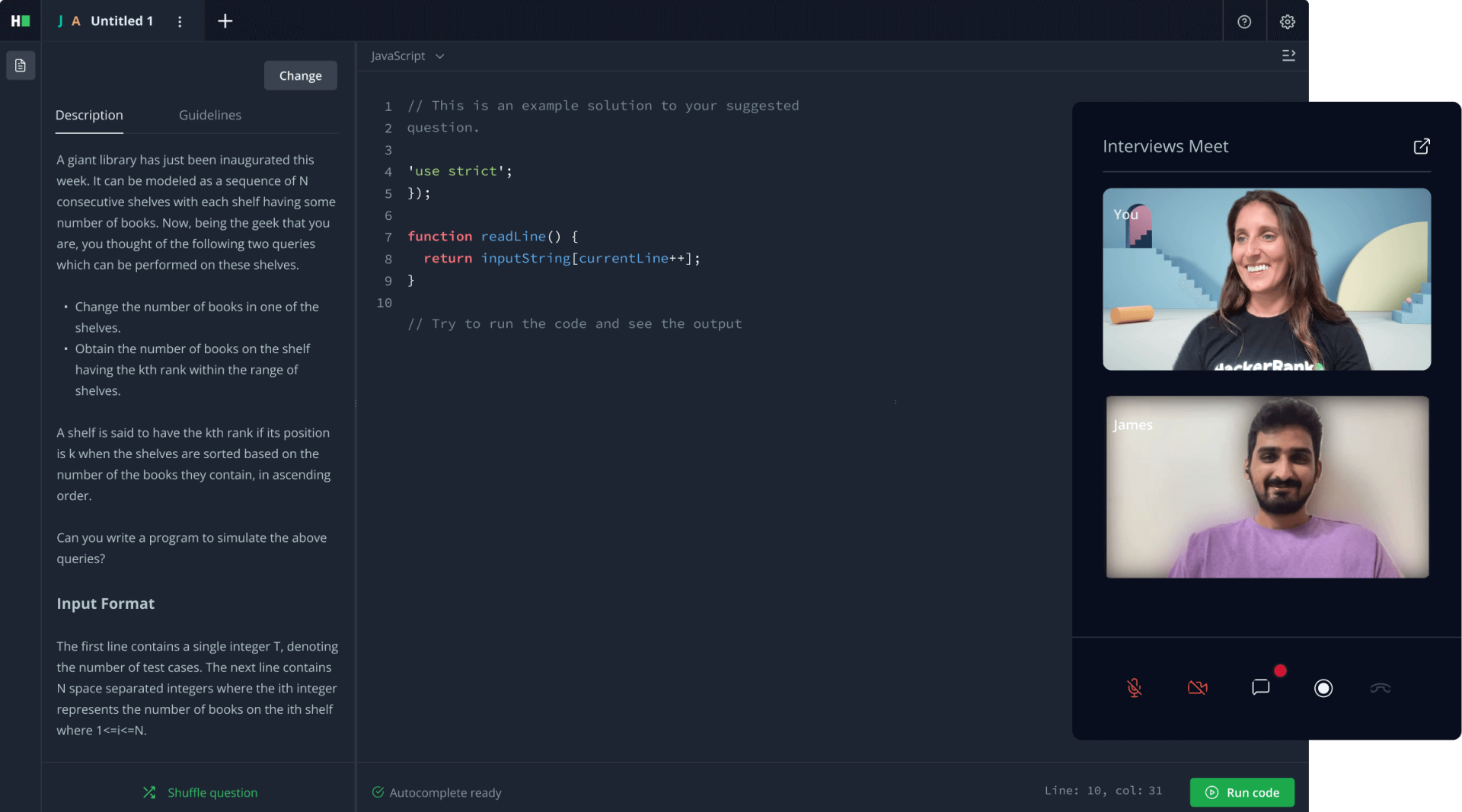
Image source: HackerRank
HackerRank is one of the most recognized platforms for evaluating technical talent, especially in engineering and developer roles. It supports coding assessments across 40+ programming languages, with challenges that range from algorithms to role-specific tasks in areas like backend development, SQL, and debugging.
What I find valuable is that it captures more than a final answer. You can see how candidates approach problems, structure solutions, and think through tradeoffs, which is often more predictive than a simple pass or fail score.
The platform also includes a large challenge library, automated scoring, and structured technical interview workflows that help teams standardize evaluation across hiring managers. For companies hiring engineers at scale, HackerRank provides a familiar, structured environment that makes technical screening more consistent and easier to defend.
Pros:
- Real coding environment that supports consistent testing across languages and roles
- Strong challenge library that speeds up assessment creation for engineering hiring
- Structured interview workflows that help standardize technical evaluation practices
- Detailed insights into approach, logic, and code quality beyond basic scoring
- Familiar experience for many candidates in software and engineering fields
Cons:
- Some candidates may have practiced similar challenge formats, affecting fairness
- Generic puzzles can miss real job performance if not chosen carefully
User Rating: 4.5/5 (G2)
Pricing: Starts at $165/month
5. Vervoe – Best for Work-Sample Based Assessments With AI-Assisted Grading
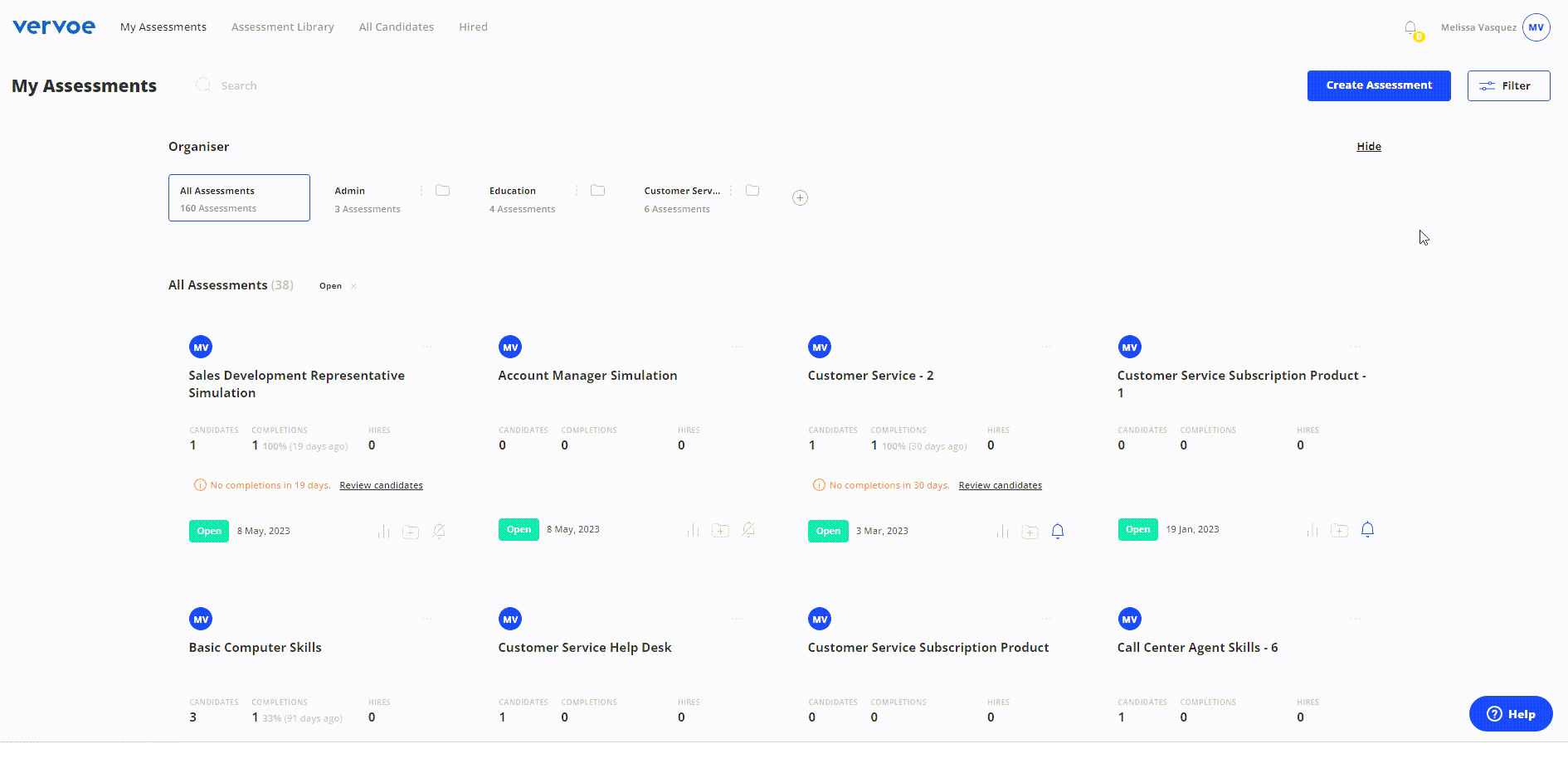
Image source: Vervoe
Vervoe is designed around work-sample-based assessments, which makes it especially useful when you want candidates to demonstrate ability through output rather than just answer questions. It supports a wide range of task formats, including written responses, file uploads, spreadsheets, presentations, coding exercises, and video questions, so evaluations can feel closer to real job expectations.
What I liked is how naturally it shifts hiring conversations from resumes to actual work artifacts that teams can review and discuss. The platform also offers AI-assisted grading to help prioritize submissions, which becomes valuable when you’re screening large pools and need a structured way to surface the strongest responses first.
For roles where execution, communication, and practical thinking matter, Vervoe brings more realism into candidate evaluation than traditional quiz-style testing.
Pros:
- Work-sample assessments that reflect real job tasks and candidate output quality
- Flexible builder for creating role-specific evaluation scenarios across functions
- AI-assisted grading that helps prioritize submissions and reduce review workload
- Collaborative review tools that support alignment among hiring stakeholders
- Candidate experience that feels closer to work than traditional testing
Cons:
- AI scoring still benefits from human review for nuanced written or creative responses
- Teams may spend time building strong task libraries for highly specific roles
User Rating: 4.5/5 (Capterra)
Pricing: Paid plans start at $300 for 10 candidates
6. Criteria – Best for Cognitive & Psychometric Testing With Structured Reports
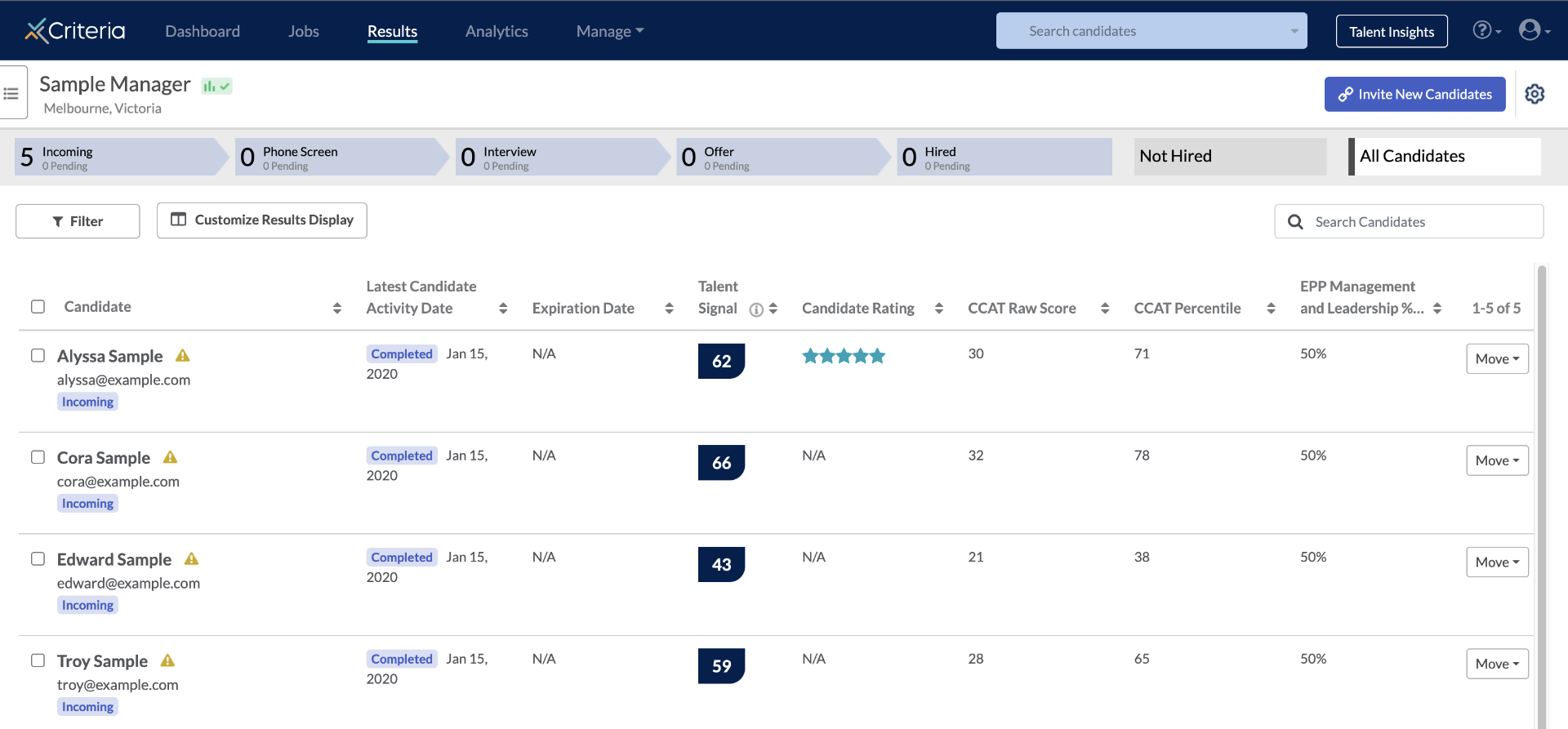
Image source: Criteria
Criteria is one of the most established platforms for cognitive aptitude and psychometric assessment, and it works best when you want structured insight into how candidates learn, reason, and operate under pressure.
It includes validated tools like the CCAT cognitive test, personality assessments, and game-based evaluations that measure traits such as adaptability and emotional intelligence. What stood out to me is how readable the reporting is. Results come with benchmarks, percentile context, and interpretation guides that translate scores into practical interview follow-ups instead of leaving hiring managers guessing.
Many of the assessments are short, often 10 to 20 minutes, which helps keep early-stage screening efficient while still adding meaningful depth. For teams hiring on potential, role fit, and long-term capability, Criteria provides a strong evidence layer within candidate evaluation software.
Pros:
- Validated cognitive and psychometric assessments built for consistent evaluation
- Clear reports that translate results into practical interview discussion points
- Candidate-friendly test lengths that reduce fatigue during early-stage screening
- Role-based options that simplify setup for common hiring needs
- Useful for measuring potential when resumes are not strong predictors
Cons:
- Not designed for hands-on technical simulations or job-specific work samples
- Some teams may want more flexibility in how results are displayed or exported
User Rating: 4.7/5 (Capterra)
Pricing: Custom pricing
7. HireVue – Best for Video-Based Screening & Structured Evaluation at Scale
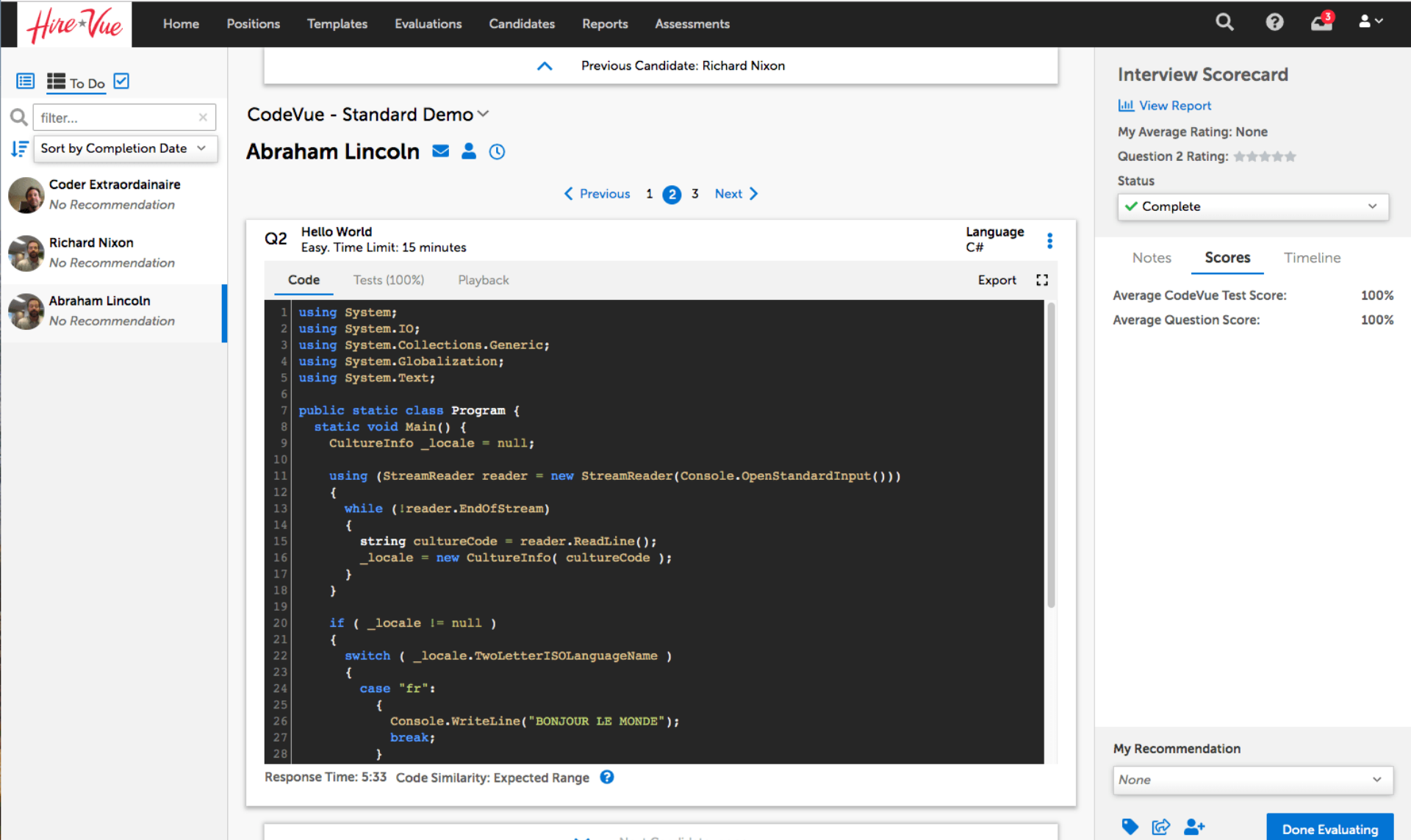
Image source: HireVue
HireVue is built for high-volume hiring environments where scheduling and consistency become major bottlenecks. Its core strength is asynchronous video interviewing, where candidates record structured responses to the same prompts and hiring teams can review them without scheduling calendars.
That format creates a standardized early screen, especially useful for frontline, campus, and enterprise recruiting. Beyond video, HireVue also offers structured assessments and evaluation workflows designed to support large-scale candidate pipelines.
What I find useful is the way it creates reviewable artifacts that hiring managers can access anytime, which reduces delays and keeps decisions moving. It integrates heavily with major ATS platforms, making it a common choice for organizations that need candidate evaluation systems to operate smoothly across recruiters, managers, and multiple hiring locations.
Pros:
- Asynchronous video screening that reduces scheduling delays in early hiring stages
- Structured evaluation workflows that help standardize reviewer comparisons
- Built-in scoring guides that improve consistency across hiring teams
- Collaboration tools that support feedback without requiring live panel interviews
- Reporting that tracks funnel outcomes and screening performance at scale
Cons:
- One-way video can feel impersonal if prompts are unclear or poorly designed
- Longer screening flows may increase candidate drop-off in competitive markets
User Rating: 4.5/5 (Capterra)
Pricing: Enterprise pricing starting at $35,000/year
8. iMocha – Best for Broad Skills Assessment Platforms With AI Support and Proctoring
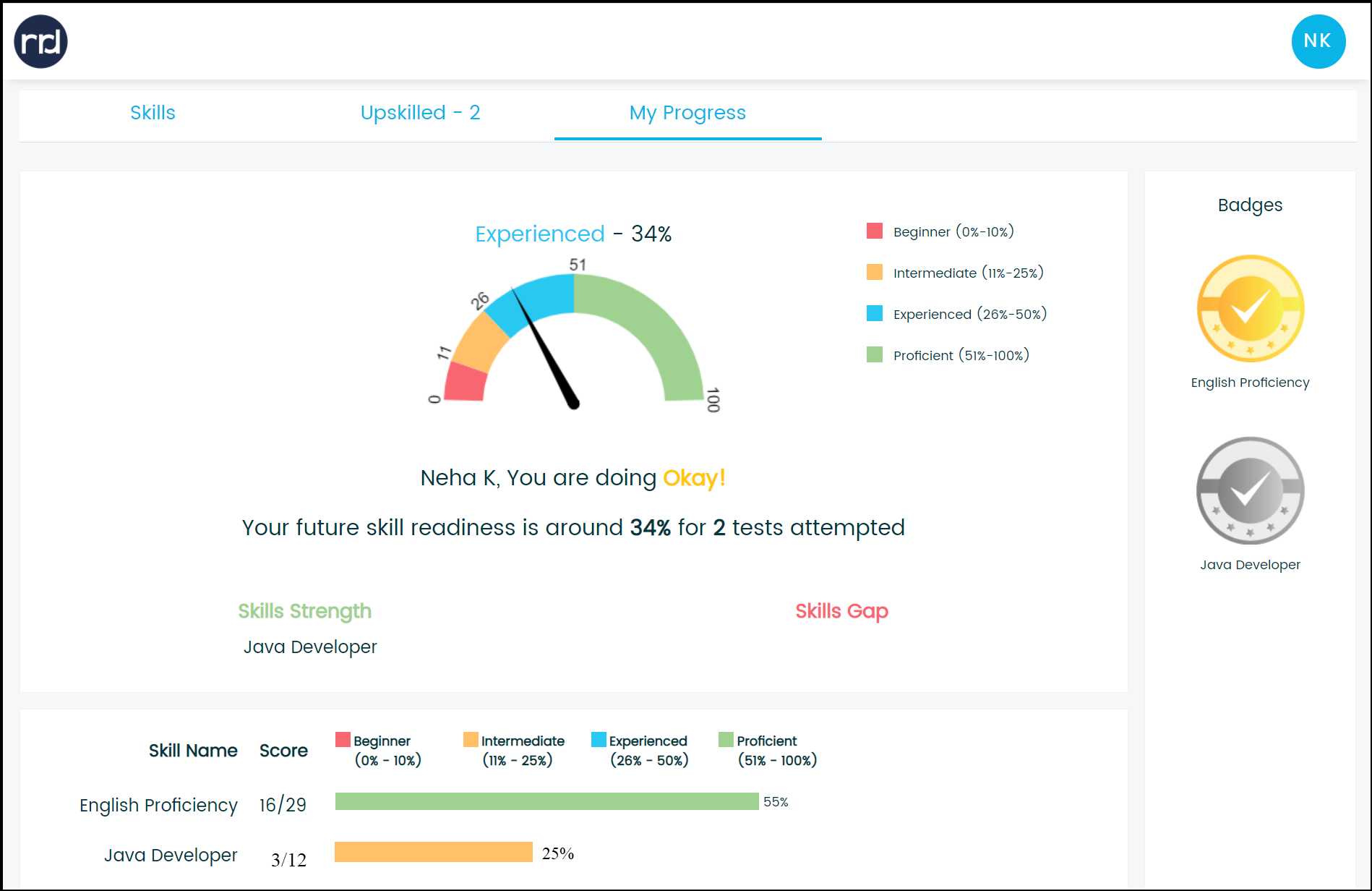
Image source: iMocha
iMocha is a broad skills assessment platform with a strong focus on technical depth, AI support, and scale. It claims coverage across 2,500+ skills, spanning IT, business, finance, aptitude, and language roles, which makes it useful for companies hiring across many job families.
What I liked is how much the platform supports customization through AI-driven test creation, skill recommendations, and large pre-built libraries. Its coding environment is particularly robust, supporting multiple languages, automated scoring, plagiarism detection, and project-style evaluations that feel closer to real engineering work.
iMocha also includes advanced remote proctoring with layered integrity controls, which matters when assessments influence serious hiring outcomes. For teams looking for skills assessment platforms that combine breadth, automation, and structured evaluation, iMocha is a strong contender.
Pros:
- Large skills library supporting assessments across many job categories and functions
- AI support that speeds up assessment creation and refinement for hiring teams
- Proctoring options that strengthen credibility during remote candidate evaluations
- Customization controls for tuning tests by seniority and skill focus
- Reporting that highlights strengths and gaps across multiple skill dimensions
Cons:
- Navigation can feel busy when managing large libraries and many assessments
- Some test content may require review to ensure strong role relevance
User Rating: 4.5/5 (Capterra)
Pricing: Custom pricing
9. Pymetrics by Harver – Best for Gamified Behavioral Trait and Potential Assessment
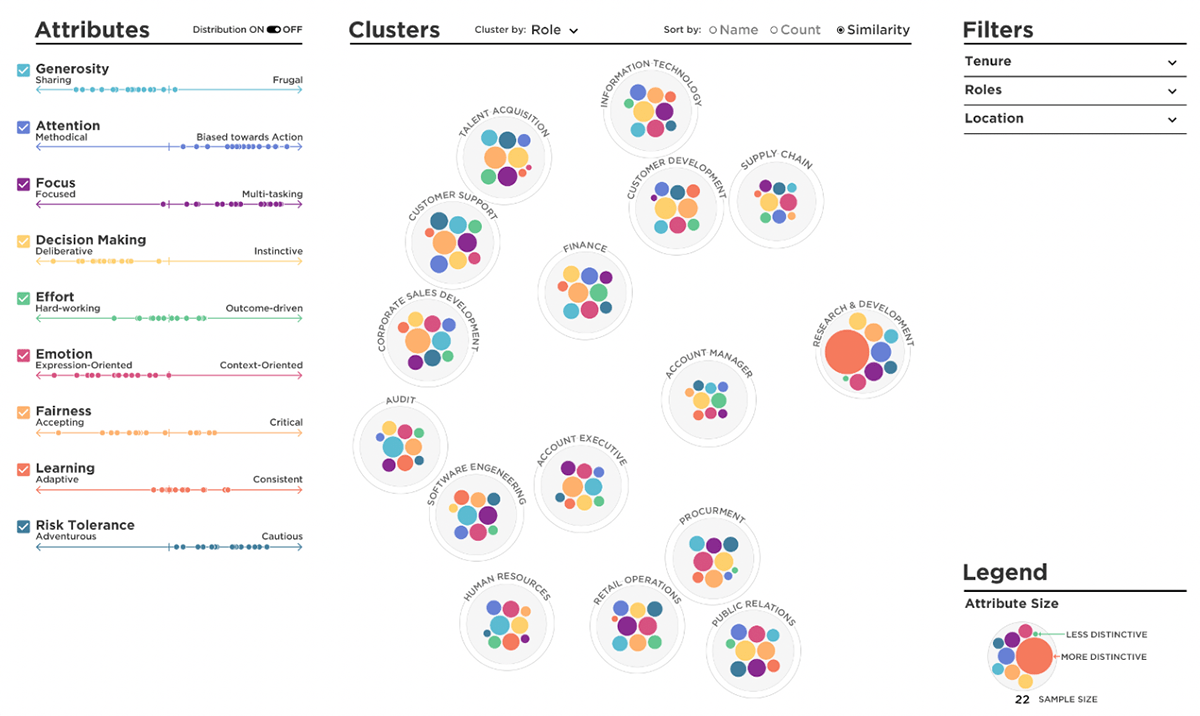
Image source: Pymetrics
Pymetrics takes a different approach by using short neuroscience-based games to surface behavioral and cognitive traits. Candidates complete exercises designed to measure patterns like attention, risk tolerance, decision-making style, and emotional intelligence, which can add another layer of insight early in the funnel.
What makes it interesting is that it focuses on potential and work style rather than knowledge recall, which can help teams widen the funnel beyond traditional resume filters. The experience is also lighter than many tests, usually taking under 30 minutes, and often feels less intimidating for candidates.
The platform is frequently positioned as a fairness-focused evaluation layer, especially for early-career or high-volume hiring. When paired with role-specific skills assessments later, Pymetrics can provide useful behavioral context in candidate assessment tools.
Pros:
- Game-based exercises that capture behavioral patterns without heavy test pressure
- Useful early context when you want more than resume-based shortlisting
- Candidate experience that often feels more engaging than standard assessments
- Designed to support fairer evaluation by focusing on patterns over pedigree
- Results that add depth when paired with skills and structured interviews
Cons:
- Some candidates may find the format unclear without explanation upfront
- Hiring teams need alignment to avoid over-weighting behavioral outputs alone
User Rating: 4.4/5 (G2)
Pricing: Custom pricing
10. eSkill – Best for Pre-Built Job Skill Tests With Deep Customization Options
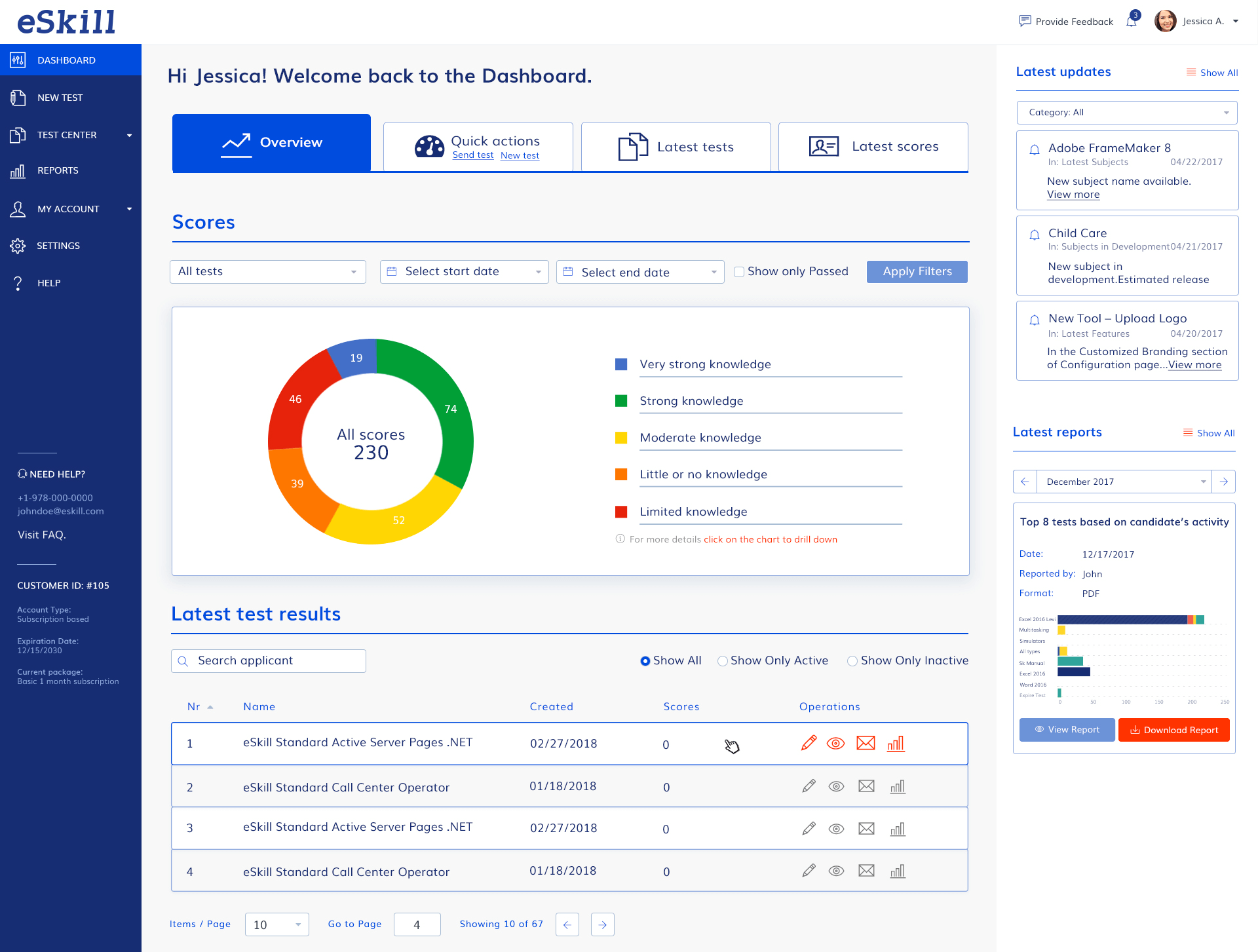
Image source: eSkill
eSkill is one of the most content-rich platforms for job-specific candidate assessments, especially when you want depth without building everything from scratch. It covers 600+ subjects with a bank of 70,000+ questions across technical, clerical, finance, healthcare, and customer-facing roles.
What I find useful is how easily you can combine multiple topics into a single role profile, which matters when jobs require blended skills rather than one narrow specialty. The platform supports simulations like typing tests, software-based tasks, and video response questions, so assessments can reflect real job conditions instead of generic screening quizzes.
Reporting is detailed, breaking results down by skill area so hiring teams can see strengths and gaps clearly. For organizations that want highly tailored screening with substantial ready-made content, eSkill fits well.
Pros:
- Extensive library of pre-built technical and business assessments for quick setup
- Flexible test builder for combining topics into role-specific evaluation profiles
- Proctoring features that help maintain integrity during remote candidate testing
- Reporting that breaks down results by skill area for clearer comparisons
- Multi-language support for consistent screening across global hiring programs
Cons:
- The admin interface can feel dense early, with many configuration controls visible
- Role benchmarks may require calibration time before results feel fully stable
User Rating: 4.5/5 (Capterra)
Pricing: Custom pricing
How to Choose Candidate Assessment Tools That Actually Hold Up in Practice
Once you’ve seen the tool landscape, the harder part is narrowing it down. Most platforms look strong in a demo. The difference shows up when real candidates take the assessment and hiring managers have to rely on the output.
Here’s what I’d focus on when choosing.
1. Start With Workflow Fit First
A tool can be powerful and still fail if it doesn’t match how you hire. Look at the full flow: sending invites, tracking completion, reviewing results, and collaborating with managers. If the platform adds friction, teams stop using it.
2. Prioritize Role-Specific Assessment Quality
A massive library means very little if the tests feel generic. Strong candidate evaluation software lets you tailor assessments to real job requirements, whether that’s combining skill areas, adding custom tasks, or adjusting difficulty by level.
3. Choose Reporting That Supports Hiring Decisions
The output should help managers decide, not just measure. Look for clear breakdowns, benchmarks, and structured insights that translate into better interview follow-ups. Weak reporting turns assessments into numbers without meaning.
4. Match Integrity Controls to the Stakes
Credibility matters when assessments influence real hiring outcomes. Question pooling, randomization, time limits, and proctoring options should be available when needed, without making candidates feel over-monitored for low-stakes roles.
Watch: How to Prevent Cheating in Online Assessments
5. Pay Attention to Candidate Experience Early
Drop-off is one of the biggest hidden costs. Long, confusing, or overly intrusive assessments push strong candidates away. The best platforms respect candidate time while still producing useful evidence.
6. Validate the Tool Beyond the Sales Pitch
Before committing, look for repeated patterns in peer feedback and forum discussions. Issues like workflow friction, inconsistent test quality, or weak support usually surface after rollout, not during demos.
The right candidate assessment tool is the one your team can run consistently, candidates will complete without frustration, and hiring managers will actually trust in real decisions.
Importance and Benefits of Candidate Assessment Tools
Candidate assessment tools matter because hiring has become less forgiving. Teams move faster, roles evolve quickly, and one wrong hire can slow execution for months. The right assessment layer gives you a more dependable way to evaluate talent before decisions get expensive.
1. More Consistent Candidate Comparisons
When every applicant completes the same role-relevant evaluation, hiring stops depending on who interviews best or who tells the strongest story. Assessments create a shared baseline that holds up across interviewers, teams, and locations.
2. Faster Shortlisting Without Guesswork
Strong screening tools surface capability earlier. Instead of spending hours in calls just to uncover missing skills late in the funnel, you identify fit upfront and move interviews toward deeper judgment and role alignment.
3. Fairer Evaluation Across Backgrounds
Structured assessments help reduce bias tied to pedigree, confidence, or presentation style. Candidates are judged more on execution and decision-making than on subjective impressions.
4. Clearer Interview Follow-Ups for Hiring Managers
Good reporting turns assessments into actionable input. Managers can see strengths, gaps, and patterns quickly, which leads to sharper interview questions and fewer circular debates.
5. Better Candidate Experience When Done Well
The best platforms make expectations clearer. Candidates understand what the job requires, and hiring teams avoid dragging strong applicants through irrelevant or overly long processes.
Candidate assessment tools work best when they’re tied directly to the role and used consistently. That’s when hiring becomes more grounded, repeatable, and easier to trust.
My Top 3 Picks for Candidate Assessment Tools
If you’ve made it through the full list, these are the three tools that feel most dependable when the priority is clarity, usability, and real hiring relevance.
1. ProProfs Quiz Maker
ProProfs Quiz Maker is a strong choice when you want flexible candidate assessments that are fast to build but still structured. AI quiz creation, expert-designed skill tests, video interview quizzes, and strong integrity controls make it practical for consistent screening without heavy setup.
2. Mercer Mettl
Mercer Mettl works best for enterprise hiring teams that need assessments to scale across roles, locations, and high-stakes workflows. Its depth in proctoring, broad assessment coverage, and standardized reporting make it a reliable option when defensibility matters.
3. TestGorilla
TestGorilla is a solid pick for high-volume screening where speed and simplicity matter. Its large, ready-made library and straightforward candidate flow help teams shortlist quickly while keeping evaluations consistent early in the funnel.
Make Better Hiring Decisions With Candidate Assessment Tools
Hiring gets easier when you stop relying on resumes and instinct alone. The right assessments give you clearer evidence early, so interviews become sharper and decisions become more consistent.
This list is a starting point, not a final answer. Shortlist two or three platforms that match your hiring volume, role complexity, and the level of integrity controls you need. Then take the next step: book demos, explore free trials, and see how the workflow feels with real candidates in mind.
If you want a flexible option for building secure, role-specific assessments quickly, ProProfs Quiz Maker is worth a look. Its AI-powered quiz creation, strong reporting, and advanced security features make it practical for structured screening without heavy operational overhead.
The best choice is the one your team will actually use consistently and trust when it matters.
Frequently Asked Questions

When should you send an assessment in the hiring process?
Most teams send assessments early, right after an initial resume screen. Waiting too long wastes interview time on candidates who may not meet the baseline. Early assessments make shortlisting faster and more structured.
How do you keep online assessment results trustworthy?
Credibility comes from the right integrity controls. Many teams look for question pooling, randomization, time limits, and proctoring options for higher-stakes roles. The goal is to keep results dependable without making candidates feel over-monitored.
How long should a candidate assessment be?
Shorter is usually better unless the role demands depth. Many hiring teams aim for 20 to 40 minutes. Longer assessments increase drop-off and can frustrate strong applicants.
Can candidate assessment tools replace interviews?
No. Assessments work best as an evidence layer before interviews, not a substitute. They help teams compare candidates more fairly and ask better follow-up questions. Some companies also pair assessments with structured video or audio response questions to add more context before live conversations.

Let ProProfs AI Build a Quiz

 We'd love your feedback!
What did you like & how can we make it even better?
 Thanks for your feedback!
 Ask Your Question
Have a question? Get expert help to make your decision easier.