

Choosing a free interactive quiz maker sounds easy until you realize most “free” tools come with limits that only show up after you’ve invested hours building quizzes.
I’ve tested quiz platforms for hiring, training, classroom learning, and lead generation over the years, and the biggest mistake I see is people picking a tool that looks good on the surface. However, in reality, it falls apart when they need better engagement, reporting, customization, or scalability.
If you’re a coach, teacher, HR professional, or trainer comparing tools right now, you probably want answers fast. Which platforms are actually free? Which ones support interactive quizzes instead of basic multiple-choice forms? And which tool fits your specific use case without forcing an upgrade too soon?
This guide breaks down the 9 best free interactive quiz makers, including real free plan limits, standout features, and who each tool works best for.
What Is a Free Interactive Quiz Maker?
The word “interactive” is doing real work in that definition. A standard quiz shows a question, records an answer, and moves on. An interactive quiz maker supports video questions, image-based responses, drag-and-drop matching, scenario-based formats, real-time leaderboards, and personalized feedback paths. It turns a passive test into a learning or engagement experience.
The “free” part is where you need to read carefully. Most interactive quiz platforms offer a free plan, but the meaningful differences come down to participant caps, question limits, reporting access, and anti-cheating features. I will call these out specifically for each tool below.
9 Best Free Interactive Quiz Maker Software
After testing over a dozen platforms across real training, education, and marketing use cases, here are the nine I would genuinely recommend if you want to make an interactive quiz. Each one has either a free plan or a free trial, so you can get started without spending anything upfront.
| Tool | Best For | Free Plan / Trial | Paid Starts At | Capterra Rating |
| ProProfs Quiz Maker | Secure assessments, AI creation, training | Forever free for short quizzes | Free plan available; Paid plans start from $19.99/month | 4.5/5 |
| Interact | Lead gen, template-based personality quizzes | 14-day free trial | $27/month | 3.5/5 |
| TriviaMaker | Gamified trivia and team engagement | Free plan (3 game styles) | $19/year | 4.3/5 |
| Quizizz | Gamified classroom and homework quizzes | Forever free (unlimited quizzes) | Custom quote | 4.7/5 |
| Mentimeter | Live audience polling and classroom quizzes | Free plan (limited slides) | €14/presenter/month | 4.4/5 |
| Opinion Stage | Visual, media-rich marketing quizzes | Free plan (25 responses/month) | $25/month | 4.9/5 |
| PointerPro | White-labeled enterprise assessments | 14-day free trial | Custom Quote | 4.6/5 |
| Fyrebox | Educational quizzes with gamification | Free plan (limited) | $9/month | 4.5/5 |
| Responsly | Quiz + CRM/LMS integrations | Free Plan + 7 Day Trial on Essential and Professional plans | $49/month | 5/5 (5 Reviews) |
1. ProProfs Quiz Maker – Best for Easily Creating Quizzes & Assessments for Business, Training, and Education
ProProfs Quiz Maker is probably the most complete free interactive quiz maker I’ve used for real-world use cases like employee training, hiring assessments, student exams, and certifications. What impressed me most was how quickly I could go from an idea to a fully working quiz with grading, reports, and security already built in.
I especially like the AI quiz generator. I can enter a topic, upload a document, paste a webpage, or even use a YouTube video, and it creates a quiz in seconds with answers and explanations included. It saves a huge amount of time. You can use it here:

Let ProProfs AI Build a Quiz
The platform also gives me much more flexibility than most free tools. I can use different question types, randomize questions, create secure assessments, and track performance at a detailed level. The reporting is genuinely useful because I can see which topics people struggle with instead of just looking at final scores. I can also just ask the AI directly which topic needs attention, and get the answer immediately instead of scanning the report myself.
I also appreciate that security features like browser lockdown, proctoring, timers, and question shuffling are already included instead of needing separate tools. It also flags answers that show signs of being AI-generated, which is a newer integrity gap that lockdown and proctoring alone don’t cover.
Pros:
- AI quiz generator that builds full assessments from topics, documents, videos, and webpages in seconds
- 20+ question types including hotspot, drag-and-drop, video/audio response, and scenario-based formats
- Automated scoring with regular, partial, and custom grading options, plus instant feedback and AI-powered evaluation for faster and more accurate assessments
- Advanced anti-cheating controls: automated webcam and screen proctoring, browser lockdown, IP tracking, question randomization, and AI detection of AI-generated answers
- Question pooling from shared banks, so each quiz taker or re-attempt receives a different set of questions
- Time limits for the entire quiz or per question to control pacing and reduce answer-searching
- Instant feedback with explanations that turn every attempt into a learning opportunity
- Flexible grading with configurable scoring rules, passing criteria, and partial credit
- Automated certificate generation and recertification with custom branding
- 100,000+ customizable templates and a library of over 1,000,000 ready-made questions
- Mobile-friendly quizzes accessible on most devices
- 70+ language support for global learner populations
- Detailed analytics tracking scores, question-level insights, and skill gaps across groups, with AI you can ask directly for the answer instead of digging through the data
Cons:
- The free version displays ads, which can be distracting in professional training contexts
- No dark mode, which can cause eye fatigue during extended assessment sessions
- Only cloud-based; no on-premise version available for organizations with strict data residency requirements
User Rating: 4.5/5 (Capterra)
Pricing: Free for short quizzes and essential features. Paid plans start at $19.99/month, Business at $39.99/month, and Enterprise at $199.99/month. K-12 pricing starts at $4/teacher/month or $0.25/student/month.
2. Interact – Best for Template-Based Lead Generation Quizzes
I see Interact as a strong option for marketers, coaches, and course creators who want to build personality or outcome-based quizzes for lead generation. What I liked most was its huge library of professionally written quiz templates, which makes it easy to launch branded quizzes quickly without creating everything from scratch.
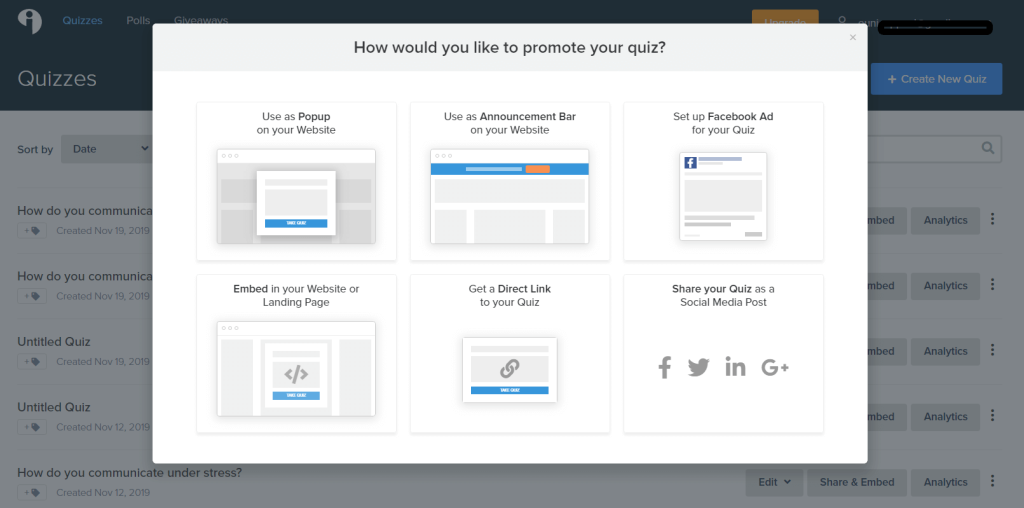
The platform works especially well for audience segmentation. I could map quiz outcomes to specific answers, add social sharing to results pages, and connect quiz data directly with email marketing tools and CRMs. If the goal is engagement and lead capture rather than formal assessments, it does the job well.
Where I think it falls short is on the training and assessment side. I did not find features like question banks, proctoring, or advanced workflow management, which are important for certifications, compliance training, or secure testing. For interactive marketing quizzes, though, it feels polished and easy to use.
Pros:
- 800+ professionally written templates across industries and niches
- Personality type, outcome-based, and scored quiz formats for audience segmentation
- Custom result pages with social sharing options to extend reach
- Branding controls including logo, fonts, colors, images, and custom URL
- Visual analytics tracking quiz views, completions, leads, and conversions
- Forever free plan to create and publish up to five quizzes per month
- Supports images, videos, and multimedia in questions for enhanced engagement
Cons:
- No visual branching editor, making complex conditional quiz workflows difficult to build
- Very limited quiz types; not suitable for knowledge assessments or secure exams
- Free plan caps at 500 leads per month, which limits growth for high-volume campaigns
User Rating: 3.5/5 (Capterra)
Pricing: 14-day free trial. Paid plan starts at $27/month
3. TriviaMaker – Best for Gamified Quizzes
TriviaMaker is purpose-built for gamified quiz experiences. Its five game styles (grid, list, trivia, wheel, and tic-tac-toe) make it a useful tool for educators running classroom competitions, event organizers facilitating team-building activities, and trainers looking to make recall practice more engaging.
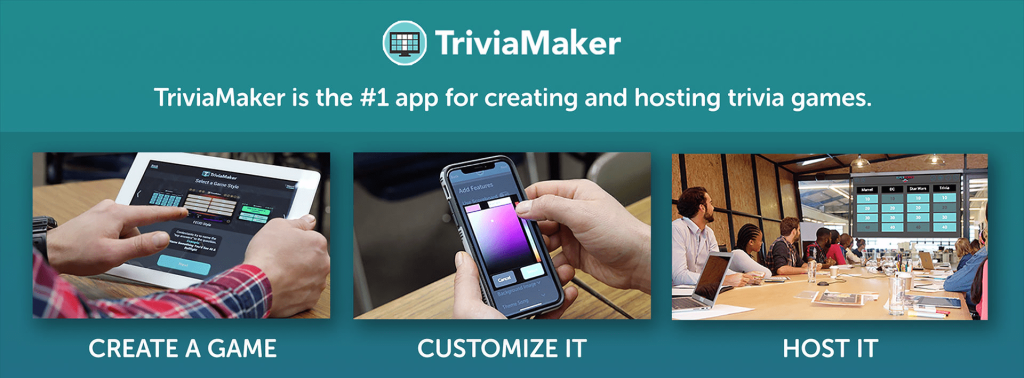
I tested all five game formats and found them genuinely different in feel, which is rare. Most quiz tools that claim “gamification” mean they added a leaderboard. TriviaMaker actually changes the structure of the experience based on the game style you choose, which keeps participants from feeling like they are doing the same thing on a different day.
The free plan gives you access to three game styles (grid, list, and trivia) with no time limit and no account required for participants. The limitation is depth: there is no grading system suitable for formal assessments, no anti-cheating controls, no certificate generation, and reporting is surface-level. If your goal is engagement and participation rather than measurement and accountability, TriviaMaker is a solid choice at a price that is hard to argue with.
Pros:
- Five distinct game styles (grid, list, trivia, wheel, tic-tac-toe) for varied interactive experiences
- Free plan includes three game styles with no participant caps
- Multimedia support including images and videos in questions for richer engagement
- Real-time participation and live score updates for competitive group settings
- Multiplayer functionality for simultaneous group competition
- Timers and difficulty levels per question to increase challenge and urgency
Cons:
- No social media sharing or multi-language support for broader audience reach
- Customer support response times are inconsistent based on user reports
- Not suitable for formal assessments; no grading, certificates, or anti-cheating controls
User Rating: 4.3/5 (Capterra)
Pricing: Free plan (3 game styles). Paid plan starts at $19/year
4. Quizizz – Best for Gamified Classroom and Homework Quizzes
Quizizz is one of the most popular interactive quiz makers I’ve used for classroom learning. What immediately stood out to me was the massive library of teacher-created quizzes and activities, which saves a lot of time when I do not want to build everything from scratch.
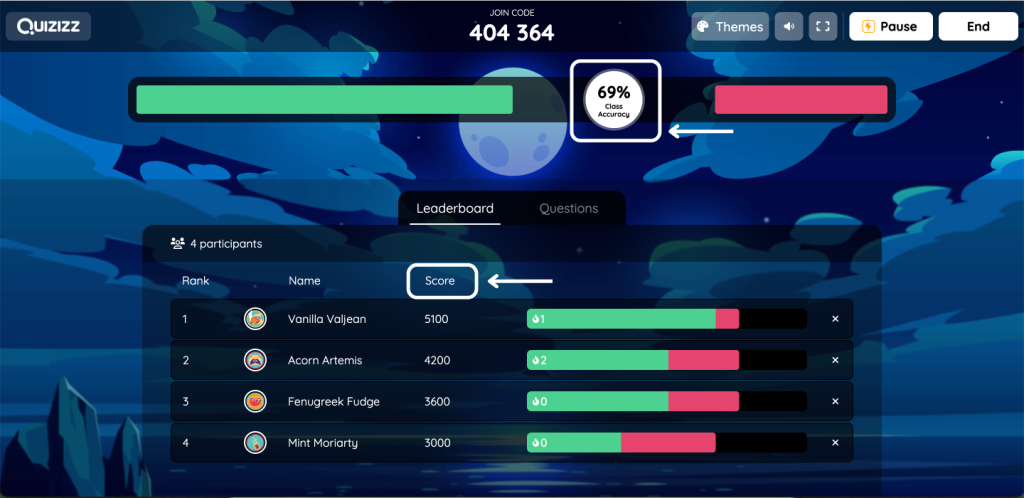
The feature I like most is the self-paced mode. I can assign quizzes as homework, share a link, and let students complete them on their own time while still getting instant feedback after every question. It works well for both live classroom games and independent revision.
I also found the AI quiz generator helpful for quickly creating quizzes from a topic. Features like leaderboards, timers, memes, and audio questions make the experience more engaging for students.
Where I think Quizizz becomes limiting is analytics. It works great for engagement and quick classroom assessments, but deeper reporting and detailed performance tracking are not as strong as more assessment-focused platforms. For everyday teaching and student participation, though, it’s one of the easiest tools to use.
Pros:
- Genuinely unlimited free plan: no question caps, no quiz limits, no credit card required
- Library of 20+ million teacher-made quizzes available to browse, assign, and customize
- Self-paced homework mode alongside live classroom competition format
- Gamification through leaderboards, timers, badges, and motivational memes
- AI quiz generation from topics available on the free plan
- Works on any device including school Chromebooks without app downloads
- 30+ language support for multilingual classrooms
Cons:
- Detailed analytics and question-level performance reporting require a paid plan
- Advanced question types and customization options are locked behind premium tiers
- Not suitable for compliance training, certifications, or secure proctored assessments
User Rating: 4.7/5 (Capterra)
Pricing: Forever free (unlimited quizzes). Custom quote.
5. Opinion Stage – Best for Visual, Interactive Quizzes
Opinion Stage is a top-rated quiz maker that marketers and business owners use to create interactive and engaging quizzes. It comes with 100+ marketing templates and an AI quiz creator that helps you build fun, visually appealing quizzes your audience will love. You can easily add images and videos to your questions to explain topics and keep people engaged.
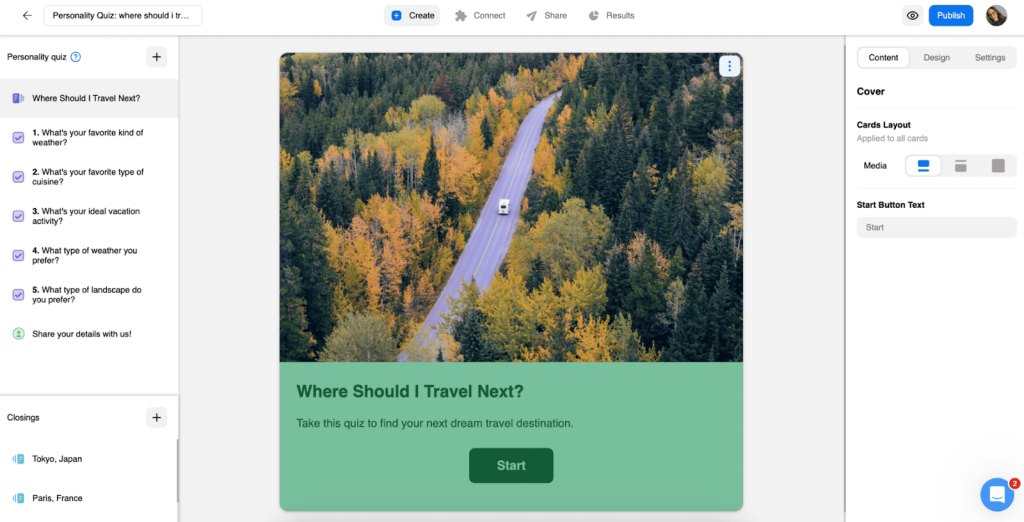
Besides quizzes, Opinion Stage also lets you create visual polls, surveys, and forms. All the items you create are optimized for mobile and easy to customize with your logo, colors, and fonts. Its biggest strength is visual polish: the output looks professional without requiring design skills, which makes it a good fit for brands that care about how their content looks on social media and in email campaigns.
The free plan caps at 25 responses per month, which is useful for testing but not for running ongoing campaigns or assessments with larger audiences. If you are running a one-off quiz campaign to a small list, the free tier works. For anything recurring or scaled, you will need a paid plan quickly.
Pros:
- Beginner-friendly, intuitive interface that requires no technical background
- AI creator to generate quizzes ready to share in seconds
- Custom CSS and white-label options for full brand alignment on paid plans
- Visual analytics tracking responses, completions, and engagement
- Easy embedding and direct sharing via link or social media
- Free forever plan available for small-scale testing
Cons:
- Free plan allows only 25 responses per month, too limited for active campaigns or class use
- Custom CSS is locked behind paid plans, limiting free-tier branding options
- No assessment or reporting features suitable for training or education use cases
User Rating: 4.9/5 (Capterra)
Pricing: Free forever plan available. Paid plans start at $25/month, billed annually.
6. Mentimeter Quiz Maker – Best for Live Quizzes
Mentimeter is the tool I recommend when someone asks for a live polling and quiz platform for classroom or event facilitation. Participants join with a code, no account creation required, and you see results in real time displayed in dynamic charts and leaderboards. The energy in a room during a Mentimeter session is different from any asynchronous quiz tool.
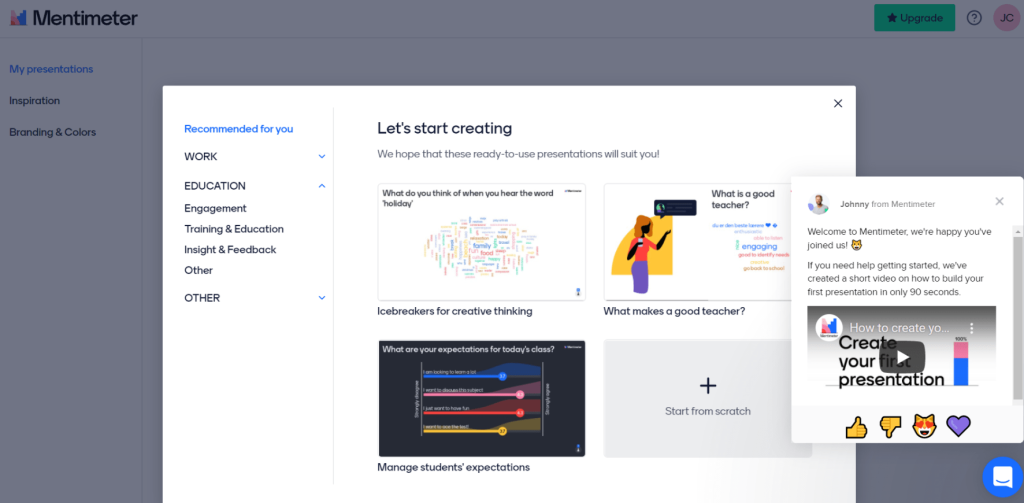
My favorite feature is the ability to integrate short informational slides within a quiz sequence. You can show a question, reveal results, add context through a slide, then move to the next question. This keeps participants engaged and informed rather than just reactive, and it works particularly well in corporate training sessions and conference presentations.
The free plan is genuinely limited: you get two interactive slides per presentation, which is enough to demonstrate the platform but not enough to run a full session. For ongoing classroom use or regular training facilitation, a paid plan is necessary.
Pros:
- Real-time audience interaction with live score updates and leaderboards for competitive engagement
- Templates, images, and GIFs from built-in libraries to make quizzes visually engaging
- Seamless integration with Zoom, Microsoft Teams, and Hopin for remote facilitation
- Participants join with a unique code or link without creating an account
- Integrated slides within quiz sequences for context and narrative flow
Cons:
- Free plan allows only two interactive slides per presentation, which is very restrictive for full sessions
- Does not integrate well with PowerPoint for hybrid presentation/quiz workflows
- No lead generation features; cannot collect or export participant contact data
- Not suited for asynchronous assessments, compliance tracking, or certification programs
User Rating: 4.9/5 (Capterra)
Pricing: Free plan (limited slides). Paid plan starts at €14/presenter/month.
7. PointerPro – Best for White-Labeled Quizzes
PointerPro is the most sophisticated white-labeling option in this list. You can replace all platform branding with your own logo, custom domain, and email domain, which makes it useful for agencies, consultancies, and enterprise training departments that need a fully branded assessment experience delivered under their own identity.
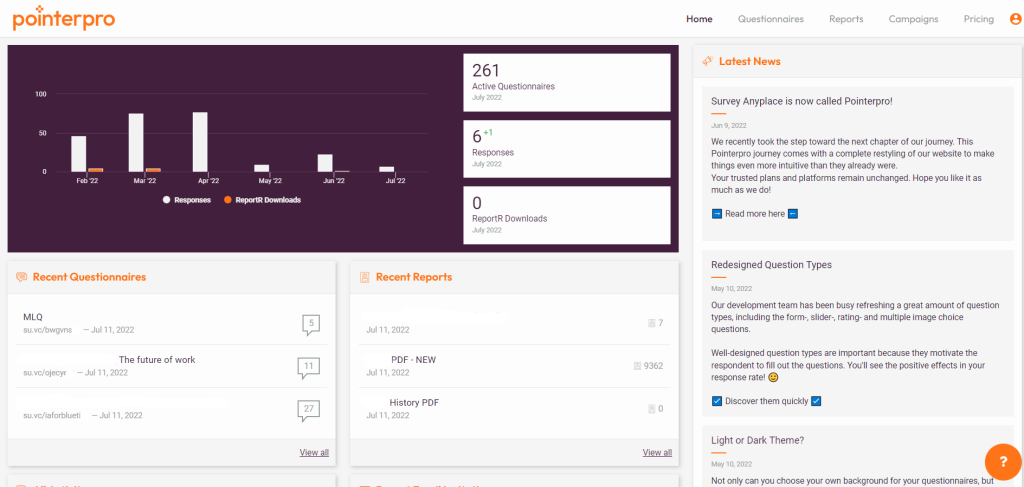
The advanced formula and variable support is genuinely impressive. You can use data from previous responses to calculate averages, benchmarks, and comparisons in real time, and generate individual, team, and aggregated PDF reports automatically based on assessment results. For consultant-led diagnostics or enterprise skill assessments, this level of output customization is hard to find elsewhere.
The 7-day free trial gives you full access to the Professional plan features, which is enough time to build and test a complete assessment before committing. It is not a first choice for budget-conscious teams or solo educators, but for agencies that need to deliver branded assessment products to multiple clients, it justifies the investment.
Pros:
- Full white-labeling including logo, colors, custom domain, and email domain for brand consistency
- Drag-and-drop builder with smart widgets, templates, and a wide range of question types
- Show/hide logic based on specific answers or participant attributes for adaptive assessments
- Formulas, variables, and logic to calculate averages, comparisons, and benchmarks from prior responses
- Automated email notifications, reminders, and actions based on assessment activity
- Individual, aggregated, and team PDF reports distributed via email and download
- 7-day free trial with full Professional plan access
Cons:
- Significant learning curve for mastering the full feature set, requiring dedicated setup time
- Forms created on a paid account become inaccessible when the subscription ends
- Starting price of $69/month after trial makes it inaccessible for small teams and solo educators
User Rating: 4.6/5 (Capterra)
Pricing: 14-day free trial. Custom Quote
8. Fyrebox – Best for Educational Quizzes
I see Fyrebox as a solid middle-ground option for educators who want more interactivity than basic quiz tools without dealing with an overly complex platform. What I liked most was the variety of question formats, including hotspot, drag-and-drop, and scenario-based quizzes, which make assessments feel more engaging than standard multiple-choice tests.
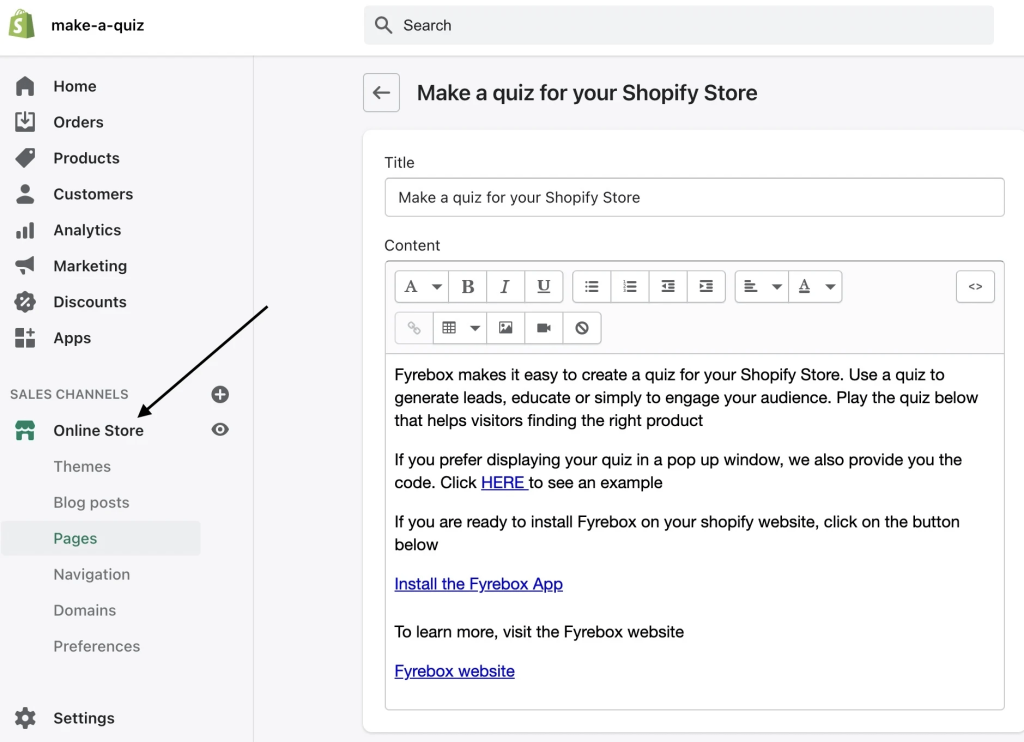
I also found the multilingual support useful, especially for classrooms or audiences spread across different regions. The ability to embed quizzes into websites and export participant data adds flexibility for teachers and trainers managing online learning experiences.
That said, I did run into a few limitations. The reporting feels too lightweight for formal assessments, compliance tracking, or deeper performance analysis. I also found the template customization somewhat restrictive. Another downside for me was the lack of email capture before quiz start, which limits lead generation and audience-building opportunities.
Pros:
- 14 question types including multiple-choice, true/false, hotspot, and drag-and-drop
- Eight-language support with automatic user version detection for multilingual learners
- Gamification elements including leaderboards and badges for engagement
- Scenario quiz format for decision-making and applied knowledge testing
- Embedding support for Wix and Chrome with participant email export
- Free plan available for basic use
Cons:
- Templates and quiz formats are not fully customizable, limiting brand alignment
- No option to capture emails before quiz start, missing a key lead capture touchpoint
- Reporting depth is insufficient for formal assessments or institutional compliance tracking
User Rating: 4.5/5 (Capterra)
Pricing: Free plan (limited). Paid plan starts at $9/month.
9. Responsly Quiz Maker – Best for Third-Party Integrations
What stood out to me most about Responsly was how smoothly it connects with other tools. I could integrate quizzes directly with platforms like Canvas, Moodle, HubSpot, Salesforce, Mailchimp, and Zoho, which made it useful when quiz data needed to flow into a larger workflow automatically.
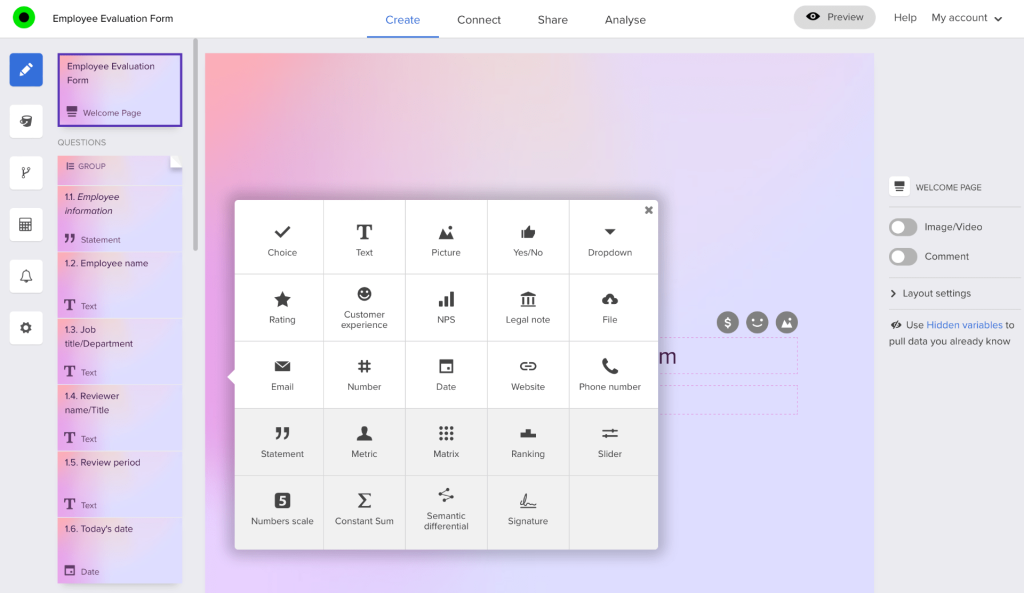
I also found the no-code setup easy to work with, even for non-technical users. Features like smart skip logic, automatic scoring, and end-page result summaries helped simplify quiz creation. The platform also supports a good range of question types, including multiple-choice, essay, matching, image-based, hotspot, and fill-in-the-blank questions.
That said, I would not personally use it for formal education or heavy training assessments because the analytics feel fairly basic compared to more assessment-focused platforms. But for marketing teams or businesses that rely heavily on CRM and LMS integrations, I think Responsly does a really good job of connecting quiz data without requiring manual exports.
Pros:
- Integrations with LMS platforms (Canvas, Blackboard, Moodle) and CRM/marketing tools (Mailchimp, HubSpot, Salesforce, Zoho)
- No-code interface for quiz creation without technical background
- Smart skip logic with automatic scoring and end-page score totals
- Customizable themes and layouts for brand-aligned quizzes
- Scheduled quizzes with specific dates, times, and deadlines
- 14-day free trial to test integrations before committing
Cons:
- No permanent free plan; only a 14-day trial before payment is required
- No advanced analytics or reporting for user behavior, skill gap analysis, or lead generation insights
- Pricing starts at $49/month, which is the highest in this list for what it offers on the base plan
User Rating: 5.5 (Based on 5 reviews) (Capterra)
Pricing: Free Plan + 7 Day Trial on Essential and Professional plans. Paid plan starts at $49/month.
How I Selected These Interactive Quiz Makers
The evaluation of products or tools chosen for this article follows an unbiased, systematic approach that ensures a fair, insightful, and well-rounded review. This method employs six key factors:
- User Reviews / Ratings: Direct experiences from users, including ratings and feedback from reputable sites such as G2 and Capterra, provide a ground-level perspective. This feedback is critical in understanding overall satisfaction and potential problems.
- Essential Features & Functionality: The value of a product is ascertained by its core features and overall functionality. Through an in-depth exploration of these aspects, the practical usefulness and effectiveness of the tools are carefully evaluated.
- Ease of Use: The user-friendliness of a product or service is assessed, focusing on the design, interface, and navigation. This ensures a positive experience for users of all levels of expertise.
- Customer Support: The quality of customer support is examined, taking into account its efficiency and how well it supports users in different phases – setting up, addressing concerns, and resolving operational issues.
- Value for Money: Value for money is evaluated by comparing the quality, performance, and features. The goal is to help the reader understand whether they would be getting their money’s worth.
- Personal Experience/Expert’s Opinion or Favorites: This part of the evaluation criteria draws insightful observations from the personal experience of the writer and the opinions of industry experts.
What Are the Top Picks for Different Goals?
If I had to recommend three tools from this list and say which situation each one fits best, here is how I would do it.
1. ProProfs Quiz Maker
ProProfs Quiz Maker is my top pick for anyone whose primary goal involves measurement, accountability, and outcomes rather than entertainment. Whether you are training employees, certifying professionals, screening candidates, or running formal academic assessments, it is the only tool on this list with the full combination of AI-powered creation, deep question type variety, built-in proctoring, automated certification, and question-level analytics.
2. TriviaMaker
TriviaMaker is my recommendation when the goal is live group engagement with no assessment requirements. If you are facilitating a team-building session, running a classroom competition, or hosting a trivia night at a corporate event, its five game formats and real-time multiplayer experience deliver something that feels fundamentally different from a standard quiz. It is not the right tool if you need to document who passed what, but it is excellent at what it is actually designed to do.
3. Mentimeter Quiz Maker
Mentimeter is the right choice for live facilitated learning and presentations where you want the audience responding to questions in real time and seeing collective results displayed visually. It is particularly effective in classroom settings, webinars, and conference presentations where the goal is engagement and discussion rather than individual assessment and grading.
What Features Should You Look For in an Interactive Quiz Maker?
Not all quiz features matter equally for every use case. Here is a breakdown of the features that actually move the needle, what they do, and which audiences need them most.
| Feature | Why It Matters | Who Needs It Most |
| Question types (20+) | Supports MCQ, drag-and-drop, hotspot, video response, scenario-based, fill-in-the-blank for deeper assessment | Educators, trainers, certification bodies |
| AI quiz generator | Creates full assessments from a topic, PDF, video, or URL in seconds to cut manual creation time | All users, especially L&D and educators |
| Question bank and randomization | Pulls different questions per attempt or person to reduce cheating and increase validity | Compliance teams, certification bodies, HR |
| Anti-cheating and proctoring | Webcam monitoring, tab-switching detection, IP tracking, browser lockdown, screen recording | Certification providers, HR, academic institutions |
| Timed quizzes and per-question timers | Controls pacing and reduces the window for looking up answers during high-stakes tests | Exam prep, corporate compliance, skill testing |
| Instant feedback and explanations | Turns every attempt into a learning event by showing why an answer is right or wrong immediately | Teachers, L&D teams, coaching institutes |
| Certificates and recertification | Auto-generates branded certificates with scores and drives compliance completion tracking | Corporate training, professional certification, coaches |
| Reporting and analytics | Tracks scores, question-level performance, skill gaps, and completion rates across groups | L&D, HR, educators, compliance managers |
| Lead capture and branching logic | Collects contact data before quiz start; routes users to personalized result pages based on answers | Marketers, course creators, small businesses |
| Templates and question libraries | Reduces setup time with 100,000+ pre-built templates and 1,000,000+ ready questions | All users new to quiz creation |
| Mobile-friendly design | Ensures quizzes work on tablets and phones without layout issues or accidental wrong clicks | All audiences, especially remote learners |
| White-labeling and branding | Adds your logo, colors, and custom domain for professional, on-brand assessments | Businesses, agencies, training departments |
| LMS and CRM integrations | Syncs with Canvas, Blackboard, Moodle, Salesforce, HubSpot, MS Dynamics for seamless workflow | Institutions, corporate L&D, marketing teams |
| Multilingual support | Delivers quizzes in 70+ languages for global learner populations | Multinational companies, international institutions |
Which Free Interactive Quiz Maker Should You Use for Your Use Case?
Your use case should drive your tool choice, not the other way around. Here is how I would match the free interactive quiz generator tools to the most common use cases based on what each group actually needs.
| Use Case | Best Tool | Why |
| Compliance training and employee assessments | ProProfs Quiz Maker | Auto-grading, question bank randomization, compliance reporting, certificate automation, and role-based assignment |
| Classroom quizzes and formative assessments | ProProfs Quiz Maker | 20+ question types, NCLEX-style formats, question banks, partial credit, and instructor-level reporting |
| Live classroom competition and engagement | Mentimeter or Quizizz | Real-time leaderboards, no login required for participants, and Quizizz’s self-paced mode for homework |
| Lead generation and audience segmentation | Interact or Opinion Stage | Outcome-based quiz templates, email capture, and CRM integrations for marketing workflows |
| Gamified team building and events | TriviaMaker | Five game formats, real-time multiplayer, and customizable trivia for non-assessment engagement |
| Pre-employment and recruitment screening | ProProfs Quiz Maker | Secure links, auto-grading, candidate comparison, and pass/fail logic without account requirements for candidates |
| Certification and professional development | ProProfs Quiz Maker | Proctoring, certificate generation, recertification scheduling, and audit trail for compliance proof |
| White-labeled enterprise assessments | PointerPro | Full branding control, automated PDF reports, and formula-based scoring for agency and enterprise use |
| Integration-heavy quiz workflows | Responsly | LMS (Canvas, Moodle) and CRM (Salesforce, HubSpot) integrations for automated data flow |
How Do Interactive Quizzes Actually Improve Learning and Engagement Outcomes?
I’ve noticed that people remember information much better when they actively answer questions instead of just reading or watching content passively.
In my experience, the interactive part makes quizzes even more effective for three big reasons:
- Immediate feedback helps learners correct mistakes right away instead of reinforcing wrong answers for hours or days
- Different question formats like drag-and-drop, hotspot, and scenario-based questions engage deeper thinking than basic multiple-choice questions
- Gamification features like points, badges, and leaderboards keep people motivated and reduce drop-offs, especially in self-paced training
For lead generation quizzes, I’ve found the psychology works a little differently. People naturally want to see their results. If someone gets a personalized outcome like “Your Digital Marketing Readiness Score Is 72%,” the experience feels more relevant and engaging than filling out a standard form. That’s one reason quizzes often convert better than static lead capture forms.
For compliance training and employee assessments, completion rates alone do not tell the full story. What actually matters is whether people can apply the knowledge while doing their job. That’s why I prefer scenario-based and situational questions over simple recall-based MCQs. They test decision-making in realistic situations instead of checking whether someone memorized a policy line.
What Are the Real Limitations of Free Quiz Maker Plans?
I’ve found that most free plans are actually quite useful for small-scale or occasional use. The real limitations usually start showing up when I try to scale things, run professional assessments, or use the platform more seriously. Here are the common issues I typically run into:
| Limitation | Common Threshold | Who It Affects Most |
| Participant or response caps | 10 to 50 concurrent participants or 25 to 100 monthly responses | Teachers with large classes, corporate trainers, event organizers |
| Reporting paywalled | Basic score summaries only; question-level analytics require paid tier | L&D teams, compliance managers, anyone tracking skill gaps |
| Branding restrictions | Platform logo and ads visible on free quizzes | Businesses, agencies, professional training departments |
| Question or quiz limits | 5 to 15 questions per quiz or limited total quiz count | Certification providers, instructors with large question banks |
| No certificate generation | Certificates require paid plan on most platforms | Certification bodies, corporate compliance teams |
| No anti-cheating features | Proctoring, browser lockdown, and randomization paywalled | Academic institutions, certification providers, HR teams |
| Limited integrations | LMS, CRM, and SSO connections require paid plans | Corporate L&D, marketing teams, institutions |
Honestly, ProProfs Quiz Maker is one of the few free tools I’ve used where the free plan still feels genuinely usable. I still get core assessment features, instant feedback, and reporting without hitting frustrating response limits for shorter quizzes.
The free version does include ads, but compared to most “free” quiz makers that lock everything useful behind a paywall, it gives me a lot more to work with.
How Do You Create Quizzes People Actually Complete?
Completion rate is the metric most online interactive quiz creators I know ignore until their first major drop-off report. Here are the factors that consistently move it in the right direction.
- Keep it shorter than you think it needs to be: The sweet spot for most non-exam quizzes is 8 to 12 questions. Every question you add beyond what is necessary reduces completion probability. For knowledge assessments, focus on the 20 percent of content that reveals 80 percent of the knowledge gaps.
- Use varied question types across the quiz: A string of ten identical multiple-choice questions creates cognitive monotony. Mixing in a hotspot question, a drag-and-drop, or a short video clip resets attention without adding significant cognitive load.
- Show a progress indicator: Learners who can see that they are 60 percent through a quiz are more likely to finish than learners who have no sense of how much remains. This sounds obvious but is disabled or absent by default on many platforms.
- Deliver instant feedback with explanations, not just a score at the end: The learning value of a quiz is in the corrective moment, not the final number. If someone answers incorrectly and you explain why immediately, they are significantly more likely to retain the correct answer than if they get a score report 24 hours later.
- For assessments you want people to take seriously, make the stakes clear upfront: Tell people at the start what the quiz is for, what happens when they pass, and how long it will take. Ambiguity about stakes and time commitment is a major driver of early abandonment.
- Test on mobile before publishing: At minimum, view each question type on a phone-sized screen and confirm that media loads, buttons are tappable without error, and the layout does not break on small viewports.
Ready to Pick the Best Free Interactive Quiz Maker?
The right free interactive quiz creator is not the one with the most features or the fastest creation flow. It is the one that actually helps you create an interactive quiz.
If you are running compliance training and need documented completion records, you need a platform with auto-grading, question randomization, and certificate automation. If you are building a lead funnel, you need outcome-based quiz logic and CRM integration. If you are facilitating a live session, you need real-time audience interaction. These are genuinely different tools built for genuinely different goals.
For most organizations running training assessments, certifications, or structured knowledge checks, ProProfs Quiz Maker is the platform I would start with. The forever free plan gives you enough to run a real assessment from day one, the AI quiz generator cuts creation time dramatically, and the reporting depth gives you something actionable after every session. Start free, run a pilot, and upgrade only when you hit a limit that matters for your specific use case.
Frequently Asked Questions
What Makes a Quiz Maker Truly "Interactive"?
An interactive quiz maker goes beyond simple multiple-choice questions to support multimedia question types like video, audio, image-based, drag-and-drop, and hotspot items, alongside immediate feedback with explanations, branching logic that adapts based on answers, and engagement features like leaderboards and progress tracking. Interactivity means the quiz responds to the learner, not just the other way around.
Can I Create a Quiz for Free Without Any Coding?
Yes. All nine platforms on this list offer no-code quiz creation. ProProfs Quiz Maker, Quizizz, Opinion Stage, and Interact are particularly beginner-friendly, with drag-and-drop builders and pre-built templates that let you publish a quiz in under 10 minutes. No technical background is required for any of them.
How Does an AI Quiz Generator Work?
An AI quiz generator automatically creates quiz questions and answer choices from an input you provide, which can be a topic name, a block of text, an uploaded PDF or Word document, a YouTube video, or a webpage URL. ProProfs Quiz Maker's AI quiz generator builds complete assessments with explanations in seconds, cutting manual question creation time from hours to minutes for most content types.
How Do I Prevent Cheating in an Online Quiz?
Effective anti-cheating in online assessments combines several controls: question and answer randomization so each attempt is different, browser lockdown to prevent tab-switching, webcam and screen proctoring for monitored sessions, IP tracking to flag proxy submissions, and timed questions to reduce the window for external lookups. ProProfs Quiz Maker includes all of these in its secure online quiz maker toolkit.
Can Free Quiz Makers Issue Certificates?
Some can, but most require a paid plan for certificate generation. ProProfs Quiz Maker includes automated certificate creation with custom branding, score display, and expiration date on paid plans and limited certificate features on the free tier. If certificate issuance is a core requirement for your use case, verify this feature before committing to any free plan.
What Quiz Formats Work Best for Employee Compliance Training?
Scenario-based and situational questions work best for compliance training because they test whether employees would make the right decision in context, not just whether they recall a policy statement. Combine these with question bank randomization to prevent answer sharing, timed questions to discourage external lookups, and automated reporting with pass/fail criteria to generate the audit trail your compliance program requires.
How Do I Use a Quiz for Lead Generation?
Lead generation quizzes collect visitor contact information in exchange for personalized results. The most effective format is a scored or outcome-based quiz where the result is genuinely valuable to the taker. Add a lead capture form before the results page, integrate with your CRM or email platform, and configure branching logic so different result pages recommend different products or solutions based on quiz answers.
What Is the Best Free Interactive Quiz Maker for Teachers and Classrooms?
For asynchronous classroom assessments and formative quizzes, ProProfs Quiz Maker and Quizizz are the strongest free options. Quizizz offers an unlimited free plan with gamification and a self-paced homework mode. For live classroom engagement where participants join with a code in real time, Mentimeter works well for small groups. For competitive live games with multiple format options, TriviaMaker is a strong free choice.
How Many Questions Should an Online Quiz Have?
For training assessments, 15 to 30 questions is the practical range for most competency checks, with longer exams for certification programs. For engagement and lead generation quizzes, 6 to 10 questions is the sweet spot for completion rate. Every question beyond what is necessary to measure the target skill or behavior reduces completion without adding measurement value.
What Is Knowledge Gap Analysis, and How Does a Quiz Help With It?
Knowledge gap analysis identifies the specific topics, skills, or competencies where learners fall short compared to the required standard. A quiz supports this by generating question-level performance data: instead of knowing that an employee scored 65 percent overall, you can see that they answered 40 percent of fire safety questions correctly but 90 percent of evacuation procedure questions correctly. This is what separates real training assessment software from a form with a score attached.
Let ProProfs AI Build a Quiz

 We'd love your feedback!
What did you like & how can we make it even better?
 Thanks for your feedback!
 Ask Your Question
Have a question? Get expert help to make your decision easier.