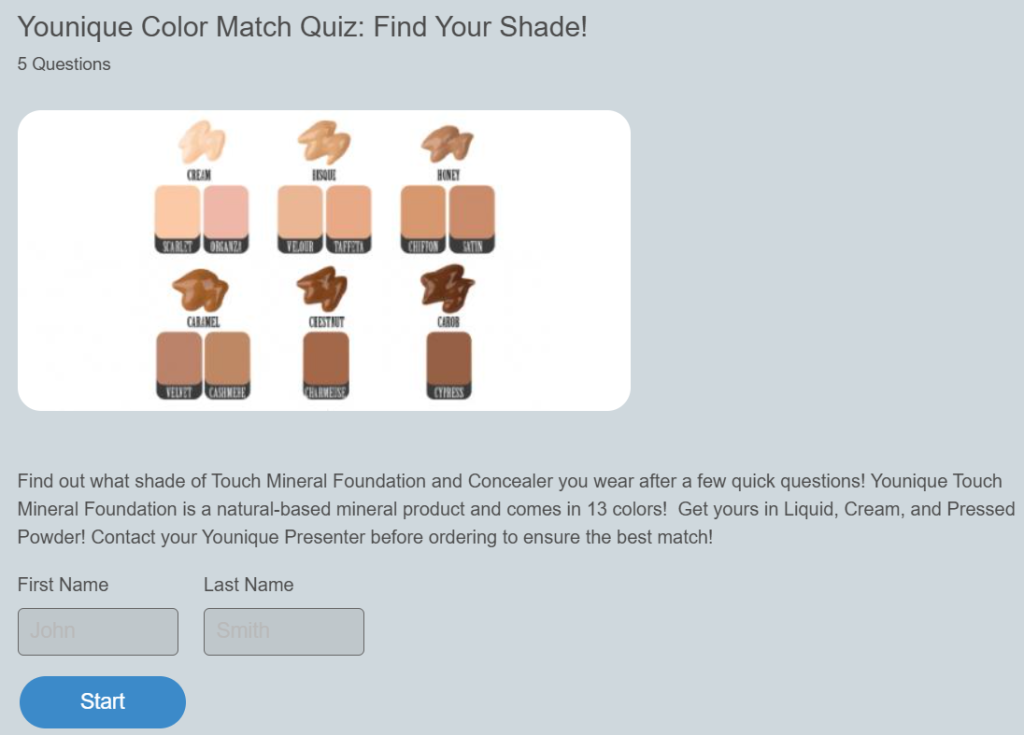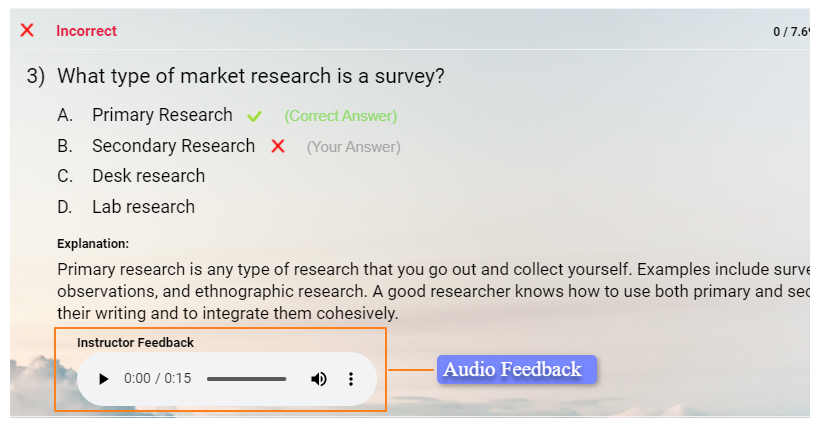

I’ve seen Jotform Quiz Maker work well for teams that want to turn forms into quick, functional quizzes. It’s reliable, easy to launch, and fits neatly into operational workflows. For structured data collection with light scoring, it does exactly what it promises.
But quizzes rarely stay “just forms.” Once they begin influencing hiring decisions, training outcomes, or lead qualification, expectations shift. Scoring logic becomes more nuanced. Reporting needs to be clearer. User experience starts to matter. And control over how results connect to the rest of your stack becomes critical.
That’s typically the point where founders, educators, and marketers start evaluating Jotform quiz maker alternatives more seriously. In this guide, I’ll walk through the strongest options across different use cases, including assessment-focused platforms like ProProfs Quiz Maker, so you can choose a tool aligned with where your quiz strategy is actually headed.
Why Look Beyond Jotform Quiz Maker
Most teams I’ve worked with don’t switch tools impulsively. They start with Jotform because it’s practical and already part of their workflow. The shift happens gradually as the role of quizzes expands.
1. Quiz Experience Starts Feeling Too Linear
Jotform delivers clean, structured forms. But if your goal is engagement-heavy quizzes, personality assessments, or dynamic diagnostics, the flow can feel rigid. Platforms built specifically for quizzes often offer more interactive presentation and result design.
2. Scoring and Outcome Logic Becomes More Sophisticated
As strategies mature, simple right-or-wrong grading may not be enough. Teams often need weighted scoring, category breakdowns, conditional result pages, or branching paths that adapt in real time. That’s where deeper quiz logic becomes important.
3. Evaluation and Integrity Standards Rise
In hiring, certifications, or compliance use cases, delivery controls matter. Time limits, randomized questions, retake policies, and activity monitoring become part of the requirements, not optional add-ons.
4. Quizzes Feed Into Broader Systems
Entrepreneurially, quizzes rarely operate alone. They pass data into CRMs, marketing automation tools, Airtable bases, or learning systems. Cleaner integrations and flexible data handling often drive the need for change.
5. Growth Brings Structural Questions
What works for ten submissions may not work for ten thousand. Scaling usage, reporting, and feature access often reveals limits that weren’t obvious at the beginning.
Exploring alternatives at this stage is less about abandoning Jotform and more about aligning your quiz platform with the complexity your strategy now demands. And if quizzes are influencing real decisions, settling for basic form logic usually becomes a limitation faster than expected.
List of the Best Jotform Quiz Maker Alternatives
Here are the best Jotform quiz maker alternatives. Each one approaches quizzes from a slightly different angle, some focus on assessments, others on marketing funnels, conversational UX, or database-driven logic.
| Tool | Best For | Starting Price |
|---|---|---|
| ProProfs Quiz Maker | Structured assessments, secure quizzes, and AI-assisted creation | Free for short quizzes; paid plans start at $19.99/month |
| Typeform | Conversational, customer-facing quizzes | Starts at $25/month |
| Outgrow | Conversion-focused quizzes and calculators | Starts at $22/month |
| Interact | Personality quizzes and segmentation | Starts at $27/month |
| Fillout | Logic-heavy quizzes tied to Airtable/Notion | Free plan available; paid plans start at $15/month |
| forms.app | Lightweight online quizzes and quick tests | Free plan available |
| Microsoft Forms | Internal quizzes within Microsoft ecosystems | Free with Microsoft account |
| Google Forms | Completely free basic quizzes and surveys | Free |
Below, I’ll break down each alternative in detail so you can see which direction makes the most sense for your use case.
1. ProProfs Quiz Maker – Best for Easily Creating Secure Quizzes With AI or Templates
ProProfs Quiz Maker often becomes a consideration for teams that start needing more than a basic form-style quiz. When ease of use meets the need for structured logic and controlled delivery, its blend of AI support and quiz-centric features makes it a practical alternative to form-first builders.
One of the things I value most about ProProfs is how quickly you can spin up a quiz. You can prompt the AI to draft questions, import existing outlines, or start from one of the 100,000+ ready-to-use quizzes with over a million questions.
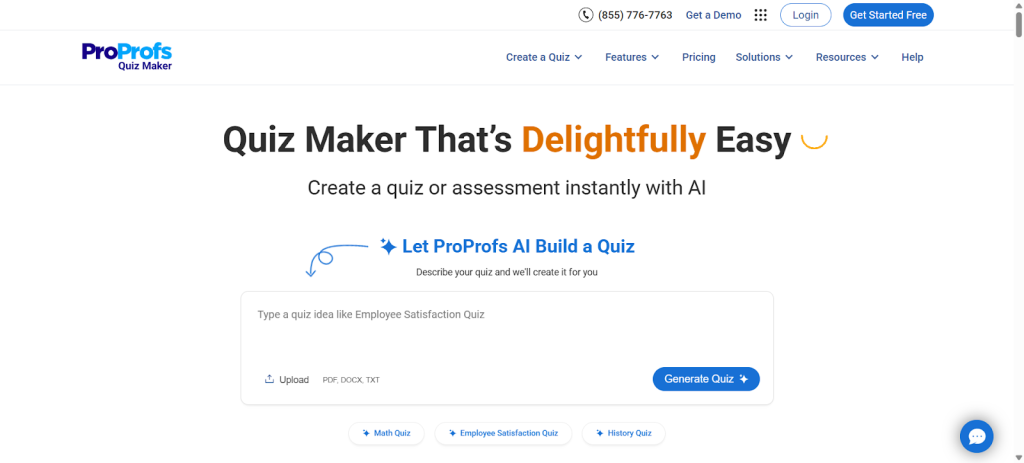
With 20+ interactive question types — from multiple choice to scenario and multimedia formats — the experience feels more like a purpose-built quiz product than a form with a score.
ProProfs also offers automated grading and detailed analytics, giving you visibility into performance at the learner, question, and group levels. Delivery controls such as time limits, randomization, attempt restrictions, and automated proctoring help ensure integrity when quizzes are used for hiring, certification, or compliance.
Synergy Holdings, a multi-brand retail operation, used ProProfs Quiz Maker to handle two very different challenges on a single platform: structured employee training and live-event lead capture.
Here’s how they did it:
Pros:
- AI-assisted quiz creation to jumpstart build time
- Access to 100,000+ ready-to-use quizzes and question banks
- 20+ question types, including multimedia and interactive formats
- Automated grading with granular analytics and export options
- Delivery controls like time limits, randomization, and automated proctoring
- Integrations with major CRM and marketing automation platforms
Cons:
- No dark mode option
- No on-premise deployment; fully cloud-based only
How It Compares to Jotform Quiz Maker
Jotform is form-centric, focusing on structured data capture. ProProfs centers on quiz design and assessment quality, offering richer delivery controls and analytics for scenarios where results feed decisions, evaluations, or compliance requirements. If assessments carry consequences in your workflow, this distinction becomes hard to ignore.
User Rating: 4.6 (Capterra)
Pricing: Free for short quizzes and most premium features; paid plans start at $19.99/month.
2. Typeform – Best for Conversational, Customer-Facing Quizzes
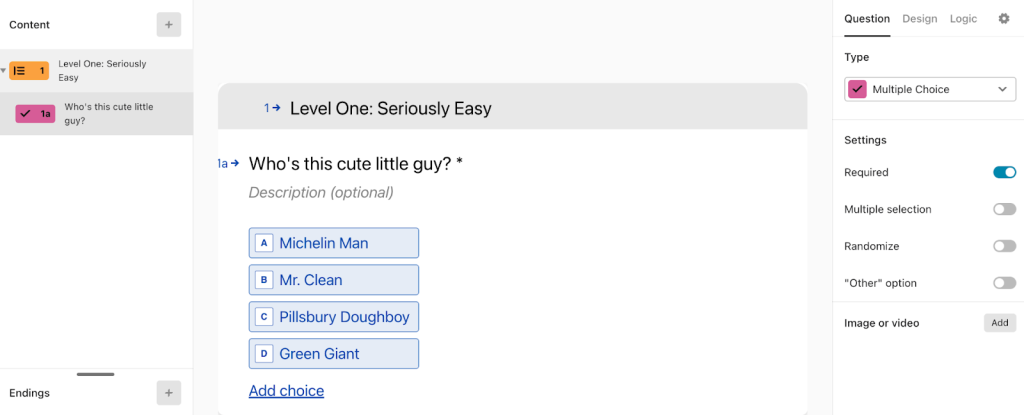
Image source: Typeform
Typeform usually comes up in conversations where presentation matters as much as the questions themselves. It’s built around a one-question-at-a-time flow, which creates a focused, almost chat-like experience. For brands that care deeply about aesthetics and completion rates, that design choice can make a noticeable difference.
From what I’ve observed, Typeform works particularly well for customer surveys, onboarding quizzes, and lead capture experiences where tone and polish influence engagement. It supports conditional logic, calculations, scoring, hidden fields, and customizable ending screens, allowing you to personalize outcomes without overwhelming the user.
Its integration ecosystem is also extensive. Responses can flow directly into CRM systems, email platforms, spreadsheets, and automation tools. One important consideration, though, is that pricing is often tied to response volume, which can scale quickly for high-traffic campaigns.
Pros:
- Conversational, one-question-at-a-time quiz interface
- Strong branching and logic personalization features
- Custom endings and scoring options
- Clean, modern design suitable for public-facing campaigns
- Broad integration support across marketing and productivity tools
Cons:
- Response-based pricing can become costly at scale
- Limited built-in controls for high-security or proctored exams
How It Compares to Jotform Quiz Maker
Unlike Jotform’s form-driven layout, Typeform prioritizes flow and user experience. If your goal is a more engaging, brand-forward quiz rather than structured operational data capture, Typeform often feels more immersive and presentation-focused. But if your quiz determines pass or fail, aesthetics alone won’t be enough.
User Rating: 4.5 (G2)
Pricing: Starts at $25/month.
3. Outgrow – Best for Conversion-Focused Quizzes & Calculators
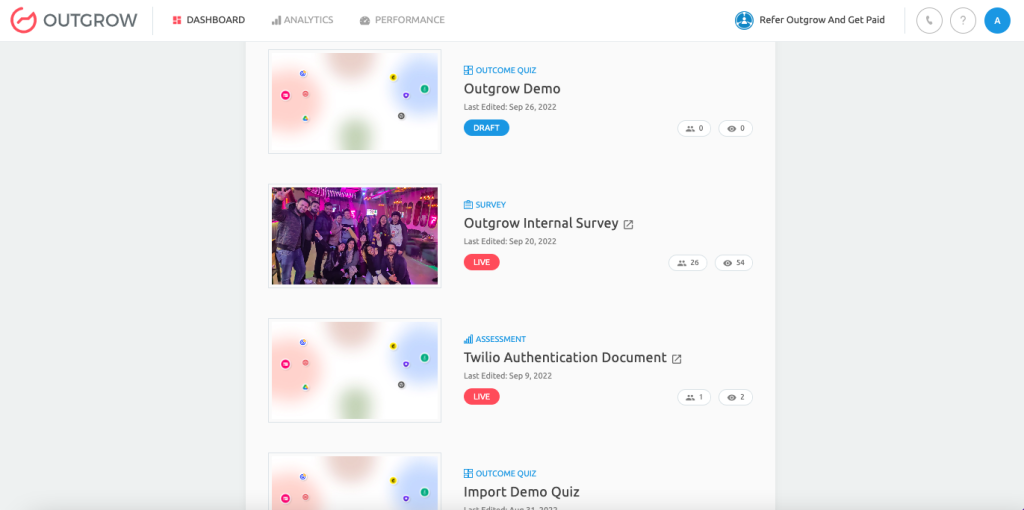
Image source: Outgrow
Outgrow is built around the idea that interactive content should drive measurable action. It goes beyond standard quizzes by supporting calculators, assessments, recommendation tools, and other outcome-driven experiences designed to move prospects through a funnel.
Instead of just assigning a score, you can create logic paths that generate personalized results tied to pricing estimates, product suggestions, or diagnostic feedback. The builder supports conditional branching, dynamic result pages, and integrations that send segmented leads into CRM and automation systems. For marketing teams treating quizzes as performance assets, that structure can be powerful.
Its reporting also focuses on conversion behavior. You can track engagement, drop-off points, and completion metrics to optimize campaigns over time.
Pros:
- Supports quizzes, calculators, and recommendation engines
- Funnel-oriented templates for conversion-driven campaigns
- Conditional logic with dynamic, outcome-based results
- Built-in analytics for tracking drop-offs and conversions
- Integrations with CRM and marketing automation platforms
Cons:
- Complex formula-based experiences require careful testing to ensure accuracy
- Some users report occasional platform instability in advanced setups
How It Compares to Jotform Quiz Maker
The core difference lies in orientation. Jotform approaches quizzes as an extension of form workflows. Outgrow treats them as conversion tools, built to influence buying decisions, qualify leads, and attribute engagement to pipeline impact rather than just capture submissions.
User Rating: 4.8 (Capterra)
Pricing: Starts at $22/month.
4. Interact – Best for Personality Quizzes & Audience Segmentation
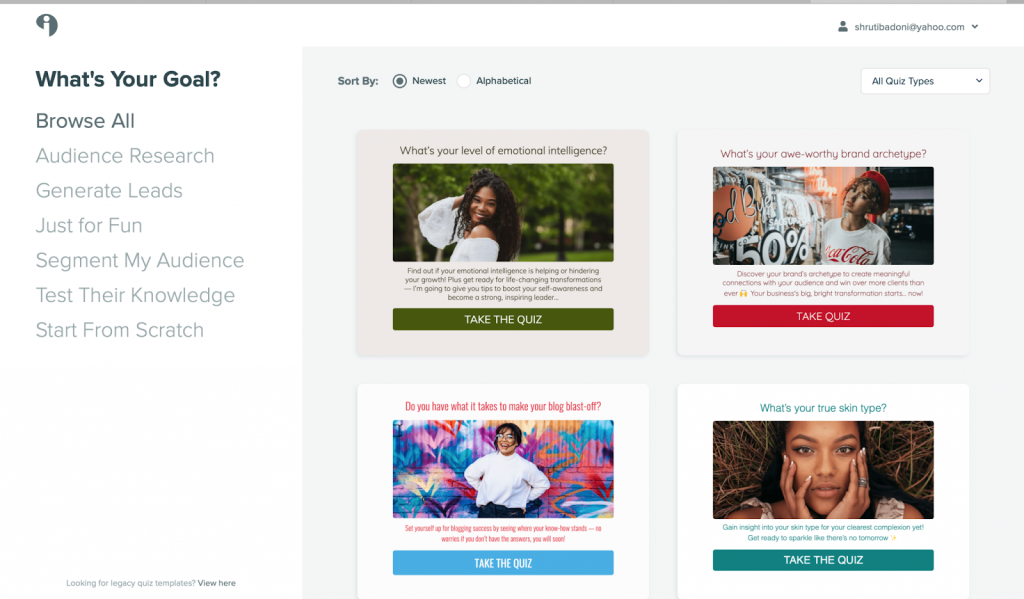
Image source: BforBloggers
I tend to look at Interact when the goal is clear audience segmentation rather than formal testing. It’s built primarily for personality-style quizzes that feed directly into email marketing systems, and that focus shows in how the platform is structured.
What I like about Interact is how straightforward the outcome mapping feels. You connect answer choices to specific result types, then link those outcomes to tags or automations inside your email platform. For list-building campaigns, that clarity removes a lot of guesswork. I’ve seen it work particularly well for creators and ecommerce brands using quizzes as lead magnets.
The template library also helps speed up execution. If you want to validate an idea quickly without heavy configuration, Interact keeps the setup process simple.
Pros:
- Designed specifically for personality and outcome-based quizzes
- Clear segmentation workflows tied to email automation
- Industry-specific templates that accelerate launch
- Integrates with popular email marketing platforms
- Analytics focused on completion rates and conversions
Cons:
- Design flexibility can feel limited compared to advanced builders
- Not suited for secure, compliance-driven, or proctored assessments
How It Compares to Jotform Quiz Maker
In practical terms, Jotform treats quizzes as structured forms, while Interact treats them as marketing engines. If segmentation and list growth are central to your strategy, Interact feels more specialized for that objective.
User Rating: 4.7 (G2)
Pricing: Starts at $27/month.
5. Fillout – Best for Logic-Heavy Quizzes Connected to Airtable & Notion
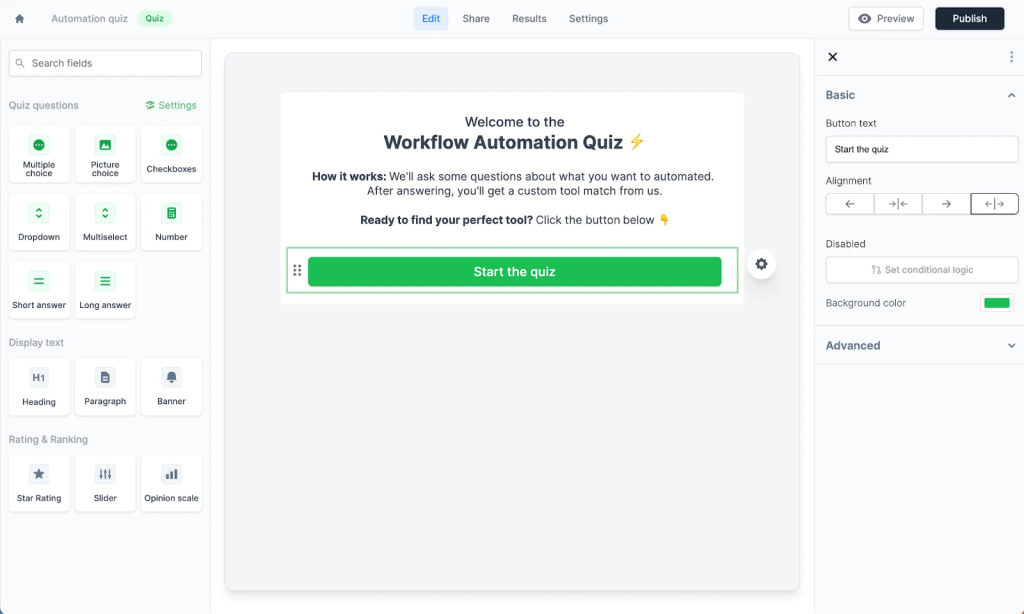
Image source: Fillout
Fillout usually enters the conversation when someone says, “I need more control over logic and data.” It’s technically a form builder, but it behaves more like a lightweight app layer sitting on top of tools like Airtable and Notion.
I find it particularly useful in workflows where quizzes need calculations, variables, or dynamic answer choices pulled from a database. Instead of static forms, you can create adaptive flows that change based on prior responses or external data. That flexibility makes it attractive for product teams, operations teams, and anyone building internal tools.
The scoring setup can be handled through calculated fields, and responses sync directly into connected systems. For database-driven quizzes or internal evaluation tools, that architecture can be powerful.
Pros:
- Strong conditional logic and variable support for complex workflows
- Calculated fields for scoring and dynamic outputs at scale
- Tight integrations with Airtable, Notion, and automation tools
- Flexible embedding and customization options for branded experiences
- Free plan available for real-world testing environments
Cons:
- Advanced logic setups can require technical familiarity
- Some users report administrative friction around billing and receipts
How It Compares to Jotform Quiz Maker
The difference is in depth of logic and data flexibility. Jotform provides structured conditional paths within forms. Fillout leans further into dynamic data-driven experiences, especially in environments where quizzes are closely tied to databases or internal systems.
User Rating: 5.0 (G2)
Pricing: Free plan available; paid plans start at $15/month.
6. forms.app – Best for Quick Online Quizzes & Lightweight Tests
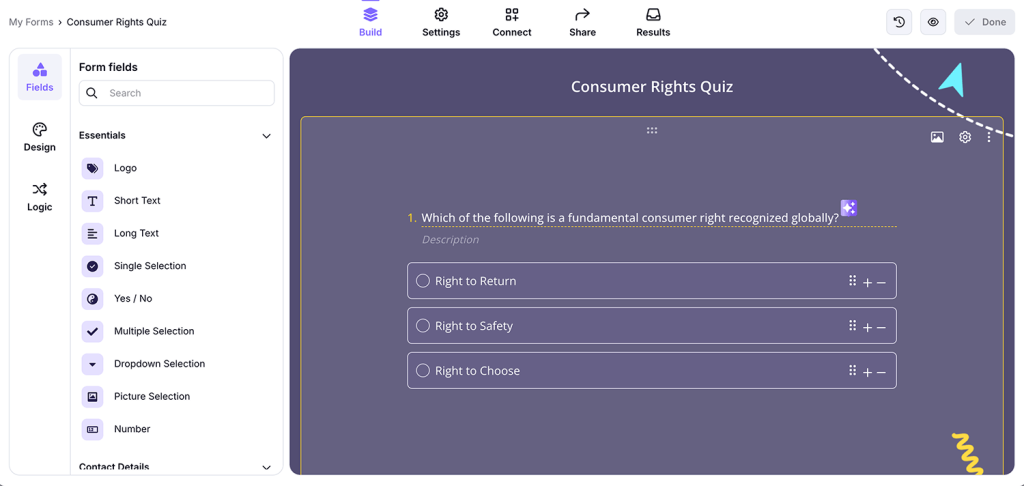
Image source: forms.app
forms.app is usually considered when speed and simplicity matter most. It’s an accessible online quiz builder that helps you launch basic tests, surveys, and short assessments without heavy configuration or setup overhead.
I’ve seen it used frequently for classroom-style quizzes, internal knowledge checks, or small online assessments where advanced integrations and deep analytics are not the priority. The drag-and-drop builder keeps things straightforward, and templates can be adapted quickly. For teams that want something more polished than a basic form but less involved than a full assessment system, it offers a middle ground.
It also includes conditional logic and export options, giving you enough flexibility while keeping the overall experience uncomplicated.
Pros:
- Fast quiz creation with beginner-friendly setup process
- Simple scoring tools for lightweight classroom-style assessments
- Customizable templates for different industries and practical use cases
- Conditional logic support for basic adaptive quiz flows
- Export options for managing and analyzing collected response data
Cons:
- Some educators report answer visibility issues in certain quiz setups
- Occasional performance and support responsiveness concerns noted by users
How It Compares to Jotform Quiz Maker
forms.app leans toward simplicity and quick launches, while Jotform provides broader workflow controls and deeper form customization. If your focus is straightforward quizzes without complex automation or integrations, forms.app can feel easier to manage.
User Rating: 4.5 (G2)
Pricing: Free plan available; paid plans vary by tier.
7. Microsoft Forms – Best for Internal Quizzes in Microsoft Environments
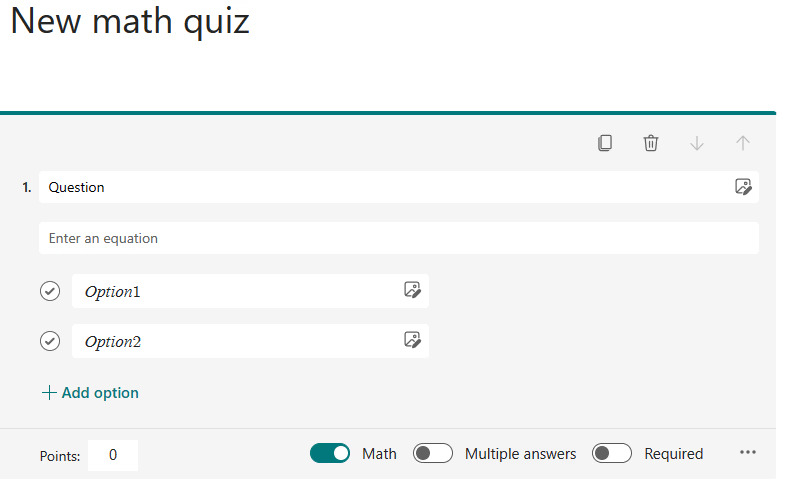
Image source: Microsoft Forms
Microsoft Forms is a practical choice for organizations already operating inside the Microsoft ecosystem. If your team works daily in Outlook, Teams, and Excel, adding quizzes through Microsoft Forms feels seamless rather than disruptive.
It’s commonly used for internal training checks, employee feedback, and classroom-style quizzes. The interface is clean, responses update in real time, and results sync directly with Excel for quick review. For companies that prioritize ease of adoption and minimal onboarding, that familiarity makes a difference.
Microsoft Forms supports branching logic, automatic grading for quiz-style forms, and a variety of question formats. While it doesn’t position itself as a specialized assessment engine, it handles structured knowledge checks efficiently.
Pros:
- Native integration with Microsoft 365 and Teams environments
- Real-time response tracking with automatic quiz grading
- Familiar interface that reduces internal onboarding friction
- Easy sharing across corporate and educational networks
- Excel export for structured reporting and analysis workflows
Cons:
- Limited advanced customization compared to specialized quiz platforms
- Feature depth may feel restricted for complex assessment requirements
How It Compares to Jotform Quiz Maker
Microsoft Forms offers tighter alignment within Microsoft-based environments. Jotform, on the other hand, provides broader customization and workflow flexibility, especially for public-facing quizzes or more complex operational processes.
User Rating: 4.6 (Capterra)
Pricing: Free with a Microsoft account; Microsoft 365 plans may apply for organizational use.
8. Google Forms – Best Free Option for Simple Quizzes
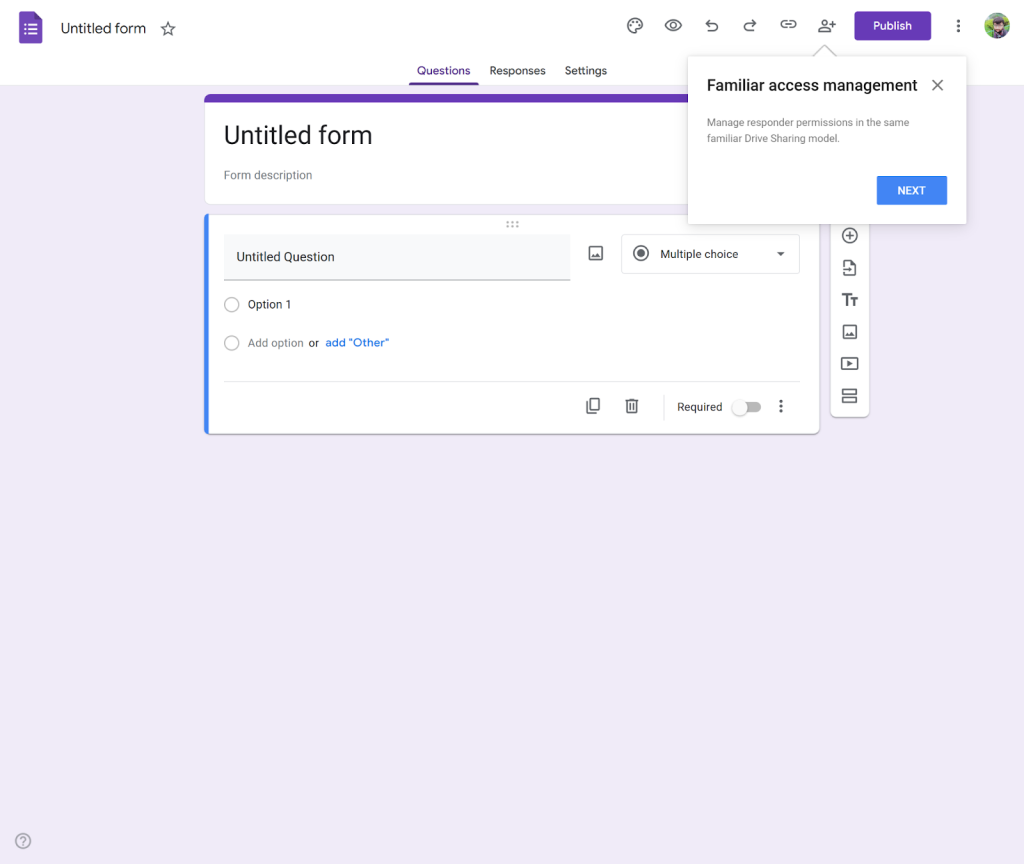
Google Forms is often the starting point for anyone searching for a completely free quiz builder. It’s straightforward, accessible from any Google account, and requires virtually no setup beyond creating a new form.
Its quiz mode allows automatic grading, answer keys, and point values. You can also use section-based branching to guide respondents down different paths. Responses sync directly with Google Sheets, which makes analysis and sharing simple.
For educators, small teams, or internal feedback loops, that simplicity is often enough. The trade-off is design flexibility and advanced logic. Google Forms focuses on utility over presentation, and it doesn’t attempt to replicate the interactive feel of quiz-first platforms.
Pros:
- Completely free with no subscription tiers or usage fees
- Quick setup with minimal technical knowledge required
- Built-in quiz mode with automatic grading capabilities
- Section-based branching for simple adaptive quiz flows
- Direct integration with Google Sheets for reporting and analysis
Cons:
- Limited design customization and branding control
- Basic reporting compared to specialized quiz platforms
How It Compares to Jotform Quiz Maker
Google Forms emphasizes simplicity and zero cost. Jotform offers more advanced conditional logic, workflow automation, and customization. If you need a polished, scalable quiz experience, Jotform provides more flexibility than Google Forms.
User Rating: 4.7 (Capterra)
Pricing: Free.
Evaluation Criteria: How I Tested and Ranked Jotform Quiz Maker Alternatives
Each tool on this list went through the same structured evaluation process across eight categories.
Rather than taking vendor claims at face value, I combined direct product testing with independent research, verified user reviews, and input from marketers, educators, and operations professionals running these platforms in live environments.
The criteria reflect what genuinely separates a purpose-built quiz tool from a form builder with scoring bolted on, which is the core limitation that brings most teams to this list in the first place.
Scoring Criteria:
| Category | Weight | What I Evaluated |
|---|---|---|
| Quiz Creation & AI Assistance | 20% | Supported question types, AI-assisted generation, bulk import options, media embedding, and access to prebuilt question libraries |
| Branching & Scoring Logic | 15% | Conditional routing depth, weighted scoring, multi-category result mapping, score-range branching, and dynamic field support — the capabilities Jotform’s form-first architecture handles least naturally |
| Security & Delivery Controls | 15% | Time-based restrictions, question and answer randomization, retake limits, tab-switch detection, and webcam-based proctoring |
| Analytics & Reporting | 15% | Individual learner performance, question-level analysis, group-level reporting, timestamped logs, and data export options |
| Integrations | 10% | CRM and marketing automation compatibility, database sync depth, API availability, and reliance on native versus Zapier-dependent connections |
| Lead Generation Capability | 10% | Lead capture forms, result-gating, CRM routing logic, audience segmentation, and email platform sync |
| Ease of Use | 10% | Time to first quiz, admin learning curve, mobile experience, and workflow efficiency for ongoing management |
| Price-to-Value | 5% | Pricing transparency, feature availability per tier, response-volume versus flat-rate structures, and free plan usefulness |
Sources I cross-referenced: verified reviews on Capterra and G2, community discussions on Reddit and Quora from educators and operations teams, official vendor documentation, and live product walkthroughs. Quiz logic, branching behavior, and reporting output were tested directly where access allowed.
My Top 3 Picks for Jotform Quiz Maker Alternatives
Different teams will prioritize different capabilities, but if I had to narrow the list based on common business scenarios, these three tend to cover the broadest ground.
1. ProProfs Quiz Maker
If quizzes influence hiring decisions, certifications, or structured training, ProProfs is a strong candidate. It combines AI-assisted creation, ready-made quiz libraries, detailed analytics, and delivery controls like time limits and proctoring-style safeguards. For assessment-heavy environments, it offers built-in structure rather than requiring custom workarounds.
2. Typeform
For customer-facing quizzes where presentation and completion rates matter most, Typeform stands out. Its conversational interface and strong logic capabilities make it well suited for branded experiences, onboarding flows, and engagement-driven campaigns.
3. Fillout
When logic depth and database connections are central, Fillout becomes compelling. It works particularly well in Airtable or Notion-driven workflows where quizzes need calculations, dynamic fields, and tight automation links.
The right choice ultimately depends on whether your quiz strategy leans toward evaluation, engagement, or operational integration.
FREE. All Features. FOREVER!
Try our Forever FREE account with all premium features!
Choose a Jotform Quiz Maker Alternative That Truly Fits Your Use Case
Jotform works well for many teams, especially when quizzes function as structured forms within larger workflows. But as quizzes begin influencing hiring decisions, training outcomes, or lead qualification, the criteria naturally change. Scoring depth, reporting clarity, delivery controls, and integration flexibility start to matter more than basic submission tracking.
A practical approach helps. Define your main objective, rebuild one meaningful quiz in two shortlisted tools, and compare the experience from setup to reporting. Pay attention to how intuitive the logic feels, how reliable the data looks, and how smoothly everything connects to your existing systems.
If your quizzes are becoming more structured and evaluation-driven, platforms such as ProProfs Quiz Maker can offer that added layer of control and reporting without requiring a complicated setup.
Frequently Asked Questions

Is there a free alternative to Jotform Quiz Maker?
Yes. Google Forms and Microsoft Forms are fully free for basic quizzes. ProProfs Quiz Maker also offers a free plan that lets you create unlimited short quizzes with most premium features, making it practical for ongoing small-scale use.
Which Jotform alternative is best for secure assessments?
For secure testing, look for tools that support time limits, question randomization, attempt restrictions, and proctoring-style safeguards. Platforms such as ProProfs Quiz Maker are commonly considered when assessment integrity and structured reporting are important requirements.
What’s the best option for lead generation quizzes?
If your goal is segmentation and lead qualification, tools like Outgrow, Interact, and Typeform are strong options. They emphasize personalized outcomes, conditional logic, and integrations that route quiz responses directly into CRM or email marketing systems.
Can I migrate my Jotform quizzes to another platform?
Direct migration is uncommon. Most teams rebuild quizzes manually in the new tool, although some platforms support CSV imports or bulk question uploads. Recreating one live quiz first is usually the safest way to validate the transition.
Which tool works best with Airtable or Notion?
For database-driven workflows, Fillout is often preferred because it supports calculations, dynamic fields, and strong integrations with Airtable and Notion. It’s particularly useful when quizzes need to behave like app interfaces connected to live data.
How do pricing models differ among Jotform competitors?
Pricing structures vary widely. Some platforms charge based on response volume, others by feature tiers, submission limits, or user seats. Reviewing how pricing scales with traffic and long-term usage is essential before committing to a new tool.
How do I choose the right Jotform Quiz Maker alternative?
Start by defining your primary objective, whether it’s assessment, marketing, internal workflows, or simple data collection. Then compare logic depth, reporting clarity, integration flexibility, pricing behavior, and real user reviews before running a small pilot test.

Let ProProfs AI Build a Quiz

 We'd love your feedback!
What did you like & how can we make it even better?
 Thanks for your feedback!
 Ask Your Question
Have a question? Get expert help to make your decision easier.